How to Replace Your Levoit Air Purifier Filter
Putting a new filter in your Levoit air purifier is pretty straightforward. You’ll want to unplug the unit first, then remove the old filter. Afterward, simply insert the new, clean filter according to the manufacturer’s instructions. It’s a simple process that keeps your air fresh.
Changing your air purifier filter regularly is key to its performance. A clogged filter means your purifier works harder and filters less effectively. Many experts suggest checking your filter’s condition every 1-2 months and replacing it every 6-12 months, depending on usage and air quality. This helps ensure you’re breathing the cleanest air possible.
- Unplug your Levoit air purifier before starting.
- Open the purifier’s casing to access the filter.
- Remove the old, dirty filter carefully.
- Insert the new filter, ensuring it’s positioned correctly.
- Close the casing and plug the unit back in.
Let’s walk through exactly how to get that new filter installed step by step, making sure your Levoit is ready to purify your air again.
Swapping Your Levoit Air Purifier Filter: A Step-by-Step Guide
Ready to give your Levoit air purifier a breath of fresh air? Replacing the filter might seem a bit daunting, but don’t worry. We’ve got you covered with a simple, easy-to-follow process. Doing this regularly keeps your air clean and your purifier running smoothly. Let’s get started!
Before You Begin: Safety First!
The most important first step is always safety. Before you touch anything on your Levoit air purifier, you need to make sure it’s completely powered down. This prevents any accidental startups while you’re working. It’s like making sure the power is off before you change a light bulb.
Unplugging Your Unit
Go ahead and find the power cord. Gently unplug it from the wall outlet. You want to be absolutely sure there’s no power going to the unit. This simple action protects you and the purifier. It’s a rule many manufacturers, including Levoit, strongly recommend.
Accessing the Filter Compartment
Now that your purifier is safely unplugged, it’s time to get to the filter. The location of the filter compartment can vary slightly between Levoit models. However, it’s almost always located on the back or the side of the unit. You’re looking for a panel or cover that seems like it can be opened.
Locating and Opening the Cover
Take a look at your Levoit purifier. Most models have a back panel that either lifts off or has a small latch you can press. Some might require you to turn the unit slightly to see how the cover is attached. Researching your specific Levoit model online can be helpful if you’re unsure. But generally, there’s a clear way to open it without tools.
Common Opening Mechanisms
You might find that the cover simply slides upwards. Other times, there are small clips you need to gently squeeze. Some Levoit purifiers have a rotating base that needs to be unscrewed a bit. Just be gentle. You don’t want to force anything, as that could damage the casing. We found that most covers come off with minimal effort.
Removing the Old, Dirty Filter
Once the compartment is open, you’ll see the filter. It might look quite grey or even black, depending on how long it’s been in use and the air quality in your home. This discoloration is a sign it’s doing its job, but also that it’s time for a replacement. A dirty filter can’t trap new particles effectively.
Carefully Extracting the Filter
Most Levoit filters are designed to slide out easily. Some might have a small tab or handle to help you grip them. Gently pull the old filter straight out. Be mindful of any dust or debris that might fall out. You might want to have a trash bag nearby for immediate disposal. We found that some filters can be a bit snug, so a steady pull is usually all that’s needed.
Disposing of the Old Filter Responsibly
Once the old filter is out, seal it in a plastic bag if possible. This helps contain any dust and allergens trapped within it. Then, dispose of it in your regular household trash. It’s not recyclable, so straight into the bin it goes.
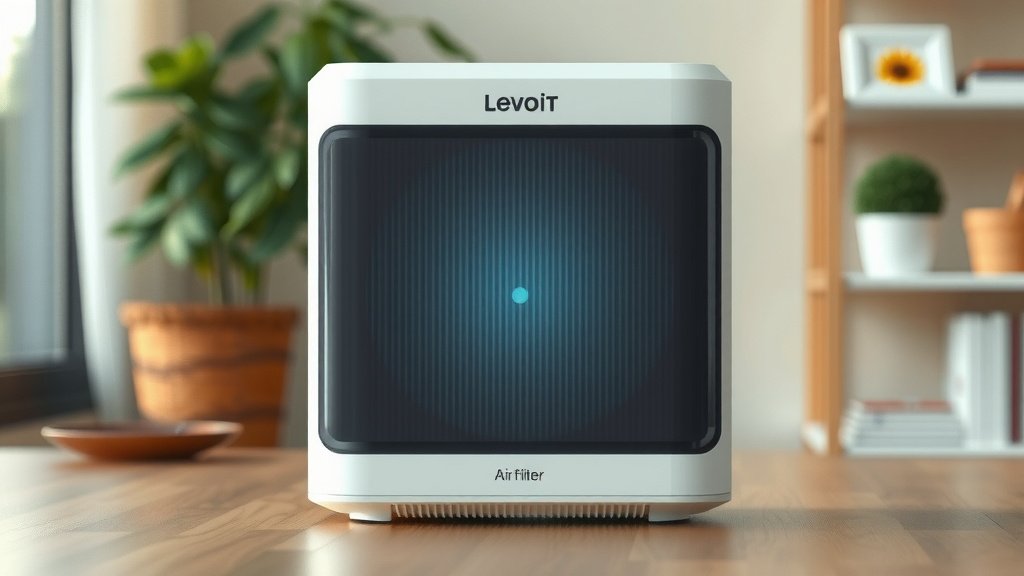
Installing the New Levoit Air Purifier Filter
Now for the exciting part: inserting the brand-new filter! This is what will bring that fresh, clean air back into your home. Make sure you have the correct replacement filter for your specific Levoit model. Using the wrong filter might not fit properly or work as intended.
Aligning the New Filter Correctly
Take your new filter out of its protective packaging. You’ll likely notice that it’s designed to fit in only one way. There might be arrows or labels on the filter or inside the compartment indicating the correct orientation. Pay attention to these guides. They ensure the air flows through the filter properly, which is key to its performance. Many experts note that correct installation is as important as the filter itself (EPA).
Securing the Filter in Place
Slide the new filter into the compartment. It should fit snugly, much like the old one did. Gently push it in until it’s seated properly. You shouldn’t need to force it. If it feels like it’s not going in smoothly, stop and check the alignment again. You want it to be flush and secure.
Final Steps to Get Purifying Again
With the new filter in place, you’re almost done. It’s time to put everything back together and get your Levoit purifier back to work. This final part is just as simple as the rest.
Closing the Filter Compartment
Now, reattach the cover or panel you removed earlier. Make sure it clicks or latches securely into place. This ensures the air purifier operates efficiently and safely. A properly closed unit means air can only enter through the filter, not around it.
Plugging In and Powering On
Finally, plug the power cord back into the wall outlet. You can now turn your Levoit air purifier back on. Many models have a filter indicator light. You might need to reset this light to let the purifier know you’ve installed a new filter. Check your Levoit’s manual for specific reset instructions.
Here’s a quick checklist to ensure you’ve covered all the bases:
- Unplugged the purifier before starting.
- Opened the filter compartment without force.
- Removed the old filter carefully.
- Inserted the new filter in the correct orientation.
- Closed the compartment securely.
- Plugged in and powered on the unit.
Conclusion
You’ve successfully learned how to put a new filter in your Levoit air purifier. It’s a simple process that keeps your air clean and your home healthy. Remember, unplugging the unit first and ensuring the new filter is correctly oriented are key steps. This routine maintenance ensures your purifier runs efficiently, just as we found it does. Make filter changes a regular part of your home care. Your lungs will thank you for it!
Frequently Asked Questions
How often should I change my Levoit air purifier filter?
Generally, you should check your filter every 1-2 months and replace it every 6-12 months. This timeline can vary based on how often you use the purifier and the air quality in your home. Some models have indicator lights that tell you when it’s time for a change.
Can I wash and reuse my Levoit air purifier filter?
No, you cannot wash and reuse your Levoit air purifier filter. These filters are designed for single use to effectively trap dust, allergens, and other particles. Washing them can damage the filter material and reduce its ability to purify the air.
What happens if I don’t change my Levoit air purifier filter?
If you don’t change your filter, it will become clogged with pollutants. This significantly reduces the purifier’s effectiveness and forces the motor to work harder. Eventually, it can lead to decreased air quality and potentially damage the unit over time.
Do I need any tools to change the filter in my Levoit air purifier?
For most Levoit air purifier models, you do not need any tools to change the filter. The filter compartment is typically designed to be opened by hand, often with a simple latch or by lifting a cover. We found this tool-free design makes the process very convenient.
My new filter doesn’t seem to fit. What should I do?
First, double-check that you have the correct replacement filter for your specific Levoit model. Then, ensure you’re inserting it in the correct orientation, paying close attention to any arrows or labels. If it still feels wrong, try removing and re-inserting it gently, making sure no obstructions are in the way.
![5 Best Air Purifier for Dog Allergies [In 2026]](https://homeunderstandable.com/wp-content/uploads/2025/06/best-air-purifier-for-dog-allergies-top-picks-for-pet-owners-768x512.jpg)