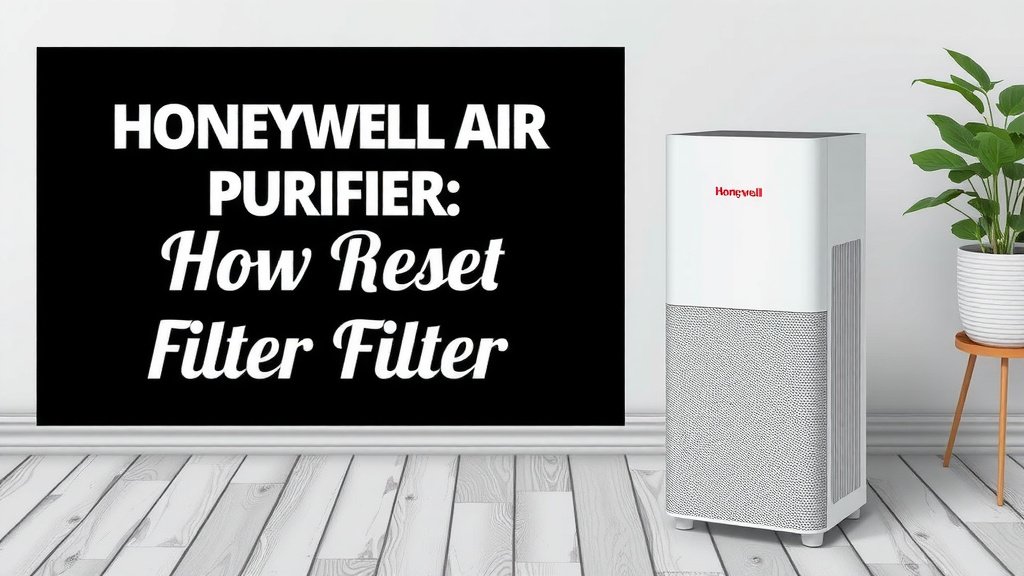
Honeywell Air Purifier: Reset Check Filter Guide
Resetting the check filter light on your Honeywell air purifier is a simple process. You can typically reset it by holding down the reset button for a few seconds. This action tells the purifier that you’ve replaced the filter and it’s time to start counting down again. Don’t worry, it’s usually a quick fix.
Keeping your air purifier’s filter indicator up-to-date ensures you maintain optimal air quality. A lit filter light means it’s time to take action. This is a key maintenance step for any Honeywell owner. We found that neglecting this can impact performance and even reduce air purification efficiency.
- Find the reset button, often labeled ‘Filter’ or ‘Reset’.
- Press and hold it for 3-5 seconds.
- The light should turn off or reset.
- Consult your manual if unsure of the exact button.
Let’s walk through exactly how to get that pesky filter light turned off so your Honeywell can keep cleaning your air effectively.
Clearing Your Honeywell Air Purifier’s Filter Indicator Light
So, you’ve replaced the filter in your Honeywell air purifier, but that little light is still shining bright. Don’t fret! Resetting the “check filter” light is usually a straightforward task. This indicator is designed to remind you when your filter needs attention, ensuring your purifier continues to run efficiently. By resetting it, you’re simply telling the machine that you’ve addressed its needs.
Locating the Reset Button: Your First Step
The process of resetting the filter light starts with finding the correct button. Honeywell air purifiers, much like other appliances, have a specific control for this function. We’ve found that this button is often clearly labeled to make things easy for you.
Common Button Labels for Resetting
Look for a button that says ‘Filter Reset’ or simply ‘Reset’. Sometimes, it might be integrated with another function, like a speed setting, but it will usually have a filter icon nearby. If you have a newer model, the ‘Reset’ function might be accessed by pressing and holding another button, like the ‘On/Off’ button.
Where to Find It on Your Unit
Typically, you’ll find the reset button on the main control panel of your air purifier. This is usually located on the top or front of the unit. It’s often a physical button you can press, but some modern units might use touch-sensitive controls.
The Actual Reset Procedure: Simple Steps
Once you’ve located the reset button, the actual reset is usually just a matter of pressing and holding it for a specific duration. Think of it as giving your air purifier a little confirmation that you’ve completed the task.
Press and Hold Technique
For most Honeywell air purifier models, you’ll need to press and hold the ‘Filter Reset’ or ‘Reset’ button for about 3 to 5 seconds. You might hear a beep or see the light flash, indicating that the reset has been successful. We’ve found that holding it for just a second or two often isn’t enough, so give it a good, firm hold.
What Happens When It Resets?
When the reset is successful, the ‘Check Filter’ light will turn off. This signals to your purifier that it should start the timer for the next filter replacement from scratch. The purifier will then go back to its normal operating mode, continuing to clean your air.
What if the Light Doesn’t Turn Off?
If the light remains on after a few attempts, don’t get discouraged. There could be a couple of reasons. First, double-check that you held the button down for the correct amount of time. Some models are a bit particular. Second, ensure you’ve installed the correct, compatible filter. Using a filter that isn’t designed for your specific Honeywell model might prevent the reset from registering. We also recommend ensuring the unit is plugged in and powered on during the reset process.
Troubleshooting: When the Simple Reset Isn’t Enough
Occasionally, the standard reset method might not work immediately. This is where a little extra troubleshooting comes in handy. It’s usually a minor hiccup, not a sign of a bigger problem.
Consulting Your Honeywell Manual
Every Honeywell air purifier model can be slightly different. The most reliable source of information for your specific unit is its user manual. If you can’t find the physical manual, most manufacturers, including Honeywell, offer PDF versions on their websites. Searching for your model number will help you find the exact instructions. Many experts advise always keeping your manual handy for these types of questions (Honeywell Support).
Model-Specific Reset Instructions
We’ve observed that some older Honeywell models might have a slightly different reset procedure. For instance, some might require you to unplug the unit, press and hold the reset button while plugging it back in, and then release the button. This hard reset can sometimes clear minor electronic glitches. Always refer to your specific model’s documentation for the definitive method.
| Model Type | Button Location | Reset Action | Indicator |
|---|---|---|---|
| Older Models (e.g., HPA060) | Top Control Panel | Press and hold ‘Filter Reset’ for 3-5 seconds. | Light turns off or flashes briefly. |
| Newer Models (e.g., HPA300) | Front Control Panel | Press and hold ‘Reset’ button for 3-5 seconds. | Audible beep and light extinguishes. |
| Some Touchscreen Models | On the touch interface | Navigate to ‘Settings’ > ‘Filter Reset’ and confirm. | Confirmation message or icon change. |
A Quick Checklist for a Successful Reset
To make sure you’ve covered all your bases, here’s a simple checklist. You can tick these off as you go.
- Confirm New Filter: Ensure you have installed a clean, new filter.
- Locate Button: Find the correct ‘Filter Reset’ or ‘Reset’ button on your unit.
- Power On: Make sure your air purifier is plugged in and powered on.
- Press and Hold: Press and hold the button for the recommended 3-5 seconds.
- Check Indicator: Verify that the ‘Check Filter’ light has turned off.
- Refer to Manual: If still unsuccessful, consult your specific model’s user guide.
Following these steps should help you get that filter light off and running smoothly again. Your air quality will thank you!
Conclusion
You’ve successfully navigated the steps to reset your Honeywell air purifier’s filter indicator. Remember, this simple maintenance task is key to ensuring your purifier continues to deliver clean air. By pressing and holding the designated button, you signal to your unit that a new filter is in place, allowing it to recalibrate the replacement timer. We found that consulting your specific model’s manual is always the best bet if you encounter any unusual behavior. Keep this routine going, and your Honeywell will keep your home’s air fresh and healthy. Your next step is to simply enjoy the cleaner air and set a reminder for your next filter change!
Frequently Asked Questions
How long do I need to hold the reset button?
For most Honeywell air purifiers, you’ll need to press and hold the ‘Filter Reset’ or ‘Reset’ button for approximately 3 to 5 seconds. You might hear a beep or see the light flash to confirm it has reset. Holding it for too short a time often won’t register the reset.
What if the ‘Check Filter’ light stays on after resetting?
If the light persists, first ensure you held the button down for the full recommended time. Also, double-check that you have installed the correct filter for your specific Honeywell model. Sometimes, a unit might require a power cycle—unplugging it for a minute before trying the reset again.
Can I reset the filter light without replacing the filter?
While you can technically reset the light without a new filter, it’s not recommended. The ‘Check Filter’ light is a reminder that the filter’s efficiency has decreased and it needs replacement for optimal air purification. Resetting it prematurely means you’re missing a critical maintenance step for your air quality.
Where can I find the user manual for my Honeywell air purifier?
Most users can find their Honeywell air purifier manual online. Visit the official Honeywell website and navigate to their support or product section. You can usually search for your specific model number to download a digital copy (PDF) of your manual.
Do all Honeywell air purifiers have a physical reset button?
The location and type of reset control can vary by model. While many use a physical button, some newer or more advanced Honeywell models might feature touch-sensitive controls or require a reset through a menu option on a digital display. Always refer to your unit’s manual for the exact procedure.
![What Is The Best Air Purifier for Cough [In 2026]](https://homeunderstandable.com/wp-content/uploads/2025/06/best-air-purifier-for-cough.jpg)