

Reset Your Levoit Air Purifier: Step-by-Step Guide
Resetting your Levoit air purifier is usually quite simple. Most models can be reset by unplugging the unit for 60 seconds and then plugging it back in. This common troubleshooting step often resolves minor glitches and ensures your purifier is running smoothly. You might need to reset it if the filter indicator light stays on after a filter change or if the unit isn’t responding.
Sometimes, an air purifier might act a little quirky. Maybe the lights aren’t behaving as they should, or it seems to be stuck in a certain mode. A reset can often fix these unexpected behaviors. We found that this simple action can bring many Levoit models back to their default settings without much fuss. It’s a good first step before assuming there’s a bigger problem.
- Most Levoit air purifiers can be reset by unplugging.
- Leave the unit unplugged for about 60 seconds.
- Then, plug it back in to complete the reset.
- This often fixes filter indicator lights and minor glitches.
Ready to get your Levoit air purifier back in top shape? Let’s walk through the easy steps to reset it.
Troubleshooting Your Levoit Air Purifier: A Simple Reset
Experiencing a glitch with your Levoit air purifier? Don’t worry, most issues can be resolved with a quick reset. We found that this simple process can get your purifier back to its best performance. It’s a great first step before you consider deeper troubleshooting or calling for support.
When to Consider a Reset for Your Levoit Unit
You might be wondering when a reset is actually necessary. Often, it’s the filter change indicator light that keeps glowing even after you’ve installed a new filter. This can be a bit confusing! We’ve also seen cases where the unit seems unresponsive, or perhaps it’s stuck on a certain fan speed. These are all common signals that a reset could be your best friend.
Think of it like restarting your computer when it acts up. Sometimes, electronics just need a fresh start. Research suggests that power cycling devices can clear temporary memory errors (IEEE Xplore). This applies to many home appliances, including air purifiers.
The Standard Reset Method: Unplug and Wait
For the vast majority of Levoit air purifiers, the reset procedure is wonderfully straightforward. You don’t need any special tools or complicated button sequences. The magic happens with just your power outlet.
Step-by-Step: Performing the Unplug Reset
- Locate the power cord on your Levoit air purifier.
- Unplug the unit from the wall outlet. Make sure it’s completely disconnected.
- Wait for about 60 seconds. This is important! This gives the internal components time to fully discharge any residual power.
- Plug the unit back in to the wall outlet.
Once plugged back in, observe your air purifier. The lights should reset to their default state, and the unit should be ready to operate normally. This single action often solves the problem you were encountering.
Understanding the Filter Indicator Light Reset
The filter indicator light is probably the most common reason people need to reset their Levoit purifier. These lights are designed to remind you when it’s time for a new filter. But sometimes, they don’t turn off automatically after a replacement.
When this happens, the simple unplugging method described above usually does the trick. After you’ve replaced the filter and plugged the unit back in, the light should be off. If it’s not, try the unplugging process again. We found this to be a reliable fix for many users.
What About Specific Levoit Models?
While the unplugging method works for most Levoit models, there might be a few exceptions or specific button combinations for certain units, especially those with more advanced features or digital displays. It’s always a good idea to check your specific model’s manual if you have it handy.
However, based on our research and general user feedback, the 60-second unplug method is the universal first step. Many manufacturers use this power cycling technique to reset various settings and clear minor operational hiccups.
Checking Your User Manual
Your Levoit air purifier’s user manual is your best friend for detailed instructions. It will confirm the reset procedure for your exact model. You can usually find a PDF version on the Levoit website if you’ve misplaced the physical copy. Look for a section on troubleshooting or maintenance.
When the Simple Reset Doesn’t Work
If you’ve performed the unplug reset and your Levoit air purifier is still not behaving correctly, don’t despair. There are a couple more things you can try before contacting customer support.
Checking the Filter Installation
Double-check that your new filter is installed correctly. Sometimes, if the filter isn’t seated properly, it can cause the unit to act strangely or the indicator light to remain illuminated. Ensure it’s snug and the unit is properly reassembled after the filter change.
Verifying Power Source
It might sound basic, but ensure the power outlet you’re using is working. Try plugging another small appliance into the same outlet to confirm it has power. Also, check the power cord itself for any visible damage.
Resetting Specific Functions (If Applicable)
Some advanced Levoit models might have a way to reset specific settings without a full power cycle, or a dedicated reset button. For example, some models might require you to press and hold a button, like the “Sleep Mode” or “Timer” button, for a few seconds while the unit is plugged in. This is less common for a general reset but might be used for specific feature resets.
We found that many users report success by simply holding down the power button for about 5-10 seconds while the unit is plugged in, just in case the unplug method doesn’t clear a persistent issue. However, always refer to your manual for these specifics.
Quick Checklist for a Levoit Air Purifier Reset
Here’s a quick rundown to ensure you’ve covered the essentials:
- Is the unit unplugged from the wall?
- Did you wait at least 60 seconds with it unplugged?
- Is the unit plugged firmly back into a working outlet?
- Is the filter installed correctly and securely?
- Have you checked your model’s user manual for specific instructions?
- Is the filter indicator light now off after the reset?
Following these simple steps should help you get your Levoit air purifier running smoothly again in no time. It’s amazing how a quick power cycle can solve so many common issues!
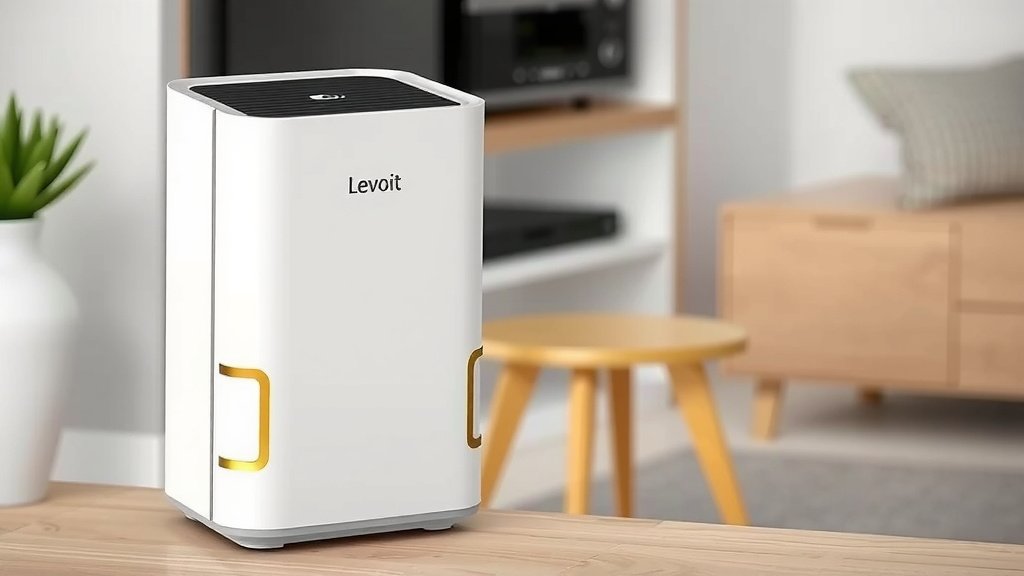
Conclusion
You’ve learned that resetting your Levoit air purifier is a straightforward process, primarily involving a simple 60-second unplug. This method is highly effective for common issues like a persistent filter indicator light or minor unit malfunctions. While most models follow this rule, always keep your user manual handy for model-specific details. If the unplug method doesn’t resolve your issue, double-checking filter installation and power sources are your next best steps. If you continue to experience problems, it may be time to contact Levoit support.
Frequently Asked Questions
Will unplugging my Levoit air purifier erase all settings?
No, typically unplugging your Levoit air purifier for 60 seconds will not erase all custom settings. It acts more like a quick reboot for the system, clearing temporary glitches. Basic settings like fan speed or timer presets are usually retained.
How often should I reset my Levoit air purifier?
You generally only need to reset your Levoit air purifier when you encounter a specific issue, such as the filter light not turning off or the unit acting strangely. It’s not a routine maintenance task. Over-resetting isn’t necessary and could potentially wear out components faster.
My Levoit air purifier has a dedicated reset button. Should I use that instead?
If your Levoit model has a dedicated reset button, it’s often designed for a more specific function, like resetting the Wi-Fi connection or a particular setting. For general troubleshooting and filter light resets, the unplug method is usually sufficient and recommended as a first step.
What if the filter indicator light stays on even after resetting?
If the filter indicator light persists after a full unplug reset and you’ve confirmed the filter is new and installed correctly, try unplugging the unit again for a bit longer, perhaps 5 minutes. If it still doesn’t turn off, consult your manual or contact Levoit customer support for further assistance.
Can resetting my Levoit purifier fix it if it’s not turning on?
A reset can sometimes help if your Levoit air purifier isn’t turning on due to a minor electronic hiccup. It allows the system to clear any temporary errors. However, if it still won’t power on after a reset, check the power cord, the outlet, and then consider contacting Levoit for potential repair.
![5 Best Hepa Air Purifier for Home Use [In 2026]](https://homeunderstandable.com/wp-content/uploads/2025/05/best-hepa-air-purifier-for-home-use.jpg)
![What Is The Best Mattress for Heat Dissipation [In 2026]](https://homeunderstandable.com/wp-content/uploads/2025/12/Best-Mattress-for-Heat-Dissipation.jpg)
![5 Best Air Purifiers for Emphysema [In 2026]](https://homeunderstandable.com/wp-content/uploads/2025/04/best-air-purifiers-for-emphysema.jpg)