Is Your Air Purifier Working? How to Tell Now
You can tell if your air purifier is working by observing a few key signs. Look for cleaner air, a reduction in odors, and your unit’s indicator lights. Many purifiers have sensors that signal air quality changes. If you notice these things, your purifier is likely doing its job effectively.
It’s natural to want confirmation that your air purifier is making a difference. You invested in it for a reason, after all. Research shows that consistent use can lead to noticeable improvements in indoor air quality. Pay attention to how your home feels and smells after a few days of operation.
- Check for reduced odors.
- Observe cleaner air.
- Note purifier indicator lights.
- Listen for quiet operation.
- Feel for improved airflow.
Let’s walk through the specific signs that confirm your air purifier is actively cleaning your air. We’ll cover what to look and listen for, and what those little lights really mean.
Confirming Your Air Purifier is Doing Its Job
So, you’ve plugged in your new air purifier. Now what? You might be wondering, “Is this thing actually *working*?” It’s a fair question! You want to know your investment is delivering cleaner air.
The good news is there are several clear signs to look and listen for. We’ve gathered the most reliable indicators to help you feel confident your air purifier is actively improving your home’s air quality.
Watching the Lights: Your Purifier’s Dashboard
Many modern air purifiers come equipped with indicator lights. These are designed to give you a quick snapshot of your unit’s status and the air quality it’s detecting.
Understanding Air Quality Indicators
You’ll often see lights that change color. These typically correspond to different levels of air quality. For instance, a green light usually means the air is clean. Blue might indicate moderate pollution. Red often signals poor air quality.
These sensors are pretty smart! They can detect common pollutants like dust, pollen, and volatile organic compounds (VOCs). When the air quality changes, the light will shift. Seeing a consistently good color suggests your purifier is keeping up.
Filter Change Alerts
Another common indicator is a filter replacement reminder. This light isn’t about air quality; it’s about maintenance. When this light comes on, it’s your purifier telling you it’s time for a fresh filter.
This is a vital sign that your purifier is working hard. A clogged filter can’t clean air effectively. So, seeing this alert means the unit has been running long enough to use up its filter’s capacity.
The Senses Test: What You Can See, Smell, and Feel
Beyond the indicator lights, your own senses can be excellent judges. Paying attention to these can give you a strong sense of whether your purifier is effective.
Odor Reduction: A Breath of Fresh Air
One of the most immediate benefits many users notice is a reduction in household odors. Think about cooking smells, pet odors, or that general “stale air” feeling. If these are fading, your purifier is likely capturing odor-causing particles.
Research supports this. Activated carbon filters, common in many air purifiers, are highly effective at adsorbing (which is like absorbing, but on the surface) odor molecules. If those lingering smells disappear, you’re experiencing a direct benefit.
Visual Clues: Seeing the Difference
Can you actually *see* cleaner air? Sometimes, yes. If you frequently deal with visible dust settling on surfaces, you might notice less of it. This is especially true if dust is a primary concern.
A good air purifier with a HEPA filter is designed to capture tiny particles, including dust. Over time, you should observe a reduction in dust accumulation. This means those particles are being trapped in the filter, not on your furniture.
Feel the Airflow
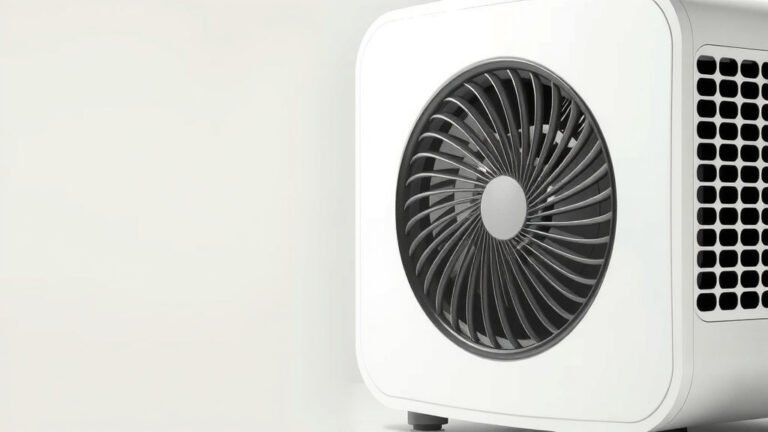
Turn your purifier on, then off. Can you feel a difference? Many units have a fan that circulates air. When it’s running, you might feel a gentle breeze coming from the unit.
More importantly, does the air feel fresher and less stuffy in the room? This improved circulation contributes to overall air quality. It helps move stale air towards the purifier for cleaning.
Checking the Inside: Filter and Fan Functionality
While lights and senses are great, a quick physical check can confirm your purifier is mechanically sound.
Is the Fan Running?
When your purifier is on, you should hear and feel the fan. It creates the airflow necessary to draw air through the filters. If you hear nothing and feel no air movement, there might be an issue.
Most fans operate with a consistent hum or whirring sound. This sound might change slightly depending on the fan speed setting. A completely silent unit when turned on could indicate a problem with the fan motor or power supply.
Assessing the Filters
You won’t typically “see” the HEPA filter working, as it’s designed to capture microscopic particles. However, you can check its condition if it’s accessible. A filter that has been in use for a while will look visibly dirty or discolored.
Remember that filter change alert light? If it hasn’t come on, but you suspect the filter is old, you can often visually inspect it. A dirty filter is a strong sign that the purifier has been actively working.
Performance Benchmarks and Expert Recommendations
How can you be sure your purifier is performing as well as it should be? Comparing its performance to general guidelines can offer peace of mind.
ACH Ratings: What They Mean for You
You might see an “ACH” rating for your air purifier. This stands for Air Changes per Hour. It tells you how many times the unit can circulate and filter all the air in a room of a specific size within one hour.
For example, a unit with an ACH of 5 in a 200 sq ft room means it can filter all the air in that room five times every hour. Many experts, including those at the Environmental Protection Agency (EPA), suggest aiming for units that can achieve at least 2-3 ACH for general use. Higher ACH ratings are beneficial for allergies or specific pollutant concerns.
To check if your purifier is meeting expectations:
- Confirm the room size matches the purifier’s recommended coverage area.
- Consider the ACH rating your model provides.
- Think about how long the unit has been running.
CADR Scores: Measuring Effectiveness
Another benchmark is the Clean Air Delivery Rate (CADR). This measures how quickly an air purifier can remove specific pollutants like smoke, dust, and pollen from the air. Higher CADR numbers mean faster purification.
Many independent labs test and rate air purifiers. You can often find these scores online. If your purifier has a good CADR score for the pollutants you’re concerned about, it’s a strong indicator of its effectiveness.
Troubleshooting Common Non-Working Scenarios
What if you’re not seeing any of these positive signs? Here are a few things to double-check.
Power and Settings Check
It sounds simple, but ensure your air purifier is plugged in and turned on. Check that the correct settings are selected. Sometimes a unit might be in standby mode or on a very low fan speed that’s barely noticeable.
Also, verify that the power cord is securely connected to both the unit and the wall outlet. We’ve all been there – a slightly loose connection can prevent things from working!
Filter Installation and Obstructions
Filters must be installed correctly to work. Sometimes, protective plastic packaging is left on a new filter. This will block airflow completely. Make sure all packaging is removed.
Additionally, check for any obstructions around the air intake or outlet vents. Things like curtains, furniture, or even fallen objects can block airflow, making the purifier less effective.
Here’s a quick checklist to confirm your purifier is up and running:
- Is the unit plugged in and switched on?
- Are the indicator lights showing normal operation?
- Can you hear the fan running?
- Is there a noticeable airflow from the unit?
- Are all protective films removed from filters?
- Is the filter installed correctly?
Conclusion
You’ve learned how to tell if your air purifier is actively working to improve your home’s air. By observing indicator lights, noticing a reduction in odors and dust, and feeling the airflow, you can confirm its effectiveness. Don’t forget to listen for the fan’s hum and check your filter’s condition. Paying attention to these signs gives you confidence in your investment.
Ready to ensure your purifier is always at its best? Make sure to follow the manufacturer’s guidelines for filter replacements. This simple step guarantees your unit continues to deliver clean, fresh air for you and your family.
Frequently Asked Questions
How soon should I notice a difference after turning on my air purifier?
You might notice a reduction in odors within hours or a day. Visible dust reduction and fresher-feeling air can take a few days to a week of continuous use. Consistency is key for the best results.
My air purifier has a green light, but I still smell odors. What’s wrong?
A green light usually means good air quality according to the sensors. However, some odors are harder for sensors to detect. If you still smell them, check if your unit has an activated carbon filter and ensure it’s not time to replace it.
Is it normal for my air purifier to make noise?
Yes, a consistent humming or whirring sound is normal. This indicates the fan is running and circulating air. The noise level can vary based on the fan speed setting and the unit’s design.
How often should I check my air purifier’s filters?
Check your air purifier’s filter indicator light for replacement alerts. If there isn’t one, a visual check every 1-3 months is a good practice. A visibly dirty or discolored filter means it’s time for a change.
Can I clean my air purifier’s filter myself?
Some pre-filters are washable, but HEPA and activated carbon filters are typically not. It’s best to follow your manufacturer’s instructions. Replacing filters as recommended is vital for optimal performance.