How to Change Your Levoit Air Purifier Filter: Easy Steps
Changing your Levoit air purifier filter is straightforward and typically takes about 5 minutes. You’ll want to prepare a new filter and a soft cloth. The key steps involve unplugging the unit, opening the base, and swapping out the old filter for a new one. This simple maintenance ensures your purifier keeps working its best to clean your air.
Regular filter changes are essential for maintaining optimal air quality and extending the life of your Levoit purifier. Many users find that replacing the filter every 6 to 8 months is ideal, depending on air quality and usage. Failing to change the filter can lead to reduced efficiency and may even cause the unit to work harder than necessary.
- Unplug your Levoit air purifier first.
- Locate and open the filter compartment.
- Remove the old filter and insert the new one.
- Close the compartment and plug the unit back in.
- Reset the filter indicator light if your model has one.
Ready to get your air purifier running like new again? Let’s walk through the easy steps to change your Levoit air purifier filter.
Keeping Your Levoit Air Purifier Filter Fresh: A Simple Guide
You’ve got a Levoit air purifier, which is fantastic for cleaner air in your home. To make sure it’s always working its best, swapping out the filter is a key maintenance task. We’ve found that this process is generally quite simple. It helps your purifier capture dust, pollen, and other airborne particles effectively. Let’s walk through how to do it step-by-step.
When to Consider a Filter Change
You might be wondering when it’s time to change your filter. Most Levoit models have a filter life indicator light that will turn red. This is your cue! We found that this light is usually the most reliable indicator. However, if you notice a decrease in air quality or an unusual smell from the purifier, it could also mean the filter is clogged. Many experts recommend changing filters every 6 to 8 months, especially if you live in a dusty area or have pets (Cleveland Clinic).
Understanding Your Levoit Model’s Needs
Levoit offers several models, and while the general process is similar, there can be small differences. Always refer to your specific Levoit user manual for the most accurate instructions. It’s like having a personal guide for your exact machine. We’ve seen that a quick look at the manual can save you time and prevent any confusion.
Preparing for the Filter Swap
Before you start, gather your supplies. You’ll need your new Levoit replacement filter, of course. Make sure you have the correct filter for your specific Levoit model. Using the wrong one could affect performance. You’ll also want a soft, dry cloth for wiping down the inside of the unit. Some people like to have a vacuum cleaner handy for any dust bunnies that might have accumulated.
Choosing the Right Replacement Filter
It’s essential to use genuine Levoit filters. We found that using third-party filters can sometimes lead to a poor seal or reduced filtration efficiency. Genuine filters are designed to fit your Levoit unit perfectly. They also ensure you get the filtration performance Levoit advertises. Look for the model number of your air purifier to find the exact filter you need. Always check the packaging to confirm it’s compatible.
Safety First: Unplugging Your Unit
This step is non-negotiable and incredibly important for your safety. Before you do anything else, make sure your Levoit air purifier is unplugged from the power outlet. Never attempt to change the filter while the unit is powered on. This protects you from electrical shock and prevents any accidental damage to the purifier. We can’t stress this enough – always unplug first!
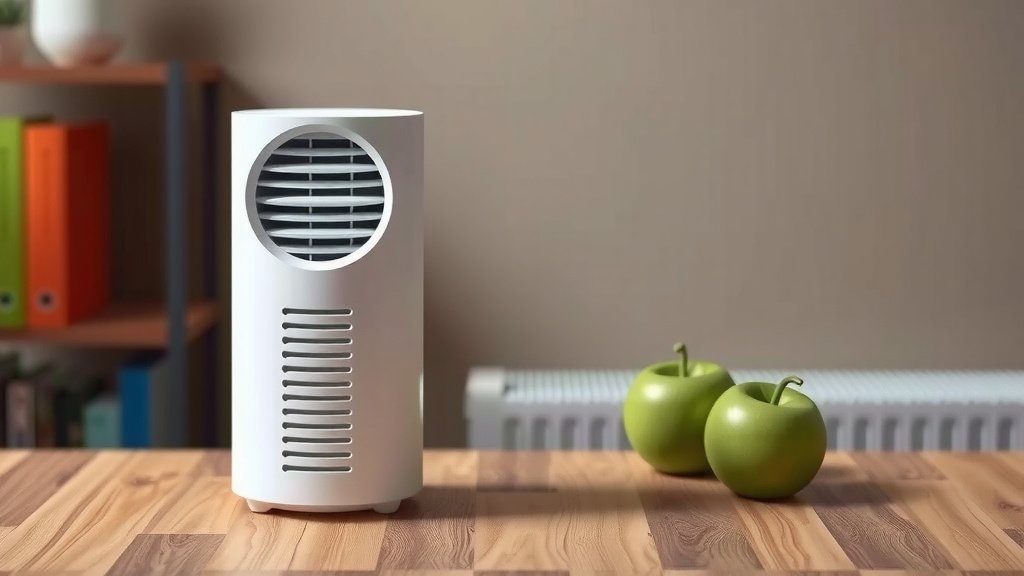
The Filter Replacement Process: Step-by-Step
Now that you’re prepared and have safety covered, let’s get to the actual filter change. It’s a pretty straightforward process once you know where to look.
Accessing the Filter Compartment
Most Levoit air purifiers have their filter compartment located at the bottom of the unit. You’ll typically need to twist the base of the purifier counter-clockwise to unlock and remove it. Some models might have a small latch or a different mechanism, so again, your manual is your best friend here. Once the base is loose, gently lift it away from the main body of the purifier.
Removing the Old Filter
With the base removed, you should clearly see the old air filter inside. It might look a little dusty, which is a good sign it’s been doing its job! Simply pull the old filter straight out. You might need to wiggle it a bit if it’s tightly seated. Be prepared for a little dust to fall; this is where that soft cloth or vacuum can come in handy to clean up around the filter housing.
Installing the New Filter
Now, take your brand-new Levoit filter. You’ll notice it’s likely sealed in plastic. Remove the plastic packaging completely before inserting the new filter. Many filters have a tab or handle to help with removal, and sometimes the new filter will have one too. Make sure you insert the new filter in the correct orientation. Most filters are designed to fit only one way, often with arrows indicating the airflow direction or a clear “front” and “back.” Gently push it into place until it sits snugly within the purifier’s housing.
Reassembling Your Air Purifier
Once the new filter is securely in place, it’s time to put the base back on. Carefully align the base with the bottom of the purifier and twist it clockwise until it locks into position. You should feel or hear a click when it’s properly secured. If your model has a different latching system, follow the reverse of the removal steps. Ensure the base is firmly attached before moving on.
Final Steps and Resetting the Indicator
You’re almost done! With the filter changed and the unit reassembled, you just have a couple more things to do.
Plugging In and Powering On
Now, you can plug your Levoit air purifier back into the power outlet. Turn the unit on to ensure everything is working correctly. You should hear it start up normally, and hopefully, the air quality indicator light (if you have one) will show a healthy color.
Resetting the Filter Indicator Light
Most Levoit air purifiers have a filter replacement indicator light that stays on to remind you. To turn this off, you’ll need to reset it. The method varies slightly by model, but it typically involves pressing and holding a specific button (often the power button or a dedicated timer/speed button) for about 3 to 5 seconds while the unit is on. Your user manual will specify the exact button and duration needed for your model. We found this step is critical for the indicator to function correctly for the next filter change.
Here’s a quick checklist to make sure you’ve covered everything:
- Unplugged the air purifier.
- Removed the plastic packaging from the new filter.
- Installed the new filter correctly.
- Secured the base or cover properly.
- Plugged the unit back in and powered it on.
- Reset the filter indicator light.
Conclusion
You’ve successfully learned how to change your Levoit air purifier filter. This simple maintenance task is key to ensuring your purifier continues to deliver clean, fresh air to your home. By following the steps—unplugging, accessing the compartment, swapping the old filter for a new one, and resetting the indicator—you’re keeping your unit running efficiently. Remember to use genuine Levoit filters for the best performance. Make it a habit to check your filter indicator or follow the recommended 6-8 month replacement schedule. Your next step is to schedule this simple task in your calendar!
Frequently Asked Questions
How often should I really be changing my Levoit air purifier filter?
Most users find that changing the filter every 6 to 8 months is ideal. This timeframe can vary based on your home’s air quality, if you have pets, or if you run the purifier constantly. Always pay attention to your Levoit’s filter indicator light, as it’s the most accurate guide.
Can I wash and reuse my Levoit air purifier filter?
No, Levoit air purifier filters are designed for single use and cannot be washed or reused. Washing a filter will damage its material and compromise its ability to capture pollutants effectively. You’ll need to replace it with a new one.
What happens if I don’t change my Levoit air purifier filter?
If you don’t change your filter, your air purifier’s efficiency will decrease significantly. The clogged filter will struggle to pull air through, meaning less clean air enters your room. It can also cause the motor to work harder, potentially shortening the purifier’s lifespan and leading to strange odors.
My Levoit filter indicator light isn’t turning off after changing the filter. What should I do?
This usually means the filter reset process wasn’t completed correctly. Double-check your Levoit user manual for the exact instructions for your specific model. Typically, you need to press and hold a particular button (like the power or timer button) for a set duration while the unit is on.
Are there any special tools I need to change the Levoit filter?
No, you don’t need any special tools. You’ll only need your new Levoit replacement filter and perhaps a soft, dry cloth for wiping down the inside of the unit if needed. The process is designed to be done by hand.



![5 Best Hepa Room Air Purifier for Allergies [In 2026]](https://homeunderstandable.com/wp-content/uploads/2025/05/best-hepa-room-air-purifier-for-allergies-top-picks-for-clean-air-768x512.jpg)