Clean Your Levoit Pet Air Purifier: Easy Guide
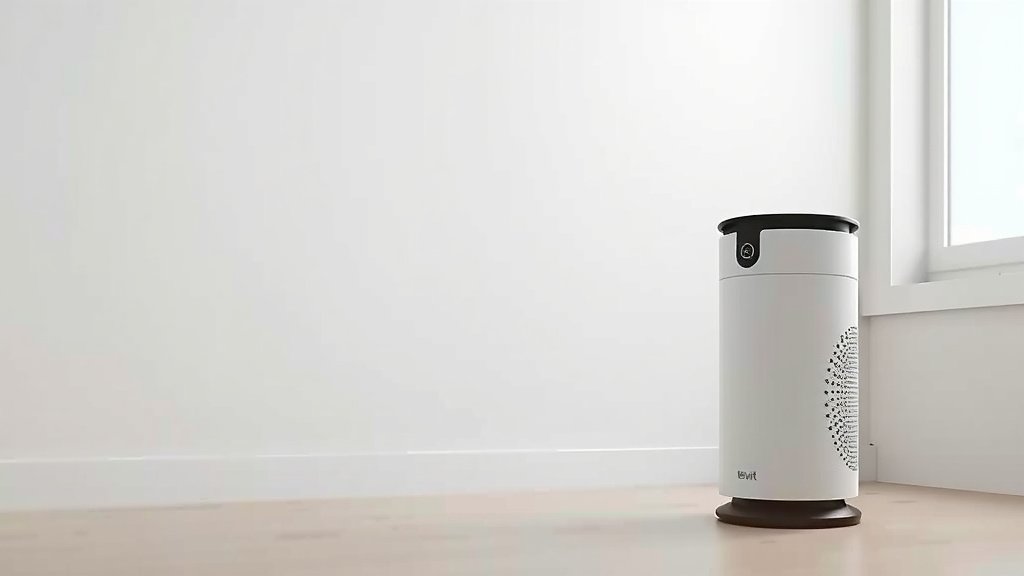
The easiest way to clean your Levoit pet air purifier is by regularly dusting the exterior and cleaning the pre-filter. You’ll want to make sure your purifier is unplugged before you start any cleaning. This simple routine keeps your air purifier working efficiently and smelling fresh for your furry friends.
Keeping your Levoit pet air purifier clean is key to its performance, especially when dealing with pet dander and odors. A well-maintained unit means better air quality for your home and a longer lifespan for the device itself. We’ve found that a little regular maintenance goes a long way.
- Unplug your purifier first.
- Dust the outside casing.
- Wash the pre-filter with water.
- Check your manual for filter replacement.
- Don’t forget to wipe down the sensors.
Ready to give your Levoit pet air purifier a spa day? Let’s walk through exactly how to get it sparkling clean, step by step.
Caring for Your Levoit Pet Air Purifier: A Step-by-Step Guide
Maintaining your Levoit pet air purifier is easier than you think. Regular cleaning ensures it keeps your home smelling fresh and your air clear of pet dander. Let’s get your purifier back to its best!
Getting Started: Safety First!
Before you do anything, the most important step is to unplug your air purifier. This protects you and the device from any electrical mishaps. Imagine trying to wash your hands while holding a toaster – not a good idea, right? It’s the same principle here.
Exterior Cleaning: A Quick Dust-Off
Your purifier’s outside casing can get dusty just like any other surface in your home. Dust bunnies love to gather, especially on electronics.
Wiping Down the Casing
Grab a soft, dry microfiber cloth. Gently wipe down the entire exterior of the unit. This simple step prevents dust buildup and keeps your purifier looking spiffy. If you notice any stubborn smudges, a slightly damp cloth can work wonders. Just make sure it’s not soaking wet!
Don’t Forget the Vents
Air purifiers have vents to draw air in and push clean air out. These can collect dust too. Use a vacuum cleaner with a brush attachment on a low setting. Gently go over the vents to remove any trapped dust. This helps maintain good airflow, which is key for efficiency.
The Pre-Filter: Your First Line of Defense
The pre-filter is designed to catch larger particles like pet hair and large dust. It’s usually the first layer your air passes through. Because it catches the most debris, it’s also the part you’ll clean most often.
Locating and Removing the Pre-Filter
Consult your Levoit user manual if you’re unsure where to find the pre-filter. Typically, it’s located on the back or side of the unit. You might need to remove the main filter cover first. Carefully slide or unclip the pre-filter out. Treat it gently, as it’s often a mesh material.
Washing the Pre-Filter
Once removed, take the pre-filter to a sink. Rinse it under cool or lukewarm running water. You want to wash away all the trapped pet hair and dust. You can use a soft brush or your fingers to help dislodge stubborn particles. Avoid using harsh detergents or soaps, as these can damage the filter material. Many cleaning guides recommend just plain water (CDC).
Drying the Pre-Filter Thoroughly
This is a really important step! Before putting the pre-filter back, it must be completely dry. Even a little moisture can lead to mold or mildew growth inside your purifier. Shake off excess water and let it air dry. You can place it in a well-ventilated area, perhaps near an open window. Do not put it back while damp. We found that letting it dry for at least 12-24 hours is usually sufficient.
Checking the Other Filters: When to Replace
Your Levoit pet air purifier likely has additional filters, such as an activated carbon filter and a HEPA filter. These are not typically washable. They trap smaller particles and odors.
Understanding Filter Lifespan
The lifespan of these filters depends on usage and the air quality in your home. Levoit units often have a filter life indicator light that will let you know when it’s time for a change. We found that for heavy pet owners, filters might need replacing sooner than the recommended schedule. Check your manual for specific replacement intervals.
Replacing the Filters
When it’s time, purchase genuine Levoit replacement filters for your model. Turn off and unplug the unit. Open the purifier as you did for the pre-filter. Carefully remove the old HEPA and carbon filters. Dispose of them properly. Then, install the new filters, ensuring they are seated correctly. Close up the unit and plug it back in. Reset the filter indicator if your model has one.
Cleaning the Air Quality Sensor
Many air purifiers have a sensor that detects the air quality in your room. This sensor helps the purifier adjust its fan speed automatically. Keeping it clean ensures accurate readings.
Locating and Wiping the Sensor
The air quality sensor is usually located on the side or back of the unit, often behind a small grille or cover. Use a dry cotton swab to gently wipe the sensor lens. If it seems very dusty, you can slightly dampen the cotton swab with distilled water. Be very gentle; this sensor is sensitive. Experts suggest cleaning this sensor every 1-2 months (Cleveland Clinic).
A Quick Checklist for Maintaining Your Purifier
Here’s a handy checklist to keep your Levoit pet air purifier running smoothly:
- Unplug the unit before any cleaning.
- Dust the exterior casing weekly.
- Wash and dry the pre-filter monthly.
- Replace main filters as indicated by your purifier.
- Wipe the air quality sensor every 1-2 months.
- Check your manual for model-specific tips.
By following these simple steps, you’ll ensure your Levoit pet air purifier continues to provide fresh, clean air for you and your beloved pets for years to come.
Conclusion
You’ve learned how simple it is to keep your Levoit pet air purifier working its best. By regularly dusting the exterior, washing the pre-filter, and keeping an eye on your main filters, you ensure cleaner air for your home. Don’t forget to gently clean the air quality sensor for accurate readings. Your dedication to this routine means a fresher environment for you and your furry companions. Your next step? Schedule a quick dusting session for your purifier this week!
Frequently Asked Questions
How often should I wash the pre-filter for my Levoit pet air purifier?
We found that washing the pre-filter about once a month is usually sufficient for most pet owners. If you notice a significant buildup of pet hair or dust sooner, go ahead and give it a rinse. Ensuring it’s completely dry before reinstallation is key.
Can I use soap or detergent to wash the pre-filter?
It’s best to avoid using soap or detergent when washing your pre-filter. Research and cleaning guides, like those from the CDC, suggest that plain cool or lukewarm water is enough. Harsh cleaners can potentially damage the filter material.
What should I do if my Levoit air purifier smells bad even after cleaning?
If a persistent odor remains, it’s likely time to replace the main filters, particularly the activated carbon filter. These filters are designed to absorb odors but have a limited lifespan. Check your purifier’s indicator light or consult your manual for replacement timing.
Is it okay to leave the air purifier on while I’m cleaning it?
Absolutely not. Your safety and the longevity of your device depend on always unplugging the air purifier before you begin any cleaning or maintenance. This prevents any electrical hazards and ensures you don’t accidentally damage the unit.
Where can I find the serial number for my Levoit pet air purifier?
You can typically find the serial number on a sticker located on the bottom or back of your Levoit air purifier. This number is helpful if you need to register your product or contact customer support for specific model information.