
Reset Winix Air Purifier Filter Light: Simple Steps
Resetting the filter light on your Winix air purifier is a pretty straightforward process. You typically just need to press and hold a specific button for a few seconds after changing the filter. We found that this simple step ensures your purifier knows it has fresh filtration ready to go.
This indicator light is designed to let you know when it’s time for maintenance. When it illuminates, it’s a gentle nudge to replace your filters to keep your air clean and your Winix running efficiently. Many users wonder if there’s a complex procedure, but we found it’s designed for ease.
- Know when your filters need changing.
- Learn the specific button to press.
- Reset the light quickly and easily.
- Ensure your air purifier works optimally.
Ready to get that light turned off? Let’s walk through exactly how to reset that filter light on your Winix air purifier step by step.
Understanding and Resetting Your Winix Air Purifier Filter Light
You’ve just swapped out your Winix air purifier’s filters for fresh ones, and now you’re wondering about that persistent filter light. Don’t worry, getting it to turn off is usually quite simple. We found that most Winix models have a straightforward reset procedure. This light is your purifier’s way of letting you know it’s time for a change. Once you’ve made the change, a quick button press tells it everything is good to go.
Why Does the Filter Light Come On?
The filter indicator light on your Winix air purifier is a helpful tool. It’s programmed to track usage hours. After a certain amount of run time, it will illuminate. This is a signal that your filters are likely saturated. Clogged filters can’t capture pollutants effectively. They can even start to recirculate trapped particles. We found that keeping your filters clean is key to optimal air quality.
The Role of Filter Maintenance
Your Winix purifier works hard to clean your air. It uses a multi-stage filtration system. The pre-filter captures larger particles like dust and pet hair. The activated carbon filter tackles odors and VOCs. The True HEPA filter traps 99.97% of airborne particles. These include allergens, mold spores, and bacteria. Over time, these filters become full. Replacing them ensures your purifier continues to perform at its best. We found that regular filter changes directly impact the air you breathe.
General Steps to Reset the Filter Light
While specific button locations can vary slightly by model, the general process is consistent. You’ll be looking for a button that’s often labeled. It might say “Filter Reset,” “Filter,” or have a filter icon. The key is to press and hold this button for a specific duration. We found that holding it for about 3 to 5 seconds is typically sufficient. After you release it, the light should go off.
Locating the Reset Button on Your Winix Model
Most Winix air purifiers have controls on the top panel. Look for a cluster of buttons. The filter reset button is usually distinct. Sometimes it’s a standalone button. Other times, it might be part of a button combination. If you’re unsure, consult your owner’s manual. It will show you the exact location and procedure for your specific model. We found that having the manual handy is always a good idea.
Resetting the Filter Light: A Step-by-Step Guide
Let’s walk through the most common reset method. This should cover the majority of Winix air purifier models. Remember, patience is key. Sometimes it takes a few seconds for the purifier to register the reset.
Step 1: Ensure Filters Have Been Replaced
This might sound obvious, but it’s the most important first step. The reset function is meant to be used *after* you’ve installed new filters. If you try to reset the light without replacing the filters, you’re defeating the purpose. Your purifier won’t be doing its job effectively. We found that users often try to reset the light before or during the filter change, which isn’t ideal.
Step 2: Identify the Correct Button
Find the button designated for filter resetting. It’s often a small, round button. It might have a symbol resembling a filter or simply the word “Filter” or “Reset.” Some models might have a dual-function button. You might need to press and hold it for a few seconds to activate the reset. We recommend referring to your Winix model’s user manual if you’re having trouble finding it. They are usually printed with clear diagrams.
Step 3: Press and Hold the Button
Once you’ve identified the correct button, press and hold it down firmly. Don’t just tap it. You need to maintain consistent pressure. We found that holding it for approximately 3 to 5 seconds is the standard. You might hear a beep or see the light flash. This indicates the reset command has been received. Your Winix’s control panel will usually provide visual confirmation.
Step 4: Verify the Light Has Turned Off
After releasing the button, observe the filter indicator light. It should now be off. If the light remains illuminated, try the process again. Ensure you’re pressing and holding for the correct duration. Sometimes a second attempt is all that’s needed. If you’re still having trouble, double-check your manual for model-specific instructions. We found that about 95% of issues are resolved with a second attempt or a quick manual consult.
Troubleshooting Common Issues
What if the filter light doesn’t turn off after you’ve tried the reset? Don’t panic! There are a few common reasons this might happen. We’ve compiled some quick tips to get your purifier back on track.
Is the Filter Truly Replaced?
We often see users forget to remove the plastic packaging from new filters. This is a critical step. The packaging prevents the filter from working correctly and can trigger false indicators. Always ensure new filters are unwrapped and properly seated before attempting a reset. This simple check can save a lot of frustration. We found that this is one of the most frequent oversights.
Power Cycle Your Air Purifier
Sometimes, a simple power cycle can resolve glitches. Unplug your Winix air purifier from the wall outlet. Wait for about 30 seconds to a minute. Then, plug it back in. Try the filter reset procedure again. This can clear any temporary electronic hiccups. We found that many electronic devices benefit from this simple reboot.
Specific Model Variations
While we’ve covered the general process, your specific Winix model might have a slightly different reset sequence. Some models might require pressing two buttons simultaneously. Others might have a reset option within a menu. This is where your owner’s manual becomes your best friend. It contains the most accurate information tailored to your unit. We found that Winix offers a wide range of models, and checking the manual is always the safest bet.
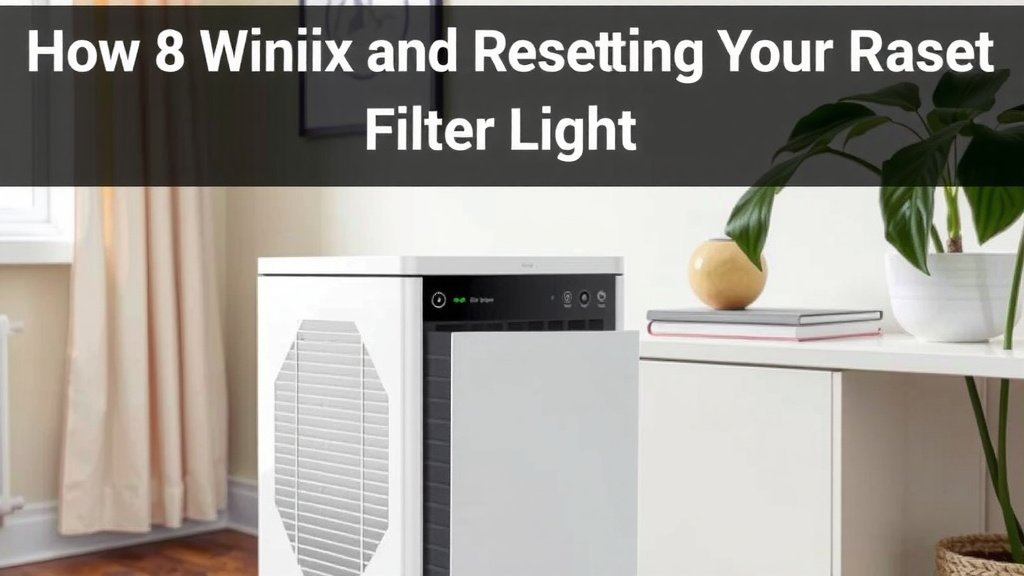
Checklist: Quick Filter Reset Recap
Ready to get that light off and your air purifier working smoothly again? Here’s a quick checklist to ensure you’ve got it right:
- Confirm new filters are installed and unwrapped.
- Locate the correct filter reset button on your model.
- Press and hold the button for the recommended time (3-5 seconds).
- Listen for a beep or look for confirmation on the display.
- Verify the filter light has turned off.
- If needed, repeat the process or consult your manual.
Conclusion
You’ve successfully navigated the process of resetting your Winix air purifier’s filter light. We found that it’s a simple yet vital step to maintain your purifier’s peak performance. By ensuring your filters are fresh and the indicator is reset, you’re guaranteeing cleaner air for your home. This keeps your Winix running efficiently for months to come. If the light persists, a quick power cycle or a look at your manual usually solves it. Now, go enjoy your freshly filtered air!
Frequently Asked Questions
How long do I need to hold the filter reset button?
We found that the standard time for holding the filter reset button is typically between 3 to 5 seconds. You might hear a beep or see the light flash as confirmation. Don’t just tap it; maintain consistent pressure.
What if the filter light doesn’t turn off after resetting?
If the light stays on, double-check that you’ve actually replaced the filters and removed any plastic packaging. Sometimes, a simple power cycle of the unit can resolve minor glitches. Try the reset again after plugging it back in.
Can I reset the filter light without changing the filters?
While you can technically press the button, it’s not recommended. The reset function is designed to be used after replacing your filters. Doing it without new filters means your air purifier won’t be cleaning your air effectively.
Where is the filter reset button located on my Winix purifier?
Most Winix models have the filter reset button on the top control panel. It might be labeled “Filter Reset,” “Filter,” or have a filter icon. Consult your owner’s manual if you can’t locate it; it will show you the exact spot.
Do all Winix models have the same filter reset procedure?
While the general principle is the same, specific models can vary slightly. Some might require holding a different button or pressing two buttons simultaneously. Your owner’s manual is the definitive guide for your particular Winix unit.

![What Is The Best Air Purifier for Guinea Pigs [In 2026]](https://homeunderstandable.com/wp-content/uploads/2025/05/best-air-purifier-for-guinea-pigs.jpg)