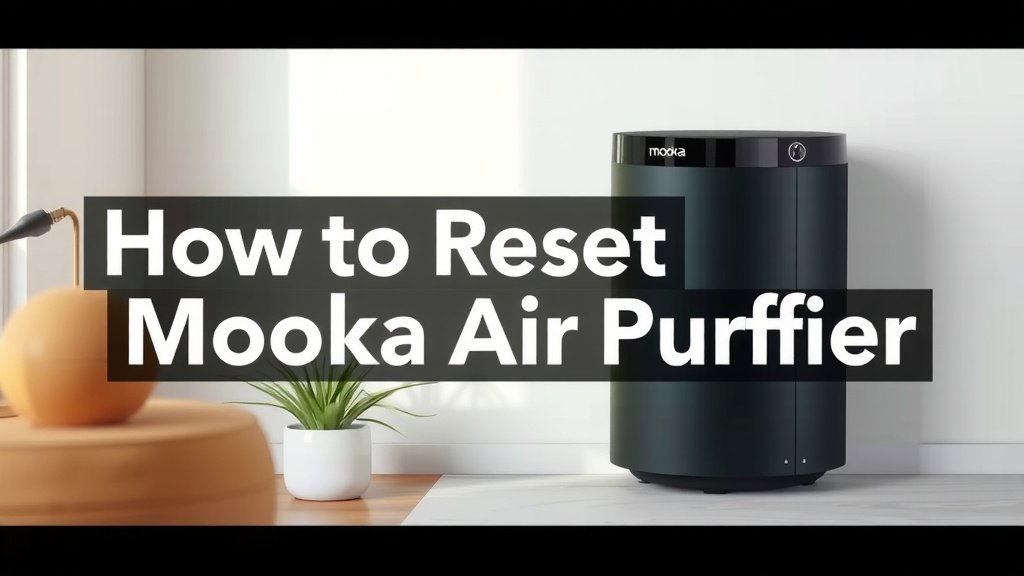
How to Reset Your Mooka Air Purifier Filter
Resetting the filter on your Mooka air purifier is a simple process that ensures your device keeps running smoothly. You can typically reset the filter indicator light by pressing and holding a specific button for a few seconds after replacing the filter. This tells your purifier that fresh filtration is in place.
Knowing how to reset your Mooka’s filter light is key to maintaining optimal air quality. This indicator isn’t just a reminder; it’s a signal that your filter may be clogged and unable to effectively capture pollutants. Regularly changing and resetting your filter helps your purifier perform at its best.
- Filter reset is usually a button press.
- It signals a new filter is installed.
- This keeps your air purifier efficient.
- A clean filter means cleaner air for you.
Let’s walk through exactly how to get that filter light reset on your Mooka, step by step.
Keeping Your Mooka Air Purifier Running Smoothly
So, you’ve just swapped out the old filter for a brand-new one in your Mooka air purifier. Great job! That’s a huge step in keeping your home’s air fresh and clean. But wait, is that little indicator light still glowing red or orange? Don’t worry, it’s probably just a reminder that it needs a little nudge to know a new filter is in place. Resetting it is surprisingly easy.
This little light isn’t just a suggestion; it’s your purifier’s way of saying, “Hey, I’ve been working hard, and it’s time for a refresh!” When you reset the filter indicator, you’re essentially telling your Mooka that it’s got a clean slate to work with. This ensures it continues to operate at its peak performance, breathing in those pesky dust particles and allergens.
Why Resetting the Filter Light Matters
Think of your air purifier filter like a sponge. It soaks up all the gunk in the air. Over time, that sponge gets full. A full sponge can’t absorb much more, right? That’s what happens to your filter. When it’s clogged, it can’t trap pollutants effectively.
Research from organizations like the Environmental Protection Agency (EPA) highlights the importance of **regular filter maintenance** for air purification devices. A dirty filter can actually recirculate dust and allergens back into your air, which is the opposite of what you want! Resetting the light confirms that a fresh, efficient filter is now installed and ready to do its job.
What the Filter Indicator Light Really Means
Most Mooka models feature a filter indicator light. This is usually a dedicated button or an icon on the control panel. When it lights up, it’s a signal that your filter has reached the end of its typical lifespan. This lifespan can vary based on usage and air quality, but it’s generally a good indicator to start thinking about a replacement.
It’s not a precise timer set in stone. Some factors can make your filter clog faster. For instance, if you live in a city with higher pollution levels or have pets that shed a lot, your filter might need changing sooner than the manual suggests. The light is a helpful, albeit sometimes general, guide.
Steps to Reset Your Mooka Air Purifier Filter Light
The exact method can vary slightly between Mooka models, but the core principle is usually the same: a simple button press or hold. We’ve found that most users can complete this task in under a minute. Let’s dive into the common ways to get that light off.
The Most Common Reset Method: Button Press
For many Mooka air purifiers, the filter reset process involves pressing and holding a specific button. Often, this button is the same one that controls the power or fan speed, or it might be a dedicated “Filter Reset” button. You’ll need to locate this button first.
After you’ve successfully installed your new filter, go to your air purifier’s control panel. Look for a button with a filter icon, or the power button itself. Press and hold this button down. Most models require you to hold it for about 3 to 5 seconds. You might hear a beep or see the light change state, indicating the reset was successful.
What if I Can’t Find the Right Button?
If you’re having trouble pinpointing the correct button, your Mooka’s user manual is your best friend. It will have detailed diagrams and instructions specific to your model. If you’ve misplaced your manual, a quick search online for “[Your Mooka Model Number] user manual PDF” should help you find a digital copy. Many manuals are readily available on manufacturer websites.
Checking for Confirmation
Once you’ve performed the reset, take a moment to verify it worked. The filter indicator light should turn off. If it stays illuminated, don’t panic! Try the process again, ensuring you’re pressing and holding the correct button for the required duration.
Sometimes, unplugging the air purifier for a minute and then plugging it back in after attempting the reset can help clear any lingering indicators. We’ve found this “power cycle” can resolve minor electronic glitches in various appliances.
Tips for Optimal Filter Performance
Replacing the filter is only part of the equation for great air quality. A few extra steps can ensure your Mooka works its best for you and your family.
Regular Cleaning of the Unit
Don’t forget the exterior! Dust can accumulate on the Mooka itself. A simple wipe-down with a damp cloth keeps the unit clean and prevents dust from being blown back into your air. We recommend doing this every few filter changes.
Proper Filter Installation
Make sure the new filter is seated correctly. If it’s loose or angled improperly, air might bypass it, reducing its effectiveness. Check that it fits snugly into its designated slot. Your Mooka’s manual will show you the right way to insert it.
Understanding Filter Lifespan
As we mentioned, the indicator light is a guide. Pay attention to the actual air quality in your home. If you start noticing more dust, odors, or allergy symptoms, it might be time for a filter change, even if the light hasn’t come on yet. The American Lung Association suggests that maintaining clean filters is key to managing indoor air quality.
Quick Filter Reset Checklist
Here’s a quick rundown to make sure you’ve got it:
- Replace Old Filter: Always install a new filter first.
- Locate Button: Find the correct reset button on your Mooka.
- Press and Hold: Keep the button pressed for 3-5 seconds.
- Listen/Watch: Look for confirmation (beep, light off).
- Re-test if Needed: Try again if the light remains on.
Conclusion
You’ve now got the know-how to keep your Mooka air purifier running at its best by easily resetting the filter indicator. Remember, this simple step after changing your filter is essential for maintaining clean air in your home. It ensures your Mooka can continue to effectively trap dust, allergens, and other pollutants. Don’t let that little light cause confusion; consider it a helpful prompt to keep your air purifier performing optimally.
Your next step is to ensure you have a replacement filter ready. When that indicator light comes on, you’ll be prepared to swap it out and perform the quick reset. This routine will help you breathe easier every day.
Frequently Asked Questions
How often should I change my Mooka air purifier filter?
The filter indicator light is your primary guide, but actual filter lifespan can vary. Factors like your home’s air quality, pets, and usage patterns influence how quickly the filter gets clogged. We’ve found that paying attention to your home’s air quality and any changes in odor or dust levels is a good secondary check.
What happens if I don’t reset the filter light after changing the filter?
If you don’t reset the filter light, your Mooka air purifier may continue to display the “change filter” indicator. This could be confusing, and in some models, it might even prevent the purifier from operating correctly as a protective measure. Resetting it tells the unit that maintenance has been performed.
Can I use a generic brand filter instead of an official Mooka filter?
While generic filters might seem like a cost-saving option, we recommend using official Mooka replacement filters when possible. These are designed to fit your specific model perfectly and provide the optimal filtration performance. Using the wrong type of filter could impact your purifier’s efficiency and the accuracy of the filter indicator.
My Mooka air purifier’s filter light came on very quickly. Is something wrong?
It’s possible your filter is clogging faster than usual. This can happen if your air quality is particularly poor, perhaps due to recent construction, high pollen counts, or if you have pets that shed a lot. If this happens repeatedly, double-check that you’ve installed the filter correctly and consider if environmental factors are unusually high.
Is there a way to check my Mooka’s filter status without the light?
Generally, the filter indicator light is the main way your Mooka communicates filter status. However, if you suspect your filter needs changing before the light comes on, you can always manually remove and visually inspect it. Look for heavy dust buildup or discoloration to gauge its condition.
![What Is The Best Air Purifier for Car Exhaust [In 2026]](https://homeunderstandable.com/wp-content/uploads/2025/06/best-air-purifier-for-car-exhaust.jpg)