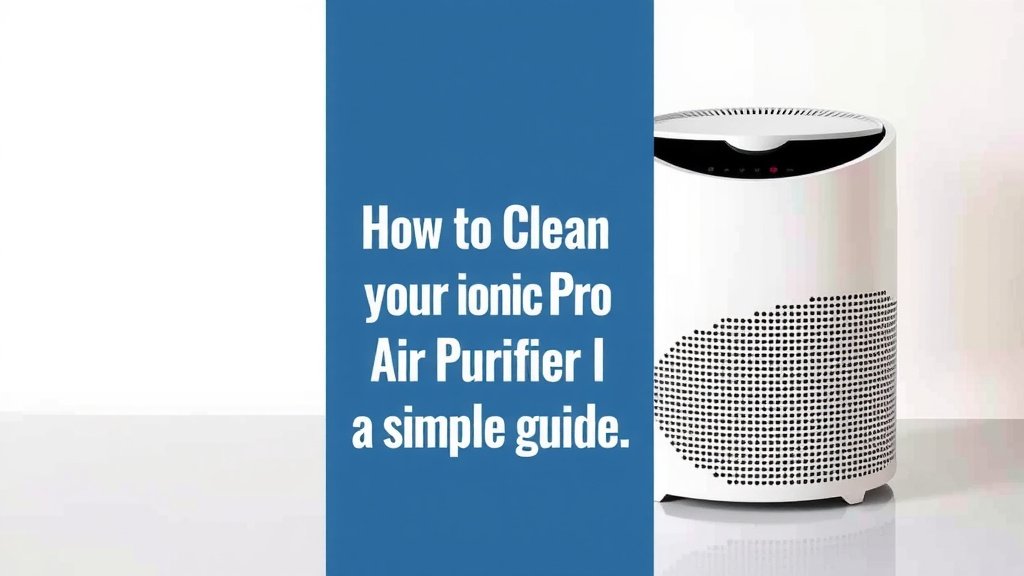
How to Clean Your Ionic Pro Air Purifier: A Simple Guide
The easiest way to clean your Ionic Pro air purifier is by disassembling the ionizer plates and washing them with warm, soapy water. You’ll want to do this regularly to ensure your purifier is working at its best. A clean purifier means cleaner air for your home. We found this method is quite effective.
Keeping your Ionic Pro clean is essential for its performance. Dust and grime can build up over time, reducing its ability to filter air. Regular maintenance not only improves air quality but also helps extend the life of your appliance. Many users report better results with a consistent cleaning schedule.
- Disassemble the ionizer plates.
- Wash with warm, soapy water.
- Rinse thoroughly and let dry completely.
- Wipe down the exterior.
- Reassemble carefully.
Below, we’ll guide you through each step to get your Ionic Pro sparkling and ready to purify your air again. Let’s get your purifier back in top shape!
Keeping Your Ionic Pro Air Purifier Clean for Fresher Air
So, you’ve got an Ionic Pro air purifier working hard to keep your air clean. That’s fantastic! But like any appliance that works hard, it needs a little TLC. We’ve found that a regular cleaning routine is key. It ensures your purifier continues to do its job effectively. Plus, a well-maintained unit often lasts longer. Let’s get down to how you can achieve that!
Why Regular Cleaning Matters for Your Ionic Pro
Think of your Ionic Pro like a filter for your home’s air. Over time, dust, pet dander, and other tiny particles can accumulate on its internal components. This buildup can clog the airflow. It can also reduce the effectiveness of the ionization process. Clean ionizer plates are essential for producing the negative ions that help purify your air.
A dirty unit can actually recirculate dust. This defeats the purpose of having an air purifier in the first place. Many air quality experts suggest cleaning your air purifier every 2-4 weeks. This frequency can vary based on your home environment. For instance, if you have pets or live in a dusty area, you might need to clean it more often. We found this consistent approach makes a big difference.
Step-by-Step Guide to Cleaning Your Ionic Pro
Ready to roll up your sleeves? Cleaning your Ionic Pro is a straightforward process. It doesn’t require any special tools or cleaners. You’ll just need a few common household items. Let’s break it down into simple, manageable steps. We’ll guide you through each part.
1. Safety First: Unplug Your Unit
Before you do anything, always make sure your Ionic Pro is unplugged from the power outlet. This is non-negotiable for your safety. You don’t want any accidental shocks while you’re working. Setting it on a stable surface where you have good light is also helpful.
2. Accessing the Ionizer Plates
Your Ionic Pro has removable ionizer plates. These are the heart of the purification system. You’ll need to access them to give them a good cleaning. Consult your user manual if you’re unsure about how to remove them. Typically, there’s a release mechanism or a simple slide-out tray.
Many models allow you to easily slide out the collection plates. They often look like thin metal strips. Sometimes they are connected by a frame. Gently pull them out. Avoid forcing them. If they seem stuck, double-check the manual. We found that most users can do this with ease.
3. Washing the Ionizer Plates
This is where the magic happens! You’ll need warm water and a mild dish soap. Fill a sink or basin with warm water. Add a few drops of dish soap. Submerge the ionizer plates in the soapy water. Let them soak for a few minutes to loosen any grime.
Gently scrub the plates with a soft cloth or sponge. You’re aiming to remove any sticky residue or dust buildup. Don’t use abrasive scrubbers or harsh chemicals. These can damage the plates and affect their performance. Rinse the plates thoroughly under clean running water. Ensure all soap residue is washed away. Many sources recommend this gentle approach.
What NOT to Use on Your Ionizer Plates
It’s vital to avoid certain cleaning agents. Harsh chemicals, bleach, or abrasive cleaners can corrode the plates. They can also leave behind a residue that’s harmful to your air. Stick to mild dish soap and water. This ensures your purifier remains safe and effective for years to come.
4. Drying the Plates Thoroughly
This step is just as important as washing. Moisture can damage the electronic components of your Ionic Pro. After rinsing, gently shake off any excess water. Then, pat the plates dry with a clean, soft towel. You can also let them air dry completely. Place them on a clean towel in a well-ventilated area. Make sure they are 100% dry before reassembly. Patience here prevents problems later.
5. Cleaning the Exterior and Interior Casing
While the plates are drying, you can clean the rest of your unit. Use a damp cloth to wipe down the exterior casing. For the interior, a slightly damp cloth or a soft brush can remove dust. Pay attention to vents and any accessible internal areas. Be careful not to get water into any electrical parts.
Some models might have a pre-filter or other removable parts. Check your manual to see if these need cleaning. If so, follow the same gentle washing and drying procedures. A clean exterior means a cleaner-looking unit. It also helps prevent dust from being drawn back into the system.
6. Reassembling Your Ionic Pro
Once everything is completely dry, it’s time to put your Ionic Pro back together. Carefully reinsert the ionizer plates into their original positions. Make sure they click or slide in securely. If you removed any other parts, reattach them according to your user manual.
Double-check that all components are properly seated. A secure reassembly ensures optimal performance. It also prevents any rattling noises when the unit is running. You’re almost done! Your purifier is ready to breathe new life into your home’s air.
A Quick Cleaning Checklist for You
To make this even easier, here’s a quick checklist you can use:
- Unplug the unit.
- Remove ionizer plates.
- Wash plates with warm, soapy water.
- Rinse and air dry plates completely.
- Wipe down exterior and interior.
- Reassemble securely.
How Often Should You Clean Your Ionic Pro?
We found that a good rule of thumb is to clean your Ionic Pro every 2 to 4 weeks. However, this can change based on your living situation. If you have pets, allergies, or live in a high-pollen or dusty area, you might need to clean it more frequently. Some users find that weekly checks are beneficial.
Listen to your unit. If you notice a decrease in airflow or a faint odor, it’s probably time for a cleaning. Regular maintenance ensures you’re always getting the cleanest air possible. Think of it as a spa day for your air purifier!
| Environment Type | Recommended Cleaning Frequency |
|---|---|
| Standard Home | Every 2-4 weeks |
| Homes with Pets | Every 1-2 weeks |
| High Dust/Allergy Areas | Every 1-2 weeks |
| Infrequently Used Rooms | Monthly |
This table is a helpful guide. It’s based on common recommendations from air quality experts. Remember, observing your purifier and home conditions is the best way to determine your ideal schedule. We found that sticking to a routine makes it less of a chore.
Conclusion
You’ve now learned how to keep your Ionic Pro air purifier in top condition. Regular cleaning of the ionizer plates and casing is essential. This ensures your purifier consistently delivers the clean air you expect. Following these steps will help maintain optimal performance and extend your unit’s lifespan. Your commitment to a clean air purifier directly contributes to a healthier home environment. Make cleaning a routine, and enjoy fresher air.
Your next step is to schedule your first cleaning. Grab your mild dish soap and a soft cloth, and give your Ionic Pro the attention it deserves!
Frequently Asked Questions
Can I use vinegar to clean my Ionic Pro ionizer plates?
We do not recommend using vinegar or any acidic cleaners on your Ionic Pro ionizer plates. Vinegar can be too harsh and may corrode the delicate metal. Stick to warm water and a mild dish soap for the best and safest cleaning results.
What if my ionizer plates seem stuck?
If your ionizer plates feel stuck, resist the urge to force them. Always consult your Ionic Pro’s user manual for specific removal instructions. Sometimes, a slight wiggle or checking for a hidden latch can help them slide out smoothly. Gentle persuasion is key.
How often should I really clean my Ionic Pro if I have allergies?
If you suffer from allergies, we found that more frequent cleaning is beneficial. Aim to clean your Ionic Pro every one to two weeks. This helps remove allergens like pollen and dust before they build up and impact your air quality.
Can I leave the ionizer plates to air dry overnight?
Yes, you can leave the ionizer plates to air dry completely, even overnight. The most important part is ensuring they are 100% dry before you reassemble the unit. Moisture left behind can potentially damage the electrical components.
Is it okay to use a vacuum cleaner to clean the inside of my Ionic Pro?
Using a vacuum cleaner with a brush attachment can be effective for the exterior and accessible interior parts. However, be very careful not to let the vacuum nozzle touch any delicate electronic components. A soft brush or a damp cloth is often safer for the interior casing.