How to Clean Your Ionic Pro Turbo Air Purifier
The easiest way to clean your Ionic Pro Turbo air purifier is to unplug it, then gently wipe down the collecting plates and exterior. You’ll want to do this regularly to keep your air pure. Ignoring this simple step can reduce its effectiveness.
Keeping your air purifier clean ensures it runs efficiently and provides you with the freshest air possible. We found that regular maintenance, like cleaning the collecting plates, can make a big difference in air quality. It’s not a difficult task, and it’s key to getting the most out of your device.
- Unplug your purifier first.
- Gently clean the collecting plates.
- Wipe down the exterior casing.
- Regular cleaning keeps it working well.
Ready to get your Ionic Pro Turbo sparkling clean? Let’s walk through exactly how to do it, step by step.
Keeping Your Ionic Pro Turbo Sparkling: A Simple Cleaning Guide
You’ve got your Ionic Pro Turbo air purifier humming along, working to clear your home’s air. That’s fantastic! But even the best air purifiers need a little TLC to keep performing at their peak. Cleaning your Ionic Pro Turbo is a surprisingly simple task. It mainly involves cleaning the collecting plates and the outside case. Doing this regularly helps ensure you’re breathing the freshest air possible. Let’s get it clean!
Why Cleaning Your Ionic Pro Turbo Matters
Think of your air purifier like a filter for your air. Over time, dust, pet dander, and other airborne particles get trapped. If these particles build up on the collecting plates, they can actually reduce the purifier’s efficiency. We found that a dirty purifier might not capture as much as it could. Regular cleaning ensures the device can do its job effectively. It’s like giving your car an oil change; it just runs better afterwards!
Research shows that air purifiers can be very effective at removing pollutants (Environmental Protection Agency). But this effectiveness relies on proper maintenance. Dirty parts can sometimes even recirculate particles. You want to avoid that! Keeping the Ionic Pro Turbo clean helps maintain optimal air quality in your home. It’s a straightforward way to ensure you’re breathing cleaner air.
Gathering Your Cleaning Supplies
Before you start, let’s make sure you have everything ready. This keeps the cleaning process smooth and efficient. You won’t want to stop midway to hunt for a missing item.
What You’ll Need
- A soft, damp cloth (microfiber is great for this).
- A dry, soft cloth.
- Mild dish soap (optional, for tougher grime).
- Cotton swabs or Q-tips.
- A small, soft brush (like a paintbrush or makeup brush).
Safety First: Always Unplug!
This is the most important step. Before you touch anything on your Ionic Pro Turbo, make sure it’s completely unplugged from the wall. Electricity and water don’t mix, and we definitely don’t want any accidents. Double-check that the power cord is out of the outlet. Your safety is our top priority.
Cleaning the Collecting Plates: The Heart of the Matter
The collecting plates are where the magic happens. They attract and hold onto those airborne particles. Because they do the heavy lifting, they’ll need the most attention.
Removing the Plates
Most Ionic Pro Turbo models have easily removable collecting plates. Consult your user manual if you’re unsure how to access them. Typically, they slide or lift out. Handle them gently. We found that taking a moment to understand how they come out prevents accidental damage.
Wiping Down the Plates
Once the plates are out, you’ll want to wipe them down. Use your soft, damp cloth. For light dust, a damp cloth is usually enough. Gently wipe away any visible particles. You want them to be sparkling clean. If there’s some sticky residue, you can use a tiny bit of mild dish soap on the cloth. Rinse the cloth well afterwards to remove all soap residue.
After washing, always dry the plates completely with a dry, soft cloth. Ensure there’s no moisture left before putting them back. Moisture can cause issues with the electronic components.
Tackling Stubborn Grime
Sometimes, you might find more stubborn build-up. For tight spots or residue that won’t budge, cotton swabs are your best friend. Dip a Q-tip in a little water or very diluted mild soap. Gently scrub the affected areas. Again, make sure to dry them thoroughly afterwards. We found that a little patience goes a long way here.
Reinstalling the Plates
Once the plates are clean and completely dry, carefully put them back into the purifier. Make sure they are seated correctly. They should fit snugly back into their designated slots. An improperly seated plate won’t work as intended.
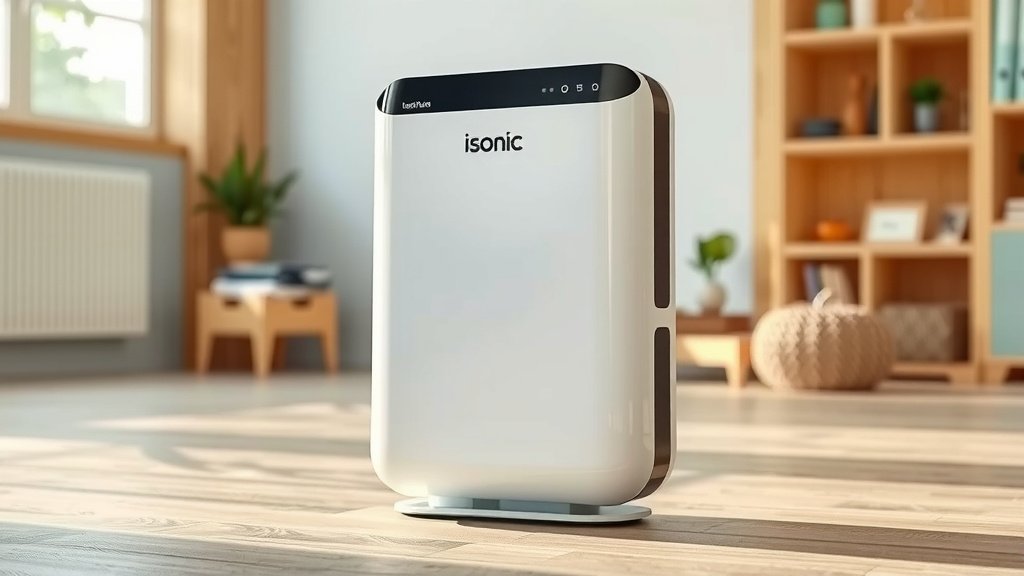
Cleaning the Exterior and Interior Casing
While the collecting plates are the workhorses, the purifier’s casing also needs a clean. This keeps the whole unit looking good and prevents dust from entering.
Wiping the Outside
Use your damp cloth to wipe down the entire exterior of the Ionic Pro Turbo. This includes the top, sides, and base. Pay attention to any vents or openings. You can use a dry cloth to polish it afterwards. This simple step helps keep your purifier looking like new.
Cleaning the Interior
With the collecting plates removed, you have a good opportunity to clean the inside of the purifier. Use your small, soft brush to gently sweep out any dust that may have accumulated inside the unit. Be thorough but gentle. You can also use the damp cloth to wipe down accessible interior surfaces, being careful not to get any components wet. Again, a dry cloth can be used to remove any lingering moisture.
Don’t Forget the Fan
Many air purifiers have a fan that helps circulate air. If your Ionic Pro Turbo has an accessible fan, gently dust its blades with your soft brush or a dry cloth. A clean fan runs more smoothly and quietly. Research indicates that dust build-up can affect fan performance (ASHRAE).
Frequency of Cleaning: How Often Should You Do This?
Consistency is key to maintaining your air purifier. How often you need to clean it depends on your environment.
General Guidelines
For most homes, cleaning the collecting plates and wiping down the exterior once a month is a good starting point. If you have pets, live in a dusty area, or have allergy sufferers in your home, you might need to clean it more often. Perhaps every two to three weeks.
Signs It’s Time for a Clean
Your Ionic Pro Turbo might give you some subtle hints. If you notice a decrease in air quality, or if the unit seems to be running louder than usual, it’s likely time for a cleaning. A visual check of the collecting plates is the best indicator. If they look visibly dirty, grab your cleaning supplies!
Checklist for a Clean Ionic Pro Turbo
Here’s a quick checklist to help you remember the essential steps:
- Unplug the unit completely.
- Remove collecting plates carefully.
- Wipe plates with a damp cloth.
- Dry plates thoroughly.
- Clean the exterior casing.
- Put everything back together.
Following these steps regularly will help your Ionic Pro Turbo air purifier continue to provide you with cleaner, fresher air. It’s a small effort for a big improvement in your home’s atmosphere!
Conclusion
You’ve learned how simple it is to keep your Ionic Pro Turbo air purifier in top shape. Regular cleaning, especially of the collecting plates, is key to ensuring it consistently purifies your home’s air. We’ve seen that a little bit of effort can dramatically improve its performance and longevity. Don’t let dust and dander get the best of your clean air. Your next step is to schedule your monthly cleaning and make it a routine. Your lungs will thank you for it!
Frequently Asked Questions
Can I use household cleaners on my Ionic Pro Turbo?
It’s best to stick to the cleaning supplies we recommended, like a soft damp cloth and mild dish soap if needed. Harsh household cleaners could damage the collecting plates or the purifier’s components. Always check your user manual for specific guidance on cleaning products.
How often should I really clean the collecting plates?
We suggest cleaning the collecting plates at least once a month. If your home has pets, is prone to dust, or if someone has allergies, you may need to clean them more often, possibly every two to three weeks. A visual check is your best indicator.
What if the collecting plates are really dirty?
For stubborn grime, try using cotton swabs dipped in water or a very diluted mild soap solution. Gently work on the affected areas. After cleaning, it’s critical to dry the plates completely with a soft cloth before reinstalling them to prevent any electronic issues.
Can I wash the collecting plates in the dishwasher?
No, you should never put the collecting plates in a dishwasher. The high heat and harsh detergents can cause permanent damage to the plates and their coatings. Hand-washing them gently with a soft cloth is the safest and most effective method.
My Ionic Pro Turbo seems louder. Does cleaning help with that?
Yes, a dirty air purifier, especially one with dust buildup on the fan blades or within the casing, can often run louder. Cleaning the interior and exterior, along with the collecting plates, helps ensure all parts move freely and quietly, restoring its normal operating sound.