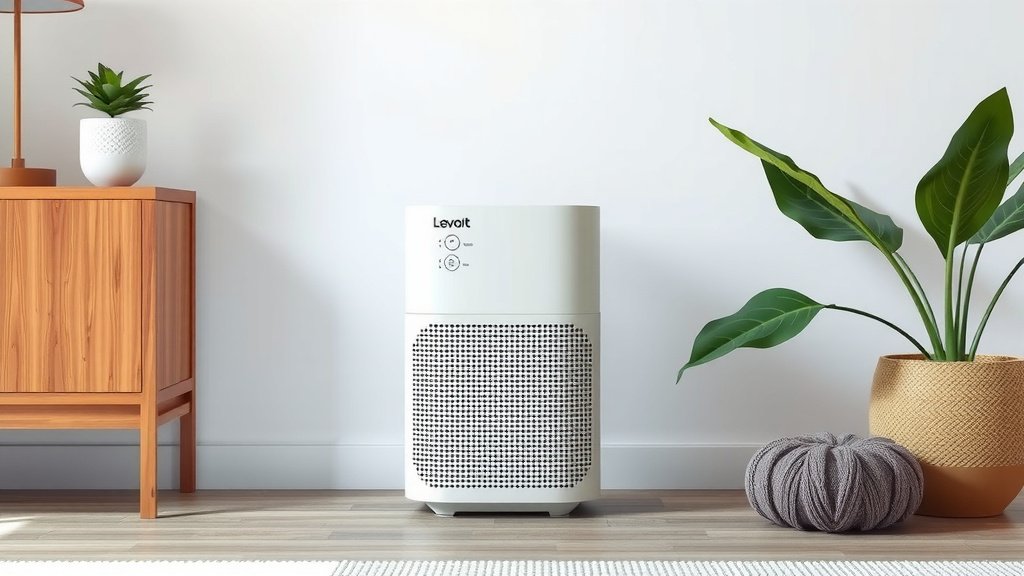
Clean Your Levoit Core 300: A Simple Guide
The easiest way to clean your Levoit Core 300 air purifier is by regularly wiping down the exterior and cleaning the pre-filter. You should also keep an eye on your filter life indicator. A dirty air purifier won’t clean your air effectively. You want your Core 300 to perform at its best for fresh indoor air.
Keeping your Levoit Core 300 clean ensures you get the cleanest air possible. Regular maintenance prevents dust buildup and ensures your unit runs quietly. Many users find that a simple cleaning routine also extends the lifespan of the device. It’s a straightforward way to maintain your home’s air quality.
TL;DR:
- Wipe down the outside of your purifier often.
- Clean the washable pre-filter regularly.
- Check your filter life indicator.
- Replace filters when needed for optimal performance.
- A clean purifier means cleaner air for you.
Ready to get your Levoit Core 300 sparkling? Let’s walk through exactly how to clean it step by step.
Keeping Your Levoit Core 300 Sparkling: A Cleaning Guide
Your Levoit Core 300 air purifier is a fantastic device for cleaner indoor air. To make sure it keeps working its best, a little regular cleaning is key. We’ve found that a simple routine can make a big difference. Let’s walk through how to clean it effectively.
Your Core 300’s Anatomy: Understanding the Parts You’ll Clean
Before you start cleaning, it’s helpful to know what you’re working with. Your Core 300 has a few main components that need attention. The most important are the exterior casing, the air intake vents, and the filter system itself. Understanding these parts will make the cleaning process much smoother.
Step 1: Power Down and Unplug
Safety first, always! Before you touch anything, make sure your air purifier is completely powered off. Then, unplug it from the wall outlet. This prevents any accidental startups and ensures you won’t risk electric shock. It’s a small step, but a really important one.
Step 1.1: Gather Your Cleaning Supplies
You won’t need much for this job. Just a few common household items will do the trick. Have on hand:
- A soft, dry microfiber cloth.
- A vacuum cleaner with a brush attachment.
- A damp cloth (water only).
- (Optional) A soft brush for tight spots.
Cleaning the Exterior and Vents: Making it Shine
The outside of your Core 300 sees a lot of dust. Dust bunnies love to gather on surfaces, and your air purifier is no exception. Keeping the exterior clean not only looks good but also helps prevent dust from being pulled into the unit.
Wiping Down the Casing
Start with the main body of the purifier. Use your soft, dry microfiber cloth to wipe down all exterior surfaces. This will pick up loose dust and fingerprints. You’ll be surprised how much dust a simple wipe-down can remove!
Tackling the Air Intake Vents
The vents are where your air purifier “breathes.” Dust and debris can easily get lodged in them, restricting airflow. We found that using the vacuum cleaner with a brush attachment is the most effective way to clean these. Gently go over all the grilles and vents. This will suck out the accumulated dust without damaging the plastic.
If some dust is stubborn, you can use a soft brush to loosen it first, then vacuum again. For any remaining smudges, a slightly damp cloth (water only) can be used. Be sure to dry it immediately with your microfiber cloth.
Accessing and Cleaning the Filter System
This is where the real magic happens for air purification. Your Levoit Core 300 uses a multi-stage filtration system. The good news is, the first stage is designed to be cleaned!
Removing the Filter Set
To access the filter, you’ll need to remove the bottom cover. There’s a small tab or notch you can use to gently pry it open. Once the cover is off, you’ll see the cylindrical filter. Carefully lift the entire filter unit out of the purifier’s housing. Make sure you’re holding it upright to avoid any loose particles falling out.
Understanding Your Filters: Pre-Filter vs. HEPA Filter
Levoit Core 300 typically has a three-stage filtration system:
- Pre-Filter: This is the outermost layer. It’s designed to catch larger particles like hair, lint, and pet fur. This is the part you can and should clean.
- H13 True HEPA Filter: This is the core of your purification. It captures 99.97% of airborne particles down to 0.3 microns, like dust mites, pollen, and mold spores. This filter cannot be cleaned and must be replaced.
- Activated Carbon Filter: This layer is usually inside the HEPA filter. It’s responsible for absorbing odors from cooking, pets, and smoke. This filter also cannot be cleaned and needs replacement.
Many experts recommend cleaning the pre-filter regularly to prolong the life of the HEPA and carbon filters (CDC). A clogged pre-filter forces the other filters to work harder.
Cleaning the Washable Pre-Filter
Since the pre-filter is the first line of defense, it will get the dirtiest. You can simply use your vacuum cleaner with a brush attachment to clean it. Gently vacuum the entire surface of the pre-filter to remove trapped dust and hair. For a more thorough clean, you can rinse the pre-filter under cool running water. Allow it to air dry completely before putting it back in the unit. Never put a wet filter back into the purifier.
What NOT to Do with Your HEPA and Carbon Filters
It’s tempting to try and clean the main HEPA and activated carbon filters. However, this can actually damage them and reduce their effectiveness. Do not wash or vacuum these filters. They are designed for replacement only. Washing can tear the delicate HEPA material or clog the pores of the carbon filter, making them unable to capture fine particles or odors properly.
When to Replace Your Filters: The Filter Life Indicator
Your Levoit Core 300 has a helpful filter life indicator light. This light will turn red when it’s time to replace the main filter set (HEPA and activated carbon). We’ve found that paying attention to this indicator is crucial for maintaining air quality. Some sources suggest replacing filters every 6-8 months, depending on usage and air quality (Cleveland Clinic).
You can also reset the filter life indicator after replacing the filter. Typically, you do this by pressing and holding the power button for a few seconds until the light turns off or beeps. Refer to your specific Core 300 manual for exact instructions.
Checking Filter Condition Visually
Even if the indicator light hasn’t come on, it’s a good idea to visually inspect your filters every month or two. If you notice a significant amount of dust or debris on the HEPA filter, or if it develops a persistent odor that the carbon filter isn’t handling, it might be time for a replacement sooner.
Putting It All Back Together
Once you’ve cleaned the exterior and ensured your filter is clean or replaced, it’s time to reassemble. Carefully place the clean or new filter back into the unit. Make sure it sits snugly. Then, reattach the bottom cover, ensuring it clicks securely into place. Plug your purifier back in and turn it on.
Your Quick Cleaning Checklist
- Unplug the unit before starting.
- Wipe down the exterior casing with a dry cloth.
- Vacuum the air intake vents thoroughly.
- Clean the washable pre-filter (vacuum or rinse and air dry).
- Replace the HEPA and carbon filter when the indicator light turns red or as needed.
- Reassemble and plug the unit back in.
Conclusion
You’ve learned how to keep your Levoit Core 300 running smoothly for the freshest air possible. Remember, a little regular maintenance goes a long way. Wiping down the exterior and cleaning the pre-filter are your go-to tasks for daily upkeep. Paying attention to the filter life indicator ensures you replace the HEPA and carbon filters when they’re truly done. By following these simple steps, you’re not just cleaning a device; you’re investing in the quality of the air you breathe every day. Your next step? Schedule a quick cleaning session this week to keep your Core 300 in top shape!
Frequently Asked Questions
How often should I clean the exterior of my Levoit Core 300?
We recommend wiping down the exterior of your Levoit Core 300 at least once a week. This simple act prevents dust buildup and keeps your unit looking its best. A quick swipe with a microfiber cloth is usually all it takes.
Can I wash the entire filter unit of my Core 300?
No, you should never wash the entire filter unit. Only the outermost pre-filter layer is designed to be cleaned. The HEPA and activated carbon filters are not washable and must be replaced when dirty.
What should I do if my Core 300’s filter light is red?
A red filter life indicator means it’s time to replace the main filter set (HEPA and activated carbon). You’ll need to purchase a replacement filter and install it according to the manual. Remember to reset the indicator light afterward.
My Core 300 seems louder than usual. Could a dirty filter be the cause?
Yes, a clogged filter can definitely make your air purifier work harder and sound louder. Dust and debris restrict airflow, forcing the motor to run at a higher speed. Cleaning the pre-filter and replacing the main filters can often resolve this issue.
How do I reset the filter life indicator after replacing the filter?
To reset the filter life indicator on your Levoit Core 300, you typically need to press and hold the power button for about 3-5 seconds after replacing the filter. The light should turn off or beep to confirm the reset. Always check your specific model’s manual for exact instructions.
![What Is The Best Air Purifier for 600 Sq Ft [In 2026]](https://homeunderstandable.com/wp-content/uploads/2025/06/best-air-purifier-for-600-sq-ft.jpg)

![What Is The Best Mattress for Heat Dissipation [In 2026]](https://homeunderstandable.com/wp-content/uploads/2025/12/Best-Mattress-for-Heat-Dissipation.jpg)