How to Open Blueair Purifier: Step-by-Step Guide
Opening your Blueair purifier for maintenance is quite simple. You’ll typically just need to gently pull the top grille off or loosen a few screws, depending on your specific model. This gives you access to the filters inside. We found that most Blueair models are designed for easy homeowner access.
Keeping your Blueair air purifier clean ensures it runs efficiently. Regular filter changes are key for **optimal air purification**. If you’ve been wondering about the best way to access the internal components for cleaning or filter replacement, you’re in the right place. Many owners find it less daunting than they expect.
TL;DR:
- Unscrewing or pulling the top grille is common.
- This allows access to the filters.
- Check your specific model instructions.
- Regular cleaning is important for performance.
Let’s walk through exactly how to open your Blueair purifier, step by step, so you can get back to breathing cleaner air.
Accessing Your Blueair Purifier for Filter Changes and Cleaning
You’re probably wondering how to get inside your Blueair purifier. It’s a common question, especially when it’s time to swap out those filters. We found that most Blueair models are designed with simple access in mind.
Understanding Your Blueair Model
Before you begin, it’s helpful to know which Blueair model you have. This will guide you on the exact steps. Blueair offers several lines, like the Blue Pure series, the Classic series, and the HealthProtect series. Each might have slight variations in how they open.
Identifying Your Model Number
You can usually find your model number on a sticker on the bottom or back of the unit. Knowing this helps you find the specific manual online if you need detailed diagrams. This little step saves a lot of guesswork later on.
General Steps for Opening Your Blueair Unit
While specific steps vary, the general process for opening most Blueair purifiers involves removing the top or side grille. We’ve found this is the most common method across many of their popular models. It’s usually a tool-free process.
The Top Grille Method (Common for Blue Pure Series)
For many Blueair models, especially those in the Blue Pure line, the main access point is the top grille. You’ll typically find that this part simply lifts off or might have small clips. Gently pull upwards on the top grille. Some models might require you to press down slightly on certain points before lifting. We suggest giving it a gentle but firm tug. If it feels stuck, double-check for any hidden latches or screws you might have missed.
The Side Panel or Base Method (Common for Classic Series)
Other models, particularly some in the Classic series, might have a main body panel or a base that needs to be opened. This often involves loosening a few screws. You’ll usually find these screws located on the back or bottom of the unit. Use a Phillips head screwdriver. Once the screws are loosened, the panel should slide or lift away. We found that these screws are typically not fully removable, so you don’t have to worry about losing them.
What You’ll Find Inside
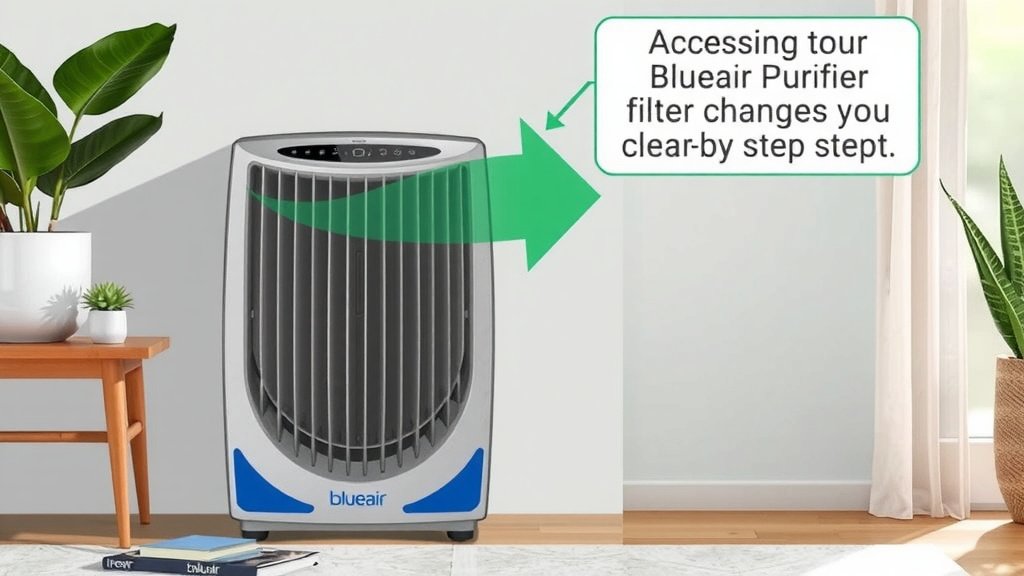
Once the outer grille or panel is off, you’ll have access to the heart of your purifier: the filter. The filter unit is usually a large, cylindrical, or rectangular component that’s easy to spot. It often has a pull tab or is simply held in place by gravity.
Removing the Filter
To remove the filter, simply pull it straight out. Most filters are designed for easy removal. Some might have specific tabs you need to pull. Be sure to dispose of the old filter properly. Many guidelines recommend replacing filters every six to twelve months, depending on usage and air quality (EPA).
Cleaning the Interior
With the filter removed, you can now clean the inside of your Blueair purifier. Use a soft, dry cloth or a vacuum cleaner with a brush attachment. Gently wipe away any dust or debris. Pay attention to the fan blades and the inside walls of the unit. We found that a little dusting now and then can really help maintain optimal airflow and performance.
Reassembling Your Blueair Purifier
Putting your purifier back together is just as simple as opening it. Ensure the new filter is correctly seated. It should slide in smoothly. Then, reattach the grille or panel. If you removed screws, tighten them gently. Don’t overtighten them, as this could damage the plastic casing.
Double-Checking Your Work
Before plugging your purifier back in, give it a quick once-over. Make sure everything is securely in place and that no tools or cleaning cloths were left inside. You want to ensure a clear path for the air to flow.
Troubleshooting Common Issues
What if it won’t open? Don’t force it! Forcing the unit could lead to damage. If you’re struggling, it’s always best to refer to your specific model’s user manual. Online resources are also a great help. Many experts suggest checking video tutorials for your exact model, as they can visually demonstrate the process.
When to Seek Further Assistance
If you’ve consulted your manual and online resources and still can’t open your Blueair purifier, it might be time to contact Blueair customer support. They can offer model-specific advice or help you arrange for service if needed. Remember, a little patience goes a long way.
A Quick Checklist for Success
Here’s a handy checklist to make sure you’re ready for the task:
- Confirm your Blueair model number.
- Locate any screws or access points.
- Gather a soft cloth or vacuum attachment for cleaning.
- Have your replacement filter ready.
- Gently remove the top grille or side panel.
- Reassemble securely after cleaning or filter change.
Conclusion
You’ve learned that opening your Blueair purifier is a straightforward process, designed for easy home maintenance. Whether your model requires lifting a top grille or loosening a few screws, access to your filters is usually just a few simple steps away. Remember to identify your specific model number first. This ensures you follow the correct procedure for filter changes and cleaning. Regularly maintaining your air purifier keeps it running at its best, ensuring you continue to breathe cleaner air. Your next step is to schedule your filter check and cleaning based on your usage!
Frequently Asked Questions
Do I need any tools to open my Blueair purifier?
We found that most Blueair models are designed for tool-free access, especially in the Blue Pure series. You’ll typically just need to gently pull off the top grille. For some Classic models, a Phillips head screwdriver might be needed to loosen a few screws on the back or bottom.
My Blueair unit feels stuck. What should I do?
Don’t force it! If a grille or panel feels stuck, check carefully for any hidden clips or latches you might have missed. Gently rocking it or looking for small release points can help. Referring to your specific model’s manual or an online video tutorial is often the best next step.
How often should I open my Blueair purifier?
You should plan to open your Blueair purifier primarily for filter replacement and general cleaning. Blueair generally recommends changing filters every 6 to 12 months, depending on your air quality and how often you run the unit. A quick interior dusting can be done during filter changes.
What if I can’t find my model number?
If you can’t locate the model number sticker, try looking on the bottom or back of the unit very closely. If it’s still elusive, you may need to contact Blueair customer support with a description of your purifier. They can often help identify your model based on its appearance.
Can I clean the inside of my Blueair purifier while the filter is still in?
It’s best to remove the filter before cleaning the interior. This gives you full access to all the internal surfaces and the fan blades for effective dusting. Leaving the filter in might obstruct your cleaning efforts and could potentially damage the filter material.