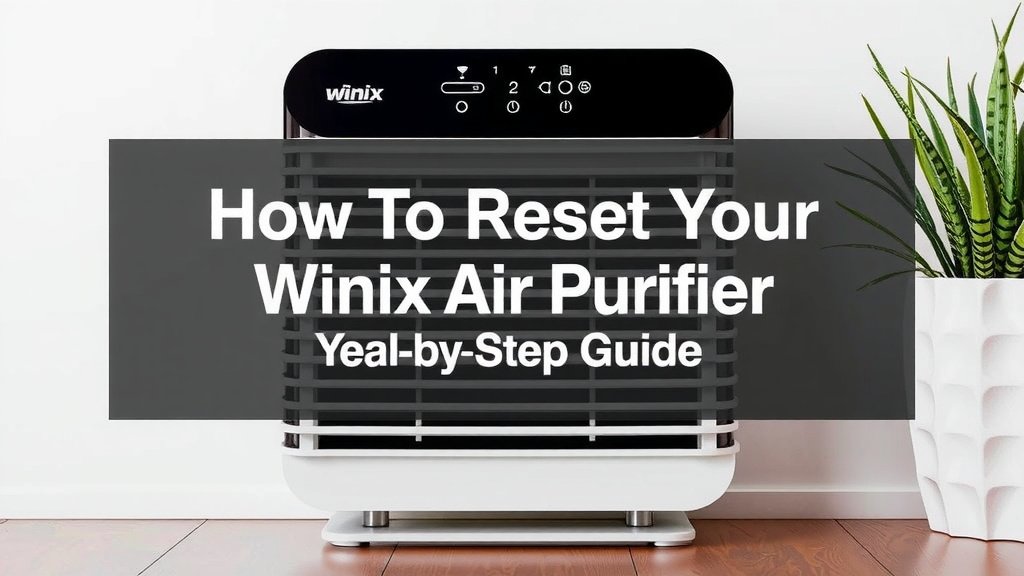
How to Reset Your Winix Air Purifier: Step-by-Step Guide
Resetting your Winix air purifier is usually quite simple. Many models just require you to press and hold a button for a few seconds. This action often resets the filter change indicator. It’s a quick way to signal your purifier is ready for more clean air.
Why reset it? Your air purifier works hard. The reset function is often tied to its filter life. It reminds you when it’s time for maintenance. Keeping your Winix running smoothly means cleaner air for your home. This simple step ensures it continues to perform its best.
- Press and hold the reset button.
- Look for a specific button like “Filter Reset” or “Timer.”
- Hold it for about 3-5 seconds.
- You might hear a beep or see a light change.
Ready to get your Winix back to its best? Let’s walk through exactly how to reset it, step by step.
Getting Your Winix Air Purifier Back on Track
When your Winix air purifier’s filter indicator lights up, it’s a helpful nudge. It’s your purifier telling you it’s time for some TLC. Resetting it after a filter change is usually straightforward. You’ll often just need to press and hold a button. This signals to the unit that you’ve addressed its needs. It then clears that reminder for you. It’s a simple but important step for keeping your air clean.
Understanding the Winix Reset Process
Most Winix air purifiers use a reset function primarily for their filter replacement indicators. Think of it like hitting the snooze button on your alarm. Except here, you’re telling your purifier, “Okay, I’ve got this!” This reset clears the warning light. It also resets the internal timer. This timer tracks filter usage. It’s designed to ensure you get the most out of your filters. Regular filter changes are key to effective air purification (CDC). Without a reset, that light will stay on. It might even prevent your purifier from operating correctly in some models.
Common Reasons for a Winix Reset
The most common reason to reset your Winix is after changing a filter. Your purifier doesn’t magically know a new filter is inside. It relies on you to tell it. So, when you install that fresh filter, a quick reset is essential. Some users also find themselves needing to reset their unit if it’s been unplugged for an extended period. While not always necessary, it can sometimes help recalibrate the system. It’s like restarting your computer if it’s acting a bit strange.
Where to Find the Reset Button
The exact location of the reset button can vary a bit between Winix models. However, it’s typically located on the main control panel of your air purifier. You’re usually looking for a button labeled “Filter Reset,” “Check Filter,” or sometimes it might be integrated with the “Timer” button. It’s often quite small. Sometimes it has a little filter icon next to it. If you’re having trouble finding it, your user manual is your best friend. It will have a diagram pointing out every button and feature.
Navigating Different Winix Models
Winix offers a range of air purifiers. Some have a dedicated “Filter Reset” button. Others might require you to press and hold a different button, like the “PlasmaWave” or “Mode” button, for a set duration. For instance, some of the older Winix models might use a combination of button presses. We found that newer models tend to simplify this. They often have a clearly marked reset function. Always consult your specific model’s manual if you’re unsure. It’s the most accurate guide.
Step-by-Step Guide to Resetting Your Winix
Ready to get that filter light off? It’s usually a quick process. You’ll want to have your new filter ready to go. Make sure your purifier is plugged in and powered on before you start the reset.
Step 1: Prepare Your Air Purifier
First things first, ensure your Winix air purifier is plugged into a working outlet. Turn it on to its normal operating mode. If you’ve just finished changing the filter, you can proceed directly to the next step. If you’re resetting for another reason, just make sure it’s powered on.
Step 2: Locate and Press the Reset Button
Now, find that reset button we talked about. It might be labeled “Filter Reset” or have a filter icon. Once located, press and hold the button firmly. You’ll usually need to hold it down for about 3 to 5 seconds. Don’t just tap it; a sustained press is key.
Step 3: Confirm the Reset
How do you know it worked? Most Winix units will give you a little confirmation. You might hear a soft beep. The filter indicator light should turn off or change color. Some models might briefly flash lights to signal the reset is complete. If the light stays on, try pressing and holding the button again. Sometimes it takes a second attempt.
Troubleshooting a Stubborn Reset
What if the reset button doesn’t seem to be working? Don’t panic! First, double-check your user manual. You might be pressing the wrong button or not holding it long enough. Some very specific models might have a unique sequence. If you’ve confirmed you’re doing it right, try unplugging the unit for a minute. Then, plug it back in and try the reset again. We’ve found that this simple power cycle can sometimes clear temporary glitches.
Resetting Beyond the Filter Indicator
While the primary function of the reset button is for filter changes, some users wonder about a full factory reset. This would be like wiping the device back to its original settings. Winix air purifiers generally do not have a dedicated factory reset button accessible to the user. The “reset” function is almost exclusively tied to the filter indicator. If your unit is experiencing serious operational issues beyond a filter reminder, it might be time to consult the troubleshooting section of your manual. Or, you might consider contacting Winix customer support directly.
When a Simple Reset Isn’t Enough
If your Winix purifier is acting erratically, making strange noises, or not purifying air effectively, a simple filter reset won’t solve the problem. These issues could stem from internal components, sensor problems, or other malfunctions. In such cases, research indicates that contacting the manufacturer is the best course of action. They can offer specific advice or guide you through warranty claims if your unit is still covered. Remember, these machines work hard to keep your air clean, and sometimes they need more than just a quick reset.
Checklist: Quick Winix Reset Guide
Here’s a quick rundown to help you remember the process:
- Power Up: Ensure your Winix purifier is plugged in and turned on.
- Locate: Find the “Filter Reset” button (or equivalent) on the control panel.
- Press & Hold: Press and hold the button for 3-5 seconds.
- Listen/Watch: Listen for a beep or watch for the filter light to go off.
- Confirm: If the light stays on, try again, ensuring a firm, sustained press.
- Consult Manual: If problems persist, check your model’s specific instructions.
Conclusion
You’ve learned that resetting your Winix air purifier is a straightforward process, mostly tied to its filter change indicator. By simply pressing and holding a designated button for a few seconds, you can clear that reminder and ensure your unit continues to operate at its best. This small action is key to maintaining the clean air quality you expect from your Winix. If you’ve just swapped out your filter, now is the perfect time to perform this quick reset. Keep your air fresh and your purifier happy with this easy maintenance step!
Frequently Asked Questions
Will resetting my Winix purifier fix it if it’s not turning on?
No, resetting your Winix air purifier is typically for the filter indicator light. If your unit isn’t turning on at all, it likely indicates a different issue. You should check the power cord, the outlet, and consult your user manual’s troubleshooting section for power-related problems.
Can I reset my Winix air purifier without changing the filter?
Yes, you can reset the filter indicator without changing the filter, but we don’t recommend it for optimal air quality. The reset is a reminder that the filter has served its useful life. Continuously resetting it without a new filter means you’re not getting the best purification performance.
How long do I need to hold the reset button on my Winix?
Generally, you’ll need to press and hold the reset button for about 3 to 5 seconds. Make sure you’re using a firm, sustained press rather than just a quick tap. Holding it for too short a time might not register the reset command.
What if the filter light doesn’t turn off after resetting?
If the filter indicator light stays on after you’ve tried to reset it, try the process again. Ensure you’re pressing the correct button and holding it long enough. Sometimes, unplugging the unit for about 60 seconds and then trying the reset again can help clear temporary glitches.
Is there a way to do a factory reset on my Winix air purifier?
Winix air purifiers generally do not have a user-accessible factory reset button for the entire unit. The “reset” function you’ll most commonly find is specifically for clearing the filter replacement indicator. For operational issues beyond filter reminders, consult your manual or contact customer support.