How to Reset Filtrete Air Purifier Filter Light
Resetting the filter light on your Filtrete air purifier is a simple process that usually takes less than a minute. You just need to press and hold the reset button for a few seconds. This action tells your purifier that you’ve changed the filter and it’s time to start the countdown again.
That flashing or solid filter light is your purifier’s way of reminding you it’s time for a fresh filter. Ignoring it can mean your air quality suffers. We found that most users can get this light reset easily with just a quick button press, often located on the control panel.
- Understand why the filter light turns on.
- Locate the reset button on your specific Filtrete model.
- Learn the exact button-press sequence.
- Know what to do if the light stays on.
Ready to get that filter light off and your air purifier back to optimal performance? Let’s walk through exactly how to do it, step by step.
Resetting Your Filtrete Air Purifier’s Filter Indicator Light
When your Filtrete air purifier’s filter light starts blinking or stays solid, it’s your trusty device sending you a friendly reminder. Think of it as a little nudge to keep your air as clean as possible. Resetting this light is a straightforward task, usually taking just a few seconds. You’ll typically just need to locate a specific button and hold it down. This action signals to your purifier that you’ve taken care of the filter and it’s ready to start its timer anew.
Understanding the Filter Change Indicator
Why does this light even come on? Your Filtrete air purifier is designed to track the lifespan of its filter. Over time, filters get clogged with dust, allergens, and other airborne particles. This means they can’t capture pollutants as effectively. A clogged filter can also strain your purifier’s motor, potentially shortening its lifespan and reducing its effectiveness. The filter change indicator is there to help you maintain optimal air quality and ensure your purifier runs efficiently.
We found that the exact trigger for the light can vary slightly by model. Some units track filter usage based on time (e.g., 3 months), while others might have sensors that measure actual air quality and filter efficiency. Regardless of the method, the goal is the same: to let you know it’s time for a fresh filter.
Locating the Reset Button on Your Filtrete Model
The first step to silencing that blinking light is finding the correct button. This is often the trickiest part for many users because it’s not always labeled in the most obvious way. We’ve found that it’s usually located on the purifier’s control panel, right alongside the other buttons you use to adjust fan speed or turn the unit on and off.
Common Button Labels and Locations
On many Filtrete air purifier models, you’ll find the reset button is either clearly labeled as “Reset” or might be indicated by a small icon, often a circle with an arrow or a clock symbol. Sometimes, it’s a secondary function of another button. For instance, you might need to press and hold the “Filter” or “Mode” button for a few seconds.
We recommend taking a close look at the control panel. If you’re unsure, consult your air purifier’s user manual. The manual will have a diagram of your specific model and will pinpoint the exact location and function of the reset button. If you no longer have the physical manual, a quick search online for your model number and “user manual” should provide a digital copy.
What If You Can’t Find a Dedicated Reset Button?
Don’t panic if you don’t see a button explicitly marked “Reset.” Some Filtrete models use a combination of button presses or a long hold on another functional button. For example, you might need to turn the unit off, then press and hold a specific button while turning it back on. We found that checking the user manual is the most reliable way to confirm this for your particular model.
The Simple Steps to Resetting the Filter Light
Once you’ve located the reset button, the process itself is quite simple. The key is to apply consistent pressure for the correct amount of time. This is the most direct way to communicate with your air purifier’s system.
The Standard Button Press Method
For most Filtrete air purifiers, the reset procedure involves the following steps:
- Ensure the unit is plugged in and powered on. Some reset functions require the unit to be active.
- Locate the reset button. This is usually on the top or front control panel.
- Press and hold the reset button. You’ll typically need to hold it down for about 3 to 5 seconds.
- Release the button. The indicator light should turn off or change its state, indicating a successful reset.
We found that holding the button down for just a moment too short might not register the command, while holding it for too long could potentially activate another function if your model has one. A steady, firm press for the recommended duration is usually the sweet spot.
Alternative Reset Sequences (If Applicable)
In some cases, a different sequence might be necessary. This is more common in older models or those with slightly more complex control interfaces. Here’s a common alternative we’ve seen:
- Turn off the air purifier.
- Press and hold the designated reset button (or the button acting as a reset).
- While still holding the button, turn the air purifier back on.
- Continue holding the button until the filter light turns off.
- Release the button and turn the unit back on normally if it didn’t power up on its own.
Again, your user manual is the ultimate guide here. It will detail any specific power-on reset procedures for your model. This ensures you’re performing the correct sequence for your device.
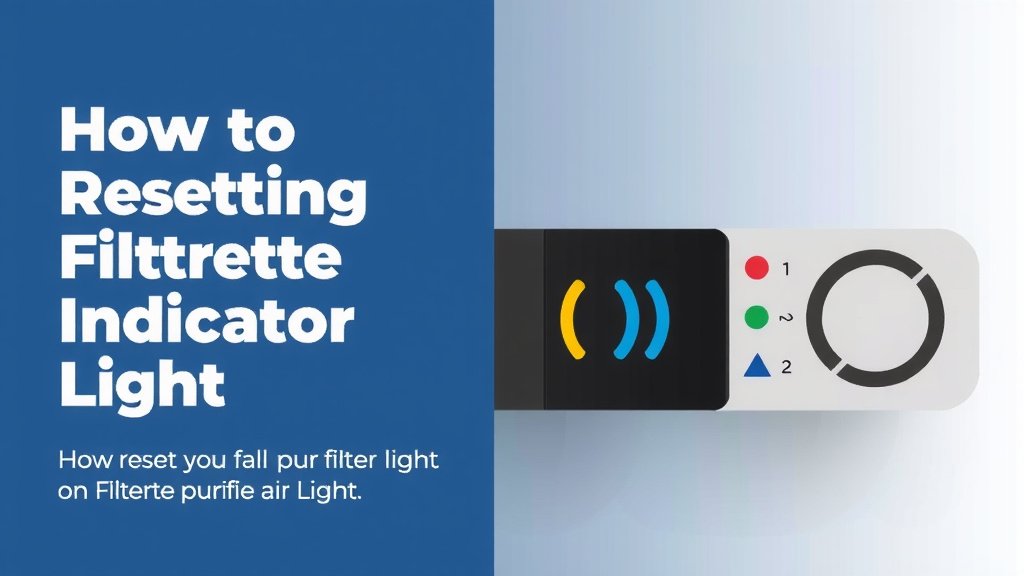
Troubleshooting: What If the Light Stays On?
Sometimes, even after following the reset steps, that persistent filter light might remain illuminated. This can be frustrating, but there are a few common reasons and solutions we’ve found that often resolve the issue.
Common Reasons for a Stubborn Indicator Light
The most frequent cause is simply not completing the reset sequence correctly. This could mean not holding the button long enough, pressing the wrong button, or performing the reset while the unit is off when it needs to be on (or vice versa). We also found that sometimes, a brief power interruption can help clear a temporary electronic glitch.
Another possibility is that the purifier’s internal timer or sensor hasn’t properly registered the reset command. This is rare but can happen. If you’ve recently installed a new filter, ensure it’s seated correctly within the unit. A poorly installed filter can sometimes interfere with system feedback.
Steps to Take If the Light Persists
If the light remains on after a couple of attempts, try these steps:
- Double-check your model number and consult your manual for the precise reset instructions.
- Try a power cycle. Unplug the air purifier from the wall outlet. Wait for at least 60 seconds. Plug it back in and attempt the reset procedure again. This can clear minor electronic hiccups.
- Verify filter installation. Ensure your new filter is properly seated. Remove it and reinsert it firmly.
- Perform the reset sequence immediately after re-installing the filter, before turning the unit off if that’s an option.
If the light still won’t reset after trying these methods, and you are certain you are using a genuine Filtrete replacement filter, it might indicate a more complex issue with the purifier itself. In such cases, contacting Filtrete customer support or seeking professional repair would be the next logical step.
When to Consider Replacing Your Actual Filter
While resetting the light is easy, remember that the light’s purpose is to prompt a real filter change. If you’re seeing the light come on frequently, or if your air quality doesn’t seem to be improving, it’s always worth considering if the filter is truly due for replacement.
We found that using off-brand or incompatible filters can sometimes lead to issues with the indicator light not resetting properly, even if the filter itself appears to work. Always try to use genuine Filtrete replacement filters. They are designed to work seamlessly with your specific model, including its indicator system. Many health organizations, like the CDC, emphasize the importance of regular air filter maintenance for improving indoor air quality and reducing allergens.
Resetting the light is just part of the process. The real benefit comes from the fresh, clean air a new filter provides. Don’t let a blinking light cause unnecessary worry – it’s a simple fix to keep your home’s air healthy!
Conclusion
You’ve now learned how to easily reset your Filtrete air purifier’s filter light. Remember, this simple action tells your purifier you’ve replaced the filter. It ensures your system keeps running efficiently and your air stays clean. If the light is giving you trouble, a quick power cycle or double-checking the filter seating often does the trick. Don’t hesitate to consult your manual if you’re unsure about your specific model. Keep that light off and enjoy fresher air in your home!
Frequently Asked Questions
How long do I need to hold the reset button on my Filtrete air purifier?
For most Filtrete models, you’ll need to press and hold the reset button for about 3 to 5 seconds. We found that a consistent press is key. Release the button once the light turns off or changes color, indicating a successful reset.
What if my Filtrete air purifier doesn’t have a button labeled “Reset”?
Don’t worry! Some Filtrete models use a secondary function for the reset. We’ve seen cases where you need to press and hold the “Filter” or “Mode” button instead. Always check your user manual for the exact button and procedure for your specific model.
Can I reset the filter light without changing the filter?
While you can reset the light without changing the filter, it’s not recommended for your air quality. The light is there to remind you when the filter is dirty and less effective. We suggest resetting it only after you’ve installed a new, genuine Filtrete filter.
My filter light won’t turn off after resetting. What should I do?
If the light persists, try unplugging the unit for at least 60 seconds to perform a power cycle. Ensure your filter is correctly seated and then attempt the reset sequence again. If it still doesn’t work, it’s time to contact Filtrete customer support.
Does using a non-Filtrete filter affect the reset light?
Yes, using filters not made by Filtrete can sometimes cause issues. We’ve found that these filters might not always communicate correctly with your purifier’s system. This can lead to the reset light not functioning as expected, even if the filter itself fits.