How to Turn on Your Blueair Purifier: A Quick Guide
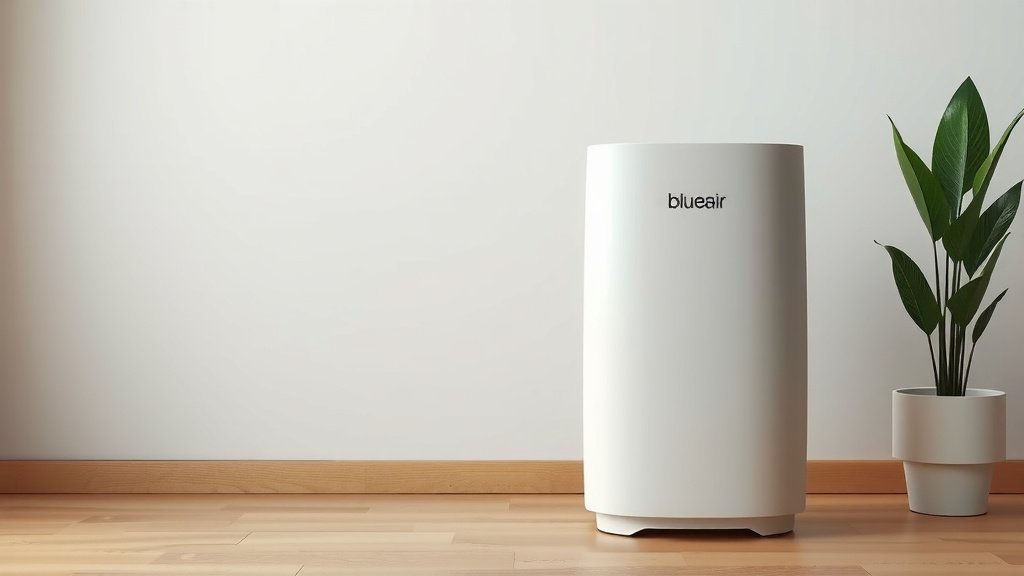
Turning on your Blueair purifier is usually quite simple. Most models can be turned on by pressing the power button, often located on the top or front panel. You’ll typically hear a beep or see a light turn on to confirm it’s active and ready to start cleaning your air. Many units also have a quick start guide right on the device itself.
Once powered on, your Blueair purifier will begin its work of circulating and cleaning the air in your home. Different models might have varying controls for fan speed or air quality modes. Understanding these features can help you get the most clean air possible. It’s all about making your indoor environment healthier and more comfortable for you and your family.
- Find the power button.
- Press it once to start.
- Look for an indicator light.
- Adjust fan speed if needed.
- Enjoy cleaner air!
Below, we’ll walk you through the specific steps for different Blueair models and what to expect after you turn yours on.
Getting Your Blueair Air Purifier Started
Turning on your Blueair air purifier is typically straightforward. You’re probably eager to start breathing cleaner air, and thankfully, most models make it simple to get going. You just need to locate the power button and give it a press.
Locating the Power Button
The power button is your main control to wake up your Blueair unit. Where it’s located can vary a bit by model, but it’s usually in an easy-to-reach spot. We’ve found that many Blueair purifiers have the power button right on the top panel. Others might place it on the front control panel.
Common Button Placement
For many popular Blueair models, like the Blue Pure series, you’ll find the power button on the very top of the unit. It’s often a single button that controls both turning the unit on and off, and sometimes cycling through fan speeds.
If you have a more advanced model, such as those in the Classic or HealthProtect series, the controls might be a bit more prominent. Look for a control panel on the front or side. The power button is usually clearly marked with a power symbol (a circle with a line through it) or simply labeled “Power.”
What Happens When You Press Power?
Once you press the power button, your Blueair purifier should respond immediately. You’ll likely hear a gentle beep, confirming that the unit has received your command. Most importantly, you’ll see an indicator light turn on. This light signifies that the fan is running and the air purification process has begun.
The specific indicator light color and brightness can differ. Some lights are subtle, while others are quite bright. If your unit has an air quality sensor, you might also see a light change color to reflect the current air quality in your room. This is a great visual cue to see your purifier in action!
Understanding Different Model Controls
While the power button is universal, other controls might differ. Blueair offers a range of purifiers, from very simple to more feature-rich. Understanding your specific model will help you optimize its performance.
Basic On/Off and Fan Speed
For simpler models, like many in the Blue Pure line, pressing the power button might cycle through different fan speeds. You might press it once for low, twice for medium, and three times for high. A fourth press usually turns the unit off. Some models even have a “low” setting that’s almost silent, perfect for bedrooms.
Advanced Control Panels
More sophisticated Blueair units often have a dedicated control panel. Here, you might find buttons for:
- Power: To turn the unit on and off.
- Fan Speed: To manually select your desired airflow (often indicated by fan icons or speed levels).
- Auto Mode: This is a popular feature! When activated, the purifier uses its built-in sensors to monitor air quality and automatically adjusts the fan speed as needed. It’s like having a smart assistant for your air.
- Night Mode/Dim Lights: For those who prefer a completely dark room, this mode usually dims or turns off all indicator lights.
- Child Lock: A handy feature if you have curious little ones who might want to play with the buttons.
| Feature | Description | Typical Location |
|---|---|---|
| Power Button | Turns the unit on/off and may cycle fan speeds. | Top or front panel. |
| Fan Speed Control | Allows manual adjustment of airflow. | Top button or front panel. |
| Auto Mode | Automatically adjusts fan speed based on air quality. | Front control panel. |
| Indicator Lights | Show power status, fan speed, and sometimes air quality. | Integrated into the control panel or unit body. |
After You Turn It On: What to Expect
So, you’ve pressed the button, and the lights are on. What happens next? Your Blueair purifier gets to work right away. You should feel or hear air being drawn into the unit and then gently expelled.
Initial Airflow and Sound
When you first turn on your Blueair, it will likely start at a medium or high fan speed. This is to quickly begin cleaning the air in the room. You’ll notice a gentle hum or whooshing sound from the fan. Don’t worry, this is perfectly normal! Many experts point to the constant circulation of air as a key factor in improving indoor air quality (CDC).
If you find the initial sound a bit much, don’t forget you can usually adjust the fan speed down. Many users prefer to set their purifier to Auto Mode after the initial startup, letting it find the balance between cleaning power and quiet operation.
Indicator Lights Explained
Pay attention to the indicator lights. They are your primary feedback system. A steady light usually means the unit is on and functioning. If your model has an air quality indicator, it might show:
- Blue/Green: Good air quality.
- Yellow/Orange: Moderate air quality.
- Red/Purple: Poor air quality.
This feature is incredibly useful because it helps you understand when your air quality might be compromised, such as during allergy season or if you’ve been cooking. Blueair’s research suggests that real-time air quality monitoring can help users make informed decisions about their environment (Blueair Official).
The Purification Process
Your Blueair purifier uses its HEPA-type filters to capture airborne particles. These can include dust, pollen, pet dander, and even some bacteria and viruses. The activated carbon filter in many models also helps remove odors and gases. Within minutes, you should start to notice a difference in the air’s freshness.
Quick Checklist for Starting Up
To recap, here’s a super simple checklist to get your Blueair purifier running:
- Locate the power button (usually on top or front).
- Press the power button once.
- Listen for a beep or look for an indicator light to confirm it’s on.
- Check the fan speed and adjust if desired.
- Consider setting it to Auto Mode for smart adjustments.
- Enjoy breathing cleaner air!
That’s it! You’ve successfully turned on your Blueair air purifier. It’s ready to make your home a healthier, more comfortable space. Remember to check your specific model’s manual if you encounter any unique features or buttons.
Conclusion
You’ve successfully learned how to turn on your Blueair air purifier! We’ve covered finding that essential power button, understanding what happens when you press it, and even touched on the different controls available across various models. Remember, it’s usually as simple as a single press to start enjoying cleaner, fresher air in your home. Don’t forget to check your specific model’s manual for any unique features. Now that your purifier is on, take a moment to appreciate the cleaner air you’ll be breathing!
Frequently Asked Questions
My Blueair purifier won’t turn on. What should I do?
First, ensure the power cord is securely plugged into both the purifier and a working wall outlet. If it’s plugged in, try a different outlet to rule out a faulty socket. If it still won’t turn on, check your user manual for any specific troubleshooting steps for your model, as there might be a reset procedure.
What does the air quality indicator light mean on my Blueair?
The air quality indicator light gives you a visual cue about your home’s air quality in real-time. Blue or green typically means the air is good, while yellow or orange suggests moderate quality, and red or purple indicates poor air quality. This helps you see your purifier working to improve your environment.
Can I adjust the fan speed after turning on my Blueair?
Yes, absolutely! Most Blueair purifiers allow you to adjust the fan speed after you’ve turned the unit on. For basic models, this might involve pressing the power button again to cycle through speeds, while advanced models have dedicated fan speed buttons on their control panel.
Is it normal for my Blueair purifier to make noise when I turn it on?
It is perfectly normal for your Blueair purifier to make a gentle humming or whooshing sound when it turns on. This indicates that the fan is running and circulating air. The sound level will vary depending on the fan speed setting you choose or if it’s in Auto Mode.
What is “Auto Mode” on a Blueair air purifier?
Auto Mode is a smart feature that allows your Blueair purifier to automatically adjust its fan speed based on the detected air quality in the room. Using built-in sensors, it will increase fan speed when pollutants are detected and decrease it when the air is clean, optimizing both performance and energy efficiency.


![5 Best Air Purifier for Cigarette Smoke Large Room [In 2026]](https://homeunderstandable.com/wp-content/uploads/2025/06/best-air-purifier-for-cigarette-smoke-large-room.jpg)