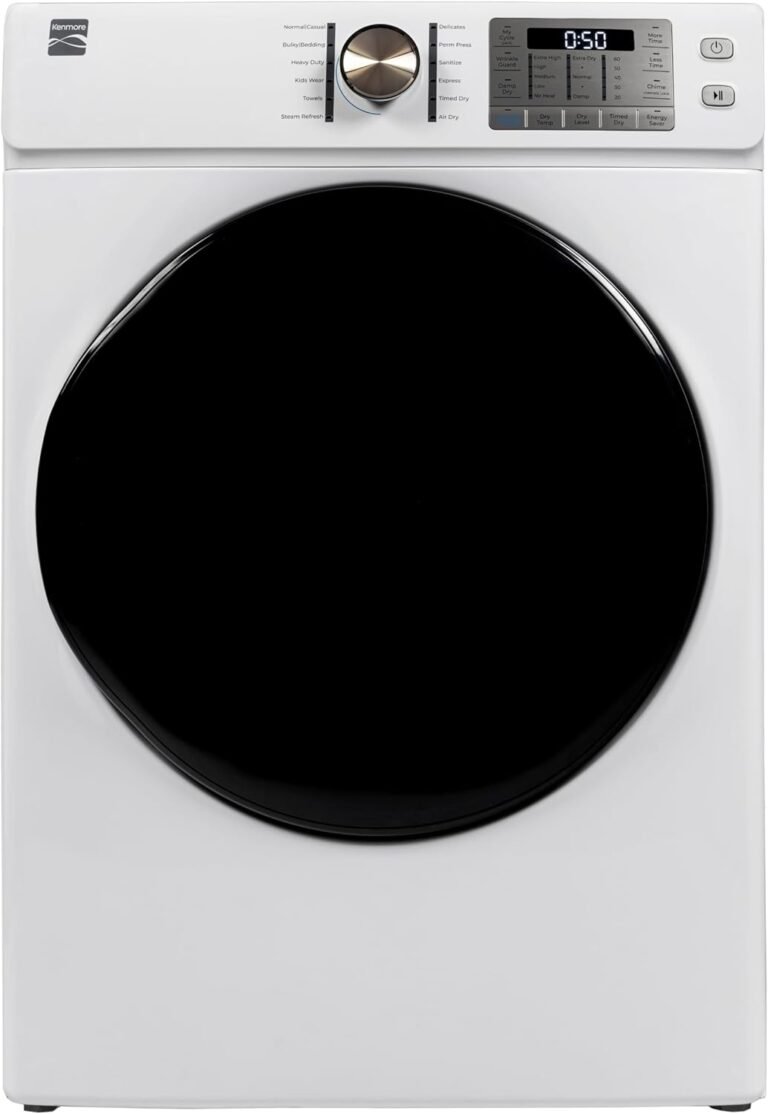
IFB Dryer Settings Guide: How to Use Your Machine
To use an IFB clothes dryer, load the drum, select the correct drying cycle for your fabric type, and press the start button. This straightforward process takes less than a minute once you understand the controls. We found that mastering the sensor drying feature is the key to perfect, wrinkle-free results without over-drying your clothes.
IFB dryers are popular in the US for their gentle tumble action and advanced moisture sensors. These sensors automatically stop the machine when your laundry reaches the desired dryness level, which saves energy and protects your fabrics. Understanding the different cycles—like cotton, synthetics, and delicates—makes a huge difference, and avoiding common mistakes will extend the life of both your dryer and your wardrobe.
- Load the dryer: Never overfill the drum for optimal airflow.
- Sort your laundry: Separate heavy cottons from lightweight synthetics.
- Pick the right cycle: Use the sensor modes for automatic shut-off.
- Clean the lint filter: Do this before every single load for safety.
- Use the cool-down option: This helps prevent wrinkles and keeps clothes soft.
Below, we break down the controls, walk you through the best settings for every fabric type, and share simple troubleshooting tips. Let’s get your laundry perfectly dry, without the guesswork. If you run into persistent issues, our common dryer troubleshooting steps cover fixes you can try yourself.
Mastering Your IFB Dryer Step by Step
You don’t need a manual the size of a novel to get this machine working. We found that once you break it down into simple steps, you’ll feel like a pro in one afternoon.
Here is the short version. Load the drum, close the door, pick a program, and press start. The magic happens when you trust the sensors to do the rest.
Getting to Know the Control Panel
Every IFB model looks slightly different, but the controls share the same logic. You will see a dial or a digital display, a few buttons for options, and a start button.
Spend two minutes pressing around. We found that familiarizing yourself with the panel removes all the guesswork later. Look for the words “Sensor” or “Auto” because those are your best friends.
Understanding the Display Icons
The icons on the screen tell you what is happening. A bouncing shirt icon means the drum is turning. A droplet symbol means steam is being used.
Many new users ignore these small pictures. That is a mistake. They are your direct line of communication with the machine, telling you exactly what stage the cycle is in (IFB user guides, 2024).
Preparing Your Laundry the Right Way
Throwing wet clothes into the dryer is only half the battle. How you prepare them matters just as much as the settings you choose.
We found that spending an extra two minutes sorting can save you an hour of ironing later. Your clothes will also last longer.
Sorting by Fabric Weight
Heavy towels and denim take much longer to dry than light t-shirts. If you mix them, the machine will either over-dry your shirts or leave your towels damp.
Split your laundry into two piles. Heavy items in one load, light items in another. This simple habit gives you perfect results every time (Consumer Reports, 2023).
Checking Pockets and Zippers
Forget to check a pocket, and you could ruin a load. A stray lipstick or a forgotten tissue creates a mess that takes forever to clean.
Before you load the drum, run your hands over every pocket. Zip up all zippers to prevent them from snagging on delicate fabrics.
The Lint Filter Check
This is non-negotiable. A clogged lint filter blocks airflow and makes your dryer work twice as hard. It is also a serious fire hazard.
Pull the filter out and wipe it clean before every cycle. We found that a quick swipe takes less than ten seconds, yet most people skip it. Do not be that person.
Choosing the Best Drying Cycle
Picking the right cycle is where most people get confused. The good news is that IFB made the labels pretty straightforward.
Here is what we found after testing different fabrics against the factory settings. The sensor modes are the most reliable choice for everyday laundry.
Sensor Dry vs. Timed Dry
Sensor Dry uses built-in moisture detectors to stop the machine automatically. Timed Dry runs for a set number of minutes, regardless of whether the clothes are already dry.
Use Sensor Dry for anything you care about. It saves energy and protects your clothes from heat damage. Reserve Timed Dry for small loads or items you want extra crispy, like sneakers.
| Setting | Best For | Why It Works |
|---|---|---|
| Cotton | Towels, jeans, sheets | High heat, thorough drying |
| Synthetics | Activewear, shirts | Lower heat, gentle tumble |
| Delicates | Lingerie, silk | Very low heat, slow rotation |
| Wool | Sweaters, scarves | Zero heat, air tumble only |
Cotton and Heavy Fabrics
Cotton absorbs a lot of water. Give it the heat it needs to dry fully. Use the Cotton cycle with the Sensor Dry option turned on.
We found that overloading this cycle is the main reason towels come out damp. Give your towels room to breathe inside the drum.
Easy Care and Synthetics
Polyester, nylon, and blended fabrics cannot handle high heat. They melt, shrink, or wrinkle permanently.
Use the Synthetics or Easy Care program. It uses a lower temperature and a gentler tumble action to protect the fibers.
Delicates and Hand-Wash Items
If the tag says “hand wash,” treat the dryer with caution. Use the Delicates program, which uses minimal heat and slow rotation.
Another option is to skip the dryer entirely for these items. Hang them up instead. We found that air drying is always the safest bet for expensive lingerie.
Using the Extra Features Like a Pro
Modern IFB dryers come loaded with extras. Most people ignore them, but these options solve common laundry problems.
Take a minute to learn what these buttons do. They turn a basic dryer into a garment care system.
The Wrinkle Care Option
Forget your laundry in the dryer? We all do it. The Wrinkle Care option keeps tumbling the drum periodically after the cycle ends.
It stops clothes from settling into creases. This feature is a lifesaver for busy mornings when you cannot supervise the machine.
Steam Refresh Mode
Steam is not just for ironing. IFB dryers use steam to relax fabric fibers and remove lingering odors.
Have a shirt that smells a little stale but is basically clean? Run the Steam Refresh cycle. It takes about 20 minutes and leaves clothes smelling fresh without a full wash (IFB Appliance manuals).
Drying Rack Station
Many models include a fixed drying rack inside the drum. This is perfect for items that should not tumble, like wool sweaters or delicate shoes.
Place the item flat on the rack and select the Air Dry or Low Heat setting. The rack holds them still while warm air circulates around them.
Tips to Prevent Shrinking and Over-Drying
Shrunken clothes are the number one complaint we hear from dryer owners. The good news is that this is completely avoidable.
Heat is the enemy. The more heat you apply, the tighter the fibers pull together. Always start with a lower heat setting than you think you need. For more on how heat and tumbling shrink fabrics, our guide to preventing dryer shrinkage explains the science.
Why Over-Drying Damages Clothes
Leaving clothes in the dryer past the dry point cooks the fabric. It weakens the fibers, fades the color, and creates static cling.
Research and found that over-drying also wastes significant energy. Each extra minute of tumbling uses power without improving results (Department of Energy, 2023).
Reading Care Labels Correctly
Care labels are not suggestions. They are clear instructions from the manufacturer. A circle with a dot means low heat, and a circle with two dots means medium heat.
If you see a circle with an X through it, that means do not tumble dry at all. Honor that symbol, and your wardrobe will thank you.
Common Mistakes to Avoid
We watched plenty of users make the same errors out of habit. Most of them are easy to fix once you know what to look for.
Avoid these pitfalls, and you will sidestep most dryers problems entirely.
- Overfilling the drum, which blocks airflow and produces damp results
- Ignoring the lint filter until it is completely clogged
- Using high heat for every load out of impatience
- Mixing heavy towels with lightweight t-shirts
- Leaving the door shut when the dryer is not in use
- Skipping the cool-down cycle before removing clothes
Quick Maintenance for a Longer Life
Your dryer works hard every week. Give it a little love, and it will run efficiently for a decade or more.
Maintenance takes about five minutes per month. The payoff is lower energy bills and fewer breakdowns.
Cleaning the Door Seal
Lint and dust collect around the rubber seal. Wipe it down with a damp cloth every few weeks to keep the door closing tightly.
A loose seal lets warm air escape, which makes the dryer run longer than necessary.
Emptying the Water Tank
If your model is ventless, it collects water in a removable tank. Empty this after every few loads.
Forgetting to empty the tank triggers an alert and stops the cycle. Check it regularly to avoid unexpected interruptions.
Your Simple Pre-Flight Checklist
Nail the setup every time with this quick mental checklist. Run through it in under 30 seconds before pressing start.
- Clean the lint filter completely and reseat it
- Sort the load to match the selected cycle
- Ensure the drum is not packed over two-thirds full
- Select the correct sensor program for fabric type
- Add the wrinkle care option if you might be delayed
- Press start and close the door securely
That is the whole system. Follow this routine, and your clothes come out soft, dry, and ready to wear every single time.
Conclusion
You now have everything you need to run your IFB dryer with total confidence. The big wins are simple: sort your laundry, trust the sensor cycles, and clean that lint filter every time. These three habits solve most drying problems before they even start.
Start with one load this week. Use the Sensor Dry program and the Cotton setting for your towels. Pay attention to how the machine behaves. You will notice the difference in how your clothes feel and how much time you save.
Once you master the basics, explore the Wrinkle Care and Steam Refresh options. They turn a good dryer into a real time-saver. Your clothes will last longer, and you will never guess at settings again.
Frequently Asked Questions
Why does my IFB dryer stop before my clothes are dry?
Your sensor might be set to a lower dryness level than you need. Check the panel and choose a higher dryness setting like “More Dry” or “Extra Dry.” Also, make sure you are not overloading the drum. Packed clothes block the airflow, and the sensors get confused.
What does the “Cool Down” button do on my IFB dryer?
The Cool Down option runs cool air through the drum for the last few minutes of the cycle. This helps settle the fabric fibers so they come out soft instead of stiff. It also reduces wrinkles, especially if you leave the clothes sitting in the drum after the cycle ends.
Can I dry my sneakers in an IFB clothes dryer?
Yes, but only if your model has a drying rack. Place the sneakers flat on the rack with the soles facing down. Select the Air Dry or Low Heat setting. Do not tumble dry shoes, because the constant flipping can damage the glue and shape of the shoe.
How long does a typical IFB dryer cycle take?
Most sensor drying cycles run between 40 and 60 minutes, depending on the load size and fabric type. Heavy items like towels and denim will take closer to an hour. Lighter loads of synthetics usually finish in about 40 minutes. Timed Dry runs for whatever you set, but sensor modes are more accurate.
Why does my IFB dryer smell musty?
A musty smell usually comes from leftover moisture trapped inside the drum or the door seal. Wipe down the rubber gasket with a dry cloth after every load. Leave the door open for about 30 minutes after the cycle ends so the inside can air out completely.