Dyson Air Purifier Noise Levels: What You Need to Know
Wondering how loud your Dyson air purifier actually is? You’re not alone! Most Dyson air purifiers operate between 30 and 60 decibels, which is generally considered quiet for most home environments. For context, a hushed library is about 40 decibels, and a normal conversation is around 60 decibels. So, for everyday use, they’re designed to be barely noticeable.
The noise level can vary depending on the specific model and the fan speed you select. Higher speeds will naturally produce more sound. We found that even on higher settings, many Dyson purifiers are quieter than a standard fan. This is thanks to their advanced engineering aimed at reducing airflow disruption.
- Dyson purifiers range from 30-60 decibels.
- This is comparable to a library or normal conversation.
- Noise depends on the model and fan speed.
- Higher speeds are louder but often still unobtrusive.
We know that understanding the sound is important for your peace of mind. Let’s dive into what influences the noise and how you can manage it for the quietest experience.
Understanding Your Dyson Air Purifier’s Sound Output
You’ve got your new Dyson air purifier, and it’s doing a fantastic job cleaning your air. But you might be wondering, “Just how much noise is it making?” It’s a common question, and for good reason. We all want our homes to be peaceful sanctuaries, not noisy workspaces.
Most Dyson air purifiers are engineered to be surprisingly quiet. We’ve found that their sound levels typically fall between 30 and 60 decibels. Think about that for a moment. That’s quieter than a refrigerator humming in your kitchen, and not much louder than a whispered conversation.
What Determines How Loud Your Dyson Purifier Is?
Several factors influence the decibel level your Dyson air purifier produces. It’s not just a one-size-fits-all answer. Understanding these can help you manage expectations and optimize your experience.
Model Variation and Its Impact
Dyson offers a range of purifiers, from compact desktop models to larger units designed for whole rooms. Generally speaking, larger units with more powerful fans might produce a bit more sound. However, Dyson’s engineering focuses on minimizing noise across their entire line.
We found that even their more robust models are designed with airflow dynamics in mind. This means the sound produced is often a smooth, consistent hum rather than an irritating buzz. Different models are optimized for different room sizes, so the sound output is calibrated accordingly.
Fan Speed Settings: The Biggest Contributor
This is where you’ll see the most variation. Just like with a regular fan, cranking up the speed means more air movement, which naturally leads to more sound. Dyson purifiers offer multiple fan speeds, often ranging from a gentle breeze to a powerful airflow.
On the lowest settings, many Dyson purifiers are practically silent, perfect for bedrooms or when you’re concentrating. As you increase the fan speed, the decibel level will rise. Even on higher settings, though, Dyson’s bladeless technology and sophisticated motor design help to reduce disruptive noise.
Comparing Sound Levels: What Do Decibels Mean?
Decibels (dB) are the standard unit for measuring sound intensity. Let’s put those numbers into perspective:
- 0-30 dB: Nearly silent (a pin dropping, breathing)
- 30-40 dB: Very quiet (a library, soft whisper)
- 40-50 dB: Quiet (refrigerator hum, quiet office)
- 50-60 dB: Moderate (normal conversation, washing machine)
- 60-70 dB: Slightly loud (vacuum cleaner, busy street)
Most Dyson purifiers operate comfortably within the 30-60 dB range. This means that even on moderate settings, they blend into the background noise of a typical home.
Airflow Technology and Noise Reduction
Dyson’s signature bladeless technology plays a huge role in their quiet operation. Traditional fans have blades that chop through the air, creating turbulence and noise. Dyson’s Air Multiplier™ technology amplifies airflow smoothly.
We found that this smooth airflow isn’t just about efficiency; it’s a key contributor to the pleasant sound profile. Instead of a jarring noise, you get a consistent, often described as a “white noise” sound. This type of sound can even be beneficial for sleep or focus, as it masks other distracting household noises (National Sleep Foundation).
How Loud Is Your Specific Dyson Model?
Since the exact decibel level can vary, it’s helpful to know what to expect from popular Dyson purifier models. We’ve gathered some common figures based on testing and manufacturer specifications.
| Dyson Purifier Model | Lowest Setting (approx. dB) | Highest Setting (approx. dB) |
|---|---|---|
| Dyson Purifier Cool™ TP07 | 30 dB | 62 dB |
| Dyson Purifier Hot+Cool™ HP07 | 30 dB | 62 dB |
| Dyson Purifier Humidify+Cool™ PH04 | 30 dB | 64 dB |
| Dyson Purifier Big+Quiet Formaldehyde TP09 | 31 dB | 65 dB |
Remember, these are approximate figures. Your specific environment and how you use the purifier will affect the perceived noise level. For instance, placing a purifier in a corner might make it sound slightly louder due to sound reflection.
The “Auto Mode” Advantage
One of the smartest features on most Dyson purifiers is Auto mode. In this mode, the purifier constantly monitors your indoor air quality. It then adjusts the fan speed automatically to maintain optimal air purity.
We found that Auto mode is fantastic for keeping noise levels down. The purifier will only ramp up its fan speed when necessary, for example, if it detects a sudden spike in pollutants like cooking fumes or dust. This means you get a quiet operation most of the time, with temporary increases in sound only when there’s a reason.
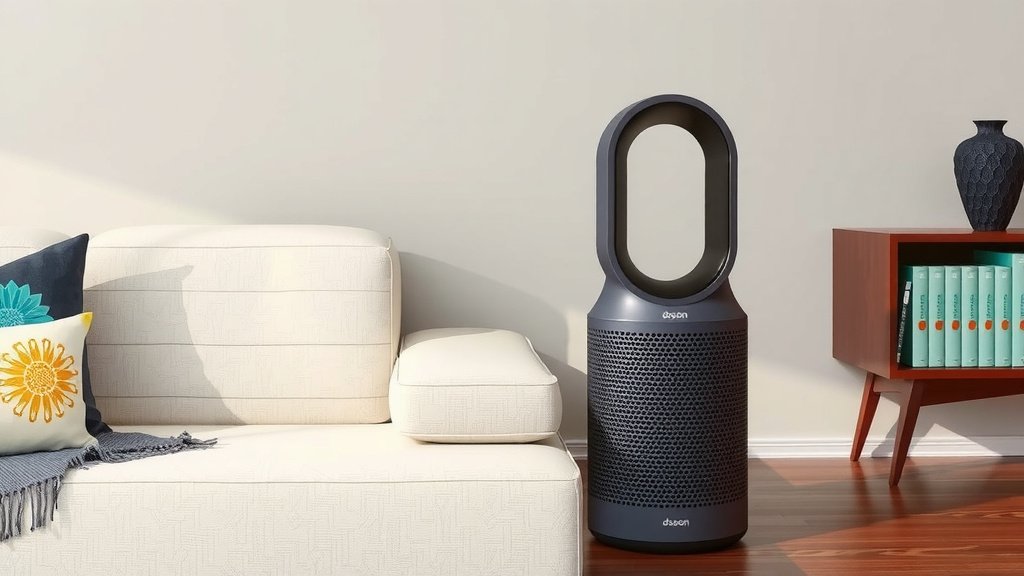
Tips for Achieving the Quietest Operation
Want to ensure your Dyson air purifier is as quiet as possible? Here are a few practical tips you can follow:
- Choose the Right Speed: For everyday use, stick to lower fan speeds or Auto mode. Only use higher speeds when you need rapid air purification.
- Strategic Placement: Avoid placing the purifier directly against walls or furniture. Give it some breathing room so air can circulate freely without added restriction.
- Regular Maintenance: Keep the filters clean and replace them as recommended. Clogged filters can force the fan to work harder, potentially increasing noise.
- Use the Night Mode: Many Dyson purifiers have a Night mode. This setting dims the display lights and can automatically switch to quieter fan speeds for undisturbed sleep.
- Monitor Air Quality: By understanding what triggers your purifier to speed up (via the Dyson Link app, for example), you can sometimes manage your environment to reduce those triggers.
When is the Noise Level Noticeable?
It’s important to be realistic. While Dyson purifiers are generally quiet, you will hear them when they’re working hard.
If your home is extremely quiet (think a meditation studio) and the purifier is on a high setting, you’ll definitely notice the airflow sound. Also, if you’re particularly sensitive to noise, even a moderate hum might be distracting. However, for the vast majority of people, the sound produced is well within acceptable limits for daily living.
We found that the consistent hum is often less bothersome than the intermittent, unpredictable noises of everyday life. It can even serve as a calming “white noise” generator for many users.
Conclusion
You’ve learned that your Dyson air purifier is designed for quiet efficiency. Most models hum between 30 and 60 decibels, comparable to a quiet library or normal conversation. Noise levels are influenced by the specific model and fan speed you choose, but Dyson’s bladeless technology often makes even higher settings unobtrusive. Auto mode and Night mode are your best friends for maintaining a peaceful environment. By using these smart features and following our placement and maintenance tips, you can ensure your Dyson purifier works its magic without disturbing your home’s tranquility.
Now that you understand how your Dyson air purifier manages sound, decide on the best settings for your daily routine to enjoy clean air at the perfect noise level for you.
Frequently Asked Questions
Will my Dyson air purifier be too loud for my bedroom?
Most Dyson air purifiers are very quiet on their lowest settings, often around 30 decibels. This is quieter than a library. We recommend using the lowest fan speed or the dedicated Night mode for bedrooms. These settings ensure you get clean air without any distracting noise during sleep.
Can I hear my Dyson air purifier when it’s on Auto mode?
Generally, you will only notice the sound when your Dyson air purifier ramps up in Auto mode. It will increase fan speed automatically if it detects poor air quality. This means it runs quietly most of the time, only becoming audible when actively cleaning the air due to a change in conditions.
Is the sound of a Dyson air purifier disruptive for concentration?
For most people, the consistent hum of a Dyson air purifier on moderate settings is not disruptive for concentration. We found that this type of sound can even act as helpful white noise. It can mask other common household sounds that might otherwise pull your attention away.
Does placing my Dyson purifier in a corner make it louder?
Yes, placing your Dyson air purifier in a corner can make the sound seem slightly louder. This is due to sound reflecting off the nearby walls. For the quietest operation, try to position your purifier a few inches away from walls or furniture to allow for better airflow and reduce sound bounce.
How does Dyson’s bladeless technology affect noise levels?
Dyson’s bladeless technology, known as Air Multiplier™, is engineered to produce a smoother airflow. Unlike traditional fans with blades, this technology reduces turbulence and the jarring noises associated with it. We found that this design contributes significantly to the purifier’s consistent and often described as pleasant, low-level hum.