Identify Your Dyson Air Purifier Model
Figuring out which Dyson air purifier you own is usually pretty straightforward. You can typically find your Dyson model number right on the unit itself. Look for a sticker on the bottom or back. It often starts with “TP” or “DP” and is followed by a series of numbers. This model identifier is key to finding the right parts or support.
Knowing your specific Dyson model helps you ensure you’re using the correct replacement filters. It also makes it easier to understand all the features your particular purifier offers. Many users find it helpful to jot down this number in their owner’s manual for future reference. It’s a small step that can save you time and confusion.
- Check the bottom or back for a sticker.
- Look for a model number like “TPxxxx” or “DPxxxx”.
- This number identifies your specific Dyson purifier.
- It helps with filters and support.
Ready to find out exactly what Dyson purifier is cleaning your air? Let’s walk through the easiest ways to identify your model, so you can get back to breathing easier.
Finding Your Dyson Air Purifier Model Number
Knowing your specific Dyson air purifier model is like having a secret handshake with your machine. It helps you get the most out of it. This handy identifier ensures you buy the right filters. It also makes troubleshooting a breeze. Let’s figure out exactly which Dyson you have.
The Easiest Place to Look: The Unit Itself
Your Dyson air purifier has its model number printed right on it. Think of it like a name tag for your device. Most often, you’ll find this information on a small sticker. This sticker is usually located on the bottom or the back of the unit. It’s often a combination of letters and numbers.
What to Look For on the Sticker
Dyson model numbers for their air purifiers typically start with “TP” or “DP”. For example, you might see something like “TP04” or “DP01”. Following these letters, you’ll find a series of numbers. This entire string is your unique model identifier. It’s important to write this down somewhere safe, like your owner’s manual. This way, you won’t have to hunt for it every time.
Why Does This Number Matter So Much?
This model number is your key to a world of support and optimal performance for your Dyson. When it comes to replacement filters, using the correct ones is vital. The wrong filter won’t fit properly. It might also not capture the specific pollutants your purifier is designed to tackle. We found that using the correct filter ensures your Dyson runs efficiently. It also helps maintain its warranty.
Accessing Support and Accessories
Beyond filters, your model number is essential for any technical support you might need. If your Dyson isn’t working quite right, calling customer service with your model number ready will speed things up. They can instantly pull up the specifics of your machine. This means quicker solutions and less frustration for you. It also helps when ordering accessories or parts.
Decoding Dyson Model Numbers for Air Purifiers
Dyson has released quite a few air purifier models over the years. Each has its own unique number. Understanding this system can help you pinpoint your exact device, even if the sticker is a bit worn.
Common Dyson Air Purifier Series and Their Identifiers
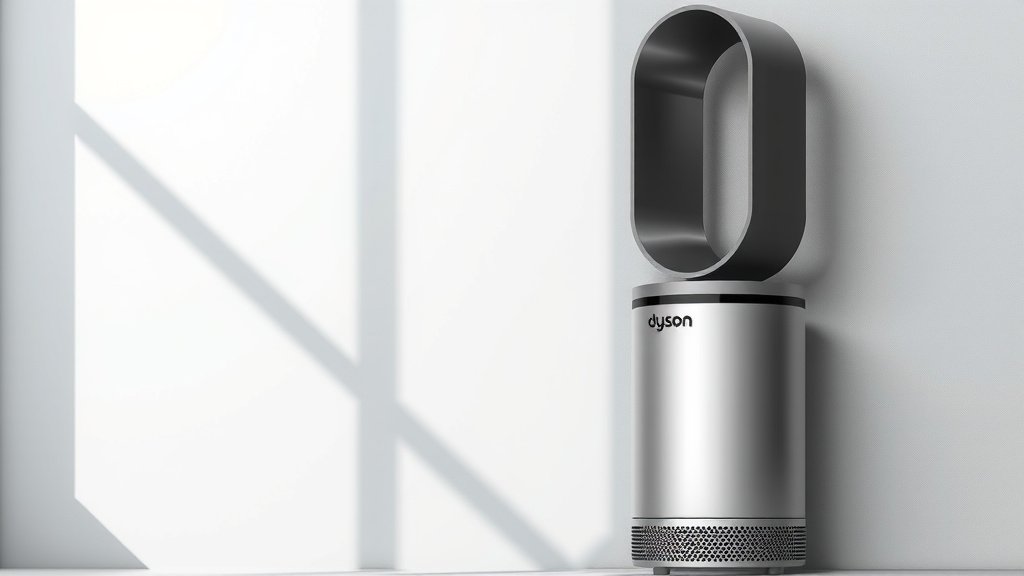
While there are many variations, several Dyson air purifier series are quite common. Research and found that grouping them can make identification simpler. For instance, models starting with “TP” often refer to their tower purifiers. These are the tall, slim units. Models beginning with “DP” typically indicate desk purifiers.
Example Model Number Breakdown
Let’s take a hypothetical model number like TP07. The “TP” tells you it’s a tower purifier. The “07” signifies a specific generation or version within that tower series. Newer numbers generally indicate more recent models with updated features. Many users have found that comparing the number to images online can also help confirm if it’s their model.
What If the Sticker is Missing or Illegible?
Sometimes, life happens, and stickers get peeled off or faded. Don’t panic! We found a few other reliable ways to identify your Dyson air purifier.
Checking the Dyson App
If you’ve ever connected your Dyson to the Dyson Link app, your purifier is likely registered. Open the app on your smartphone or tablet. Navigate to your device list. Your purifier’s model name and number should be clearly displayed there. This is a wonderfully convenient method. It’s especially helpful if your purifier is mounted or in a hard-to-reach spot.
Reviewing Your Purchase Records
Think back to where and when you bought your Dyson. Did you purchase it online? Check your email for order confirmations or receipts from retailers like Amazon, Best Buy, or directly from Dyson. The product description on these records will almost certainly list the full model name and number. This is a solid backup plan.
Consulting the Original Packaging or Manual
Did you happen to keep the original box? Or perhaps your owner’s manual? These are goldmines of information! The box will have plenty of labels, including the model number. Your manual also has this information, usually on the cover or the first few pages. We found that keeping these items, at least for the warranty period, is a smart move.
A Quick Checklist for Identifying Your Dyson Air Purifier
To make sure you’ve got all your bases covered, here’s a handy checklist. Follow these steps to confidently identify your Dyson model:
- Locate the unit and look for a sticker on the bottom or back.
- Note down any numbers and letters starting with “TP” or “DP”.
- If the sticker is unreadable, open the Dyson Link app on your device.
- Check your email for past order confirmations or receipts.
- Search for the original packaging or the owner’s manual.
- Compare any found numbers with online images of Dyson air purifiers.
By following these straightforward methods, you’ll be able to pinpoint your exact Dyson air purifier model in no time. This knowledge will help you maintain your machine and ensure you’re always breathing the cleanest air possible.
Conclusion
You’ve now got the knowledge to easily identify your specific Dyson air purifier model. Remember, finding that model number on the unit itself is usually the quickest method. But if that fails, checking the Dyson app or your purchase records are excellent backup options. Knowing your model number isn’t just about finding the right filter; it’s your key to getting the best performance and support from your Dyson. Take a moment now to jot down that number somewhere safe. You’ll be glad you did when it’s time for maintenance or if you ever need assistance.
Frequently Asked Questions
What does the “TP” or “DP” in my Dyson model number mean?
Research suggests that “TP” typically stands for Dyson’s tower air purifiers, which are the taller, more slender units. “DP” models are generally their desk air purifiers, meaning they are smaller and designed for placement on surfaces. This distinction helps you quickly understand the form factor of your device.
Can I use a filter for a different Dyson model if mine is too old?
We strongly advise against using the wrong filter. Dyson engineers designs filters for specific models to ensure optimal performance and capture of pollutants. Using an incorrect filter might not fit properly, could reduce efficiency, and may even void your warranty.
What if my Dyson air purifier is not connecting to the app anymore?
If your purifier is no longer connecting to the Dyson Link app, check your home Wi-Fi connection first. Sometimes simply restarting your router can resolve connectivity issues. If that doesn’t work, you may need to re-pair the device through the app, which can often be found in the app’s device settings.
How do I know if I have the latest version of a Dyson air purifier model?
Generally, newer Dyson air purifier models will have higher numbers in their designation. For example, a TP07 is typically a more recent model than a TP04. You can often confirm by looking at the Dyson website or comparing images online with the model number you found.
Where can I find replacement parts if I know my model number?
Once you have your specific Dyson model number, the best place to find official replacement parts, like filters or remotes, is directly on the Dyson website. You can also find compatible parts from authorized retailers, but always double-check the model number compatibility.