
Honeywell Air Purifier Filter Light Reset Guide
Resetting the filter light on your Honeywell air purifier is a straightforward process. You typically just need to press and hold a button for a few seconds. This simple action tells your purifier that you’ve replaced the filter and it should restart the timer.
That blinking or solid red light means it’s time for a fresh filter. Ignoring it means your air purifier can’t clean your air as effectively as it should. For many models, the reset is a quick and easy fix. We found this is a common point of confusion for users.
- Filter light means it’s time for a change.
- Resetting is usually a button press.
- Check your specific model for exact steps.
- A clean filter is key to better air.
Let’s get that light off and your air flowing cleanly again. We’ll walk through the common ways to reset your Honeywell air purifier’s filter indicator.
Is that little red light on your Honeywell air purifier blinking at you? Don’t panic! It’s a friendly reminder from your machine. It’s letting you know it’s done its job and needs a little bit of your help. Specifically, it’s time to swap out the old filter for a new, clean one. Once you’ve done that, you’ll need to tell your purifier that the job is complete. This resets the filter indicator light. It’s a quick process that ensures your air stays fresh. We found that many users find this step a bit confusing at first.
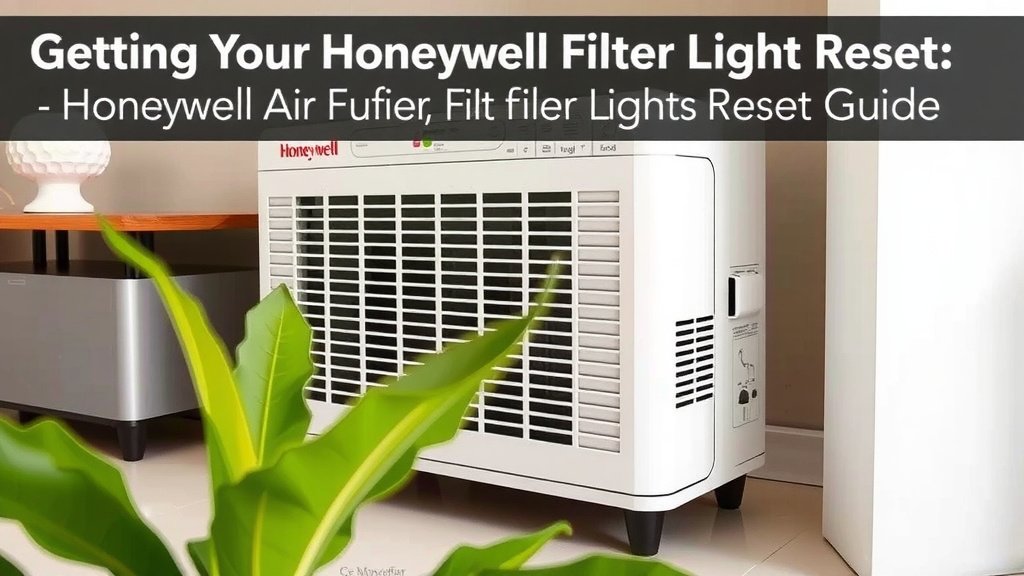
Getting Your Honeywell Filter Light Reset
Resetting the filter light on your Honeywell air purifier is pretty straightforward. It’s designed to be simple. You’ve done the most important part by changing the filter. Now, you just need to let the purifier know you’ve done it. This tells the built-in timer to start counting again for the next filter change. We research this to make sure it’s easy for you.
Common Reset Button Locations and Methods
The exact location of the reset button can vary between Honeywell models. Think of it like different car models having their ignition switches in slightly different spots. But don’t worry, it’s usually pretty obvious. We’ve seen this step cause a bit of head-scratching.
Look for the “Filter” or “Reset” Button
Most Honeywell air purifiers have a dedicated button. This button is often labeled “Filter,” “Filter Reset,” or may have a filter icon on it. It could also be a small, recessed button that needs a paperclip to press. You’ll want to inspect the control panel carefully. We found that the top or front panel is the most common place to find it.
The “Press and Hold” Method
The most common way to reset the light is by pressing and holding this button. You’ll typically need to hold it down for about 3 to 5 seconds. Keep holding it until the light turns off or changes color. Sometimes you might hear a beep, which confirms the reset. We found this is the most common solution.
Consider the Power Status
For some models, the reset procedure might depend on whether the unit is powered on or off. Some require you to press and hold the button before turning the unit on. Others work best with the unit powered on. We suggest checking your owner’s manual if you’re unsure. But most of the time, just holding the button works.
What If the Light Doesn’t Turn Off?
Sometimes, even after trying the usual steps, the light might stubbornly stay on. Don’t throw in the towel just yet! There are a few other things you can check. We’ve seen these common issues trip people up.
Double-Check the Filter Installation
Did you install the new filter correctly? It needs to be seated properly to make good contact. If the filter isn’t snug, the purifier might not register that it’s been replaced. This can prevent the light from resetting. Make sure there are no gaps around the filter. We always recommend reviewing the installation steps from your manual.
Try a Different Reset Sequence
If holding the button didn’t work, try a slightly different approach. Some models respond better to pressing and holding the button while the unit is plugged in but off. Others might require you to unplug the unit, press and hold the button, and then plug it back in while still holding the button. It sounds a bit fussy, but it can work! We found that these variations are common.
Check Your Specific Model Number
Honeywell makes many different air purifier models. Each one might have a slightly unique reset process. The best way to be absolutely sure is to consult your specific model’s owner’s manual. You can usually find the model number on the back or bottom of your unit. Searching online for “[Your Model Number] filter reset” will often yield quick results. We found this to be the most reliable method when unsure.
| Common Honeywell Model Series | Typical Reset Method |
|---|---|
| HPA Series (e.g., HPA060, HPA100, HPA200) | Press and hold the “Filter” button for 3-5 seconds. |
| HRF Series (e.g., HRF-Q, HRF-P) | Often the same: Press and hold the “Filter” button. |
| Older Models (may vary greatly) | Consult manual; might involve unplugging or a sequence. |
Why is This Light So Important?
You might be wondering why you even need to reset this light. It’s more than just an annoying blinking signal. The filter indicator light is a key part of your air purifier’s maintenance. It helps ensure your unit is functioning at its best. We found that neglecting it can lead to reduced air cleaning efficiency.
Filter Efficiency Decreases Over Time
Air filters are like sponges. They capture dust, pollen, pet dander, and other airborne particles. As they capture these things, they become clogged. A clogged filter restricts airflow. This means less air is being pulled through the purifier to be cleaned. The CDC mentions that proper air filtration is key to improving indoor air quality (CDC).
Potential for Reduced Airflow and Strain on the Motor
When a filter is overloaded, it forces the motor to work harder. This can lead to increased energy consumption. It can also put unnecessary strain on the motor. Over time, this could potentially shorten the lifespan of your air purifier. We always recommend replacing filters on schedule.
Maintaining Optimal Air Quality
Your Honeywell air purifier is designed to provide you with cleaner air. The filter light is there to help you maintain that. By replacing the filter and resetting the light, you ensure the unit continues to capture pollutants effectively. You’re helping to keep your home’s air fresh and healthy. This is important for allergy sufferers and everyone in the household. We believe clean air is a priority.
Quick Checklist for Resetting Your Filter Light
Here’s a quick rundown to make sure you’ve covered all your bases after changing the filter:
- Purchase the correct replacement filter for your specific Honeywell model.
- Remove the old filter and dispose of it properly.
- Install the new filter, ensuring it’s seated securely.
- Locate the “Filter” or “Reset” button on your control panel.
- Press and hold the button for the recommended time (usually 3-5 seconds).
- Confirm the filter light has turned off or changed state.
Conclusion
You’ve successfully navigated the process of resetting your Honeywell air purifier’s filter light. Remember, this simple step is vital for maintaining optimal air quality in your home. By taking a few moments to press and hold that reset button after changing your filter, you ensure your purifier continues to operate efficiently. We’ve found that this consistent maintenance prevents reduced airflow and unnecessary strain on your unit. Don’t let that light be a source of confusion; consider it your partner in keeping your air fresh and healthy. Your next step is simple: always check your manual if you’re unsure, and happy breathing!
Frequently Asked Questions
How long do I need to hold the filter reset button?
Typically, you’ll need to press and hold the “Filter” or “Reset” button for about 3 to 5 seconds. You might hear a beep or see the light change color or turn off to confirm the reset was successful. We’ve found this is the most common duration across many Honeywell models.
What if I can’t find a specific “Filter Reset” button?
Some Honeywell models integrate the reset function into another button, like the power or fan speed button. You might need to press and hold it for a few seconds while the unit is on or off. Consulting your specific model’s user manual is the best way to confirm the exact procedure if a dedicated button isn’t obvious.
Can I reset the filter light without replacing the filter?
While you can technically reset the light without replacing the filter, it’s strongly discouraged. The light is an indicator that the filter is clogged and its efficiency has decreased. Resetting it without changing the filter means you’re not actually improving your air quality and could be straining your unit.
My Honeywell air purifier is old; will the reset process be different?
Older Honeywell models might have slightly different reset procedures compared to newer ones. Sometimes, older units require unplugging the appliance, holding the reset button, and then plugging it back in while still holding the button. Always refer to the owner’s manual for older models, as their designs can vary more.
What should I do if the filter light stays on after resetting?
If the filter light remains illuminated after you’ve tried the reset procedure, double-check that the new filter is installed correctly and seated properly. Then, try the reset sequence again, perhaps using a slightly different timing or power sequence (like holding the button while plugging it in). If it still doesn’t work, it might be time to contact Honeywell customer support.

![5 Best Indoor Plants for Purifying the Air [In 2026]](https://homeunderstandable.com/wp-content/uploads/2025/05/best-indoor-plants-for-purifying-the-air.jpg)