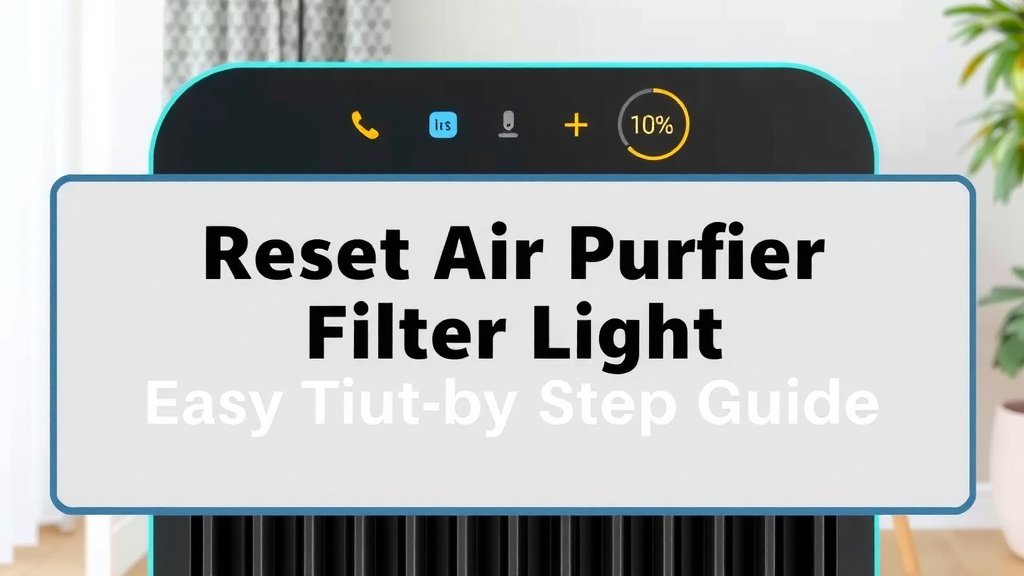
Reset Air Purifier Filter Light: Easy Step-by-Step Guide
Resetting the filter light on your air purifier is usually a straightforward process. Most models require you to simply hold down a specific button for a few seconds until the light turns off or resets. We found that this simple step often resolves the indicator. Always consult your air purifier’s manual for precise instructions, as button placement and reset procedures can vary by brand and model.
That flashing or solid filter indicator light is a friendly reminder that your air purifier’s filter needs attention. It’s designed to help you maintain optimal air quality in your home. Many users wonder if they can just ignore the light, but we found that replacing or cleaning the filter as indicated is essential for peak performance and clean air. Ignoring it can lead to reduced efficiency and potentially affect your home’s air quality.
- Check your air purifier’s manual.
- Find the reset button.
- Hold the button down for 3-5 seconds.
- Watch for the light to turn off.
Ready to get that filter light off and your air purifier running smoothly again? Let’s walk through the common methods to reset that pesky light.
Troubleshooting Your Air Purifier’s Filter Light
That little light on your air purifier is blinking for a reason! We found that it’s usually a simple reminder to check or replace your filter. Sometimes, though, it might be a bit confused. Let’s get that light reset so your purifier can keep doing its important job.
Common Methods to Reset Your Air Purifier Filter Light
Most air purifiers have a dedicated button for resetting the filter indicator. We found that this is the most common and straightforward method.
Locating the Reset Button
First things first, you need to find that button. It’s not always obvious. Many manufacturers place it right on the control panel.
Where to Look
Scan the top or front of your air purifier. You’re looking for a button that might be labeled with a filter icon, a clock, or simply “Reset.” Sometimes, it’s a tiny recessed button you’ll need a pen tip to press. We found that checking the user manual is the quickest way to confirm its location.
The “Hold Down” Technique
This is the classic reset method for many electronics. You just need to press and hold the right button. We found that a consistent press is key.
How Long to Hold
Typically, you’ll need to hold the button down for about 3 to 5 seconds. Some models might require a little longer, maybe up to 10 seconds. The goal is to give the air purifier enough time to register the command. Keep holding until you see the light change. It might turn off completely, or it might flash and then turn solid again – either is a good sign!
What If It Doesn’t Work?
If holding the button doesn’t do the trick, don’t get discouraged. We found that some air purifiers have a slightly different sequence.
Other Reset Procedures to Try
Every air purifier is a bit like a snowflake – unique! While holding a button is common, there are other ways manufacturers signal a reset.
The “Press and Release” Method
For some models, instead of holding, you might just need to press the button quickly and release it. Think of it like a gentle tap rather than a firm grip. This signals the device to reset its timer. We found this works well for certain brands.
Combining Button Presses
We’ve seen a few air purifiers that require you to press and hold two buttons simultaneously. This is often the case for models with more complex controls. Check your manual; it will clearly state if this is necessary and which buttons to use.
Power Cycle Your Air Purifier
Sometimes, a full reboot can clear things up. This is like giving your computer a quick restart when it acts up. We found this method can often resolve stubborn indicator lights.
Here’s how to do it:
- Unplug your air purifier from the wall outlet.
- Wait for at least 30 seconds. This ensures all internal components lose power.
- Plug the air purifier back in.
- Turn it on. Now, try the button press reset again if the light is still on.
When to Actually Change Your Filter
It’s tempting to just reset the light and forget about it. But remember, that light is your air purifier’s way of telling you something. We found that ignoring filter changes can really impact performance.
The Importance of Clean Filters
Your air purifier’s filter is the workhorse. It traps dust, pollen, pet dander, and other tiny particles. A clogged filter means it’s harder for the fan to pull air through. This reduces the amount of clean air it can produce. Many health organizations, like the EPA, highlight the role of air filtration in improving indoor air quality.
Signs Your Filter Needs Replacement (Beyond the Light)
Sometimes, the indicator light might be a little off, or you might notice other issues. We’ve gathered a few tell-tale signs:
- Reduced Airflow: You notice less air coming from the vents.
- Unpleasant Odors: Lingering smells in your home might indicate the filter can’t capture them anymore.
- Visible Dust Buildup: If you see dust accumulating on the unit itself, the filter might be overwhelmed.
- Increased Noise: The unit might work harder and become louder if the filter is very dirty.
We found that even if the light isn’t on, these signs suggest it’s time for a filter check.
Consulting Your Air Purifier’s Manual
We can’t stress this enough: your user manual is your best friend for this task. Every model is built a little differently.
Why the Manual is Key
The manual will have exact diagrams showing you where the reset button is. It will also specify the precise steps and timing needed for your particular model. We found that manufacturers include this information to make maintenance easy for you.
What to Do If You Lost Your Manual
Don’t panic if the manual has gone missing! Most manufacturers have their manuals available for download on their websites. Just search for your air purifier’s model number on the company’s support page. This is a resource we often rely on ourselves.
A Quick Checklist for Resetting Your Filter Light
Here’s a simple rundown to get that light off and your air purifier back in action:
- Confirm your air purifier is plugged in.
- Locate the filter reset button (check your manual if unsure!).
- Press and hold the designated button for 3-5 seconds.
- If that doesn’t work, try a quick press and release.
- For some models, you might need to press two buttons at once.
- If all else fails, unplug the unit, wait 30 seconds, plug it back in, and try the reset again.
Conclusion
Resetting your air purifier’s filter light is a manageable task that keeps your home’s air clean. We’ve seen that most models use a simple button hold, but sometimes a quick press or a power cycle is all it takes. Remember, this light is a helpful prompt, not just an annoyance. Regularly checking your manual ensures you’re following the exact steps for your unit. By keeping your filter in good condition and your indicator light reset, you’re actively contributing to better indoor air quality for you and your family. Don’t hesitate to perform this simple maintenance – your lungs will thank you!
Frequently Asked Questions
Why is my air purifier filter light still on after replacing the filter?
This is a common situation, and it usually means the reset procedure hasn’t been completed correctly. After replacing the filter, you still need to signal to the machine that the filter has been changed. We found that double-checking the manual for the exact button and duration for the reset is often the solution.
Can I just ignore the air purifier filter light if it stays on?
While you can technically ignore it, we advise against it. The light is a reminder that the filter is at the end of its lifespan. Running with a saturated filter reduces efficiency, can make your unit work harder, and might lead to poorer air quality in your home. It’s best to reset the light after addressing the filter.
What if I can’t find the reset button on my air purifier?
If you’ve thoroughly checked the control panel and can’t locate a dedicated reset button, your manual is your best resource. Many manufacturers place it in less obvious spots or integrate it with other functions. We’ve also found that checking the manufacturer’s website for a downloadable manual is a reliable way to find it.
How often should I expect to reset the filter light?
The frequency depends on your air purifier’s model and usage, but typically the filter replacement reminder will come on every 6 to 12 months. Factors like air quality in your home, how often you run the purifier, and the type of filter used can influence this timeline. Your manual will provide the manufacturer’s recommended replacement and reset schedule.
Is there a difference between a “filter replacement” light and a “filter clean” light?
Some air purifiers have separate indicators. A “clean” light might prompt you to wash a pre-filter, while a “replace” light signifies the main HEPA or carbon filter needs to be swapped out. We’ve found it’s important to understand what each light means for your specific model to perform the correct maintenance.