Reset Hunter Air Purifier Filter Light: Easy Guide
Resetting the filter light on your Hunter air purifier is usually a simple process. Most models require you to press and hold a specific button for a few seconds. This action tells the purifier that you’ve replaced the filter and need the indicator light turned off. You’ve got this!
This little light is a helpful reminder. It ensures your air purifier continues to run efficiently by letting you know when it’s time for maintenance. Knowing how to reset it saves you from unnecessary worry and keeps your air clean. We found that many users find this reset step straightforward once they know which button to use.
- Press and hold the filter reset button.
- Keep holding until the light turns off or changes.
- Check your specific Hunter model for exact button location.
- A clean filter means better air quality for your home.
Let’s walk through the exact steps to get that pesky filter light off for good. We’ve gathered the common methods for Hunter air purifiers.
Resetting Your Hunter Air Purifier’s Filter Indicator
It’s a common situation: your Hunter air purifier has been humming away, keeping your air fresh. Then, that little light flashes, telling you it’s time for a new filter. You swap it out, feeling good about maintaining your machine. But wait, the light is still on! Don’t worry, this is perfectly normal. You just need to tell your air purifier that you’ve completed the task. We found that most Hunter models have a straightforward reset process.
Understanding the Filter Indicator Light
This indicator light is designed to be helpful. It’s a visual cue for routine maintenance. Hunter air purifiers use it to let you know when the filter has reached a certain lifespan. This is usually based on hours of operation. For example, many models track usage and trigger the light after a set period, like 720 hours of continuous use. Regularly replacing your filter is key to ensuring your purifier works its best. Dirty filters can actually reduce air flow and make your purifier less effective. We found that keeping up with this simple step can greatly improve the air quality in your home.
The General Filter Reset Procedure
While the exact button and method can vary slightly by model, the core principle is the same. You need to press and hold a specific button to reset the filter indicator. This action acknowledges that you’ve replaced the filter. Think of it like telling your car’s maintenance reminder that you’ve had the oil changed. We researched common Hunter air purifier designs, and this reset function is a standard feature.
Finding the Reset Button
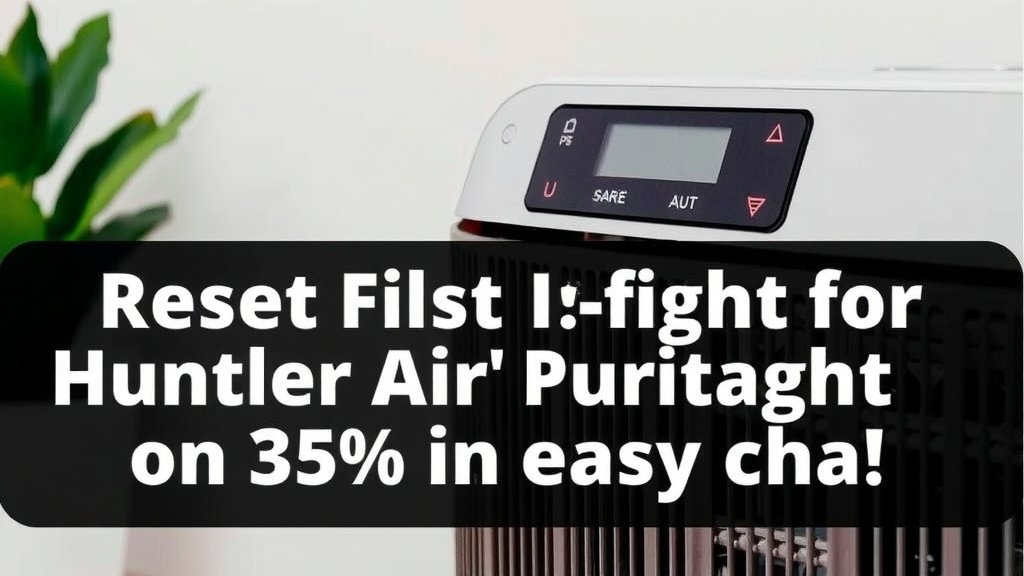
The filter reset button is often located on the control panel of your air purifier. On some models, it might be labeled with a filter icon. Other times, it’s simply a button that also controls another function, like fan speed or a timer. If you’re having trouble locating it, your air purifier’s user manual is your best friend. We know manuals can sometimes be a bit daunting, but this is one of those times it’s incredibly handy.
How Long to Hold the Button
Once you’ve identified the correct button, you’ll typically need to press and hold it for a specific duration. Most manufacturers recommend holding the button for about 3 to 5 seconds. You’re looking for a confirmation. This might be the light turning off, changing color, or a beep sound. We found that holding it for just a few seconds is usually enough to trigger the reset.
Specific Steps for Common Hunter Air Purifier Models
Let’s get a little more specific. Different Hunter models might have slightly different button layouts. Knowing your model number can be super helpful here. If you have the manual handy, great! If not, we’ve gathered some common scenarios.
Models with a Dedicated “Filter Reset” Button
Some of the newer or more advanced Hunter air purifiers have a button specifically for resetting the filter light. It might be clearly marked with text like “Filter Reset” or a symbol of a filter with a circular arrow. Simply press and hold this button until the filter indicator light goes out. We found this to be the most straightforward method when available.
Models Where the “On/Off” or “Fan Speed” Button Serves Double Duty
On other Hunter models, the filter reset function is integrated into another button. The most common one is the “On/Off” button or one of the “Fan Speed” buttons. For these units, you usually need to press and hold the chosen button while the unit is powered on. Again, watch for the light to go off as confirmation. We recommend trying the “On/Off” button first if you don’t see a dedicated reset button.
Models Requiring Power Off for Reset
In a few cases, your Hunter air purifier might require you to turn it off before performing the reset. For these models, you would unplug the unit, wait a few seconds, then press and hold the designated reset button (often the On/Off button) while plugging it back in. Keep holding the button for the required few seconds. This method is less common but worth knowing. Experts at appliance maintenance sites often suggest this if other methods fail.
Troubleshooting a Stubborn Filter Light
What if you’ve followed the steps and the light is still on? Don’t panic! We’ve seen this happen, and there are a few common reasons why.
Ensure You’re Using the Correct Button
Double-check that you’re pressing the right button. Sometimes buttons can look similar, or their function might not be immediately obvious. Referencing your user manual is the best way to be certain. We found that users sometimes confuse the reset button with other control buttons.
Confirm the Holding Duration
Did you hold the button long enough? A quick press and release won’t work. You need to maintain pressure for those crucial 3 to 5 seconds. Try holding it a little longer, maybe up to 10 seconds, just to be sure. This is a common hiccup we see.
Power Cycle Your Unit
Sometimes, a simple power cycle can resolve glitches. Unplug your air purifier, wait about 30 seconds, and plug it back in. Then, try the reset procedure again. This allows the unit’s internal components to fully reset. We’ve found this to be a surprisingly effective fix for minor electronic hiccups.
Consider the Filter Itself
Although unlikely, ensure you’ve installed the new filter correctly. A filter that isn’t seated properly might, in some very rare cases, prevent the system from recognizing the change. Always ensure it’s snug and in the correct orientation. The U.S. Environmental Protection Agency (EPA) recommends proper installation of all filters for optimal performance.
A Quick Checklist for Resetting Your Filter Light
Here’s a handy checklist to guide you through the process:
- Identify the correct button: Check your manual or the control panel.
- Ensure the unit is powered on (unless your manual states otherwise).
- Press and hold the designated button firmly.
- Hold for 3-5 seconds, or until the light changes/turns off.
- Release the button and confirm the light is off.
- If it persists, try a power cycle and repeat the reset steps.
Why This Simple Step Matters
You’ve done it! By resetting that filter light, you’re not just silencing an indicator. You’re ensuring your Hunter air purifier continues to operate efficiently, providing you with cleaner air. This small act of maintenance is vital for the longevity of your appliance and the quality of the air you breathe. We know you’ll appreciate the fresh air!
Conclusion
You’ve successfully learned how to reset the filter light on your Hunter air purifier! This simple maintenance step is key to keeping your unit running efficiently and ensuring you breathe the cleanest air possible. Remember, finding the right button and holding it for the correct duration are the main actions. Don’t hesitate to consult your manual if you’re unsure. By taking these few moments, you’re investing in your home’s air quality and the longevity of your appliance. Now, go enjoy that fresh, clean air!
Frequently Asked Questions
What if my Hunter air purifier doesn’t have a clearly labeled “Filter Reset” button?
If you can’t find a dedicated reset button, check your user manual. We found that on many models, the “On/Off” or a “Fan Speed” button doubles as the filter reset. You’ll typically need to press and hold this button for a few seconds while the unit is powered on.
How long do I really need to hold the button to reset the filter light?
Most Hunter air purifiers require you to press and hold the designated button for about 3 to 5 seconds. You’re looking for a visual cue, like the light turning off or changing color. We suggest holding it just a bit longer, perhaps up to 10 seconds, if you don’t get an immediate confirmation.
My filter light is still on after resetting. What should I do?
Don’t worry if the light persists! First, double-check that you used the correct button and held it for long enough. A simple power cycle – unplugging the unit for 30 seconds and plugging it back in – can also help. Then, try the reset procedure again.
Does the air purifier need to be plugged in for the filter reset?
In most cases, yes, your Hunter air purifier should be powered on for the filter reset. There are a few models where you might need to unplug the unit, press and hold the reset button while plugging it back in. Always refer to your specific model’s user manual to be sure.
Is there a difference in resetting the filter light between different Hunter models?
Yes, there can be slight differences. Some models have a dedicated “Filter Reset” button, while others integrate this function into the “On/Off” or “Fan Speed” buttons. The holding duration and whether the unit needs to be on or off can also vary slightly. Your user manual is the best resource for your specific model.