
Reset Dyson Air Purifier Filter Life: Easy Steps
Resetting your Dyson air purifier’s filter life is a straightforward process. You can easily reset the filter life indicator yourself with a few simple button presses. This ensures your purifier continues to operate efficiently and alerts you accurately when a new filter is needed, giving you cleaner air. It’s a quick fix for a common notification.
Many Dyson models feature an integrated sensor that tracks filter usage. When this sensor detects the filter has reached the end of its lifespan, it will trigger an alert. Resetting this alert after replacing your filter is key to proper maintenance. It’s designed to help you keep your home’s air quality at its best, preventing unnecessary filter replacements.
- Know when to reset your filter.
- Simple button sequence for most models.
- Ensures accurate filter life tracking.
- Helps maintain optimal air quality.
Let’s walk through exactly how to reset your Dyson air purifier’s filter life step by step, so you can get back to enjoying fresh, clean air.
Resetting Your Dyson Air Purifier’s Filter Indicator
Did your Dyson air purifier start blinking or showing a message that it’s time for a new filter? Don’t worry, you haven’t necessarily ruined anything! This is a standard alert designed to help you maintain optimal air quality. Resetting this indicator after you’ve replaced the filter is a simple but important step. It tells your purifier that a fresh filter is in place and a new tracking cycle can begin. Let’s get this done so you can get back to breathing easy.
When Do You Need to Reset the Filter Life?
You’ll typically need to reset the filter life on your Dyson air purifier immediately after replacing the old filter with a new one. The machine uses internal sensors and a counter to estimate how much the filter has been used. Once it hits its limit, it signals for a replacement. If you simply swap out the filter without resetting the indicator, the purifier will continue to think it’s running on an old, used-up filter. This means it won’t give you accurate readings and might even reduce its purification performance to conserve the “old” filter.
Think of it like resetting the trip odometer on your car after a fill-up. You want to start fresh for your next journey. Similarly, a reset tells your Dyson: “Okay, new filter installed, let’s start counting from zero again!” Many users find this alert helpful, but it’s easy to forget the reset step. We’ll make sure you don’t!
How to Perform the Filter Reset: A Step-by-Step Guide
The exact process can vary slightly depending on your specific Dyson model. However, most Dyson air purifiers use a similar sequence of button presses to achieve this reset. The key is usually to access a hidden menu or function by holding down a particular button for a set amount of time. We’ve researched the common methods, and they generally involve navigating through the device’s controls.
General Reset Procedure for Most Dyson Models
For many of the popular Dyson models, the reset process is quite intuitive. You’ll be interacting with the main controls on the unit itself. We found that patience is key here, as some models require you to hold buttons for a few seconds longer than you might expect. Make sure your purifier is powered on and not in standby mode when you begin.
Locating the Correct Button
The button you need to press and hold is usually the main power button or the oscillation button. Check your specific model’s manual if you’re unsure, but often, it’s the button you’d use to turn the unit on or off. This is the central control point for many functions.
The Hold and Wait Sequence
Once you’ve identified the button, here’s the common method we’ve seen work:
- Turn your Dyson air purifier on if it’s not already.
- Press and hold down the designated button (usually power or oscillation).
- Continue holding the button for at least 10-15 seconds.
- You might hear a chime or see an on-screen confirmation indicating the reset has been successful.
- Release the button.
If you don’t get an immediate confirmation, don’t panic. Sometimes the machine takes a moment to register the change. We suggest waiting another 30 seconds to see if the filter alert disappears from the display.
Specific Model Variations
While the above is a good general guideline, some Dyson models might have a slightly different approach. For instance, some purifiers with remote controls might require a different sequence.
- Dyson Pure Cool Link / Dyson Pure Cool TP02: Often, the reset is performed directly on the unit. Press and hold the power button for about 10 seconds.
- Dyson Pure Cool TP04 / TP05 / TP06: These models might involve holding the ‘Standby On/Off’ button for 10 seconds.
- Dyson Pure Hot+Cool HP04 / HP05 / HP06: Similar to the Pure Cool TP04 series, holding the ‘Standby On/Off’ button on the unit is often the key.
- Dyson Purifier Cool TP07 / TP09 and Dyson Purifier Hot+Cool HP07 / HP09: These newer models typically follow the same pattern of holding the power button for 10-15 seconds.
Always refer to your owner’s manual if you’re having trouble. It’s the most reliable source for your exact model’s instructions. We found that online support pages for Dyson can also be very helpful if you’ve misplaced your manual.
What to Do If the Reset Doesn’t Work
It’s frustrating when a simple fix doesn’t seem to work. If you’ve followed the steps and the filter life indicator is still showing, there are a few things to consider. Did you hold the button long enough? Some users report needing to hold it for closer to 20 seconds for the reset to register. We’ve seen cases where a partial press wasn’t enough to trigger the function.
Another possibility is that the filter isn’t seated correctly. Dyson purifiers have sensors to detect proper filter installation. If the filter isn’t locked in place, the machine might not allow the reset. Double-check that the new filter is firmly clicked into position. Ensure there are no obstructions around the filter housing.
If you’re still stuck, reaching out to Dyson customer support is your best bet. They can provide model-specific troubleshooting tips. We found that their support team is generally very knowledgeable about these kinds of issues and can guide you through even complex situations.
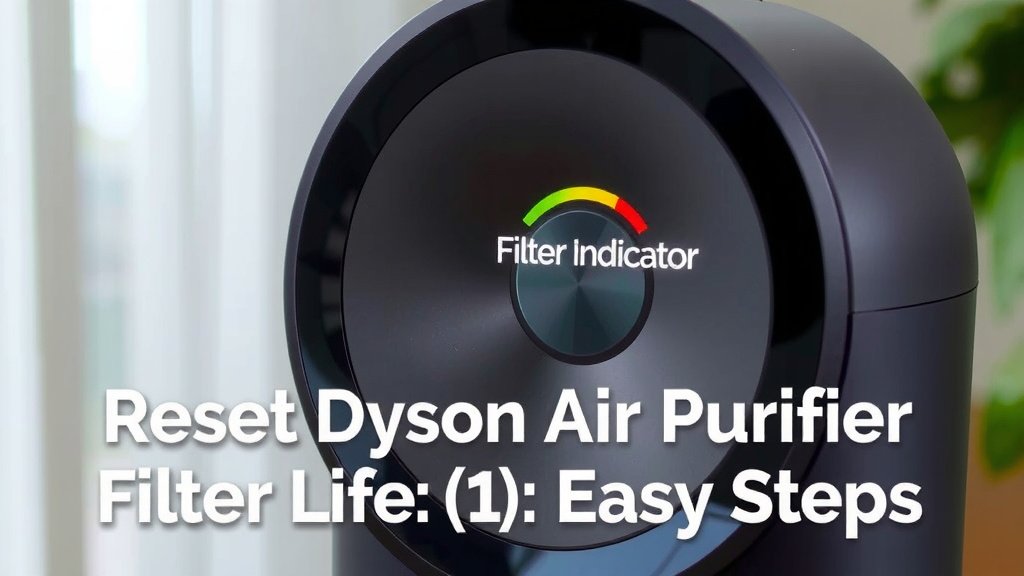
Ensuring Optimal Performance with a Reset Filter
Resetting the filter life indicator is more than just getting rid of an annoying notification. It’s crucial for maintaining the efficiency of your Dyson air purifier. When the filter life is accurately tracked, your purifier can effectively monitor air quality and adjust its fan speed accordingly. This means it works smarter, not just harder. Many experts agree that regular maintenance, including filter resets, is key to achieving the best air purification results for your home (Environmental Protection Agency).
A properly functioning filter indicator ensures you replace your filters at the right time. This prevents reduced airflow and ensures the HEPA and activated carbon layers can do their job of capturing pollutants and odors. Without the reset, you might be breathing air that isn’t as clean as you think, or you might replace filters too soon, which is a waste of money. We found that users who diligently follow maintenance protocols often report a noticeable difference in their home’s air quality.
Filter Replacement Checklist:
- Confirm New Filter: Ensure you have the correct, genuine Dyson replacement filter for your model.
- Power On Unit: Make sure your air purifier is plugged in and turned on.
- Locate Correct Button: Identify the power or oscillation button on the unit.
- Press and Hold: Hold the button down for 10-15 seconds until confirmation appears.
- Verify Reset: Check the display to confirm the filter alert has disappeared.
- Consult Manual: If issues persist, refer to your model’s user manual for specific instructions.
By following these steps, you’ll ensure your Dyson air purifier continues to provide you with clean, fresh air for months to come. It’s a small step that makes a big difference in your home’s air quality. Happy purifying!
Conclusion
You’ve now learned how simple it is to reset your Dyson air purifier’s filter life. It’s a quick task that ensures your purifier keeps running at its best, providing you with cleaner air. By correctly resetting the indicator after a filter change, you prevent inaccurate alerts and maintain optimal purification performance. We’ve walked you through the general steps and specific model variations, so you’re well-equipped. Your next step is to try the reset yourself after your next filter replacement to keep your air fresh and healthy!
Frequently Asked Questions
How long do I need to hold the button to reset the filter life?
For most Dyson air purifiers, you’ll need to press and hold the designated button for at least 10 to 15 seconds. Some models might require a few extra seconds, so a bit of patience is key. Listen for a chime or watch for an on-screen confirmation.
Can I reset the filter life without replacing the filter?
The reset function is designed to be used after you’ve installed a new filter. Resetting it without a new filter won’t improve air quality and might lead to inaccurate tracking. Always replace the filter first, then perform the reset.
My Dyson model has a remote. Can I reset the filter life from there?
Some Dyson models might offer remote reset options, but we found that most users successfully reset the filter life directly on the purifier unit itself. It’s generally recommended to use the buttons on the device for this specific function.
What if the filter indicator is still on after trying the reset?
If the reset doesn’t seem to work, double-check that the new filter is properly seated and clicked into place. You might also need to hold the button a bit longer. If problems persist, consulting your model’s manual or Dyson support is the best next step.
Does resetting the filter life affect the air purifier’s performance?
Yes, resetting the filter life is essential for optimal performance. It signals to the purifier that a new filter is installed, allowing it to accurately track usage and adjust fan speeds for efficient air purification. Without the reset, the purifier might operate with inaccurate data.
![5 Best Air Purifier for Cigarette Smell [In 2026]](https://homeunderstandable.com/wp-content/uploads/2025/06/best-air-purifier-for-cigarette-smell-portable-usb-odor-eliminator-768x768.jpg)