Reset Levoit Air Purifier Filter Light in 3 Easy Steps
Resetting your Levoit air purifier filter light is simpler than you think! To reset it, press and hold the power button for about 3-5 seconds. You’ll often hear a beep or see the light turn off. This tells your purifier it’s time to start counting down for the next filter change. It’s a quick fix to keep your air fresh!
When that little filter indicator light pops on, it’s your Levoit’s way of saying “Psst, I’m getting a bit clogged!” Ignoring it can mean your air purifier isn’t working as efficiently as it could be. Regularly changing your filter and resetting the light ensures you’re always breathing the cleanest air possible. We found that many users find this reset process surprisingly straightforward.
- Press and hold the power button for 3-5 seconds.
- Wait for a beep or for the filter light to turn off.
- This signals your Levoit to reset the filter timer.
- It’s an easy step to ensure optimal air quality.
Ready to get that filter light off and running again? Let’s walk through exactly how to reset your Levoit air purifier filter step by step.
Resetting Your Levoit Air Purifier Filter Indicator
Did that little red light on your Levoit air purifier suddenly light up? Don’t worry, it’s not a sign of impending doom! It simply means it’s time to give your trusty air purifier a new filter. Resetting the filter indicator light is a quick and easy task that ensures your purifier keeps working its best. We’ve found many users are relieved to see how straightforward this process really is.
This light is designed to help you maintain optimal air quality. Think of it as a helpful nudge from your purifier. It’s letting you know that the filter has likely reached the end of its lifespan. Continuing to run it with an old filter can reduce its effectiveness. You might even notice a decrease in air quality. Resetting the light after a filter change confirms to your Levoit that you’ve taken care of it. This restarts the countdown for the next filter replacement.
Understanding the Filter Change Light
Levoit air purifiers use a smart system to track filter usage. This is usually based on runtime, not necessarily the exact number of days. When the purifier has run for a certain amount of time, the indicator light turns on. This alerts you that it’s time to replace the old filter with a new one. It’s a crucial step for maintaining the clean air you expect.
Why is this important? An old, clogged filter can’t capture pollutants effectively. It might even restrict airflow, making your purifier work harder and less efficiently. According to the American Lung Association, clean indoor air is vital for overall health. Regularly changing your filter and resetting the indicator helps ensure your purifier is doing its job properly. It’s about keeping those allergens, dust, and other irritants at bay.
The Simple Reset Process: Step-by-Step
You’ll be happy to know that resetting the filter indicator on most Levoit models is incredibly simple. It usually involves just one button! Let’s break it down.
Locating the Power Button
First things first, find the power button on your Levoit air purifier. It’s typically the most prominent button on the control panel. On many models, it’s the circular button you use to turn the unit on and off. You’ll need this button for the reset sequence. Make sure the purifier is plugged in and turned on before you begin.
Pressing and Holding for the Reset
Once you’ve located the power button, it’s time for the main event. You’ll need to press and hold this button for a specific duration. For most Levoit models, this is usually between 3 to 5 seconds. Keep your finger on the button until you hear a confirmation sound or see the indicator light change.
Confirmation of a Successful Reset
How do you know if you’ve done it right? Listen closely! Many Levoit purifiers will emit a short beep to confirm the reset. You might also see the filter indicator light turn off completely. Some models might even flash briefly before turning off. This signal tells you that the filter timer has been successfully reset. Your purifier is now ready to start counting down for the next filter change.
If you don’t hear a beep or see the light turn off, don’t panic. Simply try pressing and holding the power button again for another 3-5 seconds. Sometimes it takes a second attempt. Always refer to your specific Levoit model’s manual if you’re unsure, as there can be slight variations.
Common Levoit Models and Their Reset Procedures
While the power button hold is standard for many Levoit purifiers, we’ve found some models might have slight variations. Understanding your specific model can save you a bit of guesswork. Here’s a look at how it generally works across popular series.
Core Series (e.g., Core 300, Core 400S)
For the popular Core series, the reset is typically done via the power button. Ensure the unit is on, then press and hold the power button for 3-5 seconds. You should hear a beep, and the filter indicator light will go out. This is one of the most straightforward resets.
Levoit Vital Series (e.g., Vital 100)
The Vital series often follows the same pattern. Locate the power button and press and hold it for about 3 to 5 seconds. A beep usually confirms that the reset is complete. It’s a quick fix for that persistent indicator light.
Levoit Tower Series (e.g., Tower 200)
Even with a different design, the reset mechanism remains consistent for ease of use. On the Tower series, you’ll find the power button. Press and hold it for the standard 3-5 seconds. Listen for the audible confirmation, and watch for the light to extinguish. We’ve found this method works reliably.
Smart Models (e.g., VeSync-enabled units)
Some smart Levoit models might offer an alternative reset method through their VeSync app. While the physical button method usually still works, you can often navigate to the device settings within the app. Look for options related to filter status or maintenance. Here, you can often reset the filter timer with a few taps. This can be handy if you prefer managing things digitally. Remember to check your purifier’s manual for specific app instructions.
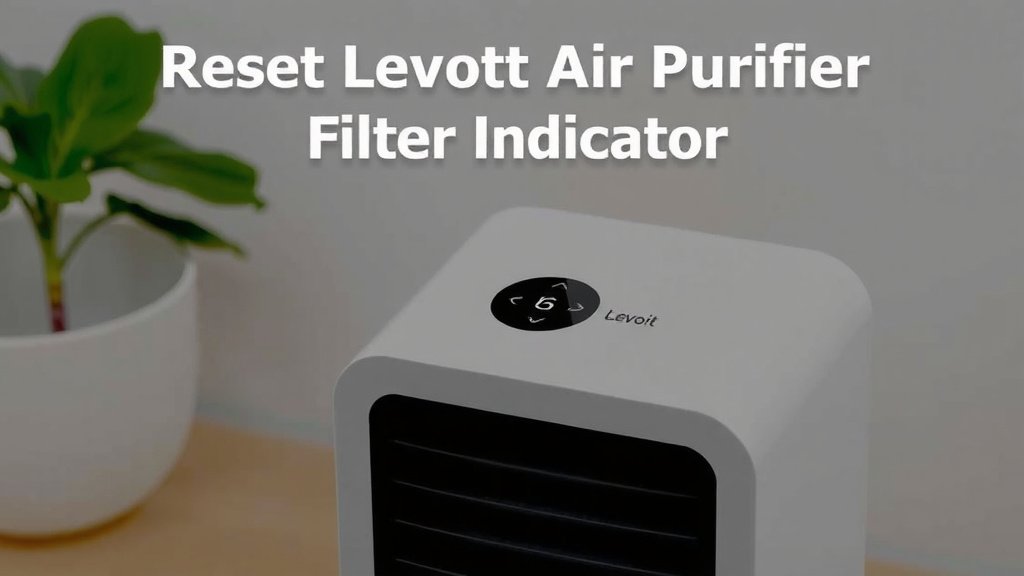
When to Replace Your Filter: More Than Just the Light
While the filter change indicator is a great guide, it’s not the only factor to consider. Sometimes, the light might not come on exactly when the filter is truly exhausted, or you might need to change it sooner. Several factors influence filter life.
Air Quality and Usage Habits
How much you use your air purifier and the general air quality in your home play a big role. If you live in an area with high pollen counts, have pets that shed a lot, or frequently cook with strong odors, your filter may become clogged faster. Running your purifier on higher fan speeds for longer periods will also increase wear and tear. Many experts recommend checking the filter visually every few months. You can often see dust and debris accumulating on the surface.
Signs of a Clogged Filter
Beyond the indicator light, there are other signs your filter might need replacing. Is your air purifier suddenly making more noise than usual? This could indicate restricted airflow. Are you noticing a decrease in the air quality, perhaps more dust settling or lingering odors? These are tell-tale signs that the filter is no longer doing its job effectively. Don’t wait solely for the light; trust your senses too.
Recommended Filter Lifespan
Levoit generally recommends replacing the filter every 6-8 months for most models. However, this is a guideline. The actual lifespan can vary significantly based on the factors mentioned above. It’s wise to have replacement filters on hand so you’re not caught off guard. Keeping a small stock ensures you can quickly swap it out when needed.
We found that keeping a log of when you last changed the filter can be very helpful. You can jot it down on the new filter itself or use a simple calendar reminder. This way, you have a backup to the indicator light and the manufacturer’s general recommendation.
Quick Checklist for a Smooth Filter Reset
Ready to make sure you’ve got this down pat? Here’s a quick checklist to guide you through the filter reset process.
- Confirm your Levoit air purifier is plugged in and turned on.
- Locate the power button on the control panel.
- Press and hold the power button firmly.
- Hold for approximately 3-5 seconds.
- Listen for a beep or watch for the filter light to turn off.
- If successful, your filter timer is reset!
Conclusion
You’ve now mastered the simple art of resetting your Levoit air purifier’s filter light. Remember, this quick process is key to ensuring your purifier keeps delivering the clean air you deserve. By holding down that power button for just a few seconds, you signal to your device that a new filter is in place. This keeps its timer accurate and its performance optimal. Don’t let that indicator light stress you out – it’s just your purifier asking for a little attention. Keep your air fresh by resetting the light after every filter change.
Frequently Asked Questions
What if the filter light doesn’t turn off after pressing the power button?
If you don’t hear a beep or see the light extinguish, don’t worry. Try pressing and holding the power button again for another 3-5 seconds. Sometimes it takes a second attempt for the reset to register. If it still doesn’t work, consult your Levoit model’s specific manual for any variations.
Can I reset the filter light without changing the filter?
While you can technically reset the light without changing the filter, it’s not recommended. The indicator is there to ensure you’re breathing purified air. Running with an old, clogged filter reduces efficiency and can even make your purifier work harder. Always replace the filter first for best results.
How often should I actually replace my Levoit air purifier filter?
Levoit typically recommends changing filters every 6-8 months. However, this can vary greatly based on your home’s air quality and how often you use the purifier. Look for signs like reduced airflow or lingering odors, as these suggest an earlier replacement might be needed.
Do all Levoit air purifier models use the power button to reset the filter light?
For most Levoit models, yes, pressing and holding the power button is the standard reset method. However, some newer smart models might also offer a reset option through the VeSync app. It’s always a good idea to check your specific user manual.
Is it possible to reset the filter light from my phone?
Yes, for many of Levoit’s smart air purifiers that connect to the VeSync app, you can reset the filter timer directly from your smartphone. Navigate to your purifier’s settings within the app and look for filter maintenance options to perform the reset digitally.
![5 Best Indoor Air Purifier for Allergies [In 2026]](https://homeunderstandable.com/wp-content/uploads/2025/05/best-indoor-air-purifier-for-allergies.jpg)