Medify Air Purifier Guide: How to Use Your Device Effectively
Using your Medify air purifier is super simple, even if you’re not super techy. You just need to plug it in, turn it on, and select your desired fan speed. It’s designed for easy operation right out of the box.
We know you want cleaner air, and Medify makes it easy to achieve. These purifiers use a multi-stage filtration system to capture dust, pollen, and other common indoor allergens. You’ll love how quickly it can improve your air quality, helping you breathe easier at home or in the office.
TL;DR:
- Plug it in and turn it on.
- Choose your fan speed.
- It’s that easy!
- Enjoy cleaner air.
Ready to get started? Let’s walk through exactly how to set up and use your Medify air purifier step by step. Let’s walk through how to set up and use your Medify air purifier step by step.
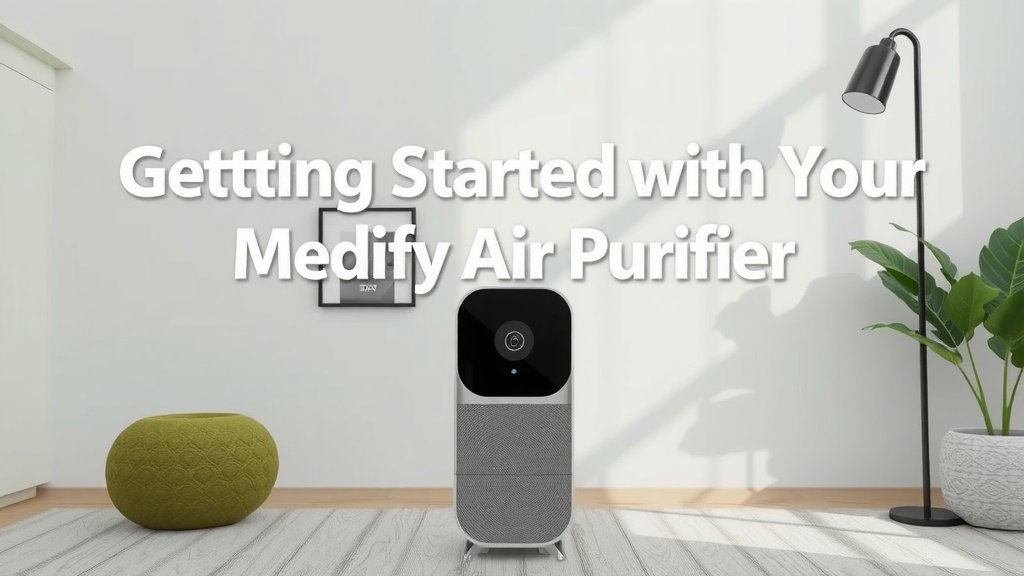
Getting Started with Your Medify Air Purifier
So, you’ve got your new Medify air purifier, and you’re ready to breathe a little easier. That’s fantastic! We understand you want to get it up and running quickly. You’ll be happy to know it’s designed for **ultimate simplicity**. Let’s break down the initial setup and basic use.
Unboxing and Placement
First things first, carefully unbox your Medify purifier. You’ll want to remove any protective plastic or packaging. Check that all the filter components are correctly seated inside. Most models have a filter cover you’ll need to open, often at the back or bottom, to ensure the filters are secured. Consult your specific model’s manual if you’re unsure, but it’s usually a straightforward process.
Where you place your purifier matters. For the best air circulation and purification, position it in the room where you spend the most time. Avoid placing it directly against walls or furniture. Allowing at least 12-18 inches of clear space around the unit helps the air intake and output work efficiently. Think of it like giving your purifier room to breathe!
Powering Up for the First Time
Connecting your Medify is as easy as plugging in any other home appliance. Find a convenient outlet and plug in the power cord. The unit will likely show some indicator lights, letting you know it’s ready to go.
To turn it on, locate the power button. It’s usually clearly marked on the control panel, often on the top of the unit. Press it once, and your Medify will spring to life. You’ll probably hear the fan start up immediately. It’s a reassuring sound that means cleaner air is on its way!
Understanding the Controls and Settings
Your Medify air purifier comes with an intuitive control panel. You don’t need a degree in engineering to figure it out. Let’s walk through what each setting typically does.
Fan Speed Options
Most Medify models offer multiple fan speeds. You’ll see buttons or touch controls indicating different speed levels, often labeled with numbers (like 1, 2, 3, 4) or descriptive terms (Low, Medium, High, Turbo).
The lower speeds are quieter and use less energy. They’re great for overnight use or when you want a gentle circulation of air. Higher speeds move more air through the filters, cleaning your space faster. This is ideal for times when you want rapid air improvement, like after cooking or when guests are over. Many people find the medium settings offer a good balance of performance and noise level for everyday use.
Sleep Mode and Auto Mode Explained
Many users appreciate the convenience of a Sleep Mode. When activated, this mode typically dims the unit’s lights and runs the fan at its lowest, quietest setting. It’s perfect for bedrooms, ensuring undisturbed rest while still purifying your air. Research from the American Lung Association suggests that consistent air purification can be beneficial for individuals with respiratory conditions (American Lung Association).
Some Medify models also feature an Auto Mode. This intelligent setting uses built-in sensors to detect air quality and automatically adjusts the fan speed as needed. If the air quality dips, the purifier will ramp up its efforts. When the air is clean, it will slow down. This takes the guesswork out of operation and ensures your purifier is always working efficiently for you.
Timer Functionality
Ever wish your air purifier would turn off on its own? Your Medify probably has a timer function for just that! You can typically set the unit to run for a specific number of hours before shutting off automatically. This is a handy feature if you want to purify a room for a set period or conserve energy. You might set it for a few hours while you’re out or overnight.
Maintaining Your Medify for Peak Performance
To keep your Medify purifier working at its best, a little maintenance goes a long way. The most important task is filter replacement, but there are a few other things to consider.
Filter Replacement Schedule
Your Medify uses a multi-stage HEPA filter system designed to capture a wide range of airborne particles. Over time, these filters become saturated and lose their effectiveness. Manufacturers, including Medify, typically recommend replacing filters every 6 to 12 months, depending on usage and air quality.
You’ll often find a filter replacement indicator light on the control panel. When this light comes on, it’s a clear signal that it’s time for new filters. We found that neglecting filter changes can significantly reduce the purifier’s ability to clean your air, and sometimes even lead to unpleasant odors.
How to Change the Filters
Changing the filters is a simple process. First, make sure the unit is unplugged for safety. Then, open the filter compartment, usually on the back or bottom of the purifier. Remove the old filters and dispose of them properly. Insert the new filters, ensuring they are oriented correctly (there might be arrows or specific instructions). Close the compartment securely and plug the unit back in.
After replacing the filters, you’ll usually need to reset the filter indicator light. This is typically done by pressing and holding a specific button for a few seconds. Check your user manual for the exact reset procedure for your model.
Cleaning the Exterior and Air Intake Vents
Don’t forget the outside! Dust can accumulate on the purifier’s exterior and, more importantly, clog its air intake vents. We recommend wiping down the outside of your Medify with a soft, dry cloth periodically.
Pay special attention to the vents. You can use a vacuum cleaner with a brush attachment to gently clean any dust buildup from the intake and output grilles. This ensures that air can flow freely into and out of the unit, maximizing its purification power. A clean exterior means a happier, more efficient purifier.
Quick Start Checklist
Here’s a simple checklist to get you going:
- Unbox and remove all packaging.
- Ensure filters are properly seated.
- Place in a well-ventilated area.
- Plug in and power on the unit.
- Select your desired fan speed or mode.
- Enjoy your cleaner air!
Conclusion
You’ve now learned how simple it is to use and maintain your Medify air purifier. From easy setup and operation to understanding its smart modes, you’re ready to enjoy cleaner air. Remember that consistent filter replacement and a quick exterior clean will keep your unit running at its best. Your Medify is designed to help you breathe easier every day. So go ahead, plug it in, select your settings, and start enjoying a healthier home environment!
Frequently Asked Questions
How often should I replace the filters in my Medify air purifier?
You should aim to replace your Medify’s filters every 6 to 12 months. The exact timing depends on how often you use the purifier and the air quality in your home. Many models have a handy indicator light that will let you know when it’s time for a change.
Can I wash the Medify air purifier filters?
No, you should not wash the filters in your Medify air purifier. These are typically designed for single use and are not washable. Washing them can damage the filter material and reduce its effectiveness. Always replace them with new ones.
What is Sleep Mode on my Medify purifier?
Sleep Mode is designed for quiet operation. When activated, it usually dims the unit’s lights and runs the fan at its lowest, quietest speed. This mode is perfect for nighttime use in bedrooms, allowing you to purify your air without disturbing your rest.
Do I need to leave my Medify purifier running all the time?
For the best results, it’s recommended to run your Medify purifier consistently. Leaving it on, especially on an auto setting, allows it to continuously monitor and improve your air quality. You can use the timer function or lower fan speeds if you want to conserve energy.
Where is the best place to put my Medify air purifier?
Place your Medify in the room where you spend the most time, like your living room or bedroom. Ensure it has at least 12-18 inches of clear space around it. Avoid placing it directly against walls or furniture to allow for proper air circulation.

![What Is The Best Home Air Purifier for Pets And Dust [In 2026]](https://homeunderstandable.com/wp-content/uploads/2025/05/best-home-air-purifier-for-pets-and-dust-enhance-indoor-air-quality-768x432.jpg)