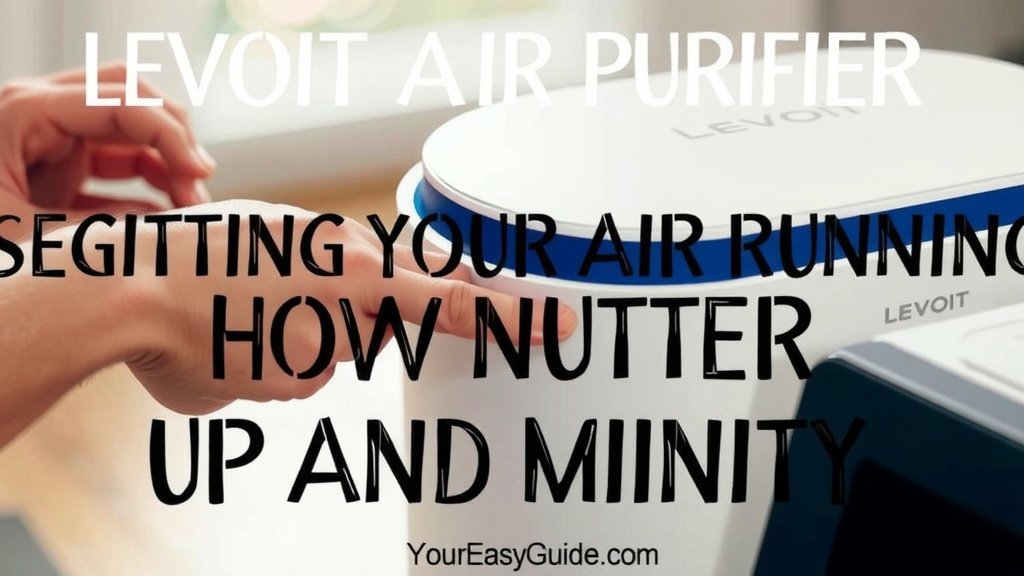
Levoit Air Purifier: Your Easy Setup Guide
Using your Levoit air purifier is simple and straightforward. You just need to remove the plastic bag from the filter, plug it in, and turn it on. Many models offer multiple fan speeds and modes like sleep mode for quiet operation. It’s an easy way to improve your home’s air quality.
Levoit air purifiers are designed for ease of use right out of the box. They effectively capture common airborne particles. This includes dust, pet dander, and pollen. Keeping your purifier running ensures continuous air filtration for a healthier living space. Remember to replace the filter as recommended for optimal performance.
- Unpack your purifier.
- Remove the plastic from the filter.
- Plug it in and select a setting.
- Maintain it by replacing the filter regularly.
Let’s walk through exactly how to set up and get the most out of your Levoit air purifier, step by step. Let’s walk through exactly how to set up and get the most out of your Levoit air purifier, step by step.
Getting Your Levoit Air Purifier Up and Running
So, you’ve got your new Levoit air purifier, and you’re ready to breathe easier. That’s fantastic! We’re going to walk you through each step to make sure you’re using it correctly from the very start. It’s actually quite simple, and you’ll be enjoying cleaner air in no time.
Unboxing and Initial Setup
The first thing you’ll do is take your Levoit purifier out of its box. You’ll find it nestled safely with its filter inside. Don’t worry, this part is easy peasy.
Preparing the Filter
This is a **critical step** that many people overlook. Your Levoit air purifier’s filter comes sealed in a plastic bag to keep it fresh and clean. You absolutely must remove this plastic bag before you turn the unit on. If you don’t, the purifier won’t be able to draw air through the filter, and it simply won’t work. It’s like trying to drink through a straw that’s still wrapped in its wrapper!
To remove the bag, you’ll typically need to open the purifier’s case. Most Levoit models have a base that twists off or a back panel that unlatches. Once you have access to the filter, carefully pull out the plastic bag. Dispose of the bag responsibly. Then, gently place the filter back into its designated spot, making sure it’s seated correctly. This ensures optimal **air intake and filtration**.
Plugging In and Powering On
With the filter ready, it’s time to connect your purifier to power. Find a suitable spot for it. We’ll talk more about placement later, but for now, just find a convenient wall outlet. Plug the power cord firmly into both the purifier and the outlet. You should see a light come on, indicating it has power.
Your Levoit purifier likely has a power button on the top control panel. Press this button to turn the unit on. It will typically start on a default fan speed, often the lowest setting. This is your purifier’s initial **quiet operation mode**.
Understanding Your Levoit Purifier’s Controls
Levoit designs their purifiers with user-friendly interfaces. Understanding the buttons and modes will help you tailor the air purification to your specific needs and schedule.
Fan Speed Settings
Most Levoit models offer multiple fan speeds. You’ll usually see buttons with icons representing different speeds, often labeled 1, 2, 3, or Low, Medium, High. Higher fan speeds mean the purifier is working harder to circulate and clean the air, but it will also be **louder**. Lower speeds are quieter but clean the air more slowly.
Consider the situation when choosing a speed. If you have allergies acting up and need quick relief, a higher setting is best. If you’re just running it for general air maintenance overnight, a lower, quieter speed is probably ideal. We found that experimenting with different speeds helps you find the perfect balance for your home.
Special Modes for Convenience
Levoit often includes thoughtful modes to enhance your experience.
Sleep Mode
Sleep Mode is your best friend for nighttime use. When activated, it dims the unit’s display lights and sets the fan to its **lowest, quietest setting**. This creates a peaceful environment perfect for sleeping without sacrificing air quality. We found this mode is a real lifesaver for light sleepers. Many users appreciate that it doesn’t disrupt their rest.
Auto Mode
Some Levoit purifiers feature an Auto Mode. This mode uses built-in sensors to detect the air quality in your room. If the sensors detect pollutants, the purifier will automatically increase the fan speed to address the issue. When the air quality improves, it will return to a lower setting. This hands-off approach offers **efficient and responsive air cleaning**. It’s like having a smart assistant for your air!
Timer Function
The timer function is great for saving energy and ensuring your purifier runs only when needed. You can often set it to turn off after a specific number of hours. This is handy if you want the air purified while you’re home but don’t need it running constantly. For example, set it to run for 4 hours while you’re in the living room, then turn off automatically.
Where to Place Your Levoit Air Purifier
The effectiveness of your air purifier is greatly influenced by its placement. Think of it like placing a fan—you want the air to circulate properly.
Optimal Room Placement
For best results, place your Levoit purifier in the room where you spend the most time. This is often the bedroom, living room, or home office. Ensure there’s at least **12-20 inches of clearance** around all sides of the unit. This space allows for unimpeded airflow, which is essential for the purifier to draw in dirty air and release clean air effectively.
Avoid placing it directly against walls or furniture. This can restrict airflow and make your purifier work harder than it needs to. Also, keep it away from sources of extreme heat or moisture, like radiators or bathrooms. We found that placing it on a hard, flat surface is also recommended for stability and proper fan function.
Maintaining Your Levoit Air Purifier for Peak Performance
Regular maintenance is key to ensuring your Levoit air purifier continues to deliver clean air. The most important maintenance task is filter replacement.
Filter Replacement Schedule
Your Levoit air purifier’s filter has a limited lifespan. Over time, it becomes saturated with the pollutants it has captured. Levoit typically recommends replacing the filter every **6 to 8 months**, depending on usage and air quality. Some models have a filter indicator light that will alert you when it’s time for a change.
Ignoring filter replacement can significantly reduce the purifier’s effectiveness. A clogged filter can’t capture new particles efficiently. It might even cause the unit to strain. We found research indicates that a dirty filter can become a **source of odors** itself. So, keeping up with replacements is vital.
How to Replace the Filter
The process is similar to the initial filter setup. First, unplug your air purifier. Then, open the unit to access the old filter. Remove the old filter and dispose of it. Make sure to clean any dust or debris from inside the purifier’s housing before inserting the new, **pre-packaged filter**. Once the new filter is in place, close the unit securely. Plug it back in and power it on. You may need to reset the filter indicator light according to your model’s instructions.
Cleaning the Exterior and Sensors
Don’t forget the outside of your purifier! Dust can accumulate on the exterior casing. Simply wipe it down with a soft, dry cloth. If you have an Auto Mode, keep the air quality sensors clean. These are usually small grilles or openings on the unit. Gently clean them with a cotton swab or a dry brush to ensure accurate readings. Keeping the exterior clean helps your purifier **look great and function well**.
—Here’s a quick checklist to keep your Levoit purifier in top shape:
- Always remove the plastic bag from a new filter before use.
- Place your purifier with adequate space around it for airflow.
- Use the appropriate fan speed or Auto Mode for your needs.
- Consider Sleep Mode for quiet operation at night.
- Replace your filter every 6-8 months or when the indicator light comes on.
- Wipe down the exterior and clean sensors periodically.
Conclusion
You’ve now got the full picture on how to use your Levoit air purifier effectively. From that first unboxing step to keeping it running smoothly, it’s all about simple actions for cleaner air. You learned how to prepare the filter, understand your unit’s controls like Sleep and Auto Mode, and where to place it for the best airflow. Remember that regular filter changes and a quick clean-up are key to its ongoing performance. So go ahead, take that next step and ensure your home’s air is as fresh as it can be!
Frequently Asked Questions
How often should I replace the filter in my Levoit air purifier?
Levoit typically recommends replacing the filter every 6 to 8 months. This timeframe can vary based on how often you use the purifier and the air quality in your home. Many models have a filter indicator light to let you know when it’s time for a change.
Can I run my Levoit air purifier all day and night?
Yes, you can absolutely run your Levoit air purifier continuously. Using modes like Sleep Mode at night ensures quiet operation, and Auto Mode can adjust settings as needed. Continuous use helps maintain consistent air quality throughout your home.
What is the best place to put my Levoit air purifier?
For optimal performance, place your Levoit purifier in the room where you spend the most time, like your bedroom or living room. Make sure to keep it at least 12-20 inches away from walls and furniture to allow for proper airflow.
My Levoit air purifier smells a bit strange, what could be the problem?
A strange smell often indicates it’s time to replace the filter. Over time, filters can become saturated with trapped pollutants and begin to emit odors. Cleaning the exterior and sensors can also help if the smell persists after filter replacement.
Do I really need to remove the plastic bag from the filter?
Yes, removing the plastic bag from the filter is a critical first step! The purifier cannot draw air through the filter if it’s still enclosed in plastic, meaning it won’t clean your air at all. Always check and remove this bag before turning the unit on.

![What Is The Best Air Purifier for Bad Smells [In 2026]](https://homeunderstandable.com/wp-content/uploads/2025/06/best-air-purifier-for-bad-smells-eliminate-odors-with-levoit-mooka-768x719.jpg)