How to Change Winix C545 Air Purifier Filter: Easy Guide
Changing the filter in your Winix C545 air purifier is a straightforward process that keeps your air clean. You can typically swap out the old filters for new ones in under 10 minutes. This simple maintenance is key to your purifier working its best.
Regular filter changes are essential for capturing dust, pollen, and other allergens effectively. Failing to replace them means your purifier might struggle to clean your air. Many experts say doing this on schedule, usually every 6-12 months, is critical for optimal performance and your home’s air quality.
- Unplug your Winix C545 before starting.
- Locate and remove the old filters.
- Install the new, correct replacement filters.
- Plug the unit back in and resume use.
Ready to get started? We’ll walk you through each step of changing your Winix C545 filters.
“`htmlKeeping Your Winix C545 Air Purifier Running Smoothly
You’ve got a Winix C545 air purifier, and that’s fantastic! Now, let’s talk about keeping it in tip-top shape. A big part of that is changing the filters. It’s not a chore you want to skip. Think of it like changing the oil in your car. Doing it regularly helps your purifier work better and last longer. We’ll guide you through the simple steps to get this done. You’ll have fresh air circulating again in no time.
Understanding Your Winix C545 Filters
Your C545 model uses a multi-stage filtration system. This means there are a few different layers working to clean your air. Most importantly, it has a True HEPA filter. This filter is the workhorse for capturing tiny particles. Then there’s an Activated Carbon filter. This one tackles odors and VOCs. Finally, there’s a pre-filter. It catches larger debris like pet hair and dust bunnies.
When to Change Your Filters
Knowing when to change your filters is key. Your Winix C545 has a filter replacement indicator light. This light turns red when it’s time for a change. Most users find they need to replace the filters every 6 to 12 months. This timeline can vary, though. Factors like air quality in your home and how often you run the purifier play a role. If you live in a dusty area or have pets, you might need to change them more often. Many experts suggest checking your filters visually every few months. This can give you a good idea of their condition.
What the Indicator Light Means
The filter indicator light is your purifier’s way of talking to you. When it glows red, it’s a clear signal. It means the filters are saturated. They can no longer capture pollutants effectively. Continuing to run the purifier with old filters is like trying to breathe through a clogged nose. It just doesn’t work well. So, when that light comes on, it’s time to take action.
What to Do Before You Start
Before you dive into changing the filters, there are a couple of smart steps to take. Safety first, always! You’ll want to unplug your Winix C545 from the wall. This prevents any accidental power surges or bumps while you’re working. Also, it’s a good idea to have your new filters ready. Make sure you have the correct Winix replacement filters for your C545 model. It’s no fun to get halfway through and realize you have the wrong ones.
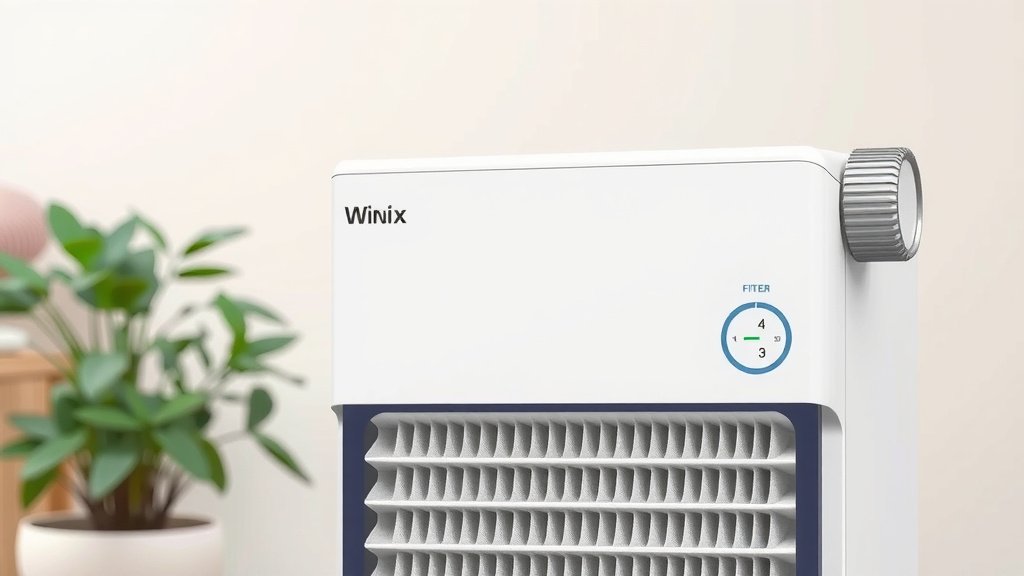
The Step-by-Step Filter Change Process
Ready to get your hands a little dirty? It’s really quite simple. We’ll walk through each step to make it easy for you.
Step 1: Accessing the Filters
Your Winix C545 has a rear cover where the filters are housed. You’ll need to remove this cover to get to the old filters. Most models have clips or tabs that allow you to unlatch it. Gently pull on the designated areas, and the cover should slide off or pop open. Some users find it helpful to lay the purifier on its side for easier access, but it’s not always necessary. Just be sure it’s stable.
Step 2: Removing the Old Filters
Once the cover is off, you’ll see the filters. They are usually stacked or arranged in a specific order. Note how they are positioned. This will help you when you put the new ones in. Carefully pull out each filter. They might feel a bit dusty or clogged. Dispose of the old filters properly. Most can go into your regular household trash. Some communities have specific recycling programs for air filters, so check locally if that’s important to you.
Step 3: Installing the New Filters
Now for the fresh stuff! Take your new, sealed filters out of their packaging. Be careful not to touch the filter material itself. Oils from your hands can sometimes reduce their effectiveness. Place the new filters into the C545 in the same order and orientation as the old ones. Make sure they fit snugly. You should hear a soft click or feel them seat properly. Double-check that they are all securely in place. This is the core of the job!
Step 4: Reattaching the Cover and Powering On
With the new filters in place, it’s time to put the cover back on. Align the cover with the unit and secure it. Make sure it’s latched properly. Then, place your purifier back in its usual spot. You can now plug it back into the wall outlet. Your Winix C545 should power up as normal. The filter indicator light should be off, showing it recognizes the new filters. If it stays red, double-check that the filters are installed correctly and the cover is fully closed.
Step 5: Resetting the Filter Indicator Light
Most air purifiers require you to manually reset the filter indicator. This tells the machine that you’ve completed the filter change. On your Winix C545, there’s usually a specific button to press or hold for this. Check your user manual if you’re unsure. Often, it’s a button labeled “Filter Reset” or something similar. You might need to press and hold it for a few seconds until the light turns off or changes color. This step is vital for the system to track your next filter change.
A Quick Filter Change Checklist
Here’s a handy checklist to keep you on track:
- Unplug your air purifier.
- Remove the rear filter cover.
- Carefully take out old filters.
- Install new, correct filters.
- Replace the rear cover securely.
- Plug in and reset the filter indicator.
Choosing the Right Replacement Filters
Using the correct filters is absolutely essential. Winix designs its purifiers to work with specific filter types. For the C545, you’ll typically need a combination of a True HEPA filter and an Activated Carbon filter. Often, these come bundled together. You can usually find them on the Winix website or at major online retailers. Always buy from reputable sources to ensure you’re getting genuine Winix filters. Off-brand filters might not fit correctly or perform as well. This could even void your warranty, which nobody wants.
| Feature | Genuine Winix C545 Filter | Potential Third-Party Filter |
|---|---|---|
| Fit and Compatibility | Guaranteed to fit perfectly. | May be loose or too tight. |
| Filtration Performance | Engineered for optimal air cleaning. | Performance can vary greatly. |
| Durability | Built to last the recommended period. | May degrade faster. |
| Odor and VOC Control | Effective Activated Carbon layer. | Carbon quality can be inconsistent. |
| Warranty Impact | Maintains your purifier’s warranty. | Could void the warranty. |
Conclusion
You’ve learned how to successfully change the filters in your Winix C545 air purifier. This simple maintenance task is essential for ensuring your unit continues to provide clean, fresh air for your home. By following the steps we’ve outlined, you can confidently replace your old filters with new ones and reset the indicator light. Remember, consistent filter changes help your purifier perform at its best and contribute to a healthier living environment. Make checking your filters a regular part of your home care routine!
Frequently Asked Questions
How often should I really be changing my Winix C545 filters?
While the indicator light is your best guide, most users find filters need replacing every 6 to 12 months. Factors like household dust, pets, and local air quality can influence this timeline. It’s a good idea to visually inspect them every few months too.
Can I just wash the old HEPA filter instead of buying a new one?
No, your Winix C545’s True HEPA and Activated Carbon filters are designed for single use and cannot be washed. Washing them would damage the filter media and make them ineffective. Always replace them with new, genuine filters.
What happens if I forget to reset the filter indicator light after changing the filters?
If you don’t reset the light, your purifier won’t know the filters have been changed. It will continue to display the red light, potentially prompting unnecessary filter replacements. This also prevents the unit from accurately tracking the lifespan of your new filters.
Is it okay to use third-party or generic filters for my C545?
It’s best to use genuine Winix replacement filters. Generic filters may not fit correctly or offer the same level of filtration performance. Using non-genuine parts could also potentially void your air purifier’s warranty.
My C545 filter light is still red after replacing the filters. What should I do?
First, ensure you properly reset the filter indicator light as per the instructions. If the light remains red, double-check that the new filters are installed correctly and that the rear cover is securely latched. Sometimes, a filter needs to be seated just right.
![5 Best Air Purifier for Cat Pee Smell [In 2026]](https://homeunderstandable.com/wp-content/uploads/2025/06/best-air-purifier-for-cat-pee-smell.jpg)