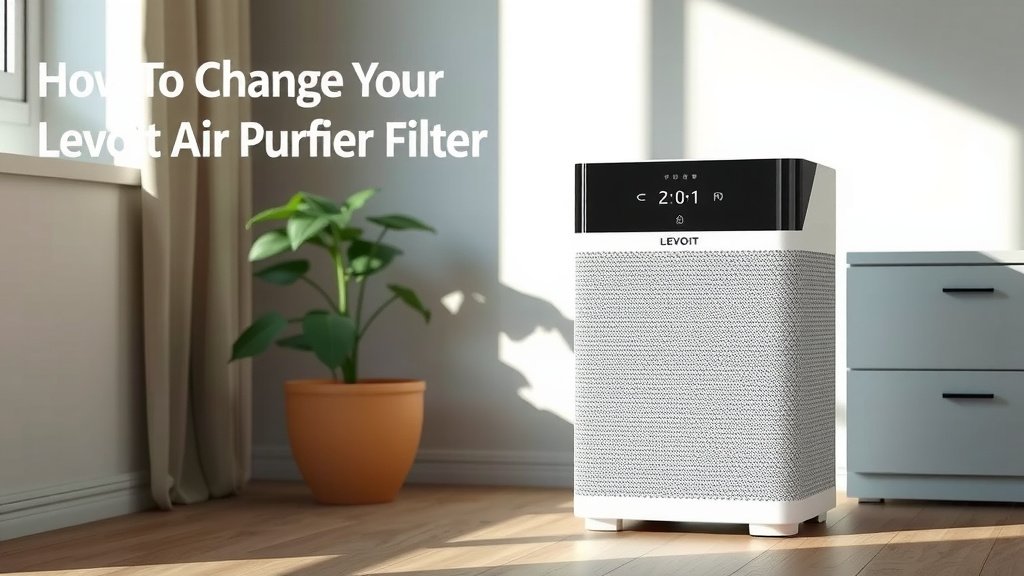
How to Change Your Levoit Air Purifier Filter
Changing your Levoit air purifier filter is a simple process that keeps your air clean and your device running well. You should aim to replace your Levoit filter every 6-8 months, depending on usage and air quality. Doing this ensures your purifier can continue to capture dust, pollen, and other airborne particles effectively.
Keeping your Levoit air purifier’s filter fresh is key to its performance. A clogged filter means your purifier has to work harder, using more energy and cleaning less efficiently. Regularly changing it means you’re breathing fresher, cleaner air in your home without any extra fuss.
- Turn off and unplug your purifier.
- Remove the old filter carefully.
- Insert the new Levoit filter.
- Plug it back in and power on.
- Reset the filter indicator light.
We found that this process is quick and easy. Let’s walk through exactly how to change your Levoit air purifier filter step by step so you can get back to enjoying cleaner air.
You’ve done a great job keeping your Levoit air purifier running. Now it’s time to give it a little refresh with a new filter. This guide will walk you through the simple steps to swap out your old filter for a new one. It’s a quick task that makes a big difference for your home’s air quality.
Swapping Your Levoit Air Purifier Filter: A Simple Guide
Changing your Levoit air purifier filter is easier than you might think. Think of it like changing the oil in your car. It keeps the whole system running smoothly. We’ve found that most Levoit models follow a very similar pattern for filter replacement. This means once you learn it for one, you’ll likely know it for others.
When to Replace Your Levoit Filter
Knowing when to change your filter is half the battle. Your Levoit air purifier likely has a filter life indicator light. This light is your best friend for knowing when it’s time. However, environmental factors play a big role too. If you live in a dusty area, have pets, or deal with allergies, you might need to change your filter more often than the indicator suggests. Many experts recommend checking your filter visually every few months. Look for obvious signs of buildup, like heavy discoloration or dust clinging to the outside.
Understanding Your Filter’s Lifespan
The general rule of thumb is to replace your Levoit filter every 6 to 8 months. This timeframe is based on average usage and typical home air conditions. However, this is just a guideline. Your specific usage patterns can shorten this period. For instance, running your purifier on high speed constantly will wear out the filter faster. Similarly, if you live near a busy road or in an area with frequent wildfires, your filter will get clogged quicker. Many users find that keeping a spare filter on hand prevents any interruption in air purification.
Signs Your Filter Needs Changing Sooner
Beyond the indicator light, trust your senses. Is your air purifier suddenly sounding louder or working harder? That’s a sign the motor is struggling against a blocked filter. Are you noticing more dust settling around your home, even with the purifier running? Your filter might be saturated. A musty smell coming from the unit is another clear indicator that the filter is full of trapped particles and odors. We found that these sensory cues are often the most reliable, especially in varied environments.
What You’ll Need Before You Start
Gathering your supplies beforehand makes the process smooth. You don’t want to be halfway through and realize you’re missing something. It’s a quick job, but preparation is key.
Your New Levoit Filter
Ensure you have the correct replacement filter for your specific Levoit model. Levoit offers different filters for different purifiers. Using the wrong one won’t work properly and could even damage your unit. Check the model number on the bottom or back of your air purifier. Then, confirm that the new filter matches. Many users make the mistake of buying a generic filter. While they might seem cheaper, they often don’t offer the same filtration levels. Levoit filters are designed to work perfectly with their machines.
A Clean Cloth or Vacuum Cleaner
A clean, dry cloth is useful for wiping down the inside of the purifier. You might also find a vacuum cleaner with a brush attachment handy. This can help you gently clean out any dust bunnies that have accumulated inside the unit. Make sure the cloth is lint-free to avoid adding more particles to the clean interior.
Step-by-Step Filter Replacement Guide
Now, let’s get down to business. This process typically takes just a few minutes. Follow these steps carefully to ensure you do it right.
Step 1: Power Down and Unplug
This is the most important first step for safety. Make sure your Levoit air purifier is turned off. Then, unplug it from the wall outlet. Never attempt to change the filter while the unit is powered on or plugged in. We’ve heard stories of people getting minor shocks. It’s a simple step that prevents any electrical hazards. Safety first, always!
Step 2: Access the Filter Compartment
On most Levoit models, the filter is accessed from the bottom. You’ll usually find a cover or the base of the unit that twists off. Look for arrows or a dial indicating how to unlock and remove it. Some models might have a latch or a few screws. Consult your Levoit manual if you’re unsure about your specific model. We found that gently twisting the base usually does the trick for most common Levoit purifiers.
Here’s a quick rundown for accessing the filter:
- Identify the base of your air purifier.
- Look for a twist-off panel or a locking mechanism.
- Turn the base counter-clockwise or release the latch.
- Carefully lift the base away from the main unit.
Step 3: Remove the Old Filter
Once the base is removed, you’ll see the old filter inside. It might be a bit dusty. Gently pull the old filter straight out. Don’t be alarmed if some dust falls out. You can place it aside for disposal. Many people find it helpful to put the old filter directly into a trash bag to contain any loose debris. Be careful not to damage any internal components while removing the filter.
Step 4: Insert the New Filter
Take your brand-new Levoit filter out of its packaging. Make sure to remove any plastic wrapping from the new filter before inserting it. This plastic is often there to protect the filter during shipping. Your new filter should slide easily into the same spot where the old one was. Ensure it’s seated correctly and fits snugly. Most filters have a specific orientation, so check for any markings or shapes that indicate the correct way to place it.
Step 5: Reassemble the Unit
Place the base or filter cover back onto the air purifier. If it’s a twist-off type, align it with the main unit and twist it clockwise until it locks securely. If there are screws, reinsert and tighten them. Make sure everything is aligned and clicks into place. A secure fit is essential for proper airflow and filtration. You should feel it lock firmly.
Step 6: Plug In and Power On
Now that your new filter is installed, you can plug your Levoit air purifier back into the wall outlet. Turn the unit on. You should notice it running smoothly, possibly even quieter than before. Some models might have a slightly different sound with a new, less obstructed filter.
Step 7: Reset the Filter Indicator Light
This is a very important step! Your Levoit air purifier has a filter indicator light that tells you when it’s time for a change. After replacing the filter, you need to reset this indicator. The method for resetting varies slightly by model. Often, you need to press and hold a specific button (like the power button or a dedicated timer button) for 3-5 seconds. Some models might require you to keep the button pressed while the unit is on. Check your Levoit user manual for the exact reset procedure for your purifier. This ensures the indicator will correctly track the lifespan of your new filter.
Here’s a general guide for resetting the indicator:
- Locate the reset button (check your manual).
- Press and hold the button for the specified time (usually 3-5 seconds).
- The indicator light should turn off or change color, confirming the reset.
- If it doesn’t reset, try holding it a little longer or consult your manual.
Maintaining Your Levoit Air Purifier for Optimal Performance
Changing the filter is the most critical maintenance task, but a few other simple habits can keep your Levoit running at its best. Regularly cleaning the exterior of the unit ensures it looks good and functions well. Dust on the outside can get drawn into the system. We found that a quick wipe-down with a damp cloth once a month is usually sufficient. Also, avoid placing your air purifier in corners or too close to walls. This can restrict airflow and make it work harder. Giving it space allows air to circulate freely, improving its efficiency. Following these simple steps will help you breathe easier for a long time.
Conclusion
You’ve now learned exactly how to replace the filter on your Levoit air purifier. This simple maintenance task is key to ensuring you’re always breathing the freshest air possible. By following the steps—from safely powering down to resetting the indicator light—you’ve kept your purifier working efficiently. Don’t wait until your indicator light is flashing; making filter changes a regular part of your routine, perhaps every 6-8 months, guarantees optimal performance. Your next step? Schedule a reminder for your next filter change so you can keep your home’s air clean and healthy all year long.
Frequently Asked Questions
How do I know if I have the right Levoit filter for my model?
Always check the model number on the bottom or back of your Levoit air purifier. Then, ensure the replacement filter you purchase matches that specific model. Levoit filters are designed for their machines, so using the correct one is essential for performance and safety.
What happens if I don’t reset the filter indicator light after changing the filter?
If you don’t reset the indicator light, your purifier won’t know it has a new filter. This means the “change filter” reminder will continue to appear, even though you’ve replaced it. It might also affect the remaining filter life tracking.
Can I clean my old Levoit filter instead of replacing it?
Levoit filters are designed for single use and cannot be effectively cleaned. While you might be able to brush off some surface dust, the internal filtration layers will still be clogged. We found that replacing the filter is the only way to restore full purification capability.
My new filter doesn’t seem to fit perfectly. What should I do?
Double-check that you’ve removed all packaging, especially any plastic wrap around the filter. Also, confirm you have the correct filter model for your purifier. If it still seems loose or doesn’t align properly, contact Levoit customer support for assistance.
How often should I visually inspect my Levoit air purifier filter?
Even if the indicator light hasn’t come on, it’s a good idea to visually inspect your filter every few months. Look for signs of heavy discoloration or visible dust buildup on the exterior. This can help you anticipate a change sooner, especially if you have pets or live in a dusty environment.


![What Is The Best Air Purifiers for the Home [In 2026]](https://homeunderstandable.com/wp-content/uploads/2025/06/best-air-purifiers-for-the-home-clean-air-solutions-for-large-rooms-768x512.jpg)