How Long to Run Your Dyson Air Purifier: Expert Guide
You can generally run your Dyson air purifier continuously, 24/7, for the best air quality. Most Dyson models are designed for constant operation. Running it all day helps maintain consistently cleaner air in your home. You want your purifier to work while you’re sleeping or away. This ensures you always breathe the freshest air possible.
The ideal runtime often depends on your specific needs and environment. Factors like pollen counts, pet dander, or cooking fumes can influence how often you should run it. We found that many users benefit from continuous use to combat everyday air pollutants. Your Dyson is built to handle this long-term performance.
- Run your Dyson air purifier all day, every day for best results.
- It’s designed for continuous operation.
- This keeps your air consistently clean.
- Adjust settings based on your home’s air quality needs.
Let’s dive into the details of optimizing your Dyson air purifier’s runtime. We’ll cover what the different settings mean and when to use them.
“`htmlOptimizing Your Dyson Air Purifier’s Runtime
You might be wondering about the best way to run your Dyson air purifier. The good news is, your Dyson is designed for continuous operation. Think of it like a reliable friend always working to keep your home’s air fresh. Most people find that running it 24/7 provides the most consistent air purification. This means you’re breathing cleaner air all the time, day and night.
Understanding Your Dyson’s Settings for Optimal Air Quality
Your Dyson air purifier comes with several modes designed to tackle different air quality challenges. Understanding these can help you decide how long to run specific settings.
Automatic Mode: The Smart Choice for Everyday Use
Automatic mode is often your best bet for daily use. Your Dyson uses its built-in sensors to detect airborne pollutants. It then adjusts its fan speed automatically. This means it works harder when pollution levels rise. It can then slow down when the air is clean. This mode is perfect for ensuring your air is always clean without you having to constantly tweak settings. We found that this mode is very efficient for maintaining a baseline of clean air.
Night Mode: For Undisturbed Sleep
Night mode is a lifesaver if you’re sensitive to noise. It dims the display lights to near darkness. It also reduces the fan speed to its quietest setting. This is ideal for bedrooms. You can keep the purifier running all night. You’ll enjoy cleaner air without any distractions. It’s designed to still purify effectively, just more quietly. Many users prefer this for peace of mind while sleeping.
Manual Fan Speed: When You Need More Control
Sometimes, you might want direct control. Manual fan speed lets you choose a specific setting. Perhaps you’ve just finished cooking and want to clear the air quickly. Or maybe you have guests coming over. You can crank up the fan speed to maximum purification. For general use, levels 1 through 4 are usually sufficient. Higher settings are for more demanding situations. Remember, higher speeds use more energy.
Factors Influencing Your Air Purifier’s Run Time
While running your Dyson 24/7 is generally recommended, a few factors might influence how you use it.
Seasonal Allergies and Pollen Counts
If you suffer from allergies, especially during pollen season, running your Dyson on high or automatic mode more often is a good idea. Pollen can enter your home through open windows and doors. High pollen counts mean more allergens in your air. Running your purifier continuously helps capture these particles. This can significantly reduce allergy symptoms. Many allergy sufferers report better sleep and fewer flare-ups with consistent use.
Pets and Pet Dander
Our furry friends can contribute to indoor air pollution. Pet dander, hair, and dander-related odors can accumulate quickly. If you have pets, keeping your Dyson on automatic or a higher manual setting is beneficial. This ensures that dander and other pet-related particles are captured. For homes with multiple pets, 24/7 operation is often essential. You want to keep the air fresh and reduce potential allergens.
Cooking and Kitchen Air Quality
Cooking can release various particles and odors into the air. Think smoke, grease particles, and strong smells. Running your Dyson on a higher fan speed while cooking or immediately after can help. It can quickly clear the air. If you have an open-plan living space, the purifier in your main room will work harder. Consider placing a purifier in or near the kitchen if this is a frequent concern. You can then return to auto mode once the air is clear.
Home Occupancy and Ventilation
When your home is occupied, especially with many people, air quality can be affected. Things like breath, body odors, and general activity can introduce particles. Running your Dyson constantly ensures these are managed. If you’re away for extended periods, you might adjust settings. However, many experts suggest maintaining some level of purification even when you’re out. This prevents pollutant buildup. Research by the EPA indicates that continuous air cleaning is most effective (EPA).
Understanding Dyson Filter Life and Runtime
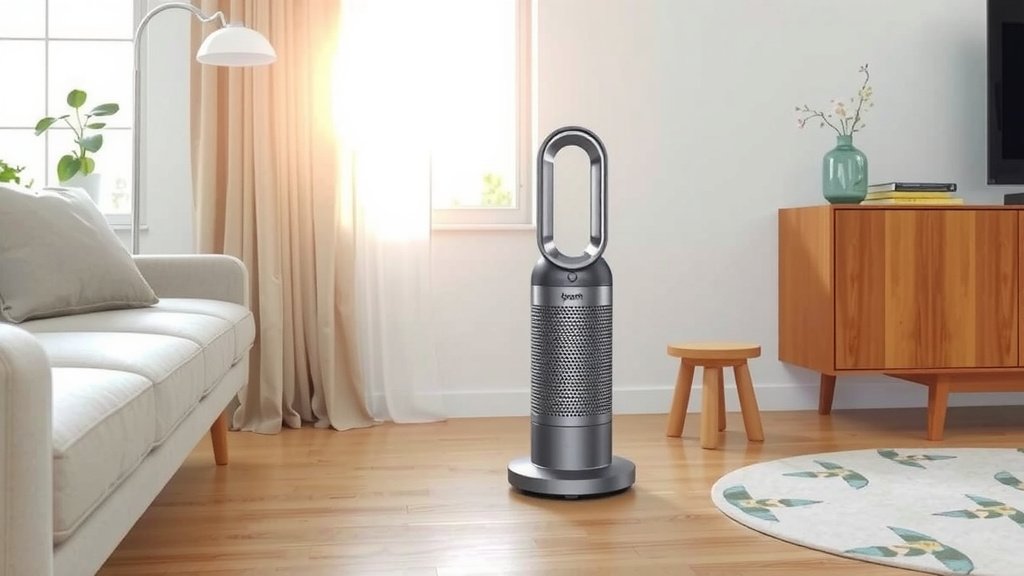
Your Dyson air purifier’s filters are crucial. They capture pollutants effectively. The machine itself will often alert you when it’s time to replace them. Running your purifier 24/7 means the filters will likely reach their lifespan sooner than if used intermittently. However, this is a sign that they are actively working to keep your air clean. Replacing filters as recommended ensures optimal performance. It’s a trade-off for consistently cleaner air.
Here’s a quick look at what might influence filter life:
| Factor | Impact on Filter Life | Recommendation |
|---|---|---|
| Continuous Use (24/7) | Filters may need replacement sooner. | Replace when prompted by the machine. |
| High Pollution Environment | Filters can clog faster. | Monitor air quality and replace proactively if needed. |
| Infrequent Use | Filters may last longer. | Still replace at recommended intervals for optimal function. |
Quick Checklist for Optimal Dyson Runtime
To make things simple, here’s a handy checklist:
- Run your Dyson on Automatic mode for daily, hassle-free purification.
- Use Night Mode in bedrooms for quiet, continuous cleaning.
- Boost to a higher fan speed after cooking or if air quality dips.
- Consider longer run times during allergy season or if you have pets.
- Always follow the machine’s prompts for filter replacement.
- Don’t be afraid to let your Dyson run all day, every day!
Conclusion
You’ve learned that your Dyson air purifier is designed for continuous, 24/7 operation. Running it all the time ensures you consistently breathe cleaner air, regardless of everyday activities like cooking or pet ownership. By understanding and utilizing modes like Auto and Night Mode, you can effectively manage your home’s air quality without constant adjustments. Remember to pay attention to your home’s specific needs, such as allergy seasons or pet dander. Your next step is to let your Dyson work for you by running it consistently and trusting its smart features to maintain a healthier environment.
Frequently Asked Questions
How do I know when to run my Dyson air purifier on a higher setting?
You should increase your Dyson’s fan speed when you notice a sudden increase in air pollutants. This includes times after cooking, when guests are over, or during peak allergy seasons. Your Dyson’s sensors can help, but you can also manually select a higher setting for immediate purification needs.
Is it okay to leave my Dyson air purifier on overnight?
Absolutely! Your Dyson air purifier is designed for 24/7 use, and running it overnight is highly recommended. Use the Night Mode setting to ensure quiet operation and minimal light disturbance while still effectively cleaning your bedroom air.
Will running my Dyson 24/7 wear out the filters faster?
Yes, continuous use means your filters will likely reach their lifespan sooner than if you used the purifier intermittently. However, this indicates your purifier is actively working to keep your air clean. Always follow the machine’s prompts for filter replacement to ensure optimal performance.
Can I run my Dyson purifier on Auto mode all the time?
Yes, running your Dyson air purifier on Auto mode all the time is an excellent choice for most homes. The intelligent sensors will detect pollution levels and automatically adjust the fan speed, providing efficient and hassle-free air purification.
Should I turn off my Dyson when I leave the house for the day?
While you can turn it off, it’s generally best to let your Dyson air purifier run continuously, even when you’re away. This prevents pollutants from accumulating in your home and ensures the air is fresh the moment you return. Many users find that consistent operation offers the best results for air quality.