Is Your Air Purifier Working? Simple Checks
Wondering if your air purifier is actually doing its job? You can tell if your air purifier is working by checking for a steady airflow coming from the unit and listening for its normal operating hum. Many units also have indicator lights that show the fan is running and air quality is being monitored.
It’s not just about having a fan running; you want to ensure the filtration system is actively cleaning your air. Observing changes in your home’s air quality, like reduced odors or fewer airborne particles, is a good sign. We found that paying attention to these subtle cues can give you peace of mind.
- Check for fan activity.
- Listen for normal sounds.
- Observe air quality changes.
- Look for indicator lights.
- Note any unusual smells or noises.
Below, we’ll walk you through the simple steps to confirm your air purifier is breathing new life into your indoor air.
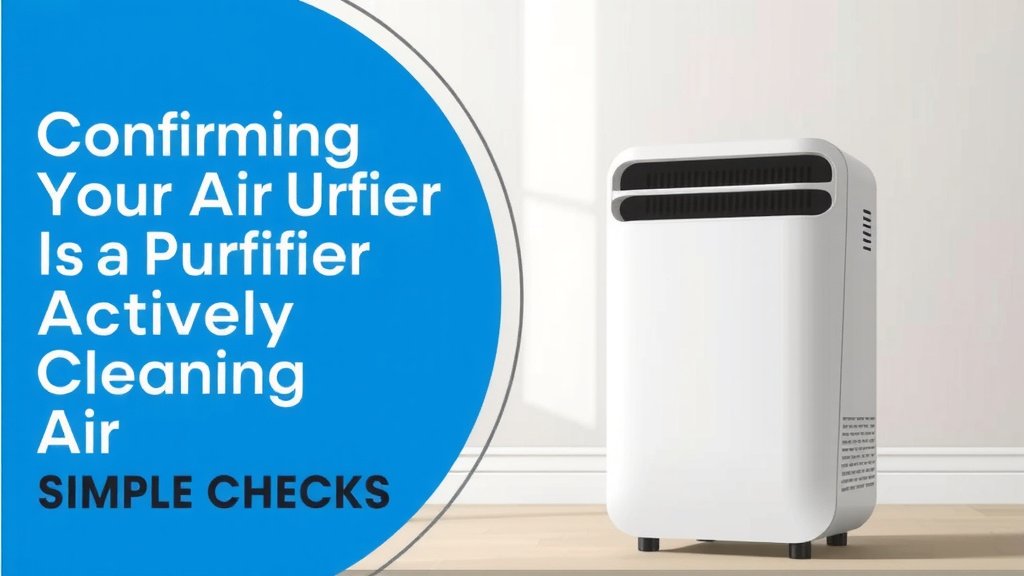
Confirming Your Air Purifier Is Actively Cleaning Air
You’ve invested in an air purifier, and it’s natural to wonder if it’s truly working its magic. The good news is, confirming your air purifier is doing its job doesn’t require a science degree! You can easily verify its operation through simple observations and a few checks. Let’s make sure that unit is breathing clean air into your home.
Getting Started: Essential Checks You Can Do Right Now
Before diving into more involved tests, let’s cover the quick checks. These are the first things you should look at to see if your purifier has power and its basic functions are engaged.
Listen for the Hum: The Sound of Clean Air
Your air purifier should make a sound when it’s on. This is usually a gentle, consistent hum. It’s like a refrigerator; you expect a low, steady noise when it’s running. If you turn it on and hear nothing, or a very faint whirring that sounds like it’s struggling, that’s your first clue something might be off.
Feel the Airflow: Is It Actually Moving Air?
This is a super simple but effective test. Place your hand near the air outlet of the purifier. You should feel a steady stream of air being pushed out. The strength of the airflow will depend on the fan speed setting, but there should be a noticeable breeze. If you feel little to no air movement, the fan might not be working, or something could be blocking the intake or exhaust.
Checking Different Fan Speeds
Most air purifiers have multiple fan speed settings. Try increasing the fan speed. You should feel a stronger airflow from the unit. Conversely, if you lower the speed, the airflow should decrease. This confirms the fan is responsive to commands.
Look for Indicator Lights: Visual Cues for Operation
Many modern air purifiers come with indicator lights. These lights are designed to give you at-a-glance information. A power light should be illuminated when the unit is plugged in and turned on. Some units have lights that change color to indicate air quality levels, while others might have a light showing the fan is actively running. Check your user manual to understand what each light means for your specific model.
Deeper Dives: Verifying Filtration and Performance
Once you’ve confirmed the basic operation, you might want to dig a little deeper to ensure the filtration system is doing its job effectively. This involves observing your environment and understanding how the purifier interacts with it.
Observing Changes in Your Home’s Air
The ultimate goal of an air purifier is cleaner air. You can often notice improvements over time. Pay attention to common indoor air pollutants. Do you notice a reduction in cooking smells or pet odors? Are there fewer dust particles settling on your furniture? These are great indicators that your purifier is working as intended.
Odor Reduction as a Sign of Success
For purifiers with activated carbon filters, odor removal is a primary function. If you’ve noticed lingering smells in your home, and they start to dissipate after running the purifier for a while, that’s a positive sign. It means the carbon is capturing those odor-causing molecules.
Minimizing Airborne Particles
HEPA filters are designed to capture tiny particles like dust, pollen, and dander. If you notice less sneezing or fewer allergy flare-ups, especially during allergy season, your purifier might be contributing. Some purifiers even have particle sensors that can give you a visual reading of your air quality, which can be very informative.
Understanding Your Air Quality Sensor (If Applicable)
Many higher-end air purifiers come equipped with air quality sensors. These sensors detect pollutants in the air and often adjust the fan speed automatically. They typically display the air quality using a color-coded light system (e.g., blue for good, yellow for moderate, red for poor) or a numerical reading. If the sensor shows your air quality improving, or if it reacts to potential pollutants, it’s a strong indication the unit is functioning.
What to Do If the Sensor Shows Poor Air Quality
If your air quality sensor consistently indicates poor air quality, even after the purifier has been running for some time, it could mean a few things. The air quality might genuinely be poor due to ongoing pollution sources. Alternatively, the sensor itself might need cleaning, or the filters might be saturated and need replacement. Consult your user manual for cleaning instructions for the sensor.
Checking Filter Status: The Heart of the Purifier
The filters are the most critical component of your air purifier. They capture the pollutants. Over time, they become clogged and less effective. Most purifiers have a filter replacement indicator. When this light comes on, it’s time for new filters. Not replacing them means the unit might be running, but it’s not cleaning the air effectively.
What If There’s No Filter Indicator?
If your model doesn’t have an indicator light, you’ll need to rely on a schedule. Many manufacturers recommend checking or replacing filters every 6 to 12 months, depending on usage and air quality. You can also visually inspect the filters. A heavily soiled, gray or black filter is definitely due for a change. Research and found that using your purifier in a particularly dusty or smoky environment will require more frequent checks (EPA).
Troubleshooting Common “Is It Working?” Concerns
Sometimes, an air purifier might seem like it’s not working due to minor issues or user error. Let’s address a few common hiccups.
Unusual Noises or Smells: Red Flags to Note
A working air purifier should have a consistent hum. If you hear loud grinding, rattling, or clicking noises, something is likely wrong with the fan motor or internal components. Similarly, if you notice a burning smell, unplug the unit immediately and contact the manufacturer. These aren’t signs of good operation.
Is the Power Cord Secure? A Simple But Important Step
It sounds basic, but ensure the power cord is firmly plugged into both the purifier and a working electrical outlet. Sometimes, a slightly loose connection can prevent the unit from powering on correctly, leading you to believe it’s not working at all.
| Potential Issue | What to Check | Possible Solution |
|---|---|---|
| No Airflow | Fan speed, power connection, blockages | Increase fan speed, check plug, ensure vents are clear |
| Noisy Operation | Foreign objects, loose parts, filter placement | Inspect for debris, check filter seating, contact support |
| No Indicator Lights | Power source, outlet functionality | Try a different outlet, check circuit breaker |
| No Odor Reduction | Filter type, filter age, odor source | Ensure carbon filter is present, replace filter, address source |
Quick Checklist: Is Your Air Purifier Doing Its Job?
- Do you feel steady airflow from the unit?
- Does it make a normal operating hum?
- Are the power and fan indicator lights on?
- Have you noticed a reduction in common household odors?
- Has your allergy sensitivity decreased recently?
- Is the filter replacement indicator light off (or has it not come on yet)?
Conclusion
You’ve learned how to easily tell if your air purifier is actively working for you. By checking for steady airflow, listening for its normal hum, and observing your home’s air quality, you can confirm it’s on the job. Don’t forget those indicator lights and your filter’s status – they’re key indicators of performance. Regularly performing these simple checks ensures your investment continues to provide cleaner, healthier air in your living space. Make these checks a quick part of your routine, and enjoy the peace of mind that comes with knowing your air is being purified effectively.
Frequently Asked Questions
How often should I test my air purifier to ensure it’s working?
You don’t need to test it daily. A quick visual and auditory check when you first turn it on or notice it, along with a monthly review of air quality signs, is usually sufficient. Pay closer attention if you suspect a new pollutant source in your home.
Can a dirty filter make my air purifier seem like it’s not working?
Yes, absolutely. A clogged filter restricts airflow and prevents the purifier from capturing pollutants effectively. If you feel weak airflow or notice no improvement in air quality, a dirty filter is often the culprit, even if the unit’s fan is running.
My air purifier has a “smart” mode. How do I know it’s working if the fan speed changes automatically?
When in smart mode, the fan speed will adjust based on detected air quality. Watch the air quality indicator lights or display; they should show changes when you introduce a temporary pollutant, like cooking fumes. The automatic fan speed adjustments are proof the sensors and fan are responding.
Is it normal for my air purifier to make different noises at different fan speeds?
Yes, it’s completely normal. As you increase the fan speed, the motor works harder to move more air, which naturally results in a louder or more pronounced hum. Decreasing the speed should quiet the unit down. You should, however, not hear any grinding or rattling sounds.
What if my air purifier smells bad when it’s running?
A faint “new machine” smell for the first few hours is possible, but a persistent or unpleasant odor could indicate a problem. This might mean the filters are saturated and need immediate replacement, or there could be an issue with the motor. Research indicates a burning smell requires unplugging it immediately.
![5 Best Air Purifier for Black Mold [In 2026]](https://homeunderstandable.com/wp-content/uploads/2025/06/best-air-purifier-for-black-mold.jpg)