Master Your Dyson Air Purifier: A Quick Guide
Reading your Dyson air purifier is surprisingly simple once you know what to look for. The main display screen shows you the current air quality in your room. It uses a color-coded system that’s easy to understand at a glance. A blue circle means good air quality, while red means it’s quite poor.
Beyond the basic color code, your Dyson purifier provides more detailed information. You can cycle through different screens to see specific pollutant levels. This helps you understand exactly what your purifier is working to remove. It’s like getting a real-time report card for your home’s air.
- See current air quality at a glance.
- Understand pollution levels with color codes.
- Check specific pollutant readings.
- Know when your purifier is working hard.
Let’s break down what all those symbols and numbers on your Dyson air purifier’s display actually mean, so you can breathe easy knowing exactly what’s going on.
Understanding Your Dyson Air Purifier’s Display
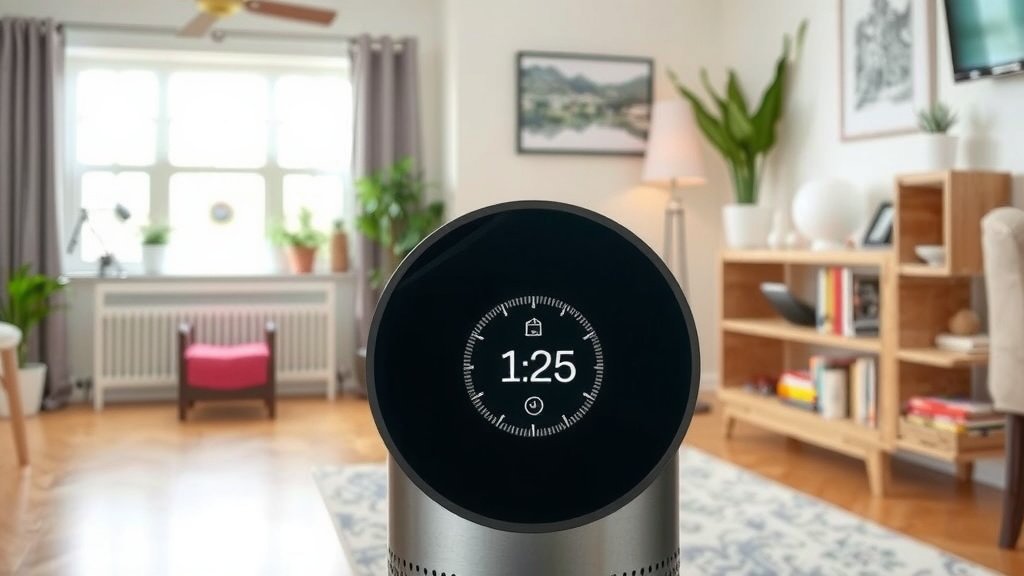
So, you’ve got a Dyson air purifier humming away, and you’re wondering what all those numbers and symbols on the screen mean. It’s not as complicated as it might seem! Think of the display as your purifier’s way of giving you a real-time air quality report. It’s designed to be user-friendly, so you can quickly grasp the status of your home’s air.
The core of the display shows you the particle sensor reading. This tells you about the different types of pollutants in your air. Don’t worry, we’ll break down what those particles are. Your Dyson purifier is working hard to keep your air clean. Knowing what the display shows helps you appreciate its efforts.
The Color-Coded Air Quality Ring
Let’s start with the easiest part: the color ring. This is your immediate visual cue for air quality. It’s brilliant because you don’t need to be a scientist to understand it. You can glance across the room and instantly know if the air is good, moderate, or poor.
What the Colors Mean
Blue: Excellent. Your air is nice and clean!
Yellow: Fair. There are some pollutants detected. Your purifier will likely be working to clear them.
Red: Poor. Significant levels of pollutants are present. Your Dyson is probably working at a higher speed to purify the air.
Dark Red/Purple: Very Poor. This indicates a high concentration of particles. It’s a good sign your purifier is doing its job by ramping up.
This color system is based on the PM2.5 levels, which we’ll discuss more. It’s a quick snapshot of your indoor environment. Many health organizations recommend monitoring indoor air quality for comfort and health reasons (CDC).
Decoding the Particle Readings
Beneath the color ring, you’ll see numbers. These represent the specific types and amounts of pollutants your Dyson purifier has detected. Your model might show different pollutants, but here are the most common ones you’ll encounter.
Particulate Matter (PM)
This is a big one. Particulate matter is tiny particles floating in the air. They can come from cooking, dust, smoke, and even outdoor pollution that seeps inside. Your Dyson measures these in micrograms per cubic meter (µg/m³).
PM2.5: These are particles 2.5 micrometers or smaller. They are so small they can easily enter your lungs. Good indoor air quality typically means PM2.5 levels below 15 µg/m³ (WHO).
PM10: These are particles between 2.5 and 10 micrometers. They are larger than PM2.5 but can still affect your breathing.
When you see these numbers, especially PM2.5, climbing, it means your purifier is detecting these tiny irritants. A higher number shows your purifier is working to remove them. It’s a detailed breakdown of what’s in your air.
Volatile Organic Compounds (VOCs)
VOCs are gases emitted from everyday household products. Think paints, cleaning supplies, air fresheners, and even furniture. Some VOCs can have short-term and long-term health effects. Your Dyson measures these in ppb (parts per billion).
If your VOC reading is high, it might be time to air out your home or reduce the use of certain products. Your Dyson is alerting you to these invisible gases. This is a super helpful feature for understanding hidden air polluters.
Nitrogen Dioxide (NO2)
NO2 is primarily associated with combustion processes. This includes gas stoves, fireplaces, and vehicle exhaust. If you have a gas stove, you might see your NO2 levels spike when you cook. High levels can irritate your airways (EPA).
Seeing a higher NO2 reading can prompt you to use your range hood or increase ventilation when cooking. It’s your purifier’s way of saying, “Hey, something’s cooking!”, literally and figuratively.
Formaldehyde (HCHO)
Formaldehyde is a common chemical found in many building materials and household products. It can be released slowly over time. It’s a type of VOC, but Dyson often displays it separately due to its prevalence. Many guidelines suggest minimizing exposure to formaldehyde (NIH).
This reading is particularly useful if you’ve recently renovated or bought new furniture. Your Dyson helps you track the off-gassing of these materials. It’s an extra layer of awareness about your indoor environment.
Navigating Through Different Modes and Settings
Beyond just displaying readings, you can often interact with your Dyson purifier. Many models have different screens or modes you can cycle through using the remote or buttons on the unit.
Automatic Mode
This is often the default setting. In Auto mode, your Dyson uses its sensors to monitor air quality. It will automatically adjust its fan speed based on the pollution levels detected. This means you don’t have to constantly fiddle with settings.
Night Mode
Night mode is designed for sleeping. It typically dims the display lights and runs the purifier at quieter speeds. Some models might even focus on monitoring and purifying without fan noise. It’s perfect for ensuring clean air without disturbing your rest.
Fan Speed Control
You can usually manually set the fan speed if you prefer. This gives you direct control over how hard your purifier works. Higher speeds purify faster but can be louder. Lower speeds are quieter but take longer.
Viewing Historical Data (App Connectivity)
If your Dyson model connects to the Dyson Link app, you get even more power. You can view historical air quality data right on your smartphone. This helps you identify patterns and understand what activities might be affecting your air quality over time. You can see trends for PM2.5, VOCs, and more.
The app provides weekly and monthly reports. This kind of data can be really insightful. It helps you pinpoint potential sources of pollution in your home. Many health experts suggest understanding indoor air pollution sources for better long-term health (WHO).
A Quick Checklist for Reading Your Display
Here’s a handy checklist to help you remember the key things to look for on your Dyson air purifier display:
Check the Color Ring: Blue is great, red means it’s working hard!
Note the PM2.5 Reading: Keep an eye on this for fine particle levels.
Monitor VOCs: If the number is high, consider what might be off-gassing.
Watch for NO2: Especially if you use gas appliances.
Confirm Auto Mode: Ensure it’s set to automatically adjust for you.
Use the App: For detailed historical trends and insights.
By understanding these elements, you can feel confident that you know exactly what your Dyson air purifier is doing for your home. It’s like having a personal air quality assistant, always working to make your air healthier and more comfortable.
Conclusion
You’ve now learned how to read your Dyson air purifier’s display like a pro. You know that the color ring gives you an instant air quality status, and the numbers tell a more detailed story about PM2.5, VOCs, and other pollutants. Understanding these readings helps you appreciate your purifier’s work and take action. Don’t just let it run in the background; use this knowledge to ensure your home environment is as healthy as it can be. Take a moment today to check your Dyson’s display and see what it’s telling you about your air.
Frequently Asked Questions
What does the color ring on my Dyson air purifier mean?
The color ring provides a quick visual indicator of your indoor air quality. Blue means the air is excellent. Yellow indicates fair air quality, while red or dark red signifies poor air quality, meaning pollutants are detected and your purifier is working harder.
How do I know if my Dyson air purifier is working hard?
Your Dyson air purifier will typically show this by changing its fan speed and the color ring. If the color ring turns red or dark red, and the fan speed increases, it indicates high pollutant levels and that your purifier is actively cleaning the air.
What is PM2.5 and why is it important to monitor?
PM2.5 refers to fine particles 2.5 micrometers or smaller, which are tiny enough to be inhaled deeply into your lungs. Monitoring PM2.5 levels is important because high concentrations can impact respiratory health. Your Dyson displays these readings to help you understand this specific pollutant.
Can my Dyson air purifier detect invisible gases like VOCs?
Yes, many Dyson air purifier models are equipped with sensors that can detect Volatile Organic Compounds (VOCs). These are gases emitted from common household products. A high VOC reading on your display suggests these invisible pollutants are present in your air.
What’s the difference between Auto Mode and Night Mode on my Dyson?
Auto Mode allows your Dyson to automatically adjust fan speed based on detected air quality. Night Mode is designed for sleep, typically dimming the display lights and running the purifier at quieter speeds to minimize disturbance while still cleaning your air.