Clean Your Dyson Air Purifier Sensor: Easy Steps
The easiest way to clean your Dyson air purifier sensor is with a dry cotton swab. You simply wipe the sensor lens gently. This quick action helps your purifier accurately read your air quality. Keeping the sensor clean ensures your Dyson works its best.
Your Dyson air purifier has a special sensor. It detects tiny particles in your home’s air. When this sensor gets dusty, it can’t do its job well. This means your purifier might not run as efficiently. Regular cleaning keeps your air pure and your machine running smoothly. It’s a small step for a big air quality improvement.
- Wipe the sensor with a dry cotton swab.
- Do this regularly for best results.
- A clean sensor means better air monitoring.
- It’s a simple step to keep your Dyson working well.
Below, we’ll walk you through exactly how to clean your Dyson air purifier sensor step-by-step. It’s a quick process that makes a real difference!
“`htmlKeeping Your Dyson Air Purifier Sensor Spotless
Your Dyson air purifier is a smart device. It uses a sensor to check your air quality. This sensor detects tiny dust particles and other pollutants. When the sensor gets dirty, it can’t read your air correctly. That’s why cleaning it is so important. A clean sensor means your purifier can do its job efficiently.
Why Sensor Health Matters for Your Dyson
Think of the sensor like your purifier’s eyes. If its eyes are blurry, it can’t see clearly. This can lead to some problems. Your Dyson might think the air quality is worse than it is. It might run at a higher fan speed than needed. This uses more energy. Or, it might not detect a real problem. It could miss a spike in pollution. Keeping the sensor clean helps it give you accurate reports. You’ll know your air is truly clean.
Understanding the Dyson Air Quality Sensor
Dyson’s air purifiers often use a laser-based particle sensor. This tiny sensor shines a light. It measures how much light is scattered by particles in the air. This scattering tells the machine about the size and number of particles. It’s pretty clever technology. But, like any optical device, it needs a clear view. Dust can build up on the lens over time. This is normal. It’s a side effect of it doing its job.
Common Signs Your Sensor Needs Cleaning
Are you noticing some odd behavior from your Dyson? It might be time to clean the sensor. Here are a few clues:
- Your purifier seems to run at high speeds constantly. It might be overreacting to dust on the sensor.
- The air quality reports seem off. For example, it shows poor quality when you know the air is clear.
- The machine hasn’t alerted you to a known pollutant. This could mean it’s not seeing things properly.
These are common signs. Don’t worry, they’re usually fixable with a simple clean.
Step-by-Step Guide to Cleaning Your Dyson Sensor
Cleaning the sensor is very straightforward. You likely have everything you need right at home. We’ll walk you through it:
Step 1: Gather Your Supplies
You don’t need special cleaning kits for this. Here’s what you should have:
- A dry cotton swab (like the kind you use for ears). Make sure it’s dry!
- A soft, dry microfiber cloth.
That’s it! Easy, right?
Step 2: Locate the Sensor
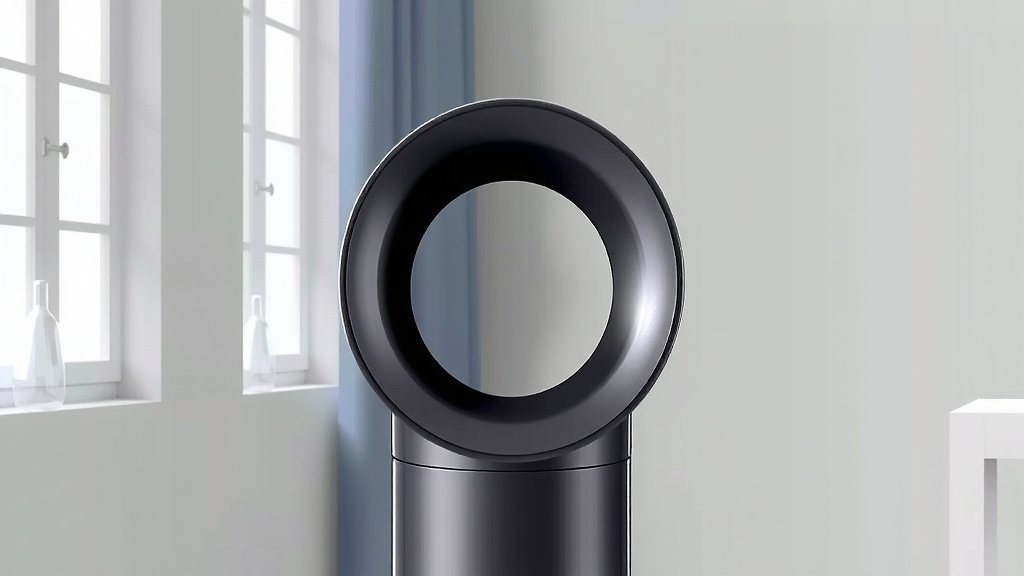
The sensor isn’t hidden away. Dyson usually places it in an accessible spot. Look for a small lens or opening. It’s often on the back or side of the unit. Check your Dyson’s manual if you’re unsure. Most models have the sensor opening clearly marked or visible.
Step 3: The Gentle Wipe-Down
This is the main event. Take your dry cotton swab. Gently insert it into the sensor opening. Lightly wipe the lens. Imagine you’re dusting a delicate camera lens. You don’t want to press hard. Just a gentle swipe should do the trick. If there’s a bit of dust stuck, you might need another gentle wipe. Avoid using any liquids or cleaning solutions. They can damage the sensor.
Step 4: Wipe the Exterior (Optional but Recommended)
While you’re at it, why not give the unit a quick clean? Use your soft, dry microfiber cloth. Wipe down the exterior of your Dyson air purifier. This helps keep the whole machine looking good. It also prevents more dust from settling near the sensor.
Step 5: Power Up and Test
Once you’re done, turn your Dyson back on. You should see the air quality reading. It might update quickly. If it was showing poor quality before, it might now show a better reading. You can also try introducing a small, harmless pollutant. For instance, gently waft some smoke from an unlit incense stick (carefully!) near the purifier. See if it detects it and adjusts its fan speed. This is a good way to confirm the sensor is working correctly.
Tips for Maintaining Sensor Accuracy
Cleaning the sensor isn’t a one-time fix. Regular maintenance is key. Think of it like changing the oil in your car. It keeps things running smoothly.
How Often Should You Clean It?
We recommend cleaning the sensor every 1-2 months. This is a good general guideline. However, you might need to clean it more often. If you live in a dusty area, have pets, or notice the signs mentioned earlier, clean it more frequently. Your Dyson’s display might also give you a warning if the sensor is blocked. Keep an eye on that!
What to Avoid When Cleaning
It’s important to be careful. Here are some things you should never do:
- Do not use liquids: Water, cleaning sprays, or alcohol can damage the sensor lens.
- Do not use compressed air: The force can damage the delicate sensor components.
- Do not use abrasive materials: Paper towels or rough cloths can scratch the lens.
- Do not insert anything sharp: Stick to a soft cotton swab.
Following these simple rules will protect your Dyson.
| Do | Don’t |
|---|---|
| Use a dry cotton swab. | Use liquids or sprays. |
| Wipe gently. | Scrub or apply pressure. |
| Clean every 1-2 months. | Use compressed air. |
| Check for visual cues. | Insert sharp objects. |
Checklist for a Clean Dyson Sensor
Here’s a quick rundown to make sure you’re all set:
- Sensor location identified?
- Dry cotton swab ready?
- Gentle wiping motion practiced?
- No liquids or sprays used?
- Exterior wiped down too?
- Air quality reading confirmed after cleaning?
You’ve got this! A little care goes a long way.
“`Conclusion
You’ve now learned how simple it is to keep your Dyson air purifier’s sensor clean and accurate. A quick wipe with a dry cotton swab is all it takes to ensure your purifier is effectively monitoring your home’s air quality. This small habit prevents unnecessary energy use and ensures your purifier alerts you when it truly matters. By following the easy steps and avoiding common mistakes, you’re making sure your Dyson operates at its best. Your next step is to add this quick task to your regular home maintenance routine.
Frequently Asked Questions
How often should I really clean my Dyson air purifier sensor?
For most homes, cleaning your Dyson sensor every 1-2 months is a good practice. If you have pets, live in a very dusty area, or notice your purifier running constantly, you might want to clean it more often. Always keep an eye on your air quality readings for any unusual patterns.
Can I use a damp cloth or alcohol wipes to clean the sensor?
No, you should absolutely avoid using liquids like water, alcohol wipes, or cleaning sprays on your Dyson’s sensor. These can damage the delicate lens and internal components, potentially leading to costly repairs or permanent malfunction.
What if my Dyson air purifier’s sensor isn’t detecting pollutants correctly?
If you suspect your sensor isn’t working right, the first step is to perform a thorough cleaning as outlined in this guide. Make sure you’re using a dry cotton swab and wiping gently. If the problem persists after cleaning, consult your Dyson manual or contact their customer support.
Can compressed air clean the Dyson air purifier sensor?
It’s best to not use compressed air on your Dyson sensor. The high pressure can be too strong for the sensitive components and may cause damage. A gentle wipe with a dry cotton swab is the safest and most effective method recommended by Dyson.
Where is the air quality sensor usually located on a Dyson purifier?
Dyson typically places the air quality sensor in an easily accessible spot, often with a visible lens or a small grille. You’ll commonly find it on the back or side of the unit. If you’re having trouble locating it, your specific Dyson model’s user manual will provide an exact diagram.
![What Is The Best Dyson Air Purifier for Smoke [In 2026]](https://homeunderstandable.com/wp-content/uploads/2025/05/best-dyson-air-purifier-for-smoke.jpg)