Clean Your HoMedics Air Purifier Filter: A Step-by-Step Guide
The easiest way to clean your HoMedics air purifier filter is by vacuuming it gently. This method is suitable for most HEPA-type filters. You usually don’t need to wash or replace it very often. Just a quick vacuum keeps it working effectively.
Keeping your air purifier filter clean is key to breathing better air. A dirty filter can’t trap pollutants as well. You’ll notice a big difference when it’s fresh. Many HoMedics models have indicators to remind you when to check it, making it super easy to maintain.
- Vacuum your filter gently.
- Avoid washing most HEPA filters.
- Check your purifier’s indicator lights.
- Regular cleaning means cleaner air.
Ready to give your air purifier a little TLC? Let’s walk through exactly how to clean that filter step by step.
Keeping Your HoMedics Air Purifier Filter Clean
Maintaining a clean filter in your HoMedics air purifier is essential. It ensures your device continues to remove airborne particles effectively. A dirty filter can actually recirculate dust and allergens back into your home. We’ll walk you through the simple steps to keep your filter in top shape.
Understanding Your HoMedics Filter Type
Before you start cleaning, it’s important to know what kind of filter your HoMedics air purifier uses. Most models come with a HEPA-type filter. These are designed to capture tiny particles like pollen, pet dander, and dust mites. Some units may also have a pre-filter or a carbon filter component.
HEPA-Type Filters: Gentle Cleaning is Key
For HEPA-type filters, the general advice is to avoid washing them with water. Water can damage the delicate filter media. This damage can reduce its effectiveness and even cause it to break down. The best method for these is usually a gentle vacuuming. This helps to remove accumulated dust and debris without harming the filter structure.
Pre-Filters and Carbon Filters: Different Needs
If your model includes a separate pre-filter, this is often a mesh material. It’s meant to catch larger particles like hair. These pre-filters can typically be cleaned more thoroughly. Some carbon filters are also designed for cleaning, while others are meant for replacement. Always check your specific HoMedics manual.
Step-by-Step Guide to Cleaning Your Filter
Ready to get your filter sparkling again? It’s a straightforward process. You won’t need many tools. Just a little time and attention will make a big difference in your home’s air quality.
Step 1: Gather Your Supplies
You’ll primarily need your vacuum cleaner with a brush attachment. Make sure the attachment is clean itself. You might also want a soft, dry cloth for wiping down the purifier’s exterior. A damp cloth can be used for the housing, but never for the filter itself.
Step 2: Safely Access the Filter
First, ensure your air purifier is unplugged from the power outlet. This is a critical safety step. Next, locate the filter cover. This is usually on the back or side of the unit. It often snaps or slides off. Refer to your HoMedics manual if you’re unsure how to open it on your specific model.
Once the cover is off, you should be able to easily pull out the filter. Note its orientation so you can put it back correctly. Some users find it helpful to take a quick photo with their phone before removing it.
Step 3: Gently Vacuum the Filter
Now for the main event. Take your vacuum cleaner and attach the brush nozzle. Set your vacuum to a lower suction setting if possible. Gently run the brush attachment over the surface of the HEPA-type filter. Work from top to bottom. You want to remove the visible dust and debris.
Be thorough but gentle. Avoid pressing too hard, as this could push debris deeper into the filter. Spend a few minutes on each side. You’ll likely see a good amount of dust come off. This is exactly what you want to happen. It’s much better than letting that dust stay in your air.
Dealing with Stubborn Dust
If you encounter particularly stubborn dust, you can try using a very soft brush. A clean paintbrush works well. Gently brush the dust loose before vacuuming again. Remember, the goal is to remove surface dust, not to scrub the filter.
Step 4: Clean Other Components (Optional)
While the filter is out, you can take the opportunity to clean the inside of the air purifier. Use a dry cloth or the vacuum’s crevice tool to remove any dust buildup within the unit’s housing. Wipe down the exterior with a slightly damp cloth. Make sure everything is completely dry before reassembling.
Step 5: Reinsert the Filter and Reassemble
Once you’re satisfied with the cleaning, carefully place the filter back into the air purifier. Ensure it’s in the correct position, matching how it was when you removed it. Then, reattach the filter cover, making sure it snaps or locks securely into place. Plug your air purifier back in and turn it on.
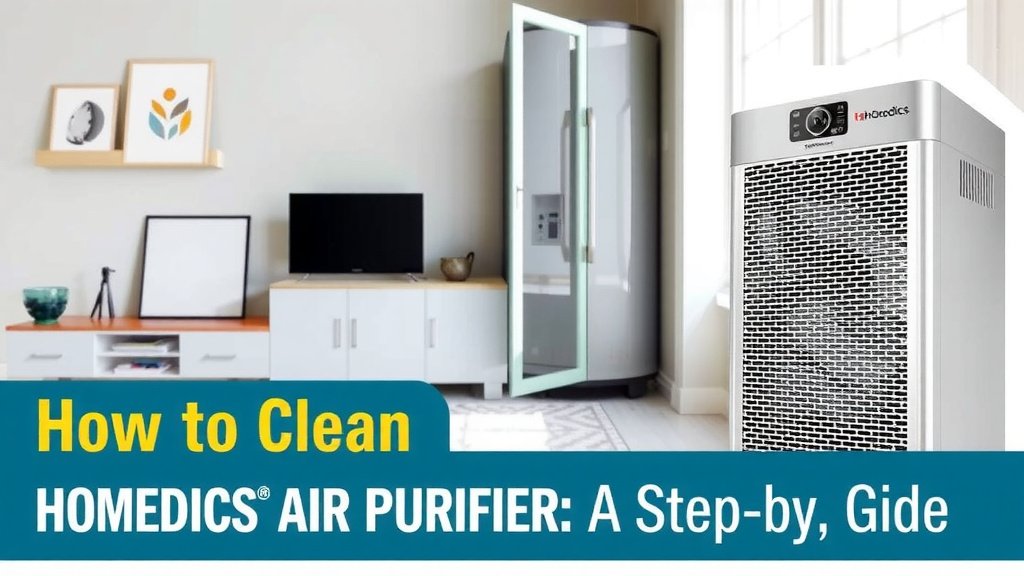
When to Consider Replacing Your Filter
Even with regular cleaning, filters don’t last forever. HEPA-type filters typically need replacement every 6 to 12 months, depending on usage and air quality. If you notice a persistent musty odor, reduced airflow, or if your purifier’s indicator light (if it has one) signals replacement time, it’s probably time for a new one.
Signs Your Filter Needs More Than a Vacuum
Some common signs indicate it’s time to replace your filter rather than just clean it:
- A persistent, unpleasant odor that doesn’t go away after cleaning.
- A noticeable decrease in the amount of air being expelled from the unit.
- Visible damage, such as tears or warping, on the filter material.
- Your HoMedics purifier has an indicator light specifically for filter replacement.
Many experts recommend replacing your filter as per the manufacturer’s guidelines to ensure optimal performance (Environmental Protection Agency). If you’re unsure, checking your manual is always the best bet.
Frequency of Filter Cleaning
How often should you clean your filter? It depends on your environment. If you have pets, live in a dusty area, or have allergy sufferers in your home, you might need to clean it more often. A good rule of thumb is to check it monthly. If it looks visibly dirty, give it a gentle vacuum.
A Simple Cleaning Checklist
Here’s a quick rundown to keep you on track:
- Check your HoMedics manual for filter type and instructions.
- Unplug the purifier before any cleaning.
- Gently vacuum HEPA-type filters with a brush attachment.
- Avoid washing HEPA-type filters with water.
- Reassemble carefully, ensuring the filter is seated correctly.
- Replace the filter when cleaning is no longer effective.
Taking these simple steps will help your HoMedics air purifier work its best. You’ll be breathing easier knowing your air is cleaner. It’s a small effort for a healthier home environment.
Conclusion
You’ve learned how simple it is to keep your HoMedics air purifier filter clean. Gentle vacuuming is your best friend for HEPA-type filters. Remember to unplug your unit and check your manual for specific guidance. Regular filter care means your purifier can continue to deliver the clean air you deserve. Make it a habit to check your filter monthly, and you’ll notice a refreshing difference in your home’s air quality. Your next step? Schedule a quick filter check this week to get started!
Frequently Asked Questions
How often should I clean my HoMedics air purifier filter?
You should aim to check your filter for dust buildup at least once a month. If you have pets, allergies, or live in a dusty environment, you might need to clean it more frequently. If it looks visibly dirty, it’s time for a gentle vacuuming.
Can I wash my HEPA filter with water?
Generally, you should avoid washing HEPA-type filters with water. Water can damage the delicate filter media, reducing its effectiveness and potentially causing it to break down. Gentle vacuuming is the recommended method for cleaning.
What if my HoMedics air purifier has an indicator light for the filter?
If your model has a filter indicator light, pay close attention to it. This light is designed to alert you when the filter needs cleaning or replacement. Always consult your user manual to understand what the light signifies on your specific unit.
What’s the best way to remove stubborn dust from the filter?
For any dust that seems stuck, try using a very soft brush, like a clean paintbrush, to gently loosen it. After loosening the stubborn dust, use your vacuum’s brush attachment on a low setting to carefully remove it. The goal is surface cleaning, not scrubbing.
When should I replace my HoMedics air purifier filter instead of just cleaning it?
You should consider replacing your filter if you notice persistent unpleasant odors, a significant drop in airflow from the unit, or any visible damage like tears. If your purifier has a replacement indicator, follow its prompt. Typically, HEPA filters need replacing every 6-12 months.
![5 Best Air Purifier for Allergens [In 2026]](https://homeunderstandable.com/wp-content/uploads/2025/06/best-air-purifier-for-allergens.jpg)