Is Your Dyson Air Purifier Working? How to Tell
You’re probably wondering, “Is my Dyson air purifier actually working?” The good news is, yes, your Dyson air purifier is likely working if you see airflow and the display shows it’s actively purifying. Many Dyson models feature an LCD screen that provides real-time air quality data, a surefire sign it’s doing its job. You can also often hear and feel the fan running, indicating it’s processing air.
Beyond just feeling the breeze, there are several ways to confirm your Dyson is effectively cleaning your air. Pay attention to changes in your home’s air quality readings, especially after cooking or when dust levels might be higher. Dyson’s sensors are designed to detect a range of particles and gases, so seeing the numbers change is a strong indicator of performance. Many users also report noticing a difference in how fresh their home smells when the purifier is running correctly.
- Check the airflow from the unit.
- Look for real-time air quality readings on the display.
- Notice if the fan is audible and running.
- Observe any changes in home air smell.
Let’s walk through exactly how to tell if your Dyson air purifier is working its magic, step by step.
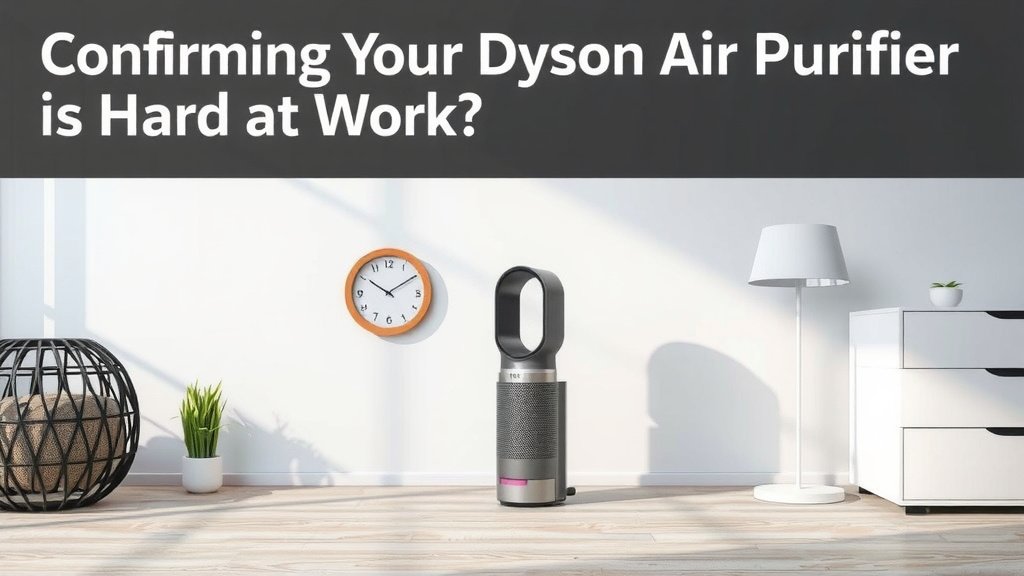
Confirming Your Dyson Air Purifier is Hard at Work
You’ve invested in a Dyson air purifier, and you want to be sure it’s doing what it’s designed to do. It’s a fair question, isn’t it? You want cleaner air, and you want that clean air now. Fortunately, there are several straightforward ways to tell if your Dyson is actively purifying your home’s air.
Watching the Airflow
The most immediate clue is the air coming from your Dyson. When it’s powered on and set to purify, you should feel a gentle, consistent stream of air exiting the machine. It’s not meant to be a gale force wind, but a noticeable flow is a good sign it’s cycling air.
Experiencing the Airflow
Simply hold your hand a few inches above or in front of the unit. Can you feel the air moving? If you can, your Dyson is drawing air in and pushing purified air out. This physical sensation is often the easiest first test.
Observing the Fan Speed
Many Dyson models have adjustable fan speeds. If you’ve set it to a higher speed, the airflow should feel stronger. If it feels weak even on a higher setting, it might be worth checking further. Conversely, a low setting will produce a gentler breeze, which is perfectly normal.
Decoding the Display: Your Dyson’s Built-in Diagnostics
Your Dyson air purifier is smarter than it looks. Its advanced sensors and digital display offer real-time feedback on your air quality and the unit’s performance. This is where you get the most precise information.
Understanding the Air Quality Index (AQI)
The primary indicator on the display is often an air quality reading. This might be shown as a color-coded bar or a specific numerical value. Dyson purifiers are designed to detect various pollutants, such as fine particles (PM2.5), volatile organic compounds (VOCs), and nitrogen dioxide (NO2).
Interpreting the Readings
If the display shows a reading that indicates poor air quality (often a red or orange hue, or a high number), and then that reading improves over time as the purifier runs, that’s a clear sign it’s working. For instance, after cooking or if there’s been dust stirred up, you might see the pollution levels spike, followed by a decrease as the Dyson cleans the air.
Automatic Mode in Action
Many users leave their Dyson on Auto mode. In this mode, the purifier will automatically increase its fan speed when it detects poorer air quality. You’ll often see the fan speed increase, and the air quality indicator on the display will improve. This is your purifier actively responding to your environment.
Checking Filter Status and Other Notifications
Your Dyson also lets you know about its own needs. The display will alert you when filters need changing. If you aren’t getting these filter notifications and the unit is running, it suggests the core purification system is likely operational.
Listening and Smelling: Secondary Clues
While the display gives you hard data, your senses can offer supporting evidence. These aren’t always definitive on their own but can confirm what the display is telling you.
The Sound of Purification
You should hear the fan running. The sound will vary depending on the fan speed. At lower speeds, it’s often very quiet, sometimes barely audible. At higher speeds, it will be more noticeable, like a strong fan or a gentle whoosh of air. If you hear nothing at all when it should be on, that’s a signal to investigate.
Noticing a Difference in the Air
Many people report that their home simply smells fresher when their Dyson air purifier is working effectively. Odors from cooking, pets, or general household staleness can be reduced. If you notice a fresher scent in your home, especially in rooms where the purifier is located, it’s a good indicator.
A Subtle but Welcome Change
This effect is subjective, of course. But if you’ve noticed specific odors diminishing since you started using your Dyson, and especially if the air quality readings on the display are improving, it’s likely doing its job.
Troubleshooting When Unsure
What if you’re not convinced? There are a few things to check if you suspect your Dyson isn’t working as it should.
Verify Power and Settings
First, ensure the unit is plugged in and powered on. Check that it’s not set to a timer that has turned it off. Sometimes, the simplest solution is overlooking a basic setting. We often find users simply forgot to turn it on!
Inspect the Filters
Clogged or improperly installed filters can significantly impact performance. Make sure you haven’t missed a filter replacement notification. If the filters are dirty, they can restrict airflow and reduce purification efficiency. Consulting your user manual is key here for proper filter maintenance.
Quick Checklist: Is Your Dyson Working?
- Can you feel consistent airflow from the unit?
- Does the display show active purification or changing air quality readings?
- Do you hear the fan running at an appropriate speed?
- Have you noticed any reduction in household odors?
- Are there any error messages or filter alerts on the display?
- Did you check the power and timer settings?
Conclusion
You’ve learned several ways to confirm your Dyson air purifier is actively working to clean your home’s air. From feeling the airflow and hearing the fan to understanding the real-time air quality readings on the display, you have the tools to know for sure. Remember to check your Dyson’s filter status too, as clean filters are essential for optimal performance. If you’re ever in doubt, a quick check of the power settings and filters can often solve the mystery. Keep an eye on those air quality numbers, and enjoy the fresher air!
Frequently Asked Questions
How do I know if my Dyson air purifier is *really* making a difference?
The best way to know if your Dyson is making a difference is by observing the air quality readings on its display. If you see pollution levels decrease over time, especially after activities like cooking, it’s actively cleaning your air. You might also notice a reduction in household odors, indicating it’s working effectively.
My Dyson air purifier is on, but I can barely hear or feel anything. Is that normal?
It’s normal for your Dyson to be very quiet on its lowest fan settings. You should still feel a gentle airflow when you place your hand near the unit. If there’s absolutely no sound or airflow, even on a higher setting, you may want to double-check the power and ensure no error messages are displayed.
Can I trust the air quality readings on my Dyson’s screen?
Yes, Dyson air purifiers use sophisticated sensors to measure various pollutants in the air. These real-time readings are designed to give you an accurate picture of your home’s air quality. Watching these numbers change, particularly when they improve, is a strong indicator that your purifier is functioning correctly.
What does it mean if my Dyson air purifier suddenly speeds up on its own?
If your Dyson air purifier suddenly increases its fan speed, it means its sensors have detected a change in air quality, likely an increase in pollutants. This is usually a sign that the Auto mode is working as intended, actively responding to purify your air more quickly.
When should I be concerned if my Dyson air purifier seems to not be working?
You should be concerned if the unit is not powering on, if there is no airflow even on the highest setting, or if the air quality display consistently shows poor readings with no improvement over long periods. Also, check for any error messages or persistent filter alerts that might indicate a problem.