How to Open Your Dyson Air Purifier: Easy Steps
Opening your Dyson air purifier is simpler than you might think. You just need to locate the release tabs and gently pull the cover off. Many users worry about damaging their purifier, but it’s designed for easy access to the filter for quick and straightforward replacement.
Keeping your Dyson air purifier’s filter clean is essential for optimal performance. Regularly changing the filter ensures it can effectively capture pollutants and allergens from your home’s air. We found that a clean filter means a healthier environment for you and your family.
- Locate the release tabs on your Dyson air purifier.
- Gently pull the cover away from the unit.
- This gives you access to the filter inside.
- Replacement is usually just as simple.
Ready to see how it’s done? Let’s walk through the exact steps to open your Dyson air purifier.
Accessing Your Dyson Air Purifier’s Filter
Opening your Dyson air purifier for filter access is a straightforward process. Most Dyson models are designed with user-friendly mechanisms for this. You’ll want to prepare yourself to easily swap out an old filter for a new one. This ensures your purifier continues to perform at its best.
Understanding Your Dyson’s Design for Access
Dyson engineers its products with a focus on both performance and maintenance. This means that accessing internal components, like the filter, is generally intuitive. You won’t need special tools for most filter changes. The design prioritizes quick and simple maintenance for the everyday user.
Locating the Key to Opening: The Release Tabs
The primary way to open your Dyson air purifier is by locating and using its release tabs. These tabs are usually found on the base or sides of the unit. They act as latches holding the main body or filter housing in place. You might feel a slight click or resistance as you engage them. Gently but firmly pressing or pulling these tabs is the first step to accessing the filter.
Identifying Tab Placement for Common Models
For most Dyson tower air purifiers, you’ll find the release tabs located on the bottom rim of the main unit, where it meets the base. Sometimes they are on the rear. On some cylindrical models, the tabs might be integrated more subtly along the seam where the top section meets the base. Always take a moment to look around the perimeter. Your purifier’s manual will show exact locations if you’re unsure.
The Gentle Approach: How to Detach the Cover
Once you’ve located the release tabs, the next step is to detach the cover. This is where patience is key. You’ll want to apply even pressure to the tabs. For many models, this involves pressing inward and then gently pulling the cover away. Some tabs might require you to pull them outward. Avoid forceful actions. The cover should separate smoothly if you’ve disengaged the tabs correctly.
What to Do if the Cover Feels Stuck
If the cover feels resistant, double-check that you’ve fully pressed or pulled all the release tabs. Sometimes, one tab might be slightly harder to disengage than others. We found that a slight wiggle can help. Ensure you’re not pulling at an angle, which could put stress on the plastic. A gentle, steady pull is usually all that’s needed. Never force it, as this can cause damage.
Navigating the Filter Compartment
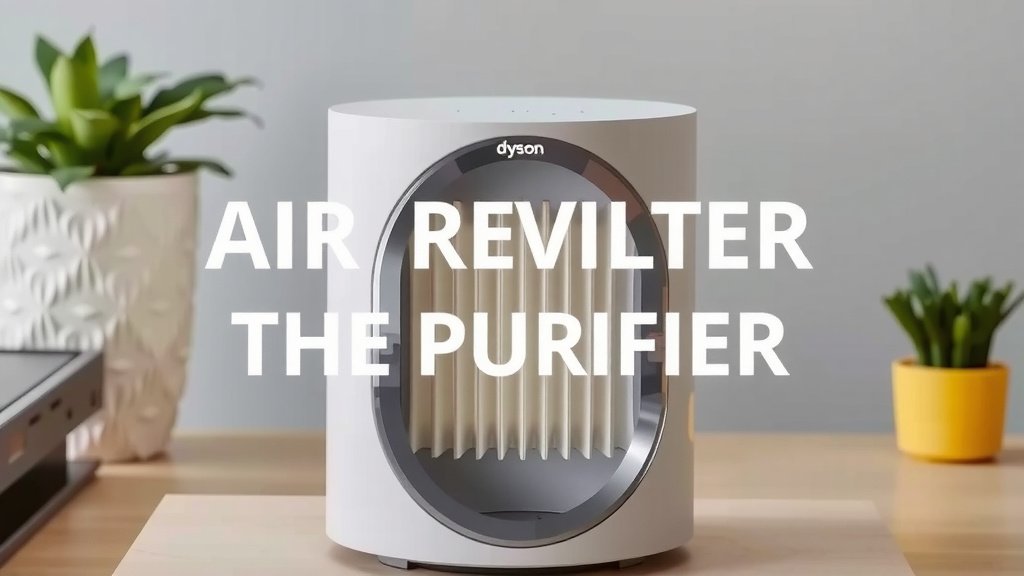
With the outer cover removed, you’ll have a clear view of the filter assembly. This compartment is designed to house the HEPA and activated carbon filters that do the heavy lifting for your air quality. It’s typically a straightforward system, allowing for easy filter removal and insertion.
Identifying the Filter Unit
The filter in your Dyson air purifier often comes as a single, integrated unit. This unit might be cylindrical or rectangular, depending on your specific model. You’ll notice it’s the largest component within the opened compartment. It’s usually white or gray and might have fabric or plastic elements visible on the outside. The goal is to carefully extract this unit.
Removing the Old Filter
To remove the old filter, gently grasp the filter unit. You may see designated grips or handles on its sides. Pull it straight out from its housing. Some Dyson models might have a slight twist-and-pull motion. Listen for any click or release mechanism. We found that placing a hand underneath can help support the filter as you remove it. This prevents any accidental drops.
Proper Disposal of Used Filters
Once the old filter is out, it’s time to dispose of it. These filters capture fine particles, so it’s best to handle them with care. You might want to place the used filter directly into a plastic bag to contain any dust or allergens. Then, seal the bag and discard it in your regular household waste. Research from environmental agencies suggests that most standard air filters are safe for landfill disposal.
Preparing for Your New Filter Installation
Now that you’ve successfully opened your Dyson and removed the old filter, you’re ready for the new one. This is the most rewarding part of the maintenance process. Installing a new filter is key to restoring your purifier’s effectiveness and enjoying cleaner air.
Unpacking and Inspecting the New Filter
Carefully unbox your new Dyson filter. Remove any protective plastic wrapping. It’s a good idea to give it a quick visual inspection. Ensure there’s no visible damage from shipping. The filter should look clean and free of any debris. You’ll want to make sure you have the correct filter model for your Dyson unit before proceeding.
Aligning and Inserting the New Filter
Align the new filter with the empty housing. Look for guides or notches that indicate the correct orientation. Dyson filters are designed to fit only one way. Gently slide the new filter into place. You should feel it seat securely and snugly. Press it in until it’s fully engaged with the housing. Some users report a slight click when it’s properly seated.
Securing the Purifier Cover
With the new filter in place, it’s time to reattach the outer cover. Align the cover with the base of the unit. You may need to gently twist or press it into position. Make sure the seams line up correctly. Push the cover firmly until you hear or feel the release tabs click back into their locked position. A secure fit is essential for proper airflow and operation.
Checklist for a Successful Filter Change:
- Identify the release tabs on your Dyson unit.
- Gently press or pull the tabs to disengage them.
- Carefully remove the outer cover.
- Extract the old filter unit.
- Insert the new filter, ensuring it’s correctly aligned.
- Reattach the cover until it securely clicks into place.
Conclusion
You’ve now learned the simple steps to open your Dyson air purifier and successfully change its filter. Remember, the key is locating those release tabs and using a gentle touch. This straightforward maintenance ensures your Dyson continues to deliver cleaner air for your home. We found that consistent filter replacement makes a real difference in air quality. Your next step is to simply schedule your filter changes regularly to maintain optimal performance. Your purifier is ready for its next refresh!
Frequently Asked Questions
How often should I change the filter in my Dyson air purifier?
Dyson recommends changing your filter every 6 to 12 months, depending on usage and air quality. Your purifier’s display will usually indicate when it’s time for a replacement. Keeping it clean ensures it effectively captures pollutants.
What if I can’t find the release tabs on my Dyson?
Take a close look around the base or sides of your unit. They are often small indentations or buttons. If you’re still unsure, consult your Dyson’s user manual for specific tab placement for your model. They are designed to be found!
Can I clean my Dyson air purifier filter instead of replacing it?
No, Dyson HEPA and carbon filters are designed for replacement, not cleaning. Washing them can damage the filter media and reduce its effectiveness. Always use a new, genuine Dyson filter for the best results.
Do I need any tools to open my Dyson air purifier?
You typically do not need any tools to open your Dyson air purifier for filter access. The design relies on user-friendly release tabs. This makes filter changes quick and easy without the need for special equipment.
What should I do if the new filter doesn’t seem to fit properly?
Ensure you have the correct replacement filter model for your specific Dyson purifier. Also, double-check that you’ve removed all protective packaging from the new filter. Make sure it’s aligned correctly with any guides or notches in the housing before gently pushing it into place.