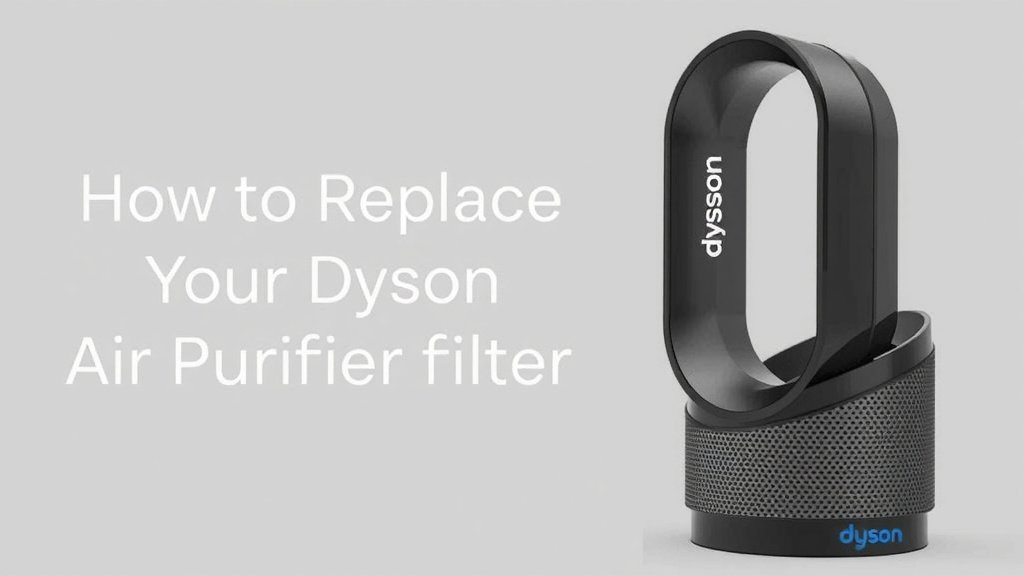
How to Replace Your Dyson Air Purifier Filter
Replacing the filter on your Dyson air purifier is surprisingly **simple and quick**. You can do it in just a few minutes by **unplugging the unit** and following a few easy steps to remove the old filter and install a new one, ensuring your air stays clean.
Keeping your Dyson air purifier’s filter in good shape is **essential for optimal performance**. Over time, filters can become clogged with dust and allergens, reducing their effectiveness. Knowing when and how to replace them is key to maintaining the **clean air quality** you expect from your device.
- Locate the filter release.
- Remove the old filter.
- Install the new filter correctly.
- Dispose of the old filter.
- Plug the purifier back in.
Let’s walk through exactly how to replace your Dyson air purifier filter, step by step.
So, you’ve got a Dyson air purifier humming away, keeping your air fresh and clean. That’s fantastic! But like any hardworking appliance, it needs a little TLC now and then. The most important part of that TLC? Replacing the filter. It might sound like a big task, but trust us, it’s easier than you think.
Keeping Your Dyson Purifier Running Smoothly: A Filter Guide
Replacing your Dyson air purifier’s filter is **key to maintaining optimal air quality**. A clogged filter is like a stuffed-up nose – it just can’t do its job effectively. We’ll guide you through the simple process so you can get back to breathing easy.
When Should You Replace Your Dyson Air Purifier Filter?
Dyson air purifiers are pretty smart. They often have built-in indicators to let you know when it’s time for a change. You’ll usually see a notification on the device itself or in the accompanying app.
However, there are other signs to watch for. If you notice a **decrease in airflow** coming from your purifier, that’s a tell-tale sign. It might be struggling to push air through a clogged filter. Also, if you start to notice **odors returning** to your air, even though the purifier is on, the filter might be past its prime. Experts at the Environmental Protection Agency (EPA) suggest regular maintenance for air cleaning devices to ensure they perform as intended.
Understanding Filter Lifespan
The lifespan of your Dyson filter can vary. It really depends on a few things: how often you run your purifier, the air quality in your home, and even the type of filter you have.
- Usage: If you run your purifier 24/7, the filter will naturally wear out faster than if you use it intermittently.
- Environment: Homes with pets, lots of cooking, or located in areas with higher pollution levels will put more strain on the filter.
- Filter Type: Dyson offers different filter types, and their replacement schedules can differ slightly. Always check your model’s manual.
As a general rule, many Dyson filters are designed to last between **6 to 12 months** with regular use. But again, always defer to your purifier’s specific alerts.
The Step-by-Step Process for Changing Your Dyson Filter
Ready to get this done? It’s a straightforward process. Think of it like changing a filter in your furnace, but much more user-friendly.
Step 1: Safety First – Unplug Your Purifier
Before you do anything, **always unplug your Dyson air purifier** from the wall outlet. This is a critical safety step to prevent any accidental power surges or injuries. We want this to be a smooth experience, not a shocking one!
Step 2: Locating and Releasing the Old Filter
Dyson has designed its machines for easy maintenance. On most Dyson models, the filter is located at the base or the top of the unit. You’ll typically see a button or a latch mechanism to release it.
Gently press the release button or mechanism. You might need to twist a part of the unit slightly. The filter housing should then **easily slide or lift off**. If it feels stuck, double-check that you’ve fully disengaged the release. We don’t want you to force anything!
Step 3: Removing and Disposing of the Old Filter
Once the filter housing is open, you can usually just pull the old filter straight out. It might be a little dusty, so be prepared for that. Some people like to do this part over a trash can to catch any loose particles.
Proper disposal is important. Most filters aren’t recyclable, so check your local guidelines. Just wrap it in a bag and toss it. You’ve done your part to keep the air clean, so let’s handle the old filter responsibly.
Step 4: Installing Your Brand New Dyson Filter
Now for the fresh start! Take your new Dyson filter out of its packaging. Notice the orientation – there’s usually a correct way it needs to sit.
Align the new filter with the housing inside your purifier. Gently push it into place until you feel or hear it **click securely**. Make sure it’s seated properly. A snug fit is essential for the purifier to work correctly. It should feel stable, not wobbly.
Step 5: Reassembling and Powering Up
Once the new filter is in place, reattach the filter housing. Again, it should slide or click back into position easily. Double-check that it’s **securely fastened** and there are no gaps.
Now, you can plug your Dyson air purifier back into the power outlet. Turn it on, and you should notice the airflow improving right away. Many models will automatically reset the filter life indicator, but it’s a good idea to check your app or the device display just to be sure.
Tips for Extending Filter Life
While you can’t prevent your filter from eventually needing replacement, you can take steps to help it last longer and perform better. Regular maintenance of the purifier itself plays a big role.
- Regular Cleaning: Wipe down the exterior of your Dyson purifier regularly with a soft, dry cloth.
- Pre-filter Care: Some Dyson models have a washable pre-filter. Washing this component as recommended can capture larger particles, reducing the load on your main HEPA filter. Always ensure it’s completely dry before reinserting.
- Optimal Placement: Place your purifier in an area where it can circulate air freely. Avoid corners or placing it directly against walls or furniture.
- Ventilation: While your purifier works hard, ensuring good overall ventilation in your home can help reduce the amount of pollutants it needs to process.
Troubleshooting Common Filter Issues
What if things don’t go quite as planned? Don’t worry, we’ve got you covered.
Filter Not Seating Properly
If the new filter doesn’t seem to fit snugly, remove it and re-examine it. Ensure there are no protective plastic coverings still attached to the filter itself. Also, check the filter housing for any obstructions. Sometimes a small piece of debris can prevent a proper seal. Try seating it again, applying gentle, even pressure.
Purifier Not Recognizing the New Filter
In rare cases, your purifier might not immediately recognize the new filter. After ensuring it’s correctly installed, try unplugging the unit for about 30 seconds, then plug it back in and turn it on. This can sometimes reset the system. If the problem persists, consult your Dyson manual or customer support.
A Quick Checklist for Your Filter Change
Here’s a handy checklist to make sure you don’t miss a step:
- Confirm it’s time: Check purifier alerts or signs of reduced performance.
- Unplug the unit: Safety first!
- Locate and release: Find the filter release mechanism.
- Remove old filter: Dispose of it properly.
- Install new filter: Ensure it clicks securely into place.
- Reassemble and power on: Check for proper seating and restart.
Conclusion
You’ve successfully learned how to replace your Dyson air purifier filter. It’s a quick process that ensures your home continues to enjoy clean, fresh air. Remember to pay attention to your purifier’s alerts and the signs of reduced performance, like weaker airflow or returning odors. Regularly maintaining your filter is key to your purifier’s effectiveness. For your next filter change, simply unplug the unit, locate and release the old filter, install the new one securely, and reassemble.
Frequently Asked Questions
How often should I really be replacing my Dyson air purifier filter?
Your Dyson air purifier will typically notify you when the filter needs changing. However, if you notice a significant drop in airflow or recurring odors, it might be time sooner than expected. Factors like how often you run the purifier and your home’s air quality play a role.
Can I wash my Dyson HEPA filter instead of replacing it?
Most Dyson HEPA filters are designed for single use and cannot be washed. Attempting to wash them can damage the filter material and reduce its effectiveness. Always check your specific model’s manual for guidance on washable components, like some pre-filters.
What happens if I don’t replace my Dyson air purifier filter on time?
If you don’t replace your filter, its ability to capture pollutants will diminish significantly. This means your air purifier won’t be as effective at cleaning your air. It can also put a strain on the motor as it works harder to push air through a clogged filter, potentially shortening its lifespan.
Where can I buy replacement filters for my Dyson air purifier?
You can purchase official Dyson replacement filters directly from the Dyson website. You can also find them at many authorized Dyson retailers, both online and in physical stores. Using genuine Dyson filters ensures the best fit and performance for your unit.
My new filter seems loose. What should I do?
If your new filter doesn’t feel securely seated, remove it and check for any protective plastic packaging that may still be attached. Also, inspect the filter housing for any debris that might be preventing a proper seal. Reinsert the filter, applying gentle, even pressure until you feel it click into place firmly.
![5 Best Air Purifier for Cigarette Smell [In 2026]](https://homeunderstandable.com/wp-content/uploads/2025/06/best-air-purifier-for-cigarette-smell-portable-usb-odor-eliminator-768x768.jpg)


![5 Best Air Purifier for Grow Room [In 2026]](https://homeunderstandable.com/wp-content/uploads/2025/05/best-air-purifier-for-grow-room.jpg)
![Best Air Purifiers for Dust and Pet Hair [In 2026]](https://homeunderstandable.com/wp-content/uploads/2025/04/best-air-purifiers-for-dust-and-pet-hair.jpg)