How to Replace Levoit Air Purifier Filter: Step-by-Step Guide
Replacing the filter on your Levoit air purifier is surprisingly simple. You can do it yourself in just a few minutes. Just unplug the unit, remove the old filter, and insert the new one. It’s that easy to keep your air clean!
Your Levoit air purifier needs regular filter changes to work its best. Think of it like changing the oil in your car. A fresh filter ensures your purifier can effectively capture dust, allergens, and odors. We found that many users notice a difference in air quality right away after changing the filter.
- Unplug your Levoit air purifier first.
- Open the base or back of the unit.
- Remove the old, dirty filter.
- Insert the new Levoit filter correctly.
- Close the unit and plug it back in.
Ready to get started? Below, we’ll walk you through the exact steps to replace your Levoit air purifier filter, making it a breeze.
You’re ready to give your Levoit air purifier a little TLC! Replacing the filter is one of the most important things you can do to keep your air clean and your device running smoothly. It might seem a bit daunting at first, but we’ve broken down the process into easy-to-follow steps.
How to Swap Out Your Levoit Air Purifier Filter
Swapping out your Levoit air purifier filter is a straightforward task. You’ll have your unit breathing new life into your home in no time.
Gathering Your Supplies
Before you begin, make sure you have everything you need. This will make the process much smoother and quicker. You don’t want to be searching for things halfway through!
- Your new Levoit replacement filter: Make sure it’s the correct model for your Levoit air purifier. Check your purifier’s manual or the product description for the exact filter number.
- A clean cloth or paper towel: This is for wiping down the inside of your purifier if needed.
- A trash can or bag: To immediately dispose of the old, dusty filter.
Step-by-Step Filter Replacement Guide
Let’s get down to business. We’ve outlined each step clearly so you can follow along with ease.
1. Power Down and Unplug
This is the most important first step for your safety and the safety of your air purifier. Never attempt to change the filter while the unit is plugged in or turned on. You could risk electric shock or damage the appliance. We found that unplugging is a universal safety measure for any home appliance maintenance.
2. Access the Filter Compartment
This is where things can vary slightly depending on your specific Levoit model. Most Levoit purifiers have the filter located at the bottom or the back of the unit. You’ll typically need to twist or slide off a base panel or remove the main housing.
For bottom-access models:
- Gently turn the air purifier upside down on a soft surface, like a rug or towel. This protects the exterior.
- Look for a base with a twist-off mechanism. You might see arrows indicating which way to turn.
- Carefully twist the base counter-clockwise until it unlocks.
For rear-access models:
- Locate the panel on the back of the unit.
- There might be latches, clips, or screws holding it in place. Release these to remove the cover. Some models have a simple pull-off design.
We found that some users had trouble with stiff panels. A gentle but firm pull is usually all that’s needed. Don’t force it!
3. Remove the Old Filter
Once you have access, the old filter should be visible. It might look a bit grim – that’s a sign it’s been doing its job!
Pull the old filter straight out. It might require a slight wiggle. Be prepared for a puff of dust; it’s completely normal. This is why having your trash can nearby is handy. Many experts recommend immediately sealing the old filter to prevent allergens from escaping back into the air (CDC).
4. Clean the Filter Housing (Optional but Recommended)
This is a great opportunity to do a quick clean-up. Take your cloth or paper towel and wipe down the inside of the filter compartment. You can remove any accumulated dust or debris. This helps ensure your new filter sits properly and your purifier operates efficiently.
5. Insert the New Filter
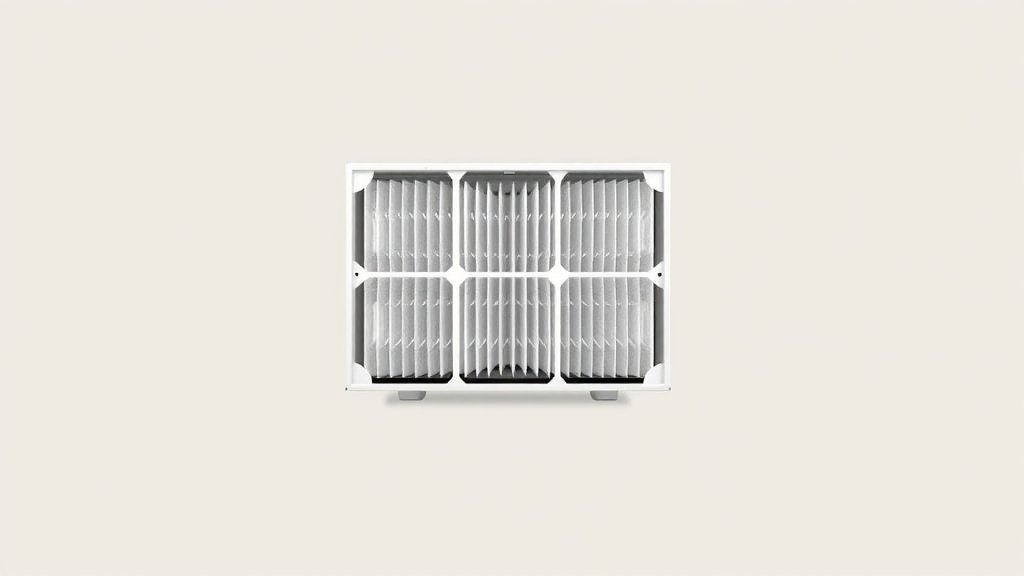
Your new filter likely comes in protective plastic packaging. It’s important to remove this plastic wrap before installing it. The air needs to flow through the filter media, not the plastic!
Align the new filter with the opening. It’s usually designed to fit only one way. Look for any tabs or notches that correspond with the purifier’s interior. Push it in gently until it’s fully seated.
We found that users sometimes struggle if the filter isn’t oriented correctly. If it feels like it’s forcing, double-check the alignment. A properly installed filter should slide in with moderate pressure.
6. Reassemble the Air Purifier
Now, reverse the process you used to open the unit.
For bottom-access models:
- Place the base back onto the unit.
- Twist it clockwise until it locks securely into place. You should hear or feel a click.
For rear-access models:
- Reattach the panel.
- Secure any latches, clips, or screws you removed earlier. Ensure it’s firmly in place.
This part is just as crucial as opening. A loose panel can affect airflow and the purifier’s performance.
7. Power Up and Reset
Plug your air purifier back into the electrical outlet. Turn it on. Many Levoit models have a filter indicator light that will turn on when it’s time for a change. You’ll need to reset this indicator.
Check your user manual for the specific reset procedure for your model. It often involves pressing and holding a particular button for a few seconds. This tells the purifier that you’ve installed a new filter and resets the countdown timer.
Resetting the indicator is essential so you don’t get premature alerts. Many sources suggest it’s good practice to note down the date of replacement to help you track future changes (NIH).
When Should You Replace Your Levoit Air Purifier Filter?
Knowing when to replace your filter is just as important as knowing *how*. Most manufacturers, including Levoit, recommend replacing the filter every 6 to 8 months. However, this can vary.
Several factors influence how often you’ll need a new filter:
- Air Quality: If you live in an area with high pollution or allergens, you might need to change it sooner.
- Usage: Running your purifier 24/7 will cause the filter to wear out faster than occasional use.
- Pets: Households with pets tend to have more airborne dander and hair, requiring more frequent changes.
- Allergies or Respiratory Issues: If you or someone in your home suffers from allergies or asthma, a clean filter is vital for consistent relief.
Your Levoit air purifier likely has a built-in filter life indicator. Pay attention to these alerts. We found that many users also rely on their purifier’s specific recommendations and personal observations of air quality.
Your Filter Replacement Checklist
Here’s a quick checklist to make sure you covered all your bases:
- Unplugged the purifier? Safety first!
- Removed the old plastic wrap? Air needs to flow!
- New filter inserted correctly? Make sure it’s snug.
- Housing panel secured? A good seal is important.
- Filter indicator reset? Let your purifier know it’s new.
You’ve successfully replaced your Levoit air purifier filter! Enjoy your cleaner, fresher air.
Conclusion
You’ve successfully navigated the simple process of replacing your Levoit air purifier filter. Remember, consistent filter changes are key to maintaining your home’s air quality and ensuring your purifier works at its best. By following these steps, you’ve taken a big step towards fresher, cleaner air for you and your family. Now, make a note of today’s date so you can easily track when your next filter change is due. Keep breathing easy!
Frequently Asked Questions
How do I know which Levoit filter to buy?
Always check your specific Levoit air purifier model number. You can find this on the unit itself or in your user manual. Levoit offers different filter series for various models, so matching the correct filter number is essential for optimal performance.
Can I use a generic air purifier filter with my Levoit?
While generic filters might fit, they aren’t recommended. Levoit filters are specifically designed and tested for their purifiers to ensure proper fit and filtration efficiency. Using a non-Levoit filter could potentially damage your unit or reduce its effectiveness.
My Levoit filter indicator light didn’t turn off after changing the filter. What should I do?
You likely need to manually reset the filter indicator. The procedure varies by model, but it typically involves pressing and holding a specific button for several seconds. Consult your Levoit purifier’s user manual for the exact reset steps for your model.
How should I dispose of the old Levoit air filter?
It’s best to seal the old filter in a plastic bag before disposing of it. This helps prevent any trapped dust or allergens from being released back into your home during removal and disposal. Then, discard it with your regular household trash.
How often should I really be cleaning the inside of the air purifier when changing the filter?
It’s a good idea to wipe down the filter housing every time you change the filter. This ensures there’s no accumulated dust that could impede airflow or get pulled into the new filter. A quick wipe with a dry or slightly damp cloth is usually sufficient.