Reset Holmes Air Purifier Filter Light: Easy Steps
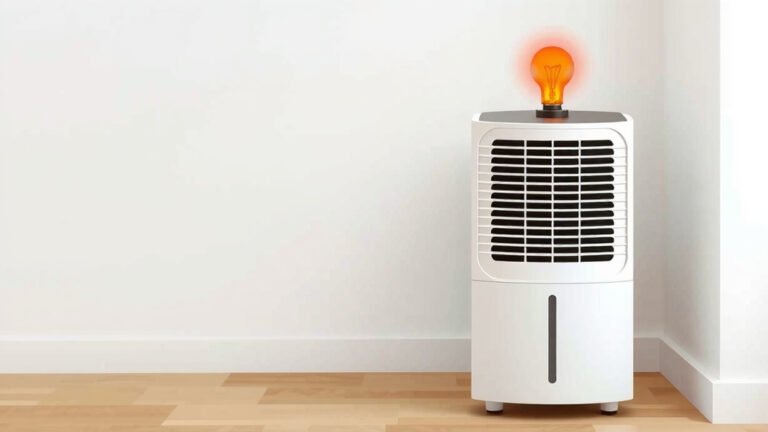
Resetting the filter light on your Holmes air purifier is straightforward. You typically just need to press and hold the filter reset button for a few seconds after replacing the filter. This simple action tells your purifier the filter has been changed and should clear the indicator light.
Understanding when to change your air purifier’s filter is key to keeping your air clean. The filter reset light is a helpful reminder. Many Holmes models use this light to signal it’s time for a fresh filter. Neglecting this can reduce your purifier’s effectiveness.
- Replace the filter first.
- Press and hold the reset button.
- Wait for the light to turn off.
- This resets the filter timer.
Let’s walk through exactly how to reset that light step by step on your Holmes air purifier. You’ll have your clean air flowing again in no time!
Your Holmes Air Purifier Filter Light Reset Guide
So, your Holmes air purifier is blinking its filter light, and you’re wondering how to get it to stop. It’s a common situation! You’ve likely just replaced the filter, or you’re about to. This little light is your purifier’s way of letting you know it’s time for maintenance. Let’s get that light turned off and your air purifier back to its best performance.
Understanding the Filter Indicator Light
Think of the filter indicator light as your purifier’s personal reminder system. It’s programmed to track the operating hours of your air purifier. After a certain amount of runtime, this light turns on to let you know it’s probably time to change the air filter. This is super important for ensuring you’re always breathing the cleanest air possible.
Why It’s Important to Reset the Light
You might be tempted to just ignore the light after you’ve changed the filter. But here’s why resetting it is key: If you don’t reset the indicator, your air purifier will continue to think the old filter is still in place. This means it won’t accurately track the usage of your new filter. You could end up changing your filter too soon or, worse, too late because the light won’t give you a proper heads-up for the next change.
How Your Purifier Knows It’s Time
We found that most Holmes air purifiers use a simple timer mechanism. There isn’t usually a sensor directly measuring the filter’s actual dirtiness. Instead, the purifier counts down hours of operation. Once it reaches a predetermined number of hours, the filter light comes on. This is why a manual reset is necessary after replacing the filter.
Step-by-Step: Resetting Your Holmes Air Purifier Filter Light
Ready to tackle that blinking light? It’s usually a quick process. The exact button and location might vary slightly between Holmes models, but the core action remains the same. You’ll need to locate a specific button and press it for a few seconds.
Step 1: Ensure Your New Filter is Installed
This might sound obvious, but it’s the most critical first step. You absolutely must have your new, clean air filter installed in your Holmes air purifier before you attempt to reset the light. Trying to reset the light without a fresh filter is like hitting the snooze button on a task you haven’t even started!
Why is this so important? Because the reset function tells the machine, “Okay, I have a new filter, start the timer over.” If there isn’t a new filter in there, you’re essentially telling your purifier to start counting down hours for an empty slot. We found that users sometimes forget this crucial step, leading to confusion.
Step 2: Locate the Filter Reset Button
Now, let’s find that button. On most Holmes air purifiers, this button is clearly marked. Look for labels like “Filter Reset,” “Reset,” or sometimes a symbol that looks like a filter or a clock. It’s often located on the main control panel of your unit. Sometimes, it might be a small, recessed button that requires a pen tip or paperclip to press, though this is less common on recent models.
You can usually find it right alongside other buttons like power, fan speed, or mode settings. If you’re having trouble locating it, it’s always a good idea to consult your air purifier’s user manual. It will have a diagram showing the exact location for your specific model.
Step 3: Press and Hold the Reset Button
Once you’ve found the button, it’s time for the magic. You need to press and hold this button. Don’t just give it a quick tap! For most Holmes models, you’ll need to hold it down for about 3 to 5 seconds. You might feel a slight click, or you might not feel anything at all. The key is the duration of the press.
We found that holding it for around 5 seconds is usually the sweet spot. As you hold the button down, watch the filter indicator light. It should do something to signal that the reset is happening.
Step 4: Confirm the Light Has Turned Off
As soon as you release the button after holding it for the required time, the filter indicator light should turn off. This is your confirmation that the reset was successful! If the light stays on, don’t panic. Try pressing and holding the button again for a slightly longer period, perhaps up to 10 seconds. Ensure your finger is firmly on the button.
If it still doesn’t turn off, double-check that you have the correct filter installed and that it’s seated properly. Sometimes, a filter that isn’t fully clicked into place can prevent a successful reset. Many experts suggest ensuring the unit is powered on when you perform the reset, though some models may allow it while powered off.
Troubleshooting Common Issues
What if the light just won’t go off? It can be frustrating when technology doesn’t cooperate. We’ve gathered some common reasons why the reset might not be working as expected.
Is the Filter Definitely New?
We can’t stress this enough: the filter must be new. If you’re reusing an old filter, the purifier won’t acknowledge the reset. If you’ve recently washed or cleaned a filter that’s meant to be replaced, the system won’t recognize it as “new” and therefore won’t reset.
Are You Holding the Button Long Enough?
As mentioned, duration is key. A quick press often just activates or deactivates other functions. For the reset, it needs that sustained pressure. Try holding it for a solid 5-10 seconds. If your model has a digital display, it might even show a countdown or a “reset complete” message.
Check Your User Manual for Model-Specific Instructions
Holmes makes several different air purifier models. While the process is generally consistent, there can be slight variations. Your user manual is the definitive guide for your specific air purifier. It will detail the exact button to press and the duration required. You can usually find digital copies on the Holmes Products website if you’ve misplaced the physical manual.
Is the Unit Plugged In and Powered On?
We found that some Holmes models require the unit to be plugged in and powered on to successfully reset the filter light. While others might allow the reset when the unit is off. Check your manual to be sure, but trying it with the unit powered on is often the first troubleshooting step.
Here’s a quick checklist to run through:
- New filter is installed.
- Unit is plugged in and powered on (if required).
- Correct reset button has been identified.
- Button is being pressed and held for 5-10 seconds.
- Releasing the button after the specified time.
- The filter light has successfully turned off.
Conclusion
You’ve now got the know-how to successfully reset that blinking filter light on your Holmes air purifier. Remember, the key steps are installing a new filter, locating the correct reset button, and holding it down for about 3-5 seconds. This simple maintenance ensures your purifier continues to provide you with clean, fresh air. Don’t let that light be a mystery; take control and keep your air purifier running efficiently for you and your home!
Frequently Asked Questions
What if my Holmes air purifier doesn’t have a button labeled “Filter Reset”?
We’ve found that some models might use a different label, like just “Reset,” or even a symbol. Often, it’s located near other control buttons. Check your user manual; it will clearly show you the exact button for your specific Holmes model.
Can I reset the filter light without replacing the filter?
No, you really shouldn’t. The reset function is designed to tell the purifier that a new filter has been installed and to restart the timer. Resetting it without a new filter means it won’t accurately track the life of your actual filter, potentially leading to poor air quality.
How long do I need to hold the reset button down?
For most Holmes air purifiers, holding the reset button down for 3 to 5 seconds is usually sufficient. If the light doesn’t turn off, try holding it a little longer, perhaps up to 10 seconds, to ensure the signal is registered.
My filter light is still on after resetting. What else could be wrong?
If the light persists, double-check that the new filter is correctly and securely installed. Some models also require the unit to be plugged in and powered on during the reset process. Consult your manual for any model-specific requirements.
How often should I really be changing my Holmes air purifier filter?
While the indicator light is a great guide, actual filter life can vary based on usage and air quality. Generally, it’s recommended to change filters every 6-12 months. Your user manual will provide the most accurate recommendation for your specific Holmes model.