How to Reset Your Philips Air Purifier Easily
Resetting your Philips air purifier is usually pretty straightforward. You can typically reset it by unplugging it for a minute and then plugging it back in, or by pressing and holding a specific button. This is often necessary after changing the filter to get your purifier back to its optimal performance.
When your Philips air purifier needs a reset, you might see indicator lights or messages. These signals tell you it’s time for a filter change or that the system needs a quick refresh. Following the right reset procedure ensures your air purifier continues to monitor and clean your air effectively, giving you peace of mind.
- Unplug your Philips air purifier for about 60 seconds.
- Plug it back in and check for reset indicator lights.
- Some models require pressing a specific button to reset.
- Always consult your user manual for model-specific instructions.
Ready to get your Philips air purifier back in top shape? Let’s walk through the common ways to reset it, so you can breathe easier in no time.
Getting Your Philips Air Purifier Back to Peak Performance
So, your Philips air purifier might be giving you a signal that it needs a little TLC. Maybe a light is on, or it just doesn’t seem to be working quite right. Don’t worry, most of the time, a simple reset can fix that right up! It’s like giving your purifier a quick reboot to get it back to doing its best job cleaning your air. We’ll guide you through the common ways to do this, so you can get back to breathing easier.
Common Reasons for a Philips Air Purifier Reset
Why would you need to reset your Philips air purifier in the first place? The most common reason is a filter change. When you replace the old filter with a new one, the purifier needs to know that. It has a little counter inside that tracks filter life. Resetting it tells the purifier, “Hey, brand new filter in here, start the clock again!” Ignoring this can mean your purifier keeps thinking it has an old filter, which defeats the purpose.
Other times, you might notice your purifier acting a bit funny. Perhaps the air quality sensor seems a little off, or the fan speed isn’t adjusting as it should. These can sometimes be resolved with a reset. It’s often a good first step before you start thinking about more complicated issues.
Filter Replacement is the Big One
We’ve found that filter replacement is the main driver for needing a reset. Your Philips air purifier is designed to keep track of how long its filters have been working. Filters get clogged over time, reducing their effectiveness. When it’s time for a change, a specific indicator light or message will usually appear. For instance, many models will show a persistent “filter replacement” or “long life” indicator. Without the reset, this indicator might stay on, and the unit won’t know its filter is fresh.
Addressing Sensor or Performance Glitches
Occasionally, electronic devices can experience minor glitches. Think of it like your phone freezing for a second. Sometimes, the sensors that detect air quality might need a refresh. A reset can help recalibrate these sensors, ensuring they are accurately reporting your indoor air conditions. We’ve also seen cases where the unit’s fan speed control or other automatic functions seem a bit erratic. A reset often smooths these out, returning your purifier to its normal, responsive state.
The Simple Power Cycle Reset Method
For many Philips air purifier models, the easiest way to perform a reset is through a simple power cycle. This is like giving the machine a quick power nap. It’s a universal fix for many electronic devices and often works wonders for air purifiers too. We found this method to be the most common across various Philips series.
Step-by-Step Power Cycle
Here’s how you do it:
- First, make sure your Philips air purifier is turned on and running.
- Next, locate the power cord and unplug it directly from the wall outlet. Do not just turn it off at the power button if it has one. You need to cut the power entirely.
- Now, wait for about 60 seconds. This gives the internal components enough time to fully discharge any residual power. It’s like letting the machine fully “forget” what it was doing.
- After the minute is up, plug the power cord back into the wall outlet.
- Turn your air purifier back on.
When to Use This Method
This power cycle method is ideal for general resets, after changing a filter on models that don’t have a specific button, or when you notice minor operational quirks. It’s a non-invasive way to clear temporary electronic hiccups. Many users find this incredibly effective for keeping their units running smoothly between deep cleans.
Resetting with Specific Buttons for Filter Life
Some Philips air purifier models have dedicated buttons for resetting the filter life indicator. This is usually the case for newer or more advanced models. These buttons are designed to directly communicate with the unit’s internal system to acknowledge the filter change. We’ve found that understanding your specific model is key here, as button placement and function can vary.
Locating the Reset Button
The reset button might be labeled something like “Filter Reset,” “LLM” (for Long Life Monitor), or it might be an icon representing a filter. Sometimes, it’s a small, recessed button that requires a paperclip or a pin to press. Check the control panel of your air purifier. Also, refer to your user manual; it will clearly show you where this button is and what it looks like. If you can’t find a button specifically for filter reset, the power cycle method is your next best bet.
Performing the Button Reset
Once you’ve located the correct button, the process is usually straightforward:
- Ensure your air purifier is plugged in and powered on.
- Press and hold the designated reset button.
- Keep holding it for a specific duration. This is often around 3-5 seconds, but check your manual.
- You might hear a beep or see the indicator light change, confirming the reset.
- Release the button once you get confirmation.
Identifying Your Model Series
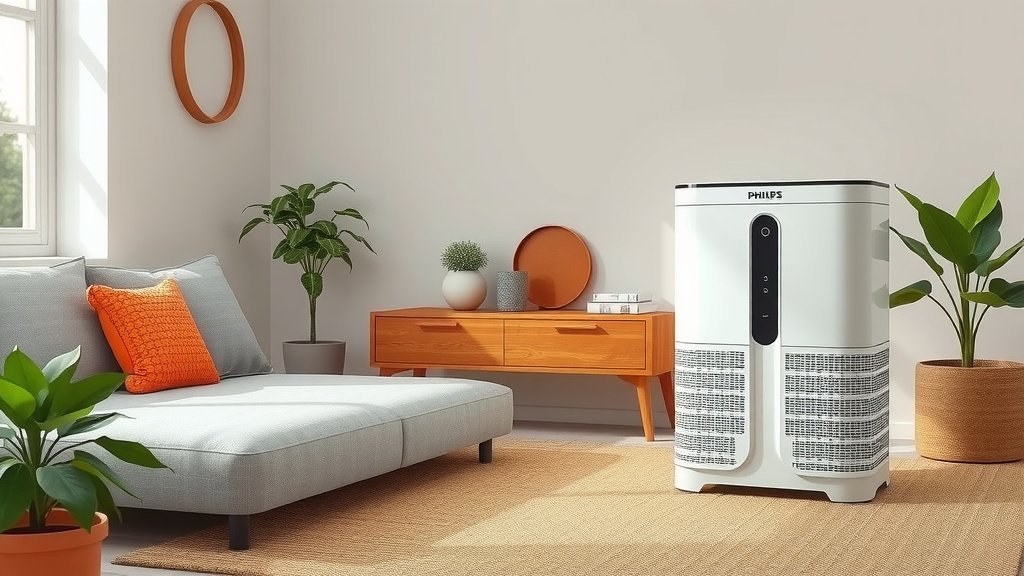
Philips offers a range of air purifiers, like the AC0820, AC1215, AC2887, and many others. The exact method to reset the filter life indicator can differ slightly between these series. For example, on some compact models, a quick press of a specific button might suffice, while on larger units, a longer press might be required. Always consult your specific model’s manual. You can usually find the model number on the back or bottom of your unit.
A Checklist for a Successful Reset
To make sure your Philips air purifier reset goes smoothly, keep this quick checklist handy:
- Confirm the reason for the reset. Is it a filter change or a general glitch?
- Identify your air purifier model number. This helps find the right instructions.
- Locate your user manual. It’s your best friend for model-specific details.
- Try the power cycle first if unsure. Unplug for 60 seconds.
- If applicable, find and use the dedicated reset button.
- Verify the reset. Check that indicator lights are off or the unit functions normally.
When to Seek Further Assistance
If you’ve followed these steps and your Philips air purifier still isn’t behaving as it should, or if the indicator lights remain stubbornly on, it might be time to look beyond a simple reset. Perhaps the filter isn’t seated correctly, or there could be a more technical issue. In such cases, we recommend checking the troubleshooting section of your user manual again. If the problem persists, contacting Philips customer support is the next logical step. They can offer model-specific guidance or arrange for service if needed.
Conclusion
You’ve now learned the common ways to reset your Philips air purifier. Whether it’s a simple power cycle or using a dedicated button after a filter change, these steps help ensure your device runs efficiently. A reset often fixes minor glitches and confirms your new filter is registered. Remember to always check your user manual for your specific model’s details. Taking these small steps will help you continue breathing cleaner air with confidence in your purifier’s performance. If problems persist, don’t hesitate to reach out to Philips support.
Frequently Asked Questions
What does it mean when my Philips air purifier shows a flashing filter light?
A flashing or solid filter light typically indicates it’s time to replace the air filter. After you install a new filter, you’ll need to perform a reset procedure to acknowledge the change and reset the filter life indicator. Ignoring this can mean your purifier continues to operate with an old filter.
Can I reset my Philips air purifier without a specific reset button?
Yes, you absolutely can. The most common method for models without a dedicated reset button is the power cycle. This involves unplugging the unit for about 60 seconds and then plugging it back in. This simple process often clears minor errors and resets the system.
How long should I unplug my Philips air purifier for a reset?
For a proper power cycle reset, you should unplug your Philips air purifier for approximately 60 seconds. This duration ensures that any residual power in the unit’s components is fully discharged. This gives the system a clean slate to reboot from.
Will resetting my air purifier improve its air quality sensing?
In some cases, yes. If the air quality sensor is experiencing minor electronic hiccups, a reset can help recalibrate it. This can lead to more accurate readings of your indoor air quality. However, if the sensor is physically damaged or dirty, a reset may not resolve the issue.
My Philips air purifier is still showing the filter light after resetting. What should I do?
If the filter light remains on after you’ve performed the reset, double-check that you used the correct reset procedure for your specific model. Ensure the new filter is correctly installed. If the problem continues, consult your user manual’s troubleshooting section or contact Philips customer support.

![What Is The Best Air Purifier for Elderly [In 2026]](https://homeunderstandable.com/wp-content/uploads/2025/05/best-air-purifier-for-elderly-enhance-comfort-breathe-easy-768x513.jpg)