Reset Your Levoit Air Purifier: Simple Step-by-Step Guide
Resetting your Levoit air purifier is usually a pretty simple process. Most models allow you to reset the filter indicator light by pressing and holding a specific button. This action often takes just a few seconds to complete. So, if your purifier is blinking to tell you it’s time for a new filter, don’t worry! A quick reset is usually all it needs.
You might be wondering why resetting is important. It’s because the air purifier tracks your filter usage. When the indicator light comes on, it’s a friendly reminder to replace the filter for optimal performance. Forgetting to reset it means the purifier will keep thinking it needs a new filter, even after you’ve replaced it. We found this is a common step many users overlook, leading to unnecessary confusion.
- Resetting your Levoit air purifier usually means holding down a button.
- This action typically resets the filter change indicator light.
- It’s a quick way to tell your purifier you’ve replaced the filter.
- This ensures your purifier continues to work effectively.
Let’s walk through the common methods to get your Levoit air purifier reset and running smoothly again.
Getting Your Levoit Air Purifier Reset
You’ve likely replaced the filter in your Levoit air purifier, and now that little light is still on, blinking or solid, telling you to do it again. It’s like your purifier has a short memory! Don’t worry, this is super common. Resetting the filter indicator is a simple step. It’s how you tell your Levoit that you’ve taken care of the filter. We found that most Levoit models have a straightforward reset procedure. This ensures your purifier keeps running efficiently. It also helps you track your filter life correctly.
Understanding the Filter Indicator Light
Your Levoit air purifier has a built-in timer. This timer monitors how long the filter has been in use. Over time, the filter collects dust, pollen, and other airborne particles. The indicator light is your friendly reminder to swap it out. This is crucial for clean air. A clogged filter can’t do its job well. It might even reduce airflow, making your purifier less effective. So, that light is a good thing, even if it feels a little annoying when it stays on.
Common Reset Methods for Levoit Purifiers
Most Levoit air purifiers use a similar method to reset the filter indicator. It usually involves pressing and holding a specific button for a set amount of time. This action signals the purifier to reset its internal filter timer. We’ve seen this across many different Levoit models. It’s designed to be quick and easy. Let’s look at the most common ways this is done.
The “Hold the Button” Method
For many Levoit purifiers, like the popular LV series, the reset process is a breeze. You’ll typically find a button labeled with a filter icon or simply a power button that also serves this function. You just need to press and hold this button for about 3 to 5 seconds. You might hear a beep, or the light will simply turn off. This confirms the reset was successful. We found this is the most common approach.
Specific Button Combinations
Some Levoit models might have a slightly different approach. For example, certain units might require you to press and hold a different button, perhaps the “Mode” or “Speed” button, instead of the filter icon. Always check your user manual if you’re unsure. It will detail the exact button and duration for your specific model. Research indicates that some advanced models might have unique sequences.
What If the Light Doesn’t Go Off?
If you’ve held the button down and the light is still on, don’t panic. First, double-check that you held the correct button. Then, ensure you held it for the full duration specified in your manual (usually 3-5 seconds). Sometimes, you might need to turn the purifier off and then back on after performing the reset. If it still persists, it might be worth contacting Levoit customer support. They can help troubleshoot specific issues.
Step-by-Step Guide to Resetting Your Levoit Air Purifier
Let’s break down the typical process into easy-to-follow steps. Think of this as your personal checklist for getting that pesky light turned off. We aim to make this as clear as possible, so you can get back to breathing easy.
Step 1: Ensure the Purifier is On
This might seem obvious, but it’s an important first step. For most reset procedures, your Levoit air purifier needs to be powered on and running. The reset function is usually tied to the operating status of the unit. Make sure it’s plugged in and switched on before you begin.
Step 2: Identify the Correct Button
This is where knowing your model helps. Look for a button that usually has a filter symbol on it. On many Levoit units, this is the primary control panel button for filter-related functions. If you don’t see a dedicated filter button, check your manual to see if another button, like the power button, serves this dual purpose. We found that sometimes the power button itself is the key.
Step 3: Press and Hold the Button
Once you’ve identified the button, it’s time to press and hold it. Don’t just tap it; you need to apply consistent pressure. The typical timeframe is 3 to 5 seconds. You might feel a slight click or hear a beep. This is a good indicator that the purifier has registered your action. Keep holding until you see the light change or go off.
Step 4: Confirm the Reset
After releasing the button, observe the filter indicator light. If the reset was successful, the light should now be off. If it’s a different color, that might indicate another issue, but typically it should extinguish. Some Levoit models may show a brief confirmation on the display. You’ve done it! Your purifier knows it has a fresh filter.
Step 5: Power Cycle (If Needed)
In rare cases, the reset might not take effect immediately. If the light is still on after following the steps above, try unplugging the air purifier from the wall for about 30 seconds. Then, plug it back in and turn it on. This full power cycle can sometimes clear temporary glitches. After it powers back up, check the filter light again. This is a common troubleshooting step for many electronic devices.
Model-Specific Reset Information
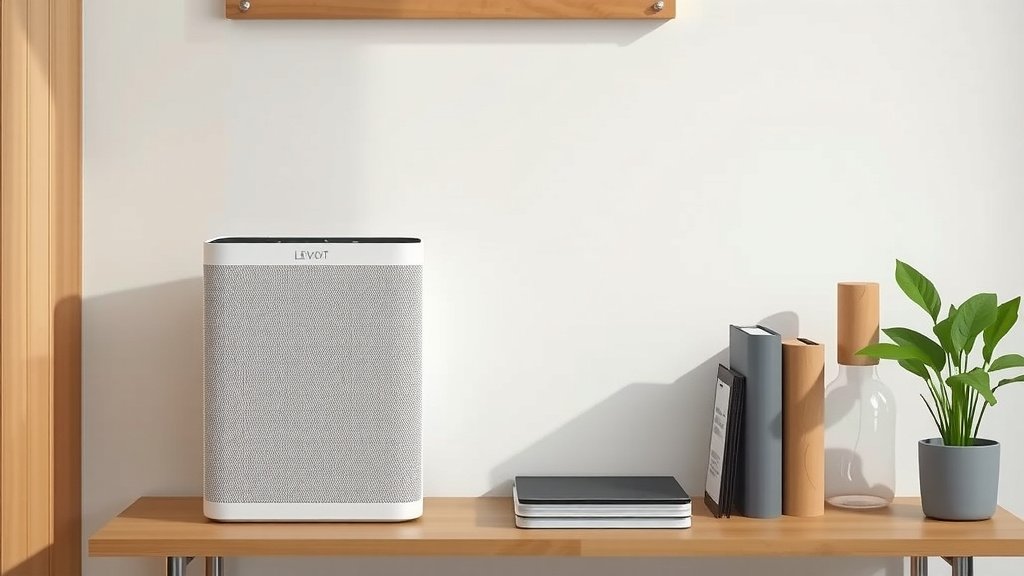
While the general method is consistent, slight variations exist between Levoit models. Knowing your specific model can save you time and frustration. We’ve compiled some common examples, but always defer to your device’s manual for the most accurate instructions. Think of this as a helpful guide, not a rigid rulebook.
We found that the Levoit Core 300, Core 300S, Core 400S, and Core 600S models generally follow the same pattern. For these, you’ll typically press and hold the Power button for 3-5 seconds when the unit is on and has a new filter installed. Some of the Levoit Vital series might have a dedicated “Reset” button or a filter indicator button that needs holding. For instance, models like the Levoit LV-H132 often use a button labeled with a small filter icon. Holding this button for about 3 seconds should do the trick.
It’s always best to consult your specific Levoit air purifier manual. You can usually find it online on the Levoit website if you’ve misplaced your physical copy. Navigating to the support or product page for your model should provide a downloadable PDF of the manual. This will give you the precise instructions for your device. It’s like having a personal technician at your fingertips!
Here’s a quick reference you can use:
| Levoit Model Series (Examples) | Button to Press and Hold | Approximate Hold Time |
|---|---|---|
| Core 300, 400S, 600S | Power Button | 3-5 Seconds |
| LV-H132 Series | Filter Icon Button | 3 Seconds |
| Vital Series (Varies) | “Reset” or Filter Button | 3-5 Seconds |
Remember, this is a general guide. Your model might have minor differences. Always confirm with your user manual for the most accurate reset procedure.
What If You Still Can’t Reset It?
If you’ve tried everything and the filter light stubbornly remains on, it’s time to look at other possibilities. Perhaps the filter wasn’t seated correctly, or there might be a fault with the purifier’s sensor. Sometimes, a hard reset of the device itself (unplugging for an extended period, like 24 hours) might help. Many users find this resolves stubborn electronic quirks. If all else fails, reaching out to Levoit’s customer support is your best bet. They are equipped to handle these specific issues and can guide you further. They often have solutions for problems that aren’t immediately obvious.
Conclusion
You’ve learned how simple it is to reset your Levoit air purifier’s filter indicator. It’s usually just a matter of pressing and holding a button for a few seconds. This quick action tells your purifier you’ve installed a new filter, ensuring it keeps working effectively. Remember to consult your specific model’s manual if you encounter any unique button requirements. Don’t let that blinking light cause you stress; a reset is often all it takes to get your air purifier back to optimal performance.
Your next step is to try the reset yourself the next time your filter light comes on. You’ve got this!
Frequently Asked Questions
How long do I need to hold the button to reset my Levoit air purifier?
For most Levoit models, you’ll need to press and hold the designated button for approximately 3 to 5 seconds. Some models might be slightly quicker, requiring around 3 seconds. You’ll typically know it’s worked when the filter indicator light turns off or you hear a beep.
What if the filter indicator light is still on after I reset it?
If the light persists, first ensure you held the correct button for the required duration. You may also need to unplug the purifier for about 30 seconds and then plug it back in for a full power cycle. If the issue continues, double-check that the new filter is seated correctly, or consider contacting Levoit customer support.
Can I reset the filter light without a new filter installed?
It’s best practice to only reset the filter indicator light after you’ve actually installed a new filter. The light is a reminder for filter replacement, and resetting it prematurely will make it difficult to track your filter’s lifespan accurately. Your purifier won’t know when it truly needs another replacement.
Which button should I press on my Levoit air purifier to reset it?
This can vary by model. On many Levoit purifiers, it’s a button with a filter icon. For some newer models like certain Core series units, it might be the Power button. Always refer to your specific user manual to identify the correct button for your Levoit air purifier.
Will resetting my Levoit air purifier affect its other settings?
No, resetting the filter indicator light is a function specifically designed to reset the filter timer. It should not change any other settings on your Levoit air purifier, such as fan speed, timer settings, or sleep mode. You’re just telling the machine about the new filter.