

How to Read Your Air Purifier Filter: A Simple Guide
Reading your air purifier’s settings is easier than you think! Most models show you air quality levels, fan speeds, and filter status right on the display. You can often control these settings with simple buttons or a remote. Getting to know your air purifier means you can enjoy cleaner air more effectively.
Understanding your air purifier helps you make the most of its features. It’s not just about turning it on and forgetting about it. Knowing what the different lights and numbers mean ensures you’re getting the best performance. We found that many people overlook these simple indicators, which can impact their home’s air quality.
- Air Quality: Look for color codes or numbers indicating pollution levels.
- Fan Speed: Adjust this for quiet operation or faster cleaning.
- Filter Life: Check this regularly to know when to replace filters.
- Modes: Many have auto or sleep modes for convenience.
Let’s walk through exactly how to understand and use your air purifier’s controls step by step, so you can breathe easier.
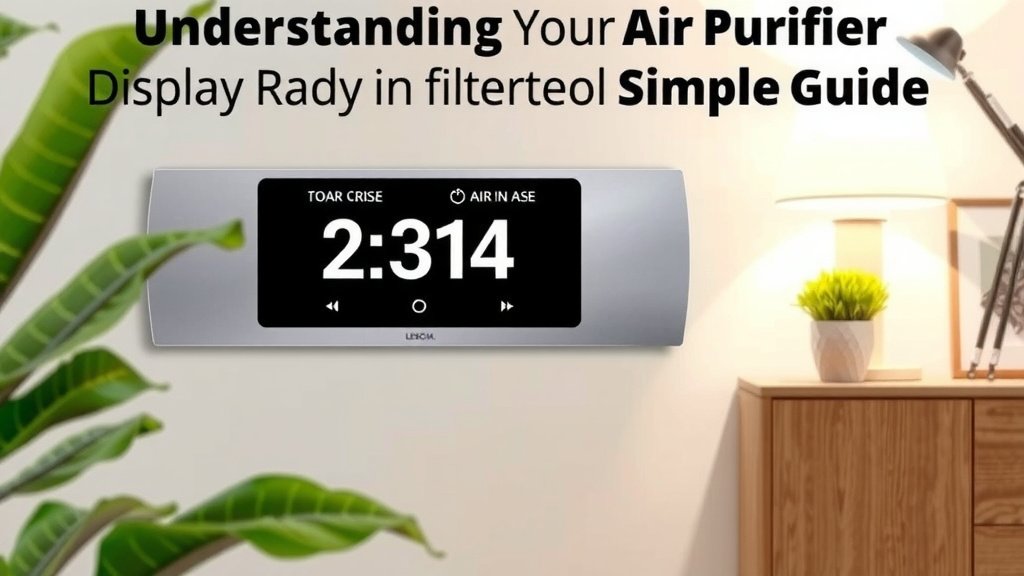
Understanding Your Air Purifier’s Display
Your air purifier’s display is like a dashboard for your air. It tells you what’s happening inside your home’s air and how your purifier is working. We found that many people simply turn on their purifier and forget about it. But taking a moment to understand these indicators can help you breathe cleaner air.
Air Quality Indicators: The Color Code and Numbers
Most modern air purifiers come with some way to show you the current air quality. This is often a simple color-coded light. Think of it like a traffic light for your air. Green usually means good air quality. Yellow or orange suggests moderate levels of pollutants. Red indicates poor air quality that needs attention.
Some purifiers go a step further. They might show a numerical rating. For instance, an AQI (Air Quality Index) score can range from 0 to 500. A lower number is better. We found that this number gives you a more precise idea of pollution levels than just a color. It helps you see if a change in air quality is happening.
What do these numbers mean? Generally, an AQI below 50 is considered good. An AQI between 51 and 100 is moderate. Levels above 100 can start to affect sensitive groups (CDC).
Fan Speed Settings: Quiet vs. Powerful Cleaning
The fan speed is how fast your purifier circulates air. You’ll usually see options like Low, Medium, High, and sometimes Turbo. A lower fan speed is quieter. It’s great for bedrooms or when you’re working from home. It provides gentle, continuous cleaning.
Higher fan speeds clean the air more quickly. These are useful after cooking or if there’s a sudden increase in dust or odors. We found that using a higher setting for a while can quickly improve the air. Then, you can switch back to a quieter setting.
Some purifiers have an ‘Auto’ mode. This is a smart feature. It uses the air quality sensor to adjust the fan speed automatically. If the air quality drops, the fan speeds up. When the air clears, it slows down. This is a convenient way to ensure your air is always being monitored and cleaned.
Filter Status: Knowing When to Replace
Air purifiers rely on filters to capture pollutants. These filters don’t last forever. Your purifier’s display will usually have an indicator for filter life. This might be a percentage, a set of lights, or a specific icon. It tells you how much life is left in your filter.
We found that most manufacturers recommend replacing filters at specific intervals. This can be based on hours of use or a calendar period (like 6 or 12 months). Ignoring the filter status means your purifier won’t work as well. Dirty filters can even become a source of odors themselves.
When the filter indicator lights up or shows a low percentage, it’s time to check your manual. It will tell you the exact type of filter you need and how to replace it. This is a simple maintenance step that makes a big difference.
Exploring Different Modes and Features
Beyond basic controls, many air purifiers offer special modes. These are designed to make using your purifier more convenient and efficient. Understanding these can help you get the most out of your device.
Auto Mode: The Set-It-and-Forget-It Option
As we touched on, Auto mode is incredibly popular. It uses built-in sensors. These sensors constantly monitor your indoor air quality. The purifier then adjusts its fan speed automatically. This means you don’t have to constantly fiddle with the settings. We found that this mode is ideal for daily use. It balances effective cleaning with energy efficiency.
Sleep Mode: Quiet Operation for Nighttime
Sleep mode is designed for nighttime use. It typically reduces the fan speed to its lowest, quietest setting. Many models also dim or turn off all the display lights. This prevents them from being a distraction while you’re trying to sleep. Many experts say that good sleep is essential for health (Mayo Clinic). If your purifier’s lights bother you, sleep mode is your best friend.
Timer Function: Setting a Schedule
Some purifiers include a timer function. This allows you to set the purifier to run for a specific number of hours. You might want it to run for 4 hours after you leave for work. Or perhaps you want it to run all night on a lower setting. Using the timer can save energy. It ensures the purifier is only running when you need it to be.
Child Lock: Preventing Accidental Changes
Do you have curious little ones or pets? Many air purifiers offer a child lock feature. This disables the control panel. It prevents accidental changes to settings. You usually activate it by pressing and holding a specific button for a few seconds. It’s a small feature that can save a lot of frustration.
Using Your Air Purifier Effectively
Now that you understand the display and modes, let’s talk about putting it all to work. How can you ensure your air purifier is doing its best job?
Placement Matters: Where to Put Your Purifier
The location of your air purifier is key. Place it in the room where you spend the most time. This is often the bedroom or living room. Ensure there’s adequate space around the unit. Don’t push it against a wall or furniture. Air needs to circulate freely in and out of the purifier. We found that leaving at least 1-2 feet of clearance on all sides is a good rule of thumb.
Regular Maintenance for Optimal Performance
We’ve already discussed filter replacement. But what else is there? Keep the exterior of your purifier clean. Wipe it down gently with a soft, damp cloth. Check the air intake vents for any dust buildup. These simple steps help your purifier run smoothly. They also help it look good in your home.
When to Act Based on Air Quality Readings
Pay attention to those air quality indicators. If you consistently see yellow or red lights, or high AQI numbers, take action. Open windows to ventilate your home if outdoor air quality is good. Consider running your purifier on a higher setting for a while. Identify potential sources of indoor pollution, like cooking fumes, smoke, or cleaning products. Reducing these sources is just as important as running the purifier (EPA).
Here’s a quick checklist to keep your air purifier running smoothly:
- Check the air quality indicator daily.
- Adjust fan speed as needed or use Auto mode.
- Monitor filter life and note replacement dates.
- Ensure proper placement with good airflow.
- Wipe down the exterior and vents monthly.
- Consider using Sleep mode at night.
Conclusion
You’ve learned how to read your air purifier’s display like a pro. Understanding air quality indicators, fan speeds, and filter status helps you use your device effectively. You can now make informed decisions about adjusting settings or running different modes like Auto or Sleep. This knowledge ensures your air purifier actively works to improve your home’s air. Take the next step by checking your air quality readings today and fine-tuning your settings for optimal breathing comfort.
Frequently Asked Questions
What should I do if my air purifier’s color indicator is red?
A red indicator means your air quality is poor. You should immediately increase the fan speed or switch to Auto mode. It’s also a good idea to identify and remove the source of pollution if possible, such as smoke or strong odors.
How often should I really check the filter life indicator?
We recommend checking your filter life indicator at least once a week. This allows you to stay ahead of replacement needs. Knowing when to change your filter ensures your purifier continues to capture pollutants effectively.
Is Auto mode always the best setting to use?
Auto mode is excellent for daily use as it balances cleaning power and energy efficiency. However, if you notice a sudden spike in pollutants, like after cooking, manually setting a higher fan speed might clear the air faster.
Can I leave my air purifier on all night?
Yes, you can leave your air purifier on all night, especially if you use Sleep mode. Sleep mode reduces noise and dims lights, making it perfect for bedrooms. Continuous operation helps maintain cleaner air while you rest.
What if my air purifier doesn’t have a numerical AQI display?
Many purifiers use a color-coded system instead of numbers. You can still gauge your air quality effectively with these colors. Learn what green, yellow, and red mean for your specific model to understand your air quality levels.

![What Is The Best Home Air Purifier for Smells [In 2026]](https://homeunderstandable.com/wp-content/uploads/2025/05/best-home-air-purifier-for-smells-eliminate-odors-effectively-today-768x768.jpg)