Holmes Air Purifier: A Simple Guide for Best Use
Using your Holmes air purifier is pretty straightforward! To get started, you’ll typically want to Our guide on how to set up your air purifier covers the initial steps.remove all packaging from the filter, place it correctly inside the unit, and then plug it in. Many models have simple button controls for power and fan speed, making it easy to start breathing cleaner air right away.
Understanding your specific Holmes air purifier model will help you get the most out of it. Most units are designed for ease of use, with intuitive controls and clear indicators for filter replacement. We found that keeping it running consistently provides the best air quality improvement in your home or office space.
- Place filter correctly
- Plug in and power on
- Adjust fan speed as needed
- Replace filter when indicated
Ready to get your Holmes air purifier up and running? Let’s walk through the simple steps to ensure you’re enjoying fresh, clean air as quickly as possible.
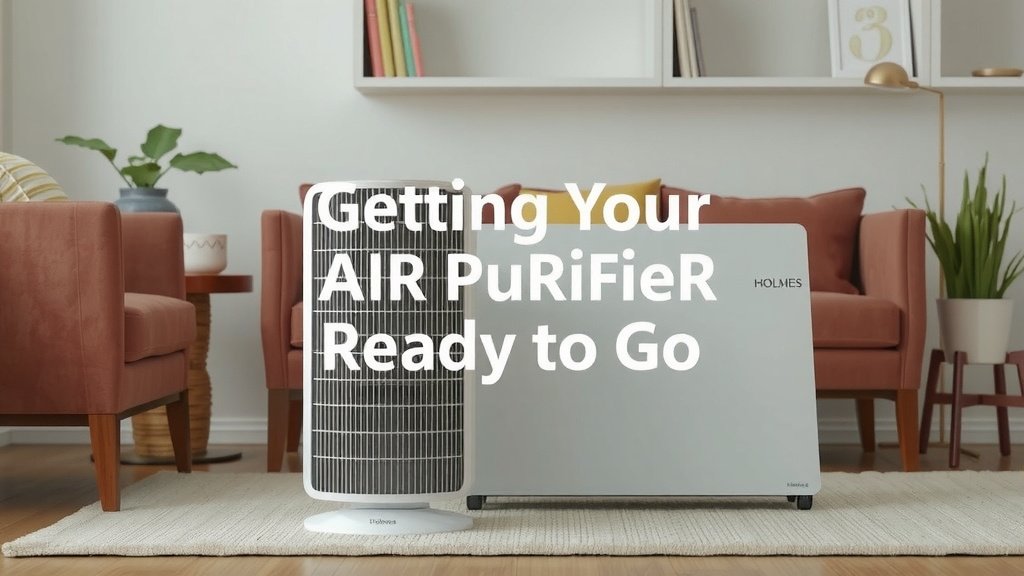
Getting Your Holmes Air Purifier Ready to Go
So, you’ve got your new Holmes air purifier! That’s fantastic. It’s designed to make your home’s air much cleaner and fresher. We found that most users can have their unit up and running in just a few minutes. It’s not complicated at all. Let’s get you breathing easy.
Unboxing and Initial Setup
The very first step is always to carefully unpack everything. You’ll typically find the main unit and one or more filters inside. Sometimes, the filter comes wrapped in plastic for protection. You absolutely need to remove this plastic before putting the filter in. If you don’t, the purifier won’t work properly, and you might even damage the filter.
Locating the Filter and Preparing It
Your Holmes air purifier filter is the heart of the operation. It’s what traps all those dust bunnies and other tiny particles. You’ll usually find it behind a grille or a cover on the back or side of the unit. Check your owner’s manual if you’re unsure where it hides.
Removing the Filter Packaging
Once you’ve located the filter, gently slide it out. You’ll see it’s likely wrapped in a clear plastic bag. This is to keep it clean and dry until it’s time for use. Peel off this plastic completely. Think of it like unwrapping a present; you need to get rid of all the packaging. Make sure no little bits of plastic are left behind.
Installing the Filter Correctly
Now, take your filter and look for any arrows or markings on it. These usually indicate which way it should face when you put it back into the purifier. It needs to be inserted snugly, ensuring there are no gaps around the edges. A good seal is key for efficient air cleaning. Once it’s in place, reattach any grilles or covers you removed.
Plugging In and Powering On Your Purifier
With the filter in place, it’s time to power up. Find a good spot for your purifier. We recommend placing it on a flat, stable surface away from walls or heavy furniture. This allows air to flow freely around the unit. Then, plug the power cord into a standard electrical outlet. You’ll typically find a power button on the top or front of the unit.
Understanding the Control Panel
Holmes air purifiers usually have a very user-friendly control panel. Most models feature simple buttons for power and fan speed. Some might have additional settings like timers or filter reset indicators. Just press the power button to turn it on. You should hear the fan start up.
Adjusting Fan Speed Settings
Once powered on, you can usually adjust the fan speed. You’ll often see options like low, medium, and high. A lower speed is quieter and uses less energy. It’s great for continuous use or when you’re in the room and don’t need a super-fast air change. Higher speeds clean the air more quickly, which is handy after cooking or if you have guests.
Initial Operation and Placement Tips
When you first turn on your Holmes air purifier, let it run for a bit. You might notice a slight fan noise, which is normal. For the best results, we found that running your purifier consistently is important. Many experts suggest leaving it on a medium or low setting most of the time. This keeps the air circulating and filtered throughout the day (Cleveland Clinic).
Optimal Placement for Airflow
Where you put your purifier makes a difference. Avoid placing it directly next to curtains or in tight corners. Good airflow means the purifier can draw in dirty air and expel clean air effectively. Imagine giving it room to breathe! Ideally, place it in the room where you spend the most time.
Maintaining Your Holmes Air Purifier for Peak Performance
Keeping your Holmes air purifier in top shape is simple, but it requires a little attention. The most important maintenance task is filter replacement. Skipping this step is like trying to drive a car without ever changing the oil – it just won’t perform well. We found that a clean filter means cleaner air. Our guide explains when to tell if your air purifier filter needs replacing.
When and How to Replace the Filter
Your Holmes air purifier will usually tell you when it’s time for a new filter. Many models have a “filter change” or “check filter” indicator light that will illuminate. If your model doesn’t have this, a good rule of thumb is to replace the filter every 6 to 12 months. This timeframe can vary based on how often you use the purifier and the air quality in your home. If you have pets or live in an area with a lot of dust, you might need to replace it more often.
Signs Your Filter Needs Replacing
Besides the indicator light, you might notice other signs. If you see a visible layer of dust on the outside of the filter or if the air coming out doesn’t seem as fresh, it’s probably time. Reduced airflow from the unit is another common clue. Replacing the filter is as easy as installing a new one: unplug the unit, open it up, swap out the old filter for a new one, and close it back up.
Cleaning the Exterior and Grilles
While the filter is the main event, don’t forget the outside. A quick wipe-down now and then keeps your purifier looking neat. Make sure the unit is unplugged before cleaning. You can use a soft, dry cloth to dust the exterior. For the grilles, a vacuum cleaner with a brush attachment can work wonders. Gently vacuuming them can help remove accumulated dust.
Quick Start Checklist for Your Holmes Air Purifier
Ready to confirm you’ve got everything covered? Here’s a simple checklist to make sure your Holmes air purifier is all set:
- Filter Unwrapped: Confirm all plastic packaging is removed from the new filter.
- Filter Seated: Ensure the filter is installed correctly with no gaps.
- Power Connected: Plug the power cord securely into the outlet.
- Unit Powered On: Press the power button to start the purifier.
- Fan Speed Set: Adjust the fan speed to your preferred setting.
- Indicator Lights Checked: Note any lights that are on or off.
Conclusion
You’re now ready to get the most out of your Holmes air purifier! We’ve covered the simple steps from unboxing and filter installation to daily operation and essential maintenance. Remember, consistent use and timely filter changes are key to enjoying cleaner air in your home. Simply follow these guidelines to keep your unit running efficiently. Your next step is to check your specific model’s filter replacement indicator and enjoy the fresh air!
Frequently Asked Questions
How often should I run my Holmes air purifier?
For the best results, we recommend running your Holmes air purifier consistently. Most experts suggest keeping it on a low or medium setting throughout the day. This ensures continuous air circulation and filtration, which is most effective for improving your indoor air quality.
What does the filter reset light mean on my Holmes air purifier?
The filter reset light, often labeled “check filter” or “filter change,” indicates that it’s time to replace the air filter. Once you’ve installed a new filter, you’ll typically need to press and hold a specific button on the control panel for a few seconds to reset the indicator light.
Can I use my Holmes air purifier in a small room?
Yes, you can use your Holmes air purifier in a small room. In fact, it can be very effective in smaller spaces. Just be mindful of the fan speed; a lower setting might be sufficient and quieter for a compact area.
My Holmes air purifier smells funny. What could be wrong?
An unusual smell from your air purifier is often a sign that the filter needs to be replaced. Over time, filters trap a lot of dust and odors, which can start to emit a less-than-fresh scent. If you’ve recently replaced the filter and the smell persists, ensure it was installed correctly and that the unit’s exterior is clean.
How do I clean the outside of my Holmes air purifier?
To clean the exterior, always make sure the unit is unplugged first. Use a soft, dry cloth to gently wipe down the surfaces. You can use a vacuum cleaner with a soft brush attachment to carefully clean the air intake and exhaust grilles, removing any accumulated dust.