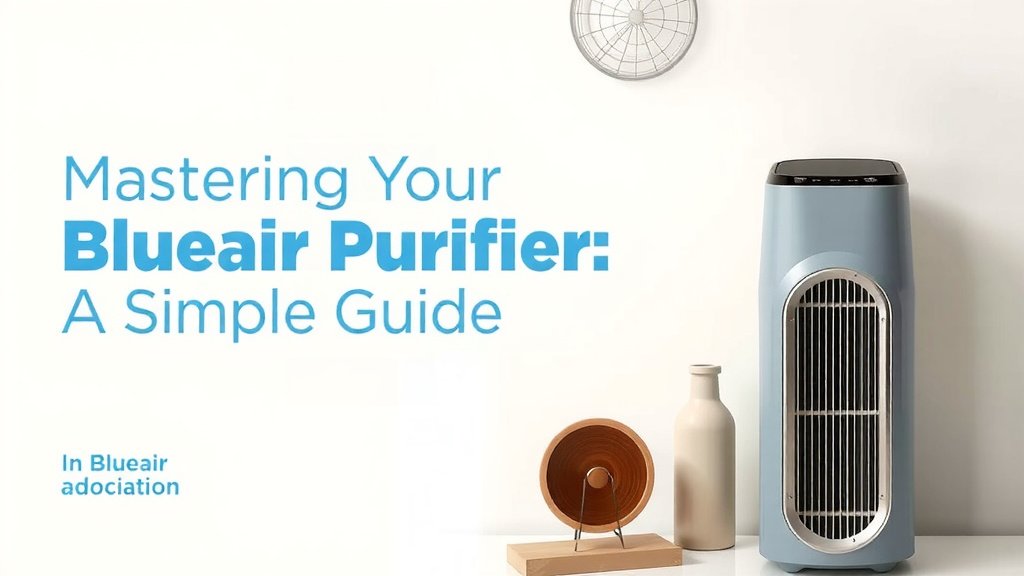
Mastering Your Blueair Purifier: A Simple Guide
Using your Blueair air purifier is refreshingly simple. You just need to Using your Blueair air purifier is refreshingly simple; our guide can help you set up your air purifier.plug it in, select your fan speed, and let it do its magic for cleaner air. Many models also feature automatic modes that adjust performance based on air quality.
Getting the most out of your Blueair means understanding its core functions. We found that proper placement and knowing when to replace the filter are key to achieving the best air purification results. It’s designed for easy operation right out of the box.
TL;DR:
- Plug it in and choose a fan speed.
- Auto mode adjusts automatically.
- Place it in an open area.
- Replace filters as recommended.
- Enjoy cleaner air!
Ready to breathe easier? Let’s walk through exactly how to get your Blueair purifier up and running for optimal performance.
Getting Your Blueair Air Purifier Set Up
So, you’ve got a new Blueair air purifier, and you’re wondering about the best way to get it working for you. It’s a breeze to get started, truly! We found that setting up your Blueair is designed to be as simple and intuitive as possible, so you can start enjoying cleaner air right away.
Unboxing and Initial Placement
First things first: gently unbox your Blueair unit. Make sure to remove all the protective packaging. This usually includes tape, plastic wraps, and sometimes foam inserts around the filters. Give the exterior a quick wipe-down if needed.
Now, where should you put it? The location is key to its effectiveness. We recommend placing your Blueair in the room where you spend the most time. This could be your living room, bedroom, or home office.
Optimal Airflow Considerations
For your Blueair to work its magic, it needs space to breathe. Think of it like a little fan; it needs clear air coming in and going out. We found that keeping it at least a few inches away from walls, furniture, and curtains is ideal. This allows for unobstructed air circulation, ensuring it can effectively draw in stale air and expel fresh, purified air.
Avoid placing it in tight corners or behind large objects. This simple step can make a noticeable difference in its performance. Imagine trying to blow up a balloon through a tiny straw – it’s not very efficient! Your Blueair needs room to perform at its best.
Connecting to Power and First Use
Once you’ve chosen the perfect spot, it’s time to power it up. Simply plug the power cord into a standard electrical outlet. Your Blueair is now ready for its first operation.
Most Blueair models have simple controls, often located on the top of the unit. You’ll typically find buttons for power and fan speed. Press the power button to turn it on. You’ll immediately notice the fan start to work, pulling air through its filtration system.
Understanding Your Blueair’s Controls and Modes
Your Blueair unit is equipped with user-friendly controls that let you customize your air purification experience. We found that understanding these basic functions helps you get the most out of your device. Let’s break down what each setting typically does.
Fan Speed Settings Explained
You’ll usually see a few fan speed options. These are typically labeled with numbers (like 1, 2, 3) or symbols representing low, medium, and high.
- Low Speed: This is great for quiet operation, often used overnight in bedrooms. It’s energy-efficient and perfect for maintaining air quality when pollutant levels are low.
- Medium Speed: A good balance between performance and noise. Use this for everyday air purification when you want effective cleaning without it being too noticeable.
- High Speed: This setting provides the maximum air cleaning power. It’s ideal for quickly removing odors, allergens, or pollutants when they are present at higher levels.
Exploring Auto Mode and Smart Features
Many modern Blueair purifiers come with an Auto Mode. This is a fantastic feature that takes the guesswork out of air purification. When you select Auto Mode, your Blueair uses built-in sensors to monitor the air quality in your room.
If the sensors detect an increase in pollutants – perhaps from cooking smoke, pollen drifting in, or even pet dander – the purifier will automatically increase its fan speed. Once the air quality improves, it will adjust back down. We found that this mode is perfect for busy households and ensures your air is consistently clean without constant manual adjustments.
What the Sensors Detect
These sensors can typically detect particles like dust, pollen, and pet dander, as well as volatile organic compounds (VOCs) which can come from cleaning products or new furniture (National Institute of Environmental Health Sciences). The unit then uses this data to optimize its performance.
Understanding the Filter Indicator Light
Don’t worry about remembering when to change your filter. Your Blueair has a handy Don’t worry about remembering when to change your filter; our guide explains when to replace your filter.filter indicator light. This light will change color or illuminate when it’s time to replace the filter. We found this feature incredibly helpful for maintaining peak performance without needing to track filter life manually.
Following the manufacturer’s recommendation for filter replacement is vital for effective air purification. A clogged filter simply can’t do its job properly. Think of it like a clogged coffee filter – the water just doesn’t flow through well!
Maintaining Your Blueair for Peak Performance
Keeping your Blueair purifier running smoothly is straightforward. Regular maintenance ensures it continues to provide you with the cleanest air possible. We found that a few simple steps go a long way.
Filter Replacement Guide
The most important maintenance task is replacing the filter. Your Blueair’s manual will specify the recommended replacement interval, often based on usage hours or a specific timeframe (e.g., every 6 months).
When the filter indicator light comes on, or when the recommended time has passed, it’s time for a new filter. To replace it, simply unplug the unit, open the access panel (usually at the back or side), remove the old filter, and insert the new one. Make sure it’s seated correctly before closing the panel and plugging the unit back in.
Where to Get Replacement Filters
You can typically purchase genuine Blueair replacement filters directly from the Blueair website or authorized retailers. Using authentic filters ensures your purifier performs as intended and maintains its warranty. We found that sticking to official filters is the safest bet.
Cleaning the Exterior
Keeping the outside of your Blueair clean is easy. Periodically, you’ll want to wipe down the unit with a soft, damp cloth. Avoid using harsh chemicals or abrasive cleaners, as these could damage the finish.
It’s also a good idea to gently vacuum the exterior grilles occasionally to remove any accumulated dust. This ensures that the airflow remains unimpeded and the unit looks its best.
Here’s a quick checklist to keep your Blueair in top shape:
- Check filter indicator light regularly.
- Replace filters at the recommended interval.
- Wipe down the exterior with a soft cloth.
- Gently vacuum grilles for dust buildup.
- Ensure proper placement for optimal airflow.
- Keep the unit plugged in for continuous purification.
Conclusion
You’re now well-equipped to get the most out of your Blueair air purifier. Remember, simple steps like choosing the right spot and understanding your unit’s modes are key. Auto Mode makes everyday purification effortless, while regular filter changes ensure it always performs at its best.
Your Blueair is designed for ease, so you can focus on enjoying fresher, cleaner air in your home. The best next step? Make sure your filter indicator light is visible and plan to replace that filter soon if it’s been a while. Breathe easy!
Frequently Asked Questions
How often should I replace my Blueair air purifier filter?
Blueair recommends replacing your filter based on usage, typically every 6 to 12 months. Always check your specific model’s manual. The filter indicator light on your unit is also a great reminder.
Can I run my Blueair purifier all day?
Yes, you can absolutely run your Blueair purifier continuously. They are designed for 24/7 operation to maintain consistent air quality. Keeping it plugged in and running, especially on a lower or auto setting, is ideal.
Is Auto Mode always the best setting?
Auto Mode is excellent for most situations as it intelligently adjusts fan speed based on air quality. For quick air cleaning, like after cooking, you might manually select a higher speed. Otherwise, Auto Mode is a convenient choice.
How do I clean the outside of my Blueair unit?
Wipe the exterior of your Blueair with a soft, damp cloth. Avoid using abrasive cleaners or harsh chemicals. Gently vacuuming the grilles occasionally can help remove dust buildup.
Where is the best place to put my Blueair purifier in a bedroom?
Place your Blueair on a stable surface, away from curtains or furniture, allowing at least a few inches of clearance. This ensures optimal airflow. You might choose a lower fan speed for quieter operation overnight.