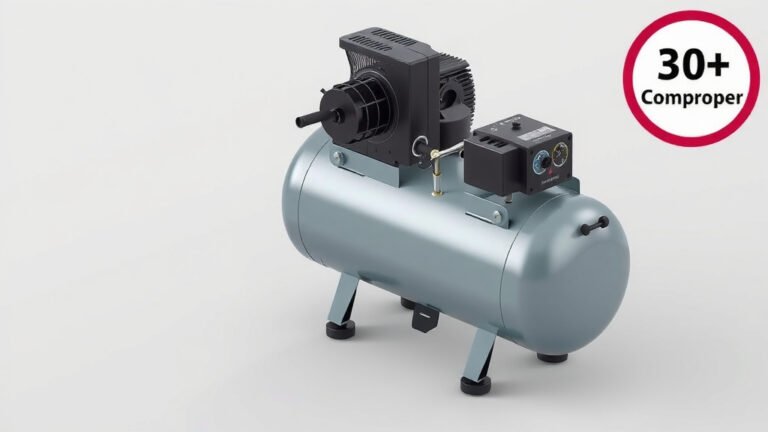
How to Turn On Your Porter Cable Air Compressor Easily
Turning on your Porter Cable air compressor is pretty straightforward. You’ll typically want to plug it in, ensure the power switch is off, and then flip the switch to the ‘on’ position. Always double-check your specific model’s manual for any unique steps it might require.
Many folks wonder if there’s a trick to it. While most compressors follow a similar pattern, understanding the role of the pressure switch and how it controls the motor is key. It’s designed to stop the motor once your tank reaches the set pressure.
- Plug in the compressor.
- Ensure the power switch is in the OFF position.
- Flip the power switch to ON.
- Listen for the motor to start.
- Watch the pressure gauge.
Let’s walk through exactly how to get your Porter Cable air compressor up and running, step by step.
Getting Your Porter Cable Air Compressor Started
So, you’ve got your Porter Cable air compressor ready to go. Turning it on is generally a simple process, but getting it right ensures everything runs smoothly and safely. We’ll guide you through the steps.
Pre-Start Safety Checks You Shouldn’t Skip
Before you even think about flipping a switch, a quick safety check is a must. This helps prevent any surprises. Think of it like checking your mirrors before you back out of the driveway. It’s that important.
Inspecting the Power Cord and Outlet
First, take a look at the power cord. Make sure it’s not frayed, cut, or damaged in any way. A damaged cord is a major safety hazard, and you don’t want any sparks flying where they shouldn’t be. Also, ensure the outlet you’re plugging into is grounded. A grounded outlet has a third, round hole. Using an adapter to bypass this grounding is not recommended for safety (Consumer Product Safety Commission).
Checking the Air Filter
Next, give the air filter a quick glance. It’s usually a small component attached to the intake. A clogged filter can make your compressor work harder than it needs to, affecting its performance. For most Porter Cable models, this is easily accessible for a visual check.
The Power Switch: What to Look For
You’ll find the power switch on your compressor, often located near where the power cord connects. It’s typically a simple rocker switch, labeled with ‘I’ for ‘On’ and ‘O’ for ‘Off’. Sometimes, it might be a push-button type.
Understanding the Pressure Switch
This is a really key part of how your compressor operates. The pressure switch is like the thermostat for your air tank. It automatically turns the motor off when the air pressure in the tank reaches a preset level. Then, when the pressure drops below another set point (usually due to air usage), it turns the motor back on to refill the tank. This is why you might hear the compressor cycle on and off while you’re using it.
Ensuring the Switch is in the ‘Off’ Position
This is a critical step we mentioned in the intro. Always, always, always make sure the power switch is in the ‘Off’ position before plugging the compressor into the power source. Plugging it in while the switch is ‘On’ can cause an unexpected startup, which could be dangerous.
The Step-by-Step Startup Process
Now that your pre-checks are done, let’s get this compressor humming. It’s a straightforward sequence. You’re almost there!
Step 1: Connect to Power
Go ahead and plug the power cord firmly into your grounded electrical outlet. Make sure it’s a snug fit. This provides the juice your compressor needs to get to work.
Step 2: Engage the Power Switch
With the cord plugged in, find that power switch again. Now, flip it to the ‘On’ position. You should hear the motor kick in.
Step 3: Listen for the Motor
A healthy compressor will make a distinct sound when it starts. You should hear the motor begin to run. If you don’t hear anything, double-check that it’s plugged in correctly and that the switch is indeed in the ‘On’ position. Also, ensure the circuit breaker hasn’t tripped.
Step 4: Monitor the Pressure Gauge
As the motor runs, it’s pumping air into the tank. Keep an eye on the pressure gauge. You’ll see the needle slowly climb as the air pressure builds. This is a good visual cue that everything is functioning as it should.
Step 5: The Automatic Shut-Off
You’ll know your compressor has reached its fill point when the motor automatically shuts off. The pressure gauge will be at its maximum reading for that cycle. This is the pressure switch doing its job!
What to Expect and Troubleshooting Tips
Understanding what’s normal helps you spot when something might be off. Most of the time, it’s smooth sailing, but it’s good to know what to do if it’s not.
Normal Operating Sounds and Behavior
Your compressor will make a sound like a small engine when it’s running. It will also cycle on and off periodically as you use air. This is completely normal behavior. The louder, more sustained noise is the motor pumping air. The quieter hum or silence is when it’s resting or waiting to refill.
Common Startup Issues and Quick Fixes
Sometimes, things don’t go perfectly. If your compressor doesn’t start, here are a few things to check:
- Power Supply: Is it definitely plugged in? Is the outlet working? Try another appliance in the same outlet to be sure. Has a circuit breaker tripped in your home’s electrical panel?
- Switch Position: Did you accidentally leave the switch in the ‘On’ position before plugging it in? Sometimes this can cause a brief surge or prevent startup on some models. Unplug, ensure it’s ‘Off’, then plug in and turn ‘On’.
- Motor Overload Protector: Many compressors have a small reset button, often red, near the motor. If the motor overheats, this button might pop out. Wait a few minutes for it to cool down, then press it.
- Water in the Tank: While not a startup issue, it’s good practice to drain your tank periodically. Water buildup can affect performance and lead to rust over time.
When to Consult Your Manual
Every Porter Cable air compressor model is a little different. Your owner’s manual is your best friend for specific details. If you’re experiencing persistent problems or something just doesn’t sound right, consult the manual. It will have troubleshooting sections tailored to your exact unit. It might also advise on specific maintenance tasks that are crucial for proper operation.
Post-Startup Checklist: You’re Almost Ready!
You’ve successfully turned on your compressor. Now, let’s do a final quick check to ensure everything is in order before you connect your tools.
Quick Startup Checklist
Here’s a handy list to run through:
- Power cord securely plugged in?
- Switch flipped to ‘ON’ position?
- Motor started making noise?
- Pressure gauge is increasing?
- Motor shut off automatically at full pressure?
- No unusual or loud noises?
If you answered yes to all these, you’re in great shape!
Conclusion
You’ve now learned the essential steps to safely and effectively turn on your Porter Cable air compressor. Remember to always perform your pre-start safety checks, like inspecting the power cord and ensuring a grounded outlet. Understanding the role of the power switch and the automatic pressure switch is key to its operation. By following the simple startup sequence and listening for normal operating sounds, you’ll have your compressor ready for action. Your next step is to connect your desired air tool and tackle your project!
Frequently Asked Questions
What if my Porter Cable compressor doesn’t turn on after flipping the switch?
First, double-check that the power cord is securely plugged into a working, grounded outlet. If the outlet is fine, investigate your home’s electrical panel for a tripped circuit breaker. You might also need to check for a motor overload protector reset button, often found near the motor, which may need to be pressed after cooling down.
Can I leave the power switch ‘On’ when I plug it in?
It’s strongly recommended that you always ensure the power switch is in the ‘Off’ position before plugging your compressor in. Plugging it in while the switch is ‘On’ can lead to an unexpected and potentially dangerous startup. Always follow the ‘plug in first, then switch on’ sequence for safety.
How do I know when the compressor has finished filling the tank?
You’ll know your compressor has finished filling the tank when the motor automatically shuts off. This is the pressure switch doing its job, indicating that the air pressure inside the tank has reached its maximum set point. You can also watch the pressure gauge; it will stop climbing and usually sit at its highest reading for that cycle.
Is it normal for the compressor to make noise when it’s not actively pumping air?
No, a Porter Cable air compressor should only make a noticeable motor sound when it is actively pumping air to fill the tank. When it’s not filling the tank, it should be quiet or have a very faint hum. If you hear persistent noise when it’s not pumping, it’s best to consult your owner’s manual or contact support.
Why is checking the air filter important before turning on the compressor?
Checking the air filter before startup is important because a clogged filter restricts airflow. This makes your compressor work harder than it needs to, which can reduce its efficiency and lifespan. A quick visual inspection ensures optimal performance from the start.