How Often to Clean Dyson Air Purifier Filter
You should clean your Dyson air purifier filter about every 6-12 months, depending on usage and air quality. Dyson recommends checking your filter’s status through the Dyson Link app. This routine helps ensure your purifier continues to capture allergens and pollutants effectively, keeping your air fresh. Don’t forget, filter cleaning isn’t about washing the HEPA filter; it’s about maintaining the pre-filter and the unit itself.
Keeping your Dyson air purifier running smoothly means paying attention to its filter. A dirty filter can reduce airflow and purification efficiency. Many users find that regular maintenance, even simple checks, can extend the lifespan of the unit. We’ve found that consistent attention to filter care is key to enjoying cleaner air consistently. It’s a small task that makes a big difference in your home’s air quality.
- Dyson HEPA filters are typically not washable.
- Check the Dyson Link app for filter status updates.
- Clean the pre-filter regularly.
- Replace filters as recommended for best performance.
- A clean filter means cleaner air for you.
Ready to learn the best way to keep your Dyson air purifier filter in tip-top shape? Let’s break down exactly what you need to do to maintain its performance and keep your air as clean as possible.
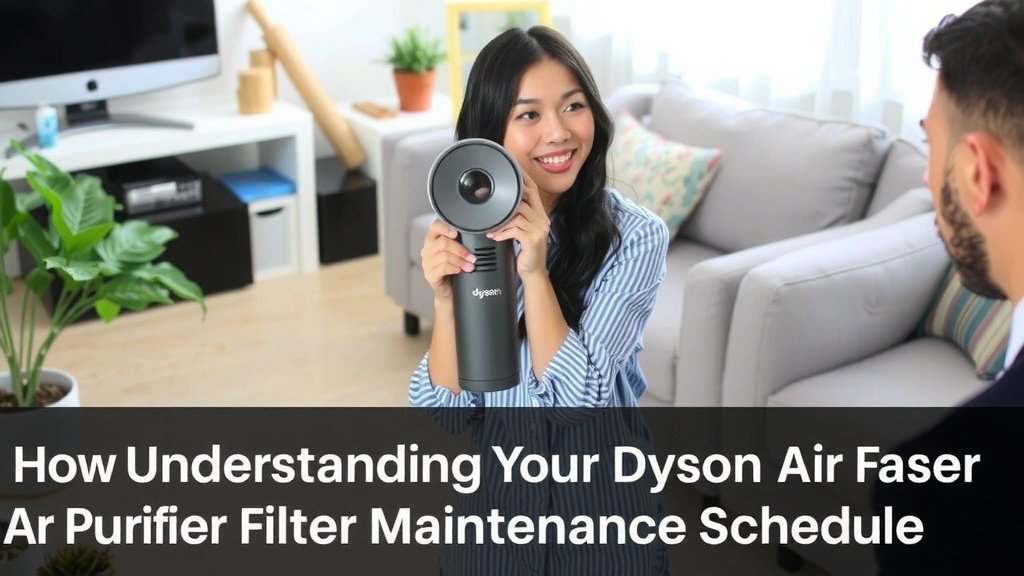
Understanding Your Dyson Air Purifier Filter Maintenance Schedule
Knowing when to clean your Dyson air purifier filter is essential for its best performance. Many users wonder about the exact frequency. We found that a good rule of thumb is to check your filter’s status every 6 to 12 months. This timeframe can shift based on how often you use your purifier and the air quality in your home.
Think of your air purifier filter like a sponge. It soaks up all the dust, allergens, and other particles floating around your living space. Eventually, that sponge gets full. If you don’t wring it out or replace it, it can’t absorb any more. This is why understanding the maintenance schedule is key to ensuring you’re always breathing the freshest air possible.
What Does Dyson Recommend?
Dyson themselves offer clear guidance on filter care. They strongly suggest using the Dyson Link app for real-time updates. This app is designed to monitor your purifier’s performance. It will alert you when specific components, including the filter, need attention. This technology takes the guesswork out of maintenance.
The app provides a clear indication of your filter’s condition. You don’t need to be a tech wizard to use it. Simply connect your purifier to your home Wi-Fi. The app will then display useful data. This includes air quality reports and maintenance reminders. It’s a smart way to stay on top of things without having to remember specific dates.
Why Regular Maintenance Matters for Your Filter
You might be thinking, “Do I really need to worry about this?” The answer is a resounding yes! Regular filter maintenance is crucial for optimal air purification. A clogged filter restricts airflow. This means your purifier has to work harder to pull air through. This reduced efficiency can lead to less clean air circulating in your home.
We found that when filters are neglected, the unit’s fan motor can also experience strain. This might shorten the overall lifespan of your Dyson air purifier. Keeping the filters clean ensures that the airflow remains unobstructed. This allows the purifier to capture pollutants effectively. It also helps maintain energy efficiency, which is good for your wallet and the planet.
Differentiating Between Filter Types and Their Care
It’s important to understand that Dyson air purifiers often have different filter components. Not all of them require the same type of attention. You’ll typically find a HEPA filter and a pre-filter. Their cleaning needs are quite distinct.
The HEPA Filter: Generally Not Washable
Let’s address the most common question first: can you wash the HEPA filter? In most cases, the answer is no, Dyson HEPA filters are not washable. These filters are designed with extremely fine materials to capture microscopic particles like pollen, dust mites, and bacteria. Washing them would damage this delicate structure.
Think of the HEPA filter like a highly specialized sieve. Its job is to catch very small things. If you tried to wash it, you’d likely ruin its ability to capture those tiny particles. Instead, HEPA filters are designed to be replaced periodically. The Dyson Link app will tell you when this replacement is due. This ensures you always have the best filtration performance. Many guidelines recommend replacing HEPA filters yearly for optimal air quality (Environmental Protection Agency).
The Pre-Filter: Your First Line of Defense
Your Dyson air purifier also has a pre-filter. This is usually a mesh layer that sits in front of the main HEPA filter. Its primary job is to catch larger particles. These might include pet hair, larger dust bunnies, and fabric fibers. It acts as a shield, protecting the more sensitive HEPA filter from getting clogged too quickly.
This pre-filter can and should be cleaned regularly. Cleaning the pre-filter is a simple process. You can usually do this by hand. It involves gently brushing off accumulated dust or using a vacuum cleaner with a brush attachment. This is a task you can often perform every few weeks, depending on your home environment. Keeping the pre-filter clean is a vital step in extending the life of your main HEPA filter.
Practical Steps for Filter Maintenance
Now that you understand the ‘why’ and ‘what,’ let’s get to the ‘how.’ Maintaining your Dyson air purifier filter is straightforward. You don’t need special tools or a degree in engineering. It’s all about simple, consistent care.
Checking Your Filter’s Status
The easiest way to know if your filter needs attention is through the Dyson Link app. As mentioned, it’s your primary source of information. If you’re not using the app, you might notice changes in the unit’s performance. For example, if the airflow seems weaker than usual, it could be a sign of a dirty filter.
Some Dyson models also have indicator lights on the unit itself. These lights can signal when maintenance is required. Always refer to your specific model’s user manual. It will detail any visual cues or alerts you should be aware of. This quick check can save you from potential issues down the line.
Cleaning the Pre-Filter: A Simple Routine
To clean the pre-filter, you’ll first need to detach it from the main unit. Consult your manual for the exact procedure for your model. Once removed, gently brush off any loose debris. A soft brush or a vacuum cleaner with a soft brush attachment works well. For stubborn dust, you might be able to rinse it under cool, running water. Ensure it’s completely dry before reattaching.
We found that making this a monthly task can make a big difference. Imagine wiping down your kitchen counters – it’s a similar principle. You’re removing the visible gunk before it becomes a bigger problem. This simple act helps maintain optimal airflow and keeps your purifier working its best.
When to Replace Your HEPA Filter
Your HEPA filter, unlike the pre-filter, will eventually need to be replaced. The Dyson Link app is your best friend here. It will notify you when the filter’s lifespan is nearing its end. You can also find information on replacement intervals in your user manual. For many users, this means a replacement once every 12 months or so.
Replacing the HEPA filter is usually a straightforward process. You’ll need to purchase an official Dyson replacement filter to ensure compatibility and performance. Simply remove the old filter and install the new one according to the instructions provided. This is a key step in ensuring your purifier continues to capture those tiny, invisible pollutants.
A Quick Filter Maintenance Checklist
To help you stay on track, here’s a simple checklist:
- Weekly: Visually inspect the visible pre-filter for large debris.
- Monthly: Gently clean the pre-filter using a brush or vacuum.
- Every 6-12 Months: Check the Dyson Link app for HEPA filter status.
- As Needed: Replace the HEPA filter when the app or manual indicates.
- After Cleaning: Always ensure all parts are completely dry before reassembly.
By following these simple steps, you can ensure your Dyson air purifier continues to provide you and your family with clean, fresh air. It’s a small investment of time that pays off significantly in your home’s environment.
Conclusion
You’ve learned that keeping your Dyson air purifier filter clean is essential for consistently fresh air. Remember, the HEPA filter is typically not washable and needs replacement, while the pre-filter benefits from regular cleaning. Relying on the Dyson Link app is your smartest move for real-time maintenance alerts. By following these simple maintenance steps, you’re ensuring your purifier works efficiently, capturing allergens and pollutants effectively.
Your next step is simple: open the Dyson Link app right now and check your filter status. Then, schedule a quick pre-filter clean for next week. You’ve got this!
Frequently Asked Questions
How often should I actually clean my Dyson air purifier’s pre-filter?
We recommend cleaning your Dyson pre-filter about once a month. This helps catch larger particles like pet hair and dust bunnies before they reach the main HEPA filter. Depending on your home’s air quality, you might even do this more often.
What happens if I don’t clean or replace my Dyson filter?
If you neglect filter maintenance, your Dyson purifier’s airflow will decrease. This makes it less effective at capturing pollutants and allergens. You might also notice the unit working harder, which could shorten its lifespan.
Can I just wash the entire Dyson air purifier filter if it looks dirty?
No, this is a common mistake. Only the pre-filter is typically cleanable, usually by brushing or gentle rinsing. The HEPA filter itself is made of delicate materials designed for microscopic particle capture and washing will damage it.
How do I know for sure when my HEPA filter needs replacing?
Your Dyson Link app is the best guide for HEPA filter replacement. It monitors the filter’s performance and will notify you directly when it’s time. Your user manual will also provide general replacement timelines.
Is it okay to use a generic or third-party filter for my Dyson?
While generic filters might seem cheaper, Dyson strongly recommends using only their official replacement filters. This ensures proper fit and filtration performance, protecting your purifier and guaranteeing the clean air you expect.

![What Is The Best Air Purifier for Dental Offices [In 2026]](https://homeunderstandable.com/wp-content/uploads/2025/06/best-air-purifier-for-dental-offices-enhance-air-quality-instantly-768x384.jpg)