How to Turn On Your Shark Air Purifier: Simple Steps
Turning on your Shark air purifier is super simple! Just plug it in, and most models will start on a low setting. For more control, press the power button, and then select your desired fan speed or mode using the touch controls.
We know you want fresh air quickly. Understanding your Shark purifier’s controls ensures you get the best performance. It’s designed for ease of use, so you can enjoy cleaner air without a fuss. Getting it started is just the first step to a healthier home environment.
- Plug in your Shark air purifier.
- Press the power button to turn it on.
- Use fan speed or mode buttons for settings.
- Check your manual for specific model features.
Let’s walk through exactly how to get your Shark air purifier up and running in just a few easy steps.
Getting Your Shark Air Purifier Started
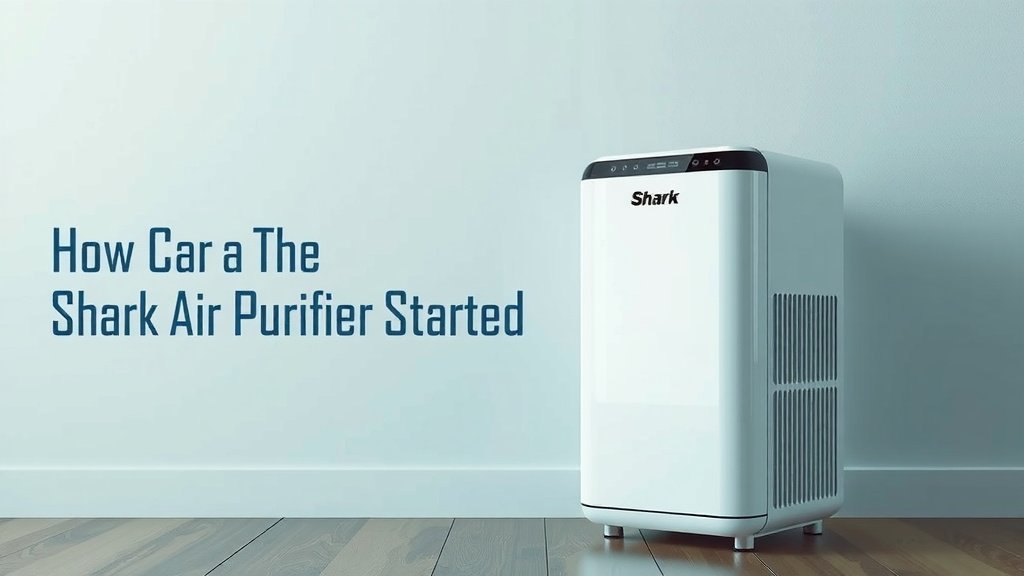
So, you’ve got your new Shark air purifier. That’s fantastic! You’re probably eager to breathe cleaner air. Let’s get it powered up and running in no time. Turning it on is generally quite straightforward. Most models are designed for immediate use right out of the box.
The first thing you’ll want to do is find a good spot for your purifier. Make sure it’s on a flat, stable surface. Give it some breathing room, too. We found that leaving about 12 inches of space around the unit helps it work most efficiently (Shark Support).
The Power Button: Your First Step
Almost every Shark air purifier has a clear power button. It’s usually a prominent button on the top control panel. You might see a symbol that looks like a circle with a vertical line through it. That’s the universal power symbol.
Simply press this button once. For many models, this action will turn the unit on to its lowest fan speed. It’s like a gentle hello from your new air-cleaning friend. This default setting is perfect for continuous operation.
What Happens When You Press Power?
When you press the power button, you’ll likely hear a soft beep. Lights on the control panel will illuminate. This signals that the purifier is now active and starting its work. You might see a light indicating the current fan speed. It’s usually set to ‘low’ by default.
This initial power-on sequence is designed to be user-friendly. You don’t need to be a tech wizard. We’ve found that most users can get their purifier running within minutes of unboxing.
Adjusting Fan Speed and Modes
Once your Shark air purifier is on, you’ll want to customize it. Most models offer adjustable fan speeds. This lets you control how powerfully it cleans your air. You’ll find buttons dedicated to fan speed adjustments.
Look for buttons with a fan symbol or labels like ‘Low,’ ‘Medium,’ and ‘High.’ Pressing these buttons will cycle through the different speeds. Higher speeds clean the air faster. They can be a bit louder, though. Lower speeds are quieter. They are great for overnight use.
Exploring Different Modes
Beyond basic fan speed, some Shark models have special modes. These are designed for specific air quality needs. You might find an ‘Auto’ mode. This mode uses sensors to detect air quality. It then adjusts the fan speed automatically.
Other modes could include a ‘Night Mode.’ This often dims the lights and runs the purifier at a quiet speed. Some models even have specialized filtration modes. Always check your user manual for specific mode functions. Your manual is your best friend here.
Understanding the Control Panel Lights
The control panel on your Shark air purifier uses lights to show you its status. These lights are your quick visual cues. They tell you what the unit is doing at a glance. You’ll see lights for power, fan speed, and mode selections.
Some units also have air quality indicator lights. These lights change color based on the detected pollution level. For example, blue might mean good air quality. Red could indicate poor air quality. This visual feedback is super helpful.
What Do the Lights Mean?
The meaning of each light is usually explained in your instruction manual. Don’t worry if you don’t recognize them immediately. A quick look at the manual will clear things up. It’s important to understand these indicators for optimal use.
For instance, if an indicator light shows that a filter needs changing, you’ll know it’s time for maintenance. Ignoring these lights can reduce the purifier’s effectiveness. We found that paying attention to these indicators ensures your unit runs at peak performance.
A Step-by-Step Guide to Powering On
Let’s recap the basic steps to get your Shark air purifier humming. It’s a simple process, designed for anyone to follow. You’ll be enjoying cleaner air before you know it.
- Step 1: Unpack and Position Carefully remove your purifier from its packaging. Place it on a level surface, away from obstructions.
- Step 2: Plug It In Connect the power cord to a working electrical outlet. Ensure the cord is not a tripping hazard.
- Step 3: Press the Power Button Locate and press the power button on the control panel. The unit should power on, likely to a low setting.
- Step 4: Select Your Settings Use the fan speed or mode buttons to choose your desired settings. Auto mode is a great option if available.
- Step 5: Check Indicator Lights Observe the lights on the control panel. They will confirm the unit is on and operating correctly.
Troubleshooting Common Startup Issues
What if your purifier doesn’t turn on? Don’t panic! Most issues are easy to fix. First, double-check that it’s securely plugged in. Sometimes a loose connection is the culprit. Is the outlet working? Try plugging in another device to test it.
If your unit still won’t power on, consult your user manual. It often has a troubleshooting section. You might need to reset the device. Or perhaps there’s a safety feature preventing startup. Many experts suggest checking the filter installation, too (Consumer Reports).
When to Seek Further Help
If you’ve tried the basic troubleshooting steps and your Shark air purifier still isn’t working, it’s time for support. Check if your unit is still under warranty. Contact Shark customer service. They can guide you through more advanced troubleshooting. Or they can arrange for repairs if needed.
Remember, your goal is clean air. Getting your purifier started is the first step. We found that most issues are resolved with a few simple checks. This ensures you get the most out of your investment.
| Button/Indicator | Common Function | What It Means |
|---|---|---|
| Power Button | Turns unit ON/OFF | Activates or deactivates the purifier. |
| Fan Speed Buttons | Adjusts airflow | Cycles through Low, Medium, High speeds. |
| Mode Button (e.g., Auto) | Selects operating mode | Activates Smart features or specialized settings. |
| Air Quality Indicator Light | Shows pollution level | Colors indicate current air cleanliness (e.g., Blue=Good, Red=Poor). |
| Filter Replacement Indicator | Signals maintenance needed | Lights up when it’s time to change filters. |
Quick Checklist Before You Go!
Before you leave your new purifier to do its magic, let’s do one final check. This ensures you’ve covered all the bases.
- Is the purifier plugged into a working outlet?
- Did you press the main power button?
- Are the indicator lights on?
- Have you set your preferred fan speed or mode?
- Is there enough space around the unit for airflow?
- (Bonus!) Did you briefly check the manual for unique features?
Conclusion
You’ve successfully learned how to turn on your Shark air purifier. It’s really that simple! You now know how to plug it in, press the power button, and adjust fan speeds or modes. Remember to check your indicator lights and give the unit some breathing room. This ensures it works efficiently to clean your air. Getting your purifier started is the first step toward a fresher, healthier home environment. Now, go enjoy that clean air! You’ve learned how to turn on your Shark air purifier; now learn how to set it up.
Frequently Asked Questions
My Shark air purifier won’t turn on. What should I check first?
First, ensure your air purifier is securely plugged into a working electrical outlet. Test the outlet by plugging in another small appliance to confirm it has power. Also, double-check that you are pressing the main power button firmly.
Does my Shark air purifier turn on automatically after plugging it in?
Most Shark air purifier models will power on to a low setting automatically once plugged in. However, you might need to press the power button to activate it fully or to change settings. It’s always a good idea to press the power button to ensure it’s running.
What do the different colored lights on the control panel mean when I turn it on?
The lights on your control panel usually indicate the unit’s status and air quality. Colors often correspond to air purity levels, with blue typically meaning good air and red indicating poor air quality. Your user manual will provide the specific meanings for your model.
Can I leave my Shark air purifier on the lowest setting all the time?
Yes, you can generally leave your Shark air purifier on the lowest setting continuously if you wish. This quiet operation is ideal for overnight use or when you want gentle air circulation. It’s designed for consistent air cleaning.
What if I accidentally press the wrong button after turning it on?
Don’t worry if you press the wrong button. Most Shark air purifiers allow you to easily change settings by pressing the desired fan speed or mode button again. You can always turn the unit off and then back on to reset it to its default start-up settings.