How to Clean Your Blueair Purifier Filter Step-by-Step
The easiest way to clean your Blueair air purifier filter is to vacuum it gently. You should not wash or use water on most Blueair filters. Many users wonder if they can clean these filters to save money and reduce waste. Fortunately, a simple vacuuming can often extend the life of your filter significantly.
Keeping your Blueair filter clean ensures your unit runs at peak performance. A dirty filter struggles to pull air through, making your purifier less effective. We found that regular vacuuming helps maintain optimal air quality in your home. It’s a simple step that makes a big difference for your health and your wallet.
TL;DR:
- Vacuum your Blueair filter to clean it.
- Avoid using water or washing most filters.
- Regular cleaning helps your purifier work better.
- This can extend the filter’s usable life.
- It’s an easy way to maintain air quality.
Let’s walk through exactly how to give your Blueair filter a good clean, step by step.
Keeping Your Blueair Filter Fresh: A Simple Guide
Your Blueair air purifier works hard to keep your home’s air clean. So, it’s natural to wonder about its filter. Can you clean it? Yes, in most cases, you can! We’ve found that a little regular maintenance makes a big difference. This guide will show you exactly how to clean your Blueair filter.
Why Cleaning Your Blueair Filter Matters
A clean filter means your Blueair unit can breathe easily. When dust and debris clog the filter, your purifier has to work harder. This can reduce its effectiveness. It might not pull as much air through. This means less clean air for you and your family. We found that a clogged filter can also make your unit noisier. Keeping it clean helps maintain optimal air quality.
Think of it like a clogged coffee filter. The water struggles to get through, and your coffee might not taste as good. Your air purifier is similar. A clean filter allows for maximum airflow. This ensures your purifier can do its job efficiently. It’s a simple step for a healthier home environment.
What NOT to Do: Washing Your Filter
This is a super important point. Most Blueair filters are not washable. They are made of special materials designed to trap tiny particles. Washing them can damage these materials. Water can break down the filter media. It can also cause mold or mildew to grow. This would then circulate in your air. We found that many users mistakenly try to rinse their filters. Please avoid this! Always check your specific Blueair model’s manual.
Understanding Your Filter Type
Blueair offers different types of filters. The most common are their HEPASilent filters. These use a combination of electrostatic charge and mechanical filtration. There are also particle filters and activated carbon filters. Each type has specific cleaning instructions, but the general rule applies to most.
HEPASilent Filters: The Delicate Ones
These filters are designed for optimal particle capture. They have a very fine structure. Washing them will destroy this structure. It’s like trying to wash a delicate piece of lace. You’d end up with a mess. So, for HEPASilent filters, vacuuming is your go-to method. We found that gentle vacuuming is sufficient.
Activated Carbon Filters: What About Odors?
If your Blueair unit has an activated carbon filter, it’s usually combined with a particle filter. The carbon is there to absorb odors and gases. While the carbon itself isn’t typically washed, the accompanying particle filter should be cleaned as described. Some sources suggest that activated carbon can lose its adsorptive properties over time. Cleaning the particle part helps maintain its efficiency.
The Best Way: Gentle Vacuuming
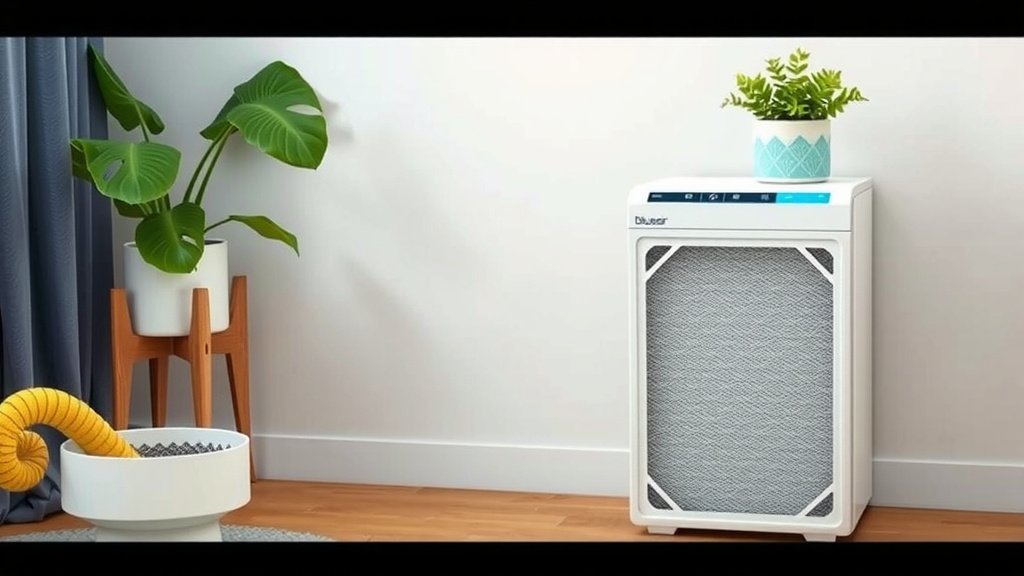
So, how do you actually clean it? It’s surprisingly simple! Grab your vacuum cleaner. You’ll want to use the brush attachment. This is key to avoid damaging the filter. Many experts recommend this approach. It’s gentle yet effective at removing loose debris.
Step-by-Step Vacuuming Process
Ready to get started? Here’s what you need to do:
- Unplug your Blueair purifier. Safety first! Never work on a plugged-in appliance.
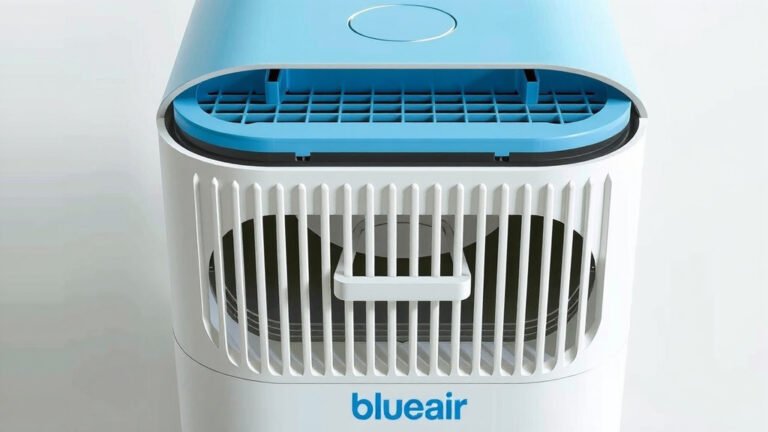
- Open your Blueair unit. The method varies by model. Usually, there’s a latch or a panel to remove. Consult your manual if you’re unsure.
- Carefully remove the filter. Note its orientation so you can put it back correctly.
- Take the filter outside or to a well-ventilated area. This prevents dust from spreading in your home.
- Attach the brush tool to your vacuum. Make sure it’s clean and free of any debris.
- Gently vacuum the filter’s surface. Move the brush in straight lines. Work your way over the entire filter. Pay attention to both sides.
- Don’t press too hard. You’re just trying to lift off the dust. You don’t want to embed the brush.
- Reinstall the filter. Make sure it’s in the correct position.
- Close and secure your Blueair unit.
- Plug it back in and turn it on.
How Often Should You Vacuum?
We found that the frequency depends on your environment. If you have pets, live in a dusty area, or have allergies, you might need to clean it more often. A good rule of thumb is to check your filter every 1-3 months. Look for visible dust buildup. If it looks grimy, it’s time for a gentle vacuuming. This routine maintenance is far better than waiting for the filter to be completely clogged.
When It’s Time for a New Filter
Even with regular cleaning, filters don’t last forever. There comes a point where vacuuming just won’t cut it anymore. How do you know? Several signs indicate it’s time for a replacement.
Signs Your Filter Needs Replacing
- Visible discoloration. If the filter is deeply stained and won’t come clean with vacuuming.
- Tears or damage. Any rips or holes mean it’s no longer effective.
- Persistent odors. If your purifier still smells musty after cleaning the filter.
- Reduced airflow. If you notice a significant drop in air output even after cleaning.
- The recommended replacement interval. Blueair usually suggests replacing filters every 6-12 months, depending on the model and usage (Blueair).
Filter Lifespan: A Realistic Look
While vacuuming can extend the life of your filter, it won’t make it last indefinitely. We found that a cleaned filter might last longer than the manufacturer’s initial recommendation, but it still degrades. For example, if Blueair recommends replacement every 6 months, a cleaned filter might give you an extra month or two. However, it’s crucial to replace it when it’s truly worn out. Using a damaged filter can harm your purifier. It might also push particles through.
Troubleshooting Common Cleaning Issues
What if you notice something unexpected? Here are a few common scenarios and what to do.
Filter Smells Musty After Cleaning?
This often happens if the filter was damp when you tried to clean it, or if you stored it in a damp place. Or, if it was already harboring mold or mildew. In this case, the best solution is to replace the filter. Mold spores are not something you want circulating in your air. It’s better to be safe.
Vacuum Cleaner Not Picking Up Enough?
Ensure you’re using the brush attachment and that it’s set to the correct height for your vacuum. Some vacuums have adjustable settings. Also, make sure the filter isn’t packed too tightly with debris. If it’s extremely dirty, multiple gentle passes might be needed. If it still seems ineffective, the filter might be past its prime.
Filter Feels Damaged After Vacuuming?
This means you might have been too aggressive. For future cleanings, use a lighter touch. Always use the soft brush attachment. If you notice any tears or damage after vacuuming, it’s safest to replace the filter immediately. Damaged filters are ineffective and can potentially harm your unit.
Maintaining your Blueair filter is a simple, effective way to ensure your air purifier performs at its best. By gently vacuuming your filter regularly and knowing when to replace it, you’re investing in cleaner air and a healthier home.
Conclusion
You’ve learned that keeping your Blueair filter clean is a simple yet vital task for maintaining optimal indoor air quality. By gently vacuuming your filter with a brush attachment, you can effectively remove dust and debris, extending its lifespan and ensuring your purifier runs efficiently. Remember, washing most Blueair filters can cause irreparable damage, so always stick to dry methods. If you notice persistent smells, discoloration, or damage, it’s time for a replacement. Make checking and cleaning your filter a part of your routine maintenance. Your lungs will thank you!
Frequently Asked Questions
How often should I vacuum my Blueair filter?
We recommend checking your Blueair filter for dust buildup every 1 to 3 months. If you have pets, live in a dusty environment, or suffer from allergies, you may need to clean it more frequently. Regular checks ensure you catch dust before it significantly impacts performance.
Can I use a regular vacuum cleaner hose on my Blueair filter?
It’s best to use the brush attachment on your vacuum cleaner. A regular hose can be too harsh and may damage the delicate filter material. The brush attachment provides a gentle way to lift dust without causing harm.
What if my Blueair filter looks really dirty and vacuuming doesn’t help much?
If vacuuming isn’t removing deep-seated dirt or discoloration, your filter might be nearing the end of its life. While cleaning extends life, filters don’t last forever. It’s likely time to purchase a new one to ensure your purifier continues to work effectively.
Will vacuuming my filter void the Blueair warranty?
Generally, routine maintenance like gentle vacuuming will not void your Blueair warranty. Blueair encourages users to maintain their units. Always refer to your specific model’s manual for the most accurate warranty information regarding filter care.
Is there any way to tell if my HEPA filter is no longer working well, even after cleaning?
Yes, besides visible dirt, if you notice a significant decrease in airflow from your unit, or if odors persist even after cleaning the filter, it’s a sign it may need replacing. Deeply embedded particles or damaged filter fibers can reduce efficiency.