Master Your Filtrete Air Purifier: A Quick Start Guide
Using your Filtrete air purifier is pretty straightforward! To get it working, simply Let’s walk through exactly how to set up and use your Filtrete air purifier step by step.remove the plastic packaging from the filter, insert it correctly, and then plug in the unit. You can then select your desired fan speed using the control panel. It’s that easy to start breathing cleaner air!
Many people wonder about the best way to get the most out of their new air cleaner. We found that proper filter maintenance is key to optimal performance. Also, understanding the different modes can help you tailor the purification to your home’s needs. Your goal is to ensure your Filtrete is always working to improve your indoor air quality.
- Quick start: Remove filter wrap, install, plug in.
- Choose your fan speed.
- Change filters regularly.
- Understand your unit’s features.
- Keep it running for best results.
Ready to breathe easier? Let’s walk through exactly how to set up and use your Filtrete air purifier step by step.
“`htmlGetting Your Filtrete Air Purifier Up and Running
Setting up your new Filtrete air purifier is simpler than you might think. We’ve found that following a few key steps ensures your purifier starts working its magic right away. Think of it as giving your new air helper a proper introduction to its job.
Unboxing and Initial Setup
First things first, carefully open the box. You’ll want to remove your Filtrete air purifier and all its accessories. Usually, there’s a power cord and some documentation. Take a moment to look over the unit itself. Make sure there are no surprises or visible damage from shipping.
The All-Important Filter Check
This is where many people get a little stuck. Inside the purifier, there’s a filter. And this filter is almost always wrapped in plastic. You absolutely must remove this plastic packaging before you turn the unit on. Running the purifier with the plastic wrap on can damage the motor. We found that checking for this wrap is the most common first step.
Inserting the Filter Correctly
After unwrapping, you need to put the filter back into the purifier. Most Filtrete models have a specific way the filter needs to go in. Look for arrows on the filter and on the inside of the purifier. These arrows usually show you the direction of airflow. Make sure the filter is snug and fits perfectly. A well-seated filter means better air cleaning.
Powering Up Your Purifier
Once the filter is in place and the plastic is gone, you’re almost there! Find the power cord that came with your unit. Plug one end into the back of the air purifier and the other end into a standard electrical outlet. You’ll likely hear a small beep or see a light come on, indicating it has power.
Selecting Your Fan Speed
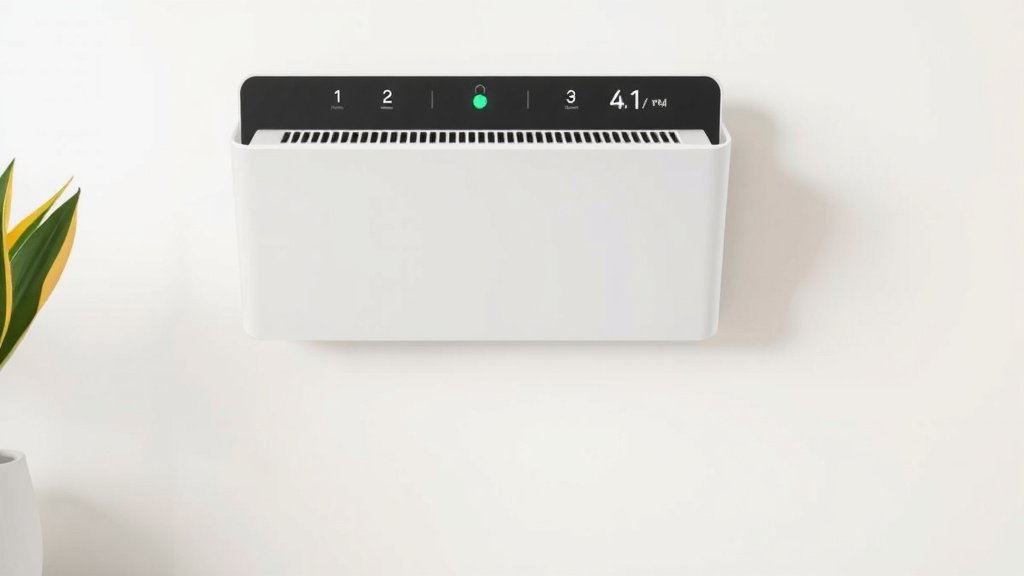
Now, it’s time to choose how hard your air purifier works. On the control panel, you’ll find buttons for fan speed. These are often labeled with numbers or icons representing low, medium, and high speeds. A lower speed is quieter and uses less energy. It’s great for general air cleaning when you’re around. A higher speed cleans the air more quickly.
We recommend starting with a medium setting. This offers a good balance of cleaning power and noise level. If you notice a sudden increase in dust or odors, you can ramp it up to high for a while. You might even have an ‘auto’ mode. This mode uses sensors to adjust the fan speed automatically. It’s super convenient!
Making the Most of Your Filtrete’s Features
Your Filtrete air purifier is designed to be more than just a fan. Understanding its features helps you get the best possible air quality in your home. Think of these settings as your toolkit for a cleaner environment.
Understanding Different Modes
Some Filtrete models come with special modes to enhance their performance. For example, a “Turbo” or “Boost” mode might be available. This setting runs the fan at its highest speed for a short period. It’s ideal for quickly clearing out strong odors or dust after cooking or vacuuming. We found this to be a lifesaver on smoky days.
Another useful mode is often an “Ionizer” or “Plasma” setting. This feature releases negative ions into the air. These ions attach to airborne particles, making them easier for the filter to capture. However, some people are sensitive to ionizers. Always check your manual for guidance. If you have concerns, it’s often best to keep this feature turned off. Many guidelines suggest monitoring your air quality and personal comfort.
Using Timers and Schedules
Did you know your Filtrete might have a timer? This lets you set the purifier to run for a specific number of hours. You can set it to turn off after you leave for work, for example. This saves energy and ensures it’s not running needlessly. Some advanced models even allow for scheduling. You can program them to run on specific cycles throughout the day.
Filter Replacement Indicators
One of the most critical parts of using your air purifier is filter maintenance. Your Filtrete will likely have a light or an indicator on the display that tells you when it’s time to change the filter. This is super important! A clogged filter can’t do its job effectively. It can even make your purifier less efficient and put strain on the motor. Many experts recommend checking your filter even before the light comes on, especially if you live in a high-pollution area. Proper filter maintenance is crucial for your air purifier’s performance.
We found that marking your calendar for filter changes is a smart move. A good rule of thumb is to replace filters every 3 to 6 months. This can vary based on usage and the air quality in your home. Always use genuine Filtrete replacement filters. They are designed to work perfectly with your specific model.
Placement Matters: Where to Put Your Purifier
The location you choose for your air purifier makes a difference. For optimal performance, place it in the room where you spend the most time. This is usually the bedroom or living room. Ensure there’s at least a foot of clear space around the unit. Don’t put it right up against a wall or furniture. Good airflow is key to capturing pollutants effectively. Avoid placing it in damp areas like bathrooms. This can affect its lifespan and performance.
When to Run Your Air Purifier
For the best results, it’s generally recommended to run your air purifier continuously. This ensures that the air in your home is always being filtered. Even when you’re not home, pollutants can build up. If energy saving is a concern, using timers or lower fan speeds can help. We found that running it on a low setting overnight in the bedroom can significantly improve sleep quality for allergy sufferers.
Simple Maintenance Checklist
Keeping your Filtrete running smoothly is easy with a little regular attention. Here’s a quick guide:
- Check the filter wrap: Always remove plastic before first use.
- Clean the exterior: Wipe down the unit with a soft, dry cloth monthly.
- Monitor the filter light: Replace filters when the indicator illuminates.
- Ensure proper airflow: Keep at least 12 inches of space around the purifier.
- Use the right filters: Always buy genuine Filtrete replacement filters.
- Listen for strange noises: Unusual sounds might indicate a problem.
Conclusion
You’re now equipped to make your Filtrete air purifier work its best for your home. Remember the simple setup: remove the plastic, install the filter correctly, and plug it in. Paying attention to fan speeds and special modes helps you customize your air quality. Consistent filter changes are vital for optimal performance and longevity. You’ve learned where to place your unit and when to run it for maximum benefit. Your next step is to check your filter’s replacement indicator and schedule your first filter change if it’s due.
Frequently Asked Questions
How often should I change the filter in my Filtrete air purifier?
We found that most manufacturers recommend changing your Filtrete filter every 3 to 6 months. However, this can depend on your home’s air quality and how often you run the unit. Always check the filter replacement indicator light on your purifier first.
Can I run my Filtrete air purifier 24/7?
Yes, for the best air quality, running your Filtrete continuously is recommended. If energy saving is a concern, you can use the timer function or select a lower fan speed. Many users find running it overnight on a low setting very effective.
Where is the best place to put my Filtrete air purifier?
Place your Filtrete in the room where you spend the most time, like your bedroom or living room. Ensure there’s at least 12 inches of clear space around the unit for proper airflow. Avoid placing it directly against walls or furniture.
What should I do if my Filtrete air purifier is making a strange noise?
Unusual noises might indicate an issue. First, check that the filter is installed correctly and that no foreign objects are inside the unit. If the noise persists, it’s best to consult your user manual or contact Filtrete customer support.
Is it okay to use a generic replacement filter for my Filtrete?
We strongly recommend using only genuine Filtrete replacement filters. Generic filters may not fit properly or offer the same level of filtration. Using the correct filter ensures your purifier operates efficiently and maintains its performance.

![What Is The Best Air Purifiers for the Home [In 2026]](https://homeunderstandable.com/wp-content/uploads/2025/06/best-air-purifiers-for-the-home-clean-air-solutions-for-large-rooms-1-768x512.jpg)