GermGuardian Air Purifier Guide: Setup and Usage
Using your GermGuardian air purifier is straightforward, even for first-timers! To get started, simply plug it in, select your desired fan speed, and let it work its magic cleaning your air. Many models also have special modes, like a Sleep mode for quiet operation.
GermGuardian purifiers are designed to be user-friendly, making cleaner air accessible to everyone. They typically use a multi-stage filtration system, including a True HEPA filter. This means they’re great at capturing tiny particles you can’t see.
TL;DR:
- Plug it in and turn it on.
- Choose your preferred fan speed.
- Understand filter replacement needs.
- Utilize special modes like Sleep mode.
Ready to breathe a little easier? Let’s walk through how to get the most out of your GermGuardian air purifier step by step.
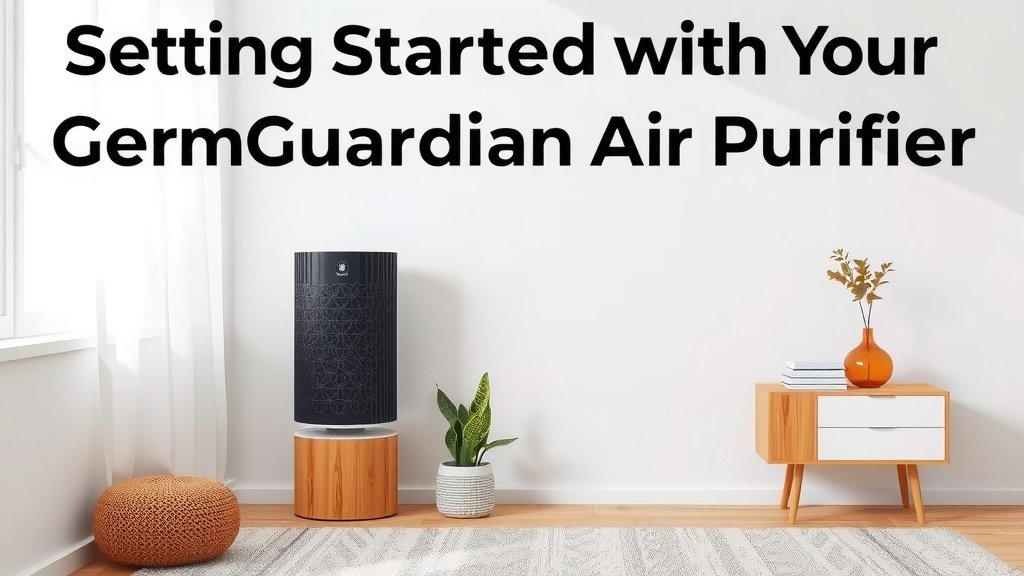
Getting Started with Your GermGuardian Air Purifier
So, you’ve got your new GermGuardian air purifier and you’re ready to enjoy cleaner air. That’s fantastic! We’re here to guide you through every step to make sure you’re using it effectively and getting the best possible performance from this nifty device.
Unboxing and Initial Setup
First things first, let’s get it out of the box. Carefully remove your GermGuardian unit and all its accessories. You’ll typically find the air purifier itself, a power cord, and your air filters. Make sure you check the packaging thoroughly for all components.
Before plugging anything in, it’s always a good idea to consult your specific model’s user manual. It has the most accurate information for your particular unit. We found that reading this initial setup section helps avoid common mistakes. Before plugging anything in, it’s always a good idea to consult your specific model’s user manual for the most accurate information.
Installing the Filters Correctly
Your GermGuardian air purifier relies on its filters to do the heavy lifting. These filters capture dust, allergens, pet dander, and even microscopic particles. Proper installation is key to their effectiveness.
Checking Pre-installed Filters
Some GermGuardian models come with filters already inside. You might need to remove a plastic protective layer from them before operation. Open the back or top panel of your unit. You should see the filters inside. Carefully peel off any plastic wrap that’s covering them. This is super important because the plastic will block airflow and prevent filtration.
Inserting New Filters
If you’re installing new filters, make sure you have the correct replacement filters for your model. They are often labeled with the filter type, like HEPA or activated carbon. Slide them into the unit in the indicated direction. Usually, there’s a small arrow or a “front” label to guide you. Once they’re in, securely close the panel.
Choosing the Right Location for Your Purifier
Where you place your air purifier can make a big difference in how well it works. You want to give it plenty of room to breathe. Don’t push it right up against a wall or furniture.
We recommend placing your GermGuardian in a central area of the room you use most often. This allows the purified air to circulate effectively. Keep it at least a foot or two away from walls and large objects. This ensures unobstructed airflow, which is essential for optimal performance. Think of it like giving it its own little breathing space!
Operating Your GermGuardian Air Purifier
Now that your purifier is set up, let’s talk about how to turn it on and adjust its settings. It’s designed to be pretty intuitive, so you’ll be a pro in no time.
Powering On and Off
Locate the power button on your unit. It’s usually clearly marked. Press it once to turn the air purifier on. To turn it off, simply press the power button again. Easy peasy!
Adjusting Fan Speed Settings
Most GermGuardian models offer multiple fan speed settings. You’ll find buttons or touch controls for this. Common settings include low, medium, and high. A lower speed is quieter and uses less energy, perfect for when you’re sleeping. A higher speed cleans the air more quickly, which is great for removing strong odors or when you have guests over.
Think about what you need at the moment. Are you trying to tackle a stuffy room, or do you just want a gentle hum of clean air in the background? Your choice of fan speed directly impacts how fast your air is cleaned.
Understanding Special Modes and Features
Many GermGuardian purifiers come with helpful modes designed for specific situations. For example, the Sleep mode is a popular feature. When activated, it dims the indicator lights and operates at its lowest, quietest fan speed. This is perfect for bedrooms, as it won’t disturb your rest.
Some models might also have an auto mode. In this mode, the purifier uses a sensor to detect air quality and automatically adjusts the fan speed. This takes the guesswork out of setting the right speed. We found this to be incredibly convenient for everyday use. Check your manual for any other special functions your specific model might have, like timers or filter indicator lights.
Maintaining Your GermGuardian for Peak Performance
To ensure your GermGuardian air purifier continues to provide you with clean air, regular maintenance is key. The most important part of this is filter replacement.
Knowing When to Replace Filters
Filters don’t last forever. They get clogged with all the pollutants they capture. Your GermGuardian will likely have an indicator light that turns on when it’s time for a new filter. This is usually a sign that the filter is no longer as effective. Your GermGuardian will likely have an indicator light that turns on when it’s time for a new filter, signaling it’s no longer as effective.
We found that neglecting filter changes is the most common reason air purifiers stop performing as expected. Even if your model doesn’t have an indicator light, you should note the date you installed the filters. Generally, HEPA filters should be replaced every 6-12 months, and carbon filters every 3-6 months, depending on usage and air quality.
Cleaning Your Air Purifier Unit
Besides filter replacement, you’ll want to keep the exterior of your unit clean. Occasionally, dust can accumulate on the outside casing. Simply unplug the unit and wipe it down with a soft, dry cloth. For more stubborn marks, a slightly damp cloth can be used, but be sure the unit is completely dry before plugging it back in.
Never use harsh chemicals or abrasive cleaners on your air purifier. This could damage the plastic and internal components. A gentle wipe-down is all that’s needed to keep it looking and working great.
Quick Maintenance Checklist
Here’s a quick rundown to keep your purifier in top shape:
- Check for and remove any plastic wrapping from new filters before installation.
- Place your purifier in an open area, away from walls.
- Select the appropriate fan speed for your needs.
- Utilize special modes like Sleep or Auto when beneficial.
- Monitor filter indicator lights and replace filters on schedule.
- Wipe down the exterior of the unit periodically.
Conclusion
You’re now equipped to use your GermGuardian air purifier effectively! We’ve covered everything from initial setup and filter installation to choosing the perfect spot and understanding special modes. Remember, proper placement and regular filter maintenance are key to breathing the freshest air possible. By following these simple steps, you’ll ensure your purifier runs efficiently for years to come. Your next step is to regularly check your filter indicator and schedule replacements to keep your air consistently clean.
Frequently Asked Questions
How often should I replace the HEPA filter in my GermGuardian?
We’ve found that HEPA filters typically need replacing every 6 to 12 months. This can vary based on your home’s air quality and how often you run the purifier. Your unit’s indicator light is the best guide, but if it doesn’t have one, mark your calendar!
Can I wash my GermGuardian’s HEPA filter?
No, you should not wash the HEPA filters. They are designed for single use and are not washable. Washing can damage the filter material and reduce its effectiveness in capturing tiny particles.
What’s the best place to put my GermGuardian air purifier?
For optimal performance, place your GermGuardian in a central location in the room you use most. Keep it at least 1-2 feet away from walls and large furniture. This allows for unobstructed airflow, ensuring it can circulate and clean the air efficiently.
My GermGuardian seems louder than usual, what could be wrong?
A common reason for increased noise is a clogged filter. When filters are full, the unit may have to work harder, leading to more sound. Also, check if anything is obstructing the fan. If you’ve replaced the filters and the noise persists, consult your manual or contact customer support.
What does GermGuardian’s “Sleep Mode” do?
Sleep Mode is designed for quiet operation, perfect for bedrooms. When activated, it dims the unit’s lights and switches to the lowest, quietest fan speed. This way, you can enjoy cleaner air throughout the night without disruptive noise or bright lights.
![What Is The Best Mattress For Daybed With Trundle [In 2026]](https://homeunderstandable.com/wp-content/uploads/2025/12/Best-Mattress-For-Daybed-With-Trundle-1.jpg)