Levoit Air Purifier Troubleshooting: Easy Fixes You Can Do
If your Levoit air purifier isn’t working right, the fix is often quite simple. Many common issues, like poor air quality readings or strange noises, can be solved by cleaning the filter or performing a reset. You can usually get your purifier back to working its best with just a few basic steps.
Troubleshooting your Levoit air purifier can save you time and money. We found that users often overlook simple maintenance tasks that can cause performance problems. Ensuring your air purifier is properly set up and its filters are clean are key to optimal function.
- Clean the air intake and outlet vents.
- Check and clean or replace the HEPA filter.
- Perform a unit reset if settings are erratic.
- Ensure the purifier is on a level surface.
- Confirm the air quality sensor isn’t blocked.
Ready to get your Levoit air purifier breathing easy again? Let’s walk through some common problems and their easy solutions together.
Troubleshooting Your Levoit Air Purifier: Common Fixes
Is your Levoit air purifier acting a bit funny? Don’t worry, most issues have simple solutions. We found that many problems stem from things you can easily fix yourself. Let’s get your air purifier running smoothly again!
Understanding Common Levoit Air Purifier Problems
Your Levoit air purifier is designed to be user-friendly. However, like any appliance, it can encounter hiccups. Common complaints include reduced airflow, strange noises, or the unit not turning on at all. Sometimes, it might seem like it’s not cleaning the air effectively, even with the indicator lights on.
Airflow Issues: Is It Breathing Well?
If you notice less air coming from your Levoit purifier, it’s usually a sign that something is blocking the airflow. Think of it like trying to breathe through a stuffy nose; it’s harder to get air in and out. The most frequent culprit here is a dirty filter.
Check the Filters First
Your Levoit air purifier uses filters to trap pollutants. Over time, these filters get clogged with dust, pet dander, and other particles. A clogged filter is the number one reason for reduced airflow. We found that simply cleaning or replacing the filter often solves this problem immediately.
Cleaning the Pre-filter
Many Levoit models have a pre-filter, which is the first layer of defense. This layer catches larger particles like hair and dust bunnies. You can usually vacuum this gently with a soft brush attachment on your vacuum cleaner. Some pre-filters are even washable, so check your model’s manual.
When to Replace the HEPA Filter
The HEPA filter is the workhorse of your purifier. It captures fine particles. Most Levoit HEPA filters need replacing every 6-12 months, depending on usage and air quality. If it looks visibly dirty, gray, or dusty, it’s likely time for a new one. You’ll often see a filter change indicator light on the unit itself.
Strange Noises: What’s That Sound?
A humming or whirring sound is normal for an air purifier. However, if you start hearing rattling, grinding, or buzzing, it’s cause for concern. These noises often point to something loose or obstructed.
Check for Obstructions
Ensure nothing is physically blocking the fan or the filter area. Sometimes, a small object might accidentally fall into the air intake. Always unplug the unit before checking for obstructions. We found that a quick visual inspection can often reveal the issue.
Is the Unit Stable?
An uneven surface can cause vibrations and noise. Make sure your Levoit purifier is placed on a flat, stable floor. If it’s wobbling, try adjusting its position or placing a small, firm mat underneath it. This simple step can eliminate a surprising amount of rattling.
Unit Not Turning On: Power Problems
If your Levoit air purifier refuses to power on, start with the basics. Is it plugged in securely?
Check the Power Outlet and Cord
Try plugging another small appliance into the same outlet to confirm the outlet is working. Also, inspect the power cord for any visible damage. If the cord looks frayed or damaged, do not use the unit and contact Levoit support.
Perform a Power Cycle (Reset)
Sometimes, the unit’s electronics can get stuck. A power cycle can reset it. Unplug the purifier, wait for about 30 seconds, and then plug it back in. This often clears minor electronic glitches.
Resetting Your Levoit Air Purifier
Levoit air purifiers have a filter reset function. This is usually triggered after you’ve replaced the filter. If the filter indicator light is still on after a change, or if your unit’s settings seem erratic, a reset might be needed.
How to Reset the Filter Indicator
On most Levoit models, you’ll need to press and hold a specific button for a few seconds after replacing the filter. This button is often labeled “Filter Reset,” “Timer,” or the power button. Consult your specific Levoit model’s manual for exact instructions. We found that holding the button for 3-5 seconds is typical.
The Importance of Air Intake and Outlet Vents
Just like we need clear airways, your air purifier needs clear vents to function properly. Dust and debris can accumulate on these vents, hindering performance.
Cleaning the Vents
Regularly wipe down the air intake grilles (usually on the sides or back) and the air outlet grille (on top). Use a soft, dry cloth. For stubborn dust, a slightly damp cloth can work, but make sure the unit is unplugged and completely dry before use. This helps ensure optimal air circulation.
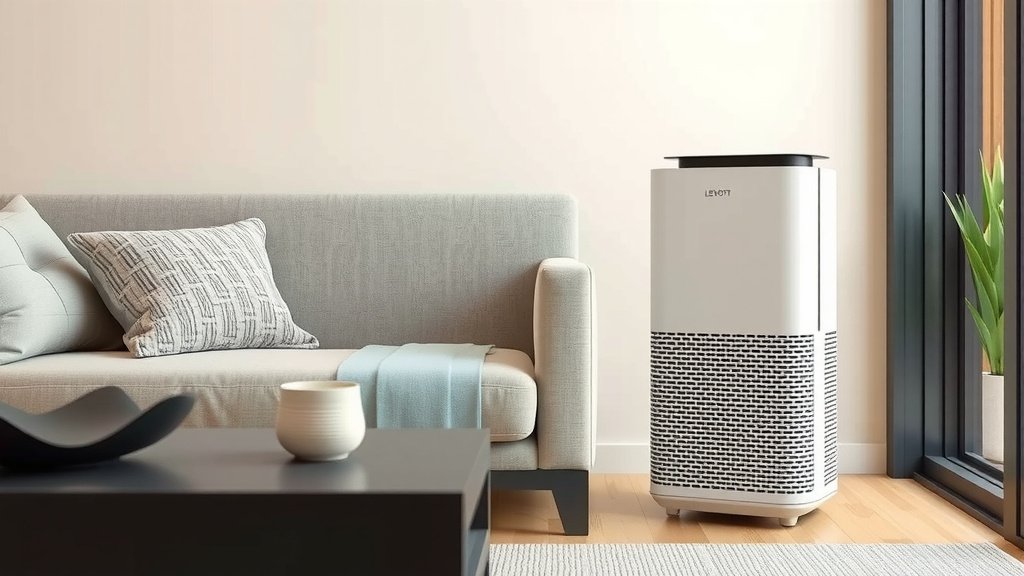
Air Quality Sensor: The Unit’s “Nose”
Many Levoit models have an air quality sensor. This sensor detects particles in the air and adjusts the fan speed accordingly. If your purifier isn’t reacting to changes in air quality, the sensor might be the issue.
Locate and Clean the Sensor
The sensor is usually located on the side or back of the unit. It often looks like a small lens. Gently wipe this lens with a dry cotton swab. Avoid using liquids or abrasive materials. Ensure the sensor isn’t blocked by any objects or curtains. A clean sensor leads to accurate air quality readings.
When to Call for Help
If you’ve tried these steps and your Levoit air purifier still isn’t working correctly, it might be time to seek professional help. Some issues could be mechanical or electrical and may require expert attention.
Contact Levoit Support
Your Levoit purifier likely comes with a warranty. If it’s still covered, contacting their customer support is your best bet. They can guide you through advanced troubleshooting or arrange for repairs. Remember to have your model number and purchase date ready. Many reputable sources suggest checking the warranty first for any new appliance issues.
Quick Checklist for a Healthy Levoit Purifier
- Unplug the unit before cleaning or maintenance.
- Vacuum the pre-filter regularly.
- Replace the HEPA filter as recommended.
- Wipe down air intake and outlet vents.
- Ensure the unit is on a level surface.
- Gently clean the air quality sensor.
Conclusion
You’ve now got the tools to get your Levoit air purifier back in tip-top shape. Remember, most issues are surprisingly simple to fix. Focusing on clean filters, clear vents, and a stable placement will keep your unit running efficiently. Don’t forget the power cycle and reset functions for electronic hiccups. If you’ve gone through these steps and still face problems, reaching out to Levoit support is your next smart move. Keep breathing easy!
Frequently Asked Questions
How often should I clean my Levoit air purifier’s pre-filter?
We found that most users benefit from cleaning the pre-filter at least once a month. This helps capture larger particles like pet hair and dust. Gently vacuuming it with a soft brush attachment is usually sufficient for optimal performance.
What does it mean if my Levoit air purifier’s air quality light is always red?
A constant red light often indicates a significant amount of airborne particles detected. This could be due to a very dirty filter, a blocked sensor, or a new source of pollution in your home. Ensure your filter is clean and the air quality sensor is clear.
Can I wash the Levoit HEPA filter?
No, you should not wash the HEPA filter. These filters are designed to trap fine particles and washing them can damage the filter media. Always replace the HEPA filter according to the manufacturer’s recommendations, typically every 6-12 months.
My Levoit purifier is making a rattling noise. What should I do?
A rattling noise usually means something is loose or vibrating. First, unplug the unit and check if it’s on a level surface. Also, ensure the filter is seated correctly and no foreign objects are inside the unit. Sometimes, a loose fan can cause this, which may require professional attention.
How do I know if I need to replace my Levoit air purifier’s filter?
The best indicators are the filter change reminder light on your unit and the visual condition of the filter itself. If the filter looks visibly dirty, clogged, or gray, it’s likely time for a replacement, even if the light hasn’t come on yet.