How to Use Your Idylis Air Purifier for Cleaner Air
Using your Idylis air purifier is pretty straightforward! To get the most out of it, you’ll want to start by placing it in the room where you spend the most time, ideally on a flat surface away from walls. Then, simply plug it in and select your desired fan speed. It’s designed to be **user-friendly**, so you can enjoy **cleaner air** without a fuss.
An Idylis air purifier works by drawing in air, passing it through a series of filters to capture particles, and then releasing cleaner air back into your space. Proper setup and regular maintenance, like **filter replacement**, are key to its **effective operation**. Many users find it makes a noticeable difference in their home’s air quality.
- Quick setup: Plug it in and choose your speed.
- Smart placement: Put it where you are most often.
- Filter care: Remember to change filters as needed.
- Room size matters: Match the purifier to your space.
Ready to breathe a little easier? Let’s walk through the simple steps to get your Idylis air purifier running perfectly and keep it that way.
Getting Your Idylis Air Purifier Set Up and Running
So, you’ve got your new Idylis air purifier, and you’re ready to enjoy cleaner air. Great choice! We’re here to guide you through the process, making sure you get the most out of your device from day one. It’s designed to be incredibly user-friendly, so don’t worry – this won’t be complicated.
Unpacking and Initial Placement
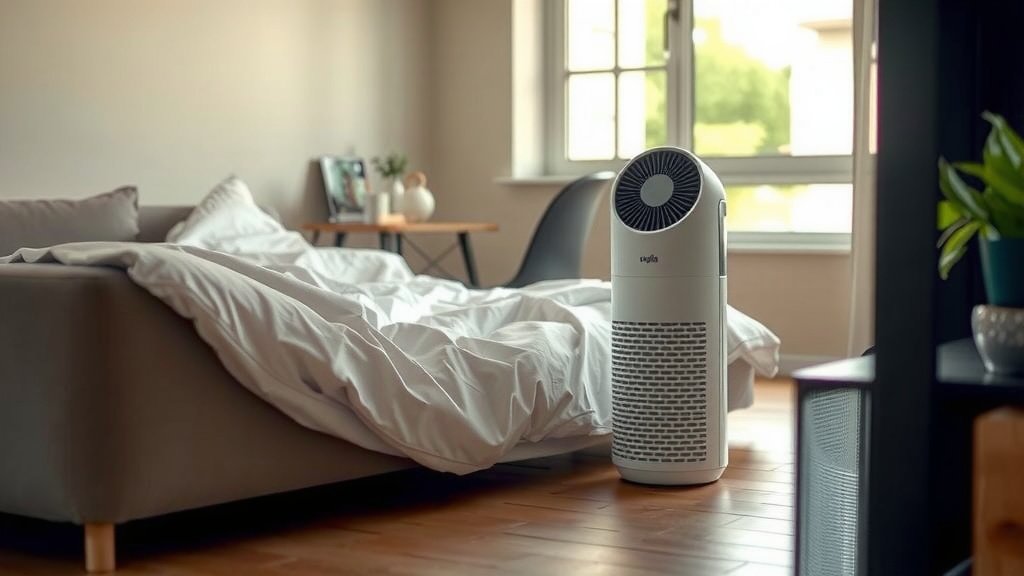
First things first, let’s get it out of the box. Gently remove your Idylis purifier from its packaging. You’ll want to find the perfect spot for it. Think about where you spend the most time. Is it the living room where you relax? The bedroom where you sleep? Place it on a **hard, flat surface**. This helps the air circulate properly. Also, try to keep it at least a few inches away from walls or large furniture. This gives the air intake and outflow plenty of room to work their magic. Avoid placing it in a corner if you can help it; it’s like trying to breathe through a straw!
Understanding Your Air Purifier’s Components
Before you plug it in, let’s quickly look at what makes your Idylis tick. You’ll find the main unit, of course. Inside, there are filters. These are the **heart of the operation**. Most Idylis models come with a pre-filter, a HEPA filter, and often an activated carbon filter. The pre-filter usually captures larger particles like pet hair and dust bunnies. The HEPA filter is the real workhorse, capturing 99.97% of airborne particles down to 0.3 microns – that includes allergens, pollen, and mold spores (CDC). The carbon filter helps tackle odors and gases. Knowing what each filter does helps you understand why maintenance is important.
Operating Your Idylis Air Purifier
Now for the fun part: turning it on! It’s as simple as plugging it in and choosing your settings. Your Idylis purifier is designed for intuitive use, so you’ll likely find a simple control panel right on top.
Powering On and Selecting Fan Speeds
Locate the power button. Once plugged into a suitable outlet, a simple press will bring your unit to life. Most Idylis models offer multiple fan speeds. You’ll typically see options like Low, Medium, and High, and sometimes an Auto mode. For **quick air cleaning**, like after cooking or when you first enter a room, a higher speed is great. For continuous, **quieter operation** throughout the day or night, a lower speed is usually sufficient. The Auto mode is clever; it uses sensors to detect air quality and adjusts the fan speed accordingly.
Understanding Different Modes and Features
Depending on your specific Idylis model, you might have additional features. Some units have a sleep mode, which dims the lights and runs the fan at its quietest setting, perfect for bedrooms. Others might include a timer function, allowing you to set the purifier to run for a specific number of hours. Take a moment to familiarize yourself with your purifier’s unique buttons and functions. It only takes a minute and ensures you’re using all its capabilities.
When to Use Different Settings
Think of the fan speeds like gears on a car. You need a higher gear for quick acceleration and a lower gear for steady cruising. If you have a sudden influx of odors or dust – maybe you opened the windows on a dusty day or had guests over – crank it up to High for a while. Once the air feels fresher, you can dial it back to Medium or Low. For **allergy season**, keeping it on a medium or even low setting continuously can be very beneficial, providing a constant layer of filtration.
Maintaining Your Idylis Air Purifier for Optimal Performance
Your air purifier is an appliance, and like any appliance, it needs a little care to keep working its best. The most important part of this care involves the filters. Clean air is great, but not if the filters are clogged!
Filter Replacement Schedule
This is probably the most critical maintenance task. The HEPA filter and carbon filter typically need replacing periodically. How often? It depends on your usage and the air quality in your home. A common recommendation is to replace the HEPA filter every 6 to 12 months and the carbon filter every 3 to 6 months (American Lung Association). Some models have a filter indicator light that will tell you when it’s time. If yours doesn’t, make a note in your calendar or check the filters visually every few months. A **clogged filter** can’t do its job and might even reduce airflow. Proper maintenance, like filter replacement, is key to effective operation.
How to Replace Filters
Replacing filters is usually a straightforward process. You’ll typically need to turn off and unplug the unit first. Then, find the filter access panel – often on the back or side. It usually slides or snaps open. Remove the old filters, noting their orientation. Slide in the new ones, making sure they are seated correctly. Close the panel securely, plug the unit back in, and turn it on. You might need to reset the filter indicator light on some models; check your manual for instructions.
Cleaning the Exterior and Pre-filter
The exterior of your Idylis purifier just needs a gentle wipe-down. Use a soft, damp cloth to clean the casing. Avoid harsh chemicals or abrasive cleaners, as they can damage the finish. If your model has a washable pre-filter, rinse it under cool water and let it air dry completely before reinserting it. This can extend the life of your main HEPA and carbon filters. A **clean exterior** looks nice, but a clean pre-filter directly helps the inner workings.
Choosing the Right Replacement Filters
When it’s time to buy new filters, make sure you get the **correct ones** for your specific Idylis model number. Using the wrong filters might not fit properly or may not offer the same level of filtration. You can usually find the exact filter part numbers in your owner’s manual or on the manufacturer’s website. Many people find purchasing filter sets makes it convenient to replace all necessary filters at once.
Making the Most of Your Idylis Air Purifier
Beyond the basic setup and maintenance, a few smart practices can help you maximize the benefits of your Idylis air purifier.
Matching Purifier Size to Room Size
Idylis offers purifiers in various sizes, designed for different room dimensions. It’s important to choose a model that’s appropriate for the space you intend to use it in. A unit that’s too small won’t be effective in a large room, and one that’s too large might be overkill (and noisier) for a small space. Check the **CADR ratings** (Clean Air Delivery Rate) and the manufacturer’s recommended room size for your model. Using the right size ensures efficient purification.
Strategic Placement for Maximum Effectiveness
We touched on this earlier, but it bears repeating. Where you place your purifier truly matters. While placing it where you spend the most time is key, also consider airflow. If you have a particularly drafty room or notice areas where air seems stagnant, try positioning your purifier to help **circulate air** more evenly throughout the space. It’s like positioning a fan to create a gentle breeze; you want to guide the clean air where it’s needed most.
Consider a Routine Checklist
To make filter changes and cleaning a breeze, consider a simple checklist. Here’s a sample to get you started:
- Monthly: Wipe down the exterior of your Idylis unit.
- Every 2-3 Months: Visually inspect HEPA and carbon filters. Rinse washable pre-filter if applicable.
- Every 6 Months: Replace carbon filter (or as indicated by filter light/manual).
- Every 12 Months: Replace HEPA filter (or as indicated).
- When Needed: Run on high speed to clear odors after cooking or guests.
- Always: Ensure the unit is unplugged before cleaning or filter changes.
Conclusion
You’ve learned how simple it is to set up and maintain your Idylis air purifier for the best performance. By understanding placement, operation modes, and regular filter care, you’re well on your way to enjoying fresher, cleaner air in your home. Remember that a little routine maintenance goes a long way in keeping your purifier efficient and effective. Now that you have the knowledge, take the next step: check your unit’s filter indicator light or mark your calendar for your first filter check. Your lungs will thank you!
Frequently Asked Questions
How do I know when to change the filters on my Idylis air purifier?
Many Idylis models feature a filter indicator light that will alert you when it’s time for a change. If yours doesn’t, it’s a good idea to visually inspect the HEPA and carbon filters every few months. Generally, carbon filters need replacement every 3-6 months, and HEPA filters every 6-12 months, depending on use and air quality.
Can I wash the HEPA filter in my Idylis air purifier?
No, you should never wash a HEPA filter. HEPA filters are designed to trap very fine particles, and washing them would damage their structure and render them ineffective. Your Idylis likely has a pre-filter that might be washable, but the main HEPA filter needs to be replaced according to the manufacturer’s recommendations.
What’s the best place to put my Idylis air purifier for maximum effectiveness?
Place your Idylis purifier on a hard, flat surface at least a few inches away from walls or large furniture to allow for proper airflow. Position it in the room where you spend the most time, such as a living room or bedroom. This ensures the air you breathe most often is being filtered.
Why is the Auto mode on my Idylis air purifier not always running at high speed?
The Auto mode uses sensors to detect the current air quality in your room. If the air quality is good, the purifier will run at a lower, quieter speed. It will automatically increase the fan speed only when it senses pollutants like dust, allergens, or odors to clean the air more quickly.
My Idylis air purifier seems louder than usual. What could be wrong?
An increase in noise often indicates a clogged filter. When filters are dirty, the unit has to work harder, leading to more noise and reduced airflow. Check your filters; if they are visibly dirty or if your filter indicator light is on, it’s time to replace them. Ensure the unit is also on a stable surface.